
Your Browsing History


WILLIAM W.
Joined on 11/27/13
0
0
product reviews
- 4
Great for Legacy Storage
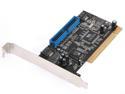
Rosewill RC-215 VIA PCI SATA 1.5G x2 / ATA 133 (IDE) x1 Controller Card
Pros: Great for taking advantage of some old storage devices. If supporting old storage devices(IDE) it's also handy to offload your slower Optical devices to save the faster SATA 2 and 3 conections on the motherboard for newer and faster storage solutions.
Cons: The PCI conection with new Motherboards means the CPU needs to go through the chipset and a PCIe to PCI bridge. Motherboards with the Z87 chipset don't really support PCI. If you get a B85 board with PCI then you need a large enough case (no Mini/Micro ATX cases) The addition of a second boot screen adds time to boot. Plus the boards BIOS is slow to load.--But it really is a legacy device.
Overall Review: Since your optical drives are your slowest component, attaching them to the SATA connections could save you SATA II and SATA III conections on the motherboard for faster RAID or storage device conections.
12/15/2013See more detail
PnP world needs > clearity
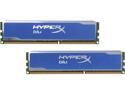
HyperX 16GB (2 x 8GB) DDR3 1600 Desktop Memory Model KHX1600C10D3B1K2/16G
Pros: Runs great and fast. With the cooling solution setting to the speced rate of 1600 is safe and easy. Contains plug and play profile for 1600 and is easily accessed depending on bios. If your bios doesn't run with profiles then some of the other reviews here give you the settings needed to run at 1600.
Cons: Spec sheet/marketing a little misleading to those who haven't been in the industry before Plug and Play. Although the memory is rated for 1600 the native speed that most Bios's recognize is 1333. This requires changed settings in the bios.
Overall Review: This con isn't really new to the PC industry regarding memory. Typically it has long been neccessary to change bios settings for memory whenever adding memory rated at speeds faster than the default slowest memory speed suported by the mother board. Some people are too used to assumptions with plug and play tech and don't remember/know how to maximize settings.
12/14/2013See more detail
Windows 8.1 Pro - 64-bit
Pros: Small clean OS that returns to the compact thinking lost when Win95 was released. Comes with Security in mind and is built tighter and cleaner which removes many of the timing gaps that hackers love to exploit. Plus Security software is native to the OS. Hyper V is a nice welcome for those that are techy and would like to run virtual machines to preserve old clasic programs/games. Instalation is quick and easy even under custom install. Once configured and costomized it really is a fast and intuitive Operating system that I enjoyed learning to use. Navigation is fast and seamless and returning to XP style navigation seems unreasonable.
Cons: Closing Metro instances of Apps is a bit more combersome is you don't have a touch screen. With a touch screen it is a quick simple, yet distinguishable motion. With a mouse it is a bit combersome tomove the mouse to the top, grab and thendrag to the bottom vs clicking on an x in the upper right. But this does preserve the screen for maximum use. This is both a Con and a Pro: Removal of native support for DVD playback and the removal of Media Center. Not being native it means that it must be purchased seperate and may incure extra costs if not with your device drivers/programs disk. On the other hand this allows for selection of other Media Center programs and Video (DVD or Blu-Ray) playback software without the clutter of two systems.
Overall Review: For PC users I'd sugest costomizing the navigation to open to the desktop and use the desktop background as the background for the start screen To do this go to the control panel. From the desktop (Win+D) right click on the start button and click control panel. I don't like the category view of control panel so I change the view to large or small icons. Open the Taskbar Settings. Then click on the navigation tab and select the open in desktop option and the use desktop background as the start screen background option. Then enjoy the new intuitive navigation of Windows8.1 With the tech focus being on compact comunication devices such as smart phones and tablets the PC world has gained the advantage of a compat OS supported by an experianced corporation. This was lost in the mid 90's when memory and storage was becoming cheaper at an excelerated rate that nobody really cared about how large programs were getting. This meant sloppy programing, especially in the OS depatment.
12/14/2013See more detail
Excelent Boot Device.
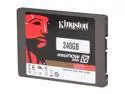
Kingston SSDNow V300 Series SV300S3N7A/240G 2.5" 240GB SATA III Internal Solid State Drive (SSD) Notebook Bundle Kit - Retail
Pros: With this SSD OS install was quick even with a large number of restarts. Boot up time is very short and programs load near instantly. The SSD has plenty of space to reserve headroom for SSD maintenance while installing all your main programs and drivers. I installed into a new desktop build but the resources that come with the SSD should be good for disk cloning for a laptop but I prefer to back up data and reinstall clean to refresh the speed of the system over cloning.
Cons: Price per GB more than HHD, but it is coming more affordable and worth the upgrade for speed.
Overall Review: Remember to maintain enough free space to keep your SSD runing fast and to maintaiin the life of the SSD. Data intensive games should still be stored on and HHD. The type of reads done from most games are larger sequential files vs the drivers, small process files and page files in the OS are smaller random reads. This basicially means the speed boost is to small to justify the extra load on the SSD for game instalations. The same is true for media and data storage such as videos, pictures, documents and music
12/14/2013See more detail