

Your Browsing History


Alex B.
Joined on 06/20/03
0
0
product reviews
- 5
Works, automatically detected.
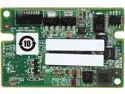
LSI LSICVM02 (LSI00418) CacheVault Accessory Kit for 9361 Series--Avago Technologies
Pros: Works with LSI MegaRAID SAS 9361-8i. Automatically detected by the RAID card. Allows write caching. Uses 6.4F capacitor instead of a battery.
Cons: Expensive. Capacitor bracket does not have means for mounting inside a traditional case, I had to attach it with velcro pads to the floor of the case.
8/9/2015See more detail
Works grest so far
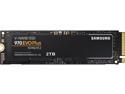
SAMSUNG 970 EVO PLUS M.2 2280 2TB PCIe Gen 3.0 x4, NVMe 1.3 V-NAND Internal Solid State Drive (SSD) MZ-V7S2T0B/AM
Pros: Large (2TB) Fast
Cons: Expensive Runs hot, needs airflow
Overall Review: This SSD works well as the root filesystem device on my Linux desktop. I just happened to have one spare PCIe x4 slot on my ancient ASUS M4A89TD PRO USB3 motherboard, so with the help of R24SF PCIe x4 to M.2 cable I was able to install it and place next to the case fan. Old BIOS doesn't recognize NVME drives as a boot devices, however thankfully I can keep my boot partition on a separate drive and still have the root filesystem on SSD. Even with the fan, temperature, as reported by nvme-cli, reaches 60C under load, so it would be a bad idea to keep it buried between board without airflow coming from somewhere.
12/11/2020See more detail
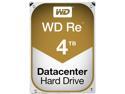
WD Re 4TB Datacenter Capacity Hard Disk Drive - 7200 RPM Class SATA 6Gb/s 64MB Cache 3.5 inch WD4000FYYZ
Pros: 4T capacity. Fast. SATA II Works in RAID arrays. Update after 5 years: One out of four 4T drives failed after almost exactly 5 years of continuous runtime. RAID preserved the data, so I don't have much to complain about.
Cons: For some insane reason the pegs in Cooler Master HAF 932 drive holders do not fit into the threaded holes. It was possible to slightly expand the inner diameter of threading while keeping it functional for regular screw mounting, however this operation can leave specks of aluminum (I used compressed air to blow all such debris out and away from the board), and should not be necessary for such a device. It is possible that case designers are wrong in their expectation for inner diameter of the threading, however I have encountered the problem when I had to install these drives.
7/19/2020See more detail
Works
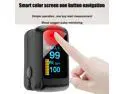
Fingertip Pulse Oximeter Oxygen Saturation Meter SPO2 PR Blood Monitor Finger US Shipping
Overall Review: Works well, results are consistent with other similar oximeters.
5/20/2020See more detail
Works.
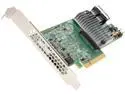
LSI 9300 MegaRAID SAS 9361-8i (LSI00417) PCI-Express 3.0 x8 Low Profile SATA / SAS High Performance Eight-Port 12Gb/s RAID Controller (Single Pack)--Avago Technologies
Pros: Works with my RAID array (RAID5, one hot spare) under Linux. High performance. 8 ports. Has full configuration utility in ROM. Monitoring and configuration utility works in Linux.
Cons: Very expensive. Linux utility does not come with a manual page. Very expensive. Requires significant airflow, heats up when I open the computer case, so I have to place an external fan against it. Very expensive. Does not come with cables. Very expensive. Disk format documentation is not provided, no software-only recovery procedure that would work in case of adapter failure. Very expensive.
8/9/2015See more detail