
Your Browsing History
 Holiday Shipping Details & Extended Holiday Returns Holiday Shipping Details & Extended Holiday Returns

Joined on 08/04/04
Speed in specs is close (overview, not so much)
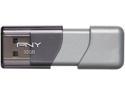
Pros: Writes just under 40MB/s, reads at 90MB/s: decent for the price. YMMV, see thoughts.
Cons: Never got the 45MB/s writes; tried a few different formats, allocation sizes, and computers. Certainly never got the (hopefully) misattributed speeds from the overview. "Up to 140MBps* reading speeds, and up to 70MBps* writing speeds"
Overall Review: For my speed measurements: Formatted as NTFS, 8K allocation unit size, transferring files of 1GB or more, via USB 3.0 in windows 8.1 pro.
General Use
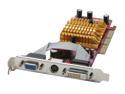
Pros: Purchased to run a larger widescreen LCD. Decent for the price. Easy to install. DirectX 9, OpenGL 1.4, Dynamic Overclocking, unlike some other cards at this price level.
Cons: Obviously not adequate for modern FPS gaming.
Overall Review: MSI Live update.
Windows 8.1 USB 3.0 fix (In (almost) English)
![ORICO 6619US3-BK SuperSpeed USB 3.0 to SATA Hard Drive Docking Station for 2.5" and 3.5" HDD, SSD [8TB Support]](https://c1.neweggimages.com/ProductImageCompressAll125/0VN-0003-000H5-22.jpg)
Pros: Cheap, fast, supports 4TB. Works fine in Windows 8.1 after firmware update. (YMMV, see other thoughts).
Cons: USB 3.0 support for Windows 8.1 is a bit of a hassle. (It requires software installation and working from a guide with many translation errors/oddities) See other thoughts for link to US page for firmware update. -1 Egg because the needed firmware was ready months ago, but my drive came with the old) -1 Egg because the issue should be mentioned in the overview and specs, not just reviews, an English language download page should be linked, and the guide for the update should feel safer to use than random internet reviews (it doesn't; use both).
Overall Review: Here is the US link for the firmware update: http://www.oricoonline.us/drive.aspx?did=45 (Double check your model number) as mentioned elsewhere, Firewire means Firmware in their guide. The update can be done from a USB 2.0 port in Windows 8.1, or USB 2 or 3 in another OS. *The software recognized several of my USB drives. I removed all others before clicking RUN ALL, to make sure the tool wouldn’t try to update their firmwares, but that might be unnecessary. *When browsing for the firmware, you’ll need to change the file types being searched for to .bin or all. *Make note of the current firmware version before updating to make sure it actually updates. *Firmware seemed to take immediately, but I power cycled the dock and computer to be safe (as the support is shaky, I figured better to be overly safe). *For those having trouble after the firmware update, especially if you tried to connect it to as USB 3.0 port in Windows 8.1 before the firmware date, here are a few good tips from “An Honest Reviewer" on a competing site about large, powerful, female warriors (I did not experience these problems). “…If you encounter any issues after the firmware upgrade, try assigning a unique drive letter to the docking station. For example, I used the letter "Z" to identify mine. This will prevent any conflicts with other usb flash drives that are assigned a drive letter by the OS. You may also want to delete the bad profile (in device manager) that was created when your dock station first failed (when plugged into a usb 3.0 port). To do this, you must first "show hidden devices" in device manager to see the bad profile. Please understand that these last two steps may or may not be necessary. Good luck.”
Cosmetic Issues
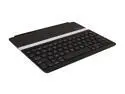
Pros: Works well, battery lasts quite a while. Reasonably sturdy for its weight and size. Generally has no trouble reconnecting (for when you have to turn it off to use an app that only supports the on screen keyboard, etc).
Cons: The finish is very thin. This is only used at school, on smooth, clean tables, but the finish wore through to the aluminum on all corners plus the center. This happened in under a month of very minimal use. As mentioned elsewhere, it is not double hinged, and won't safely fold behind when not using, like a Surface or some of the covers available.
Rebate Timeframe
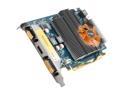
Pros: Great price after rebate HDMI output worked without having to hunt down drivers or configuration settings.
Cons: Not up to modern gaming. Slow RAM by video card standards.
Overall Review: Rebate did arrive, without having to follow-up, though it took nearly 5 months.
Stuck (lit) pixel
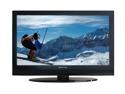
Pros: Better picture and sound quality than expected given the price. While cheap feeling, the remote is functional; it has useful buttons for things sometimes buried in menus (add, delete, aspect, favorite, picture and sound presets).
Cons: Lit pixel in an obvious area; it hasn't responded to J-Fix, "pixel massage", begging, or screaming at it. It's annoying, but 1 bad pixel out of over 2 million.... Included stand is a bit flimsy, so if you regularly ninja kick your desk or tv stand, go with the wall mount. The cabinet material looks cheap, and has geometry distortions (not unexpected; every "piano black" in this price range looks terrible).
Overall Review: Wonder why they can't add an option to the service menu to disable a lit pixel (a little app to find its X and Y co-ordinates (move little lines until they line up) and turn it off). Perhaps I'll grab a Sharpie and do the Blondes' Typo fix...