

Your Browsing History


Jason S.
Joined on 07/05/01
0
0
product reviews
- 4
What I was looking for
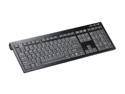
SIIG JK-US0412-S1 USB See Details Aluminum Keyboard with Hub
Pros: Exactly what I was looking for, solid construction, laptop-style "scissor switch" keys, full size keyboard, native Windows configuration (as opposed to Mac). I've only had it for about half a day, but all I need to know I can tell quickly. See other thoughts for fuller explanation.
Cons: It's wired, which obviously I knew going into it and doesn't really bother me... it's more that I'd prefer to at least have the option to buy this same keyboard in a wireless version. Not really a con for this keyboard, but a con for SIIG not offering the other hypothetical keyboard.
Overall Review: Several years ago I was looking for a keyboard with laptop-style "scissor switch" keys that was full size and was a native Windows keyboard. It took tons of searching and I eventually found one from a somewhat sketchy site. In any event, it cost about this same as this one does, and I got it, and I was very happy with it. I was in the market for a new one and quickly saw this one on Newegg. It looked more like what I was looking for than anything else, I got it, and it turns out it's almost identical to that previous keyboard, down to the millimeter on the layout and they keys. The heft is similar, it's almost literally the same keyboard, with just a slightly different case and by a different manufacturer. So, it was exactly what I was looking for, just easier to find this time. Love typing on these things. The other keyboard held up very well for a number of years, hope this one does the same.
8/14/2013See more detail
I'm a fan

Logitech NX80 Black 5 Buttons Tilt Wheel Cordless Laser Mouse for Notebooks
Pros: Basic, good mouse, more or less you know what you're getting. The size is a good trade off between usability and portability. The pouch is a nice touch for storage while traveling.
Cons: Wish it were bluetooth, but basic RF wireless has improved dramatically since the last time I bought a wireless mouse, so that's fairly minor. It's a previous generation mouse, so it doesn't use the new Logitech nano RF receiver (also minor). Lack of a middle mouse button may be a big deal to you, I never use it anyway.
Overall Review: Previous reviewer is incorrect that pressing down on the scroll wheel will break it, that's how you switch between the click wheel and free scrolling mode. I was unsure about the lack of buttons for cruise control until I tried the wheel in free scrolling mode... this is how I've always wanted the scroll wheel to work, I'll likely never buy a mouse that doesn't have this kind of scroll wheel again. I'm still a little unsure about the placement of the forward/back buttons, I'm used to having those buttons placed near my thumb rather than left clicking them... this may turn out to be a better placement, I'll see if I can get used to it. I've always been a fan of Logitech input devices, this is no exception.
2/5/2009See more detail
Just about right
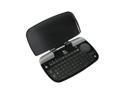
Logitech diNovo Mini Black 63 Normal Keys Bluetooth Wireless Keyboard
Pros: Very attractive bit of kit, fits in well with other home theater equipment. Size is just right for living room usage. The trackpad/dpad is great, and the switch for cursor mode/media mode (which changes between trackpad <-> dpad) allows you to get more out of a very limited space. Pretty intelligent inclusion of hotkeys should cover most obvious uses. Bluetooth connected with zero hassle, just hit the buttons on both and I was immediately good to go. Setpoint software/drivers allow for customizing how the device works to your taste. Ultimately, it's a keyboard and trackpad, the most important part is that it works, and it does.
Cons: It's a little finicky when charging... you'll have to ensure a good connection and then just leave it alone while it's charging, mine lost the power connection with minimal moving around. The hotkeys can be a little over sensitive, sometimes it registers twice, which is especially frustrating when you're trying to pause/play. When using the trackpad in media mode (as a dpad) you have to be very careful about clicking the correct direction (it's easy to click OK when I want a direction and vice versa). Not all characters are labeled on the keys (there are some characters that you can get with a FN+key press that aren't labeled).
Overall Review: For reference, I'm using Sage TV on a dedicated media PC. I have a harmony remote, but it's frustrating for text entry and useless for those inevitable PC tasks. That's why I picked up this keyboard, and so far I'm impressed. There are a few little foibles that I didn't mention under cons because you know what you're getting: the keys aren't staggered like a normal keyboard, no F keys, right click requires the FN button, too small for touch typing, too large for quick thumb typing. For most media PC usage, these things are pretty minor, and it's pros far outweigh the real cons listed above. It's not made for lots of typing, but for its purpose as a media controller, it's well suited. For the people that complained about the mouse speed: you can customize that with the setpoint drivers (and possibly with the basic Windows mouse set up as well). I haven't had it long enough to comment on battery life, but it charged pretty quickly.
1/7/2009See more detail
I'm satisfied
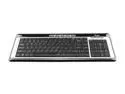
Rosewill RK650 Silver/Black 104 Normal Keys 5 Function Keys USB Keyboard
Pros: It's small and attractive, and (the whole point for me) I love the thin laptop style keys. It was cheap (especially since I got it on sale here).
Cons: The feel of the keys is a little strange... they take just slightly more pressure than I would have expected, but it's not really out of line. Just something to keep in mind, it's not a 1-1 replacement for a laptop keyboard feel. Also, and it may not be fair to put this as a con since it's obvious up front, but the placement of the keys is definitely awkward. I'm sure I'll get more used to it over time, but up front it can be pretty tough at times.
Overall Review: Together, both of the cons make for a not so smooth transition experience, but I still prefer the thin keys to my old keyboard, so I'd still say I made the right choice. For what it's worth, it doesn't feel flimsy to me, so that seems to be mostly personal taste. This is my work keyboard now, at home I have a full size (all keys where you would expect them to be) true scissor switch keyboard, and I prefer it in every way, but I also paid 3 times as much for it.
11/29/2006See more detail