


Your Browsing History


Luke S.
Joined on 08/26/03
0
0
product reviews
- 31
Fast and Smooth
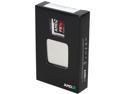
AMD FX-9590 - FX-9000 Series Vishera 8-Core 4.7 GHz Socket AM3+ 220W Desktop Processor - Black Edition - FD9590FHHKWOF
Pros: Autooverclocks to 5.1 gHz; programs run very smoothly
Cons: Hits 60º after an hour or so on ESO
Overall Review: I'm using Cooler Master Seidon 120M liquid cooling system and still hitting 60º under continuous load. If new thermal paste and reseating doesn't help, I will probably buy a different cooling system.
4/3/2014See more detail
Warning: Check position of Delete/Insert keys!
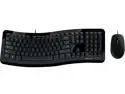
Microsoft Comfort Curve Desktop 3000 for Business 7ZJ-00018 Black USB Wired Ergonomic Keyboard and Mouse
Pros: -Decent standard keyboard -Cheap -Bonus Mouse
Cons: I didn't notice when I was ordering, but the Delete key is larger and the insert key has been moved to the top row. This makes it very uncomfortable to copy+paste if you are used to being able to ctrl+insert or ctrl+delete.
Overall Review: If it weren't for the Delete/Insert keys being changed, I would give it 5/5, but now I'm probably going to have to buy something else.
9/24/2017See more detail
Can't redeem code

AMD Crimson Desert Game Bundle
Cons: It won't let me redeem the code unless it detects the processor installed. So I can't do anything with it until the rest of the parts come in several weeks from now.
Overall Review: This is the first and last time I choose a software bundle.
3/12/2026See more detail
Can't redeem code

GPU - Resident Evil 9 - GeForce RTX 50 Series game Bundle. While supplies last. Bundle applies for qualifying graphics cards
Cons: I can't redeem the code unless it detects the video card it came with, but I won't have all of the parts for the build until the after the code expires. I'm going to have to put the card in a different computer, just to redeem the code.
Overall Review: I will not fall for the free software bundles anymore. This is ridiculous.
3/12/2026See more detail
Great Router
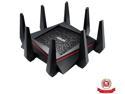
ASUS AC5300 Wi-Fi Tri-band Gigabit Wireless Router with 4x4 MU-MIMO, 4 x LAN Ports, AiProtection Network Security and WTFast Game Accelerator, AiMesh Whole Home Wi-Fi System Compatible (RT-AC5300)
Pros: My biggest complaint about routers is usually the user interface. The UI of this device is very similar to the ASUS CM-32 modem/router and is very modern and elaborate. It gives control of many settings and provides a lot of information about the network and devices connected to it. Just like with the ASUS CM-32 modem/router, you can customize the icons of devices connected to the network but there are more choices and the option to add custom icons.
Cons: There are no mounting holes! I usually wall-mount all of my network devices, but there are no mounting holes under this router.
Overall Review: I almost bought the ROG version, but I didn't need 8 gigabit ports. It looks like a spider.
11/24/2018See more detail
Easy to use
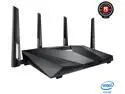
ASUS CM-32 DOCSIS 3.0 High Speed Cable Modem, Xfinity, Spectrum, Cox certified
Pros: For years, my biggest complaint about routers and modems was the barely functional UI's they have. Finally that is starting to change. The UI is modern and elaborate, allows control of many settings, provides a lot of information about the network and devices connected to it. There is even some aesthetic bells and whistles, such as being able to customize the icons of connected devices. A few of the icons are a ROG icon, several smart phone/gaming system/computer/printer icons.
Cons: I wall-mount all of my network devices and this modem does have mounting holes, but the ASUS logo is facing the front of the router so when I mounted this with the logo right side up (front down), the cables are coming out of the top and then have to be routed down behind the device and I don't like it. With other devices, I've always mounted them so the cables hang down out of the bottom.
Overall Review: I bought this to manage my DOCSIS 3.0 XFinity cable internet connection.
11/24/2018See more detail