


Your Browsing History


Brandt M.
Joined on 12/04/08
0
0
product reviews
- 7
Very potent CPU!
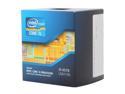
Intel Core i5-3570 - Core i5 3rd Gen Ivy Bridge Quad-Core 3.4GHz (3.8GHz Turbo Boost) LGA 1155 77W Intel HD Graphics 2500 Desktop Processor - BX80637i53570
Pros: This CPU runs everything I've thrown at it; from Skyrim to 3DS Studio Max to compressing video/audio. I can even run games at full 1080p at maximum settings, it's truly a good investment. I run pretty intensive programs and have never had framerate issues or overheating. Intel CPUs are very efficiently built :D
Cons: None, it's that good, I can't think of anything bad about this.
Overall Review: If you want to do gaming but don't want to spend your life savings, this is the best bang for the buck. I didn't get the K model because I don't overclock, but it's more than enough for me!
7/13/2013See more detail
Works great, but doesn't support Maxwell NVidia GPUs
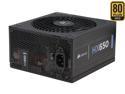
CORSAIR HX series HX650 650 W ATX12V v2.2 / EPS12V 2.91 SLI Ready 80 PLUS GOLD Certified Modular Active PFC Power Supply
Pros: - Easy to install, had it since March of 2013 - Stable, keeps cables well managed and hasn't had any issues with functionality - Affordable price,
Cons: - Tried to install NVidia GTX 970 video card with two molex connectors, computer would not turn on, despite more than meeting the 500 W requirement for the video card. I find this absolutely disappointing, do not go with this brand if you want to use newer GPUs.
Overall Review: - I recommend to those who have older video cards, but for anything newer, avoid like the plague; and get a device with well-made Japanese parts and not Chinese parts.
3/12/2017See more detail
Perfect SSD for Windows 10
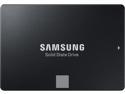
SAMSUNG 860 EVO Series 2.5" 250GB SATA III V-NAND 3-bit MLC Internal Solid State Drive (SSD) MZ-76E250B/AM
Pros: - Easy to install - Loads Windows 10 64-bit Home in less than fifteen second - Samsung is definitely one of the better brands out there
Cons: - None
Overall Review: Highly recommended for OS installation, as opposed to installing an OS to a mechanical hard drive
3/5/2019See more detail
Best GPU I've ever owned
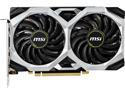
MSI Ventus GeForce GTX 1660 Ti 6GB GDDR6 PCI Express 3.0 x16 Graphics Card GTX 1660 TI VENTUS XS 6G OC
Pros: - Easy to install, only requires one eight-pin molex connector - Runs everything I throw at it perfectly - Uses only 130 W under load and has a sleek design
Cons: Not really a con, but the naming for this is just odd on NVidia's part
Overall Review: Would recommend for all upper mid-range gaming rigs!
3/5/2019See more detail
An excellent motherboard!
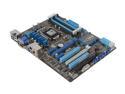
ASUS P8Z77-V LK LGA 1155 Intel Z77 HDMI USB 3.0 ATX Intel Motherboard with UEFI BIOS
Pros: Very efficient, excellent thermal regulation, no compatibility issues with any of the hardware I have and is also an excellent bang for the buck. If you're looking for a motherboard that isn't expensive but also has an easy to use BIOS screen, this is for you.
Cons: None
5/27/2014See more detail
Best monitor I've ever used
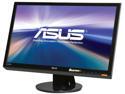
Asus VH238H Black 23" Full HD HDMI LED Backlight LCD Monitor w/Speakers 250 cd/m2 ASCR 50,000,000:1
Pros: Crisp viewing angles, extremely low response time (2 ms), full HD and LED backlit, resulting in a very crisp picture! Also has HDMI support, which I've never seen in a monitor, but it's a new standard, so it's a nice plus. Watching Netflix looks amazing on it!
Cons: None at all
Overall Review: The best monitor for less than $200 out there. You can't beat the price for the quality. Asus makes good monitors.
7/13/2013See more detail