

Your Browsing History


Nan Z.
Joined on 07/02/07
0
0
product reviews
- 7
Good features and stable.
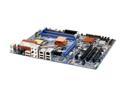
ABIT AB9 QuadGT LGA 775 Intel P965 Express ATX Intel Motherboard
Pros: Good feature set, especially the BIOS-based fan controls. Can be worth five eggs depending on the price. Has blue LEDs on the back, if that suits you; they can be turned off completely, if that suits you as well. abit's uGuru program has hardware support on the motherboard, so its readings are the same as the BIOS readings.
Cons: Some of the headers and power plug placements are a bit awkward. Upgrade immediately to a new BIOS, as the stock one has issues.
Overall Review: First from-scratch build, so I'm not familiar with other manufacturers' motherboards, but this one is of quite good quality. Because uGuru has hardware support, if you don't install the program, Windows is going to bug you about an unknown hardware device every time you boot up. Install uGuru, even if you don't plan on using it.
7/30/2007See more detail
High-pitched noise.
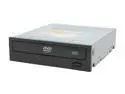
LITE-ON Black 16X DVD-ROM 48X CD-ROM SATA DVD-ROM Drive Model SHD-16S1S-05
Pros: It looks good, and Lite On is consistent with their bezel designs. I have two (one is DVD-RW) and they look absolutely identical except for more logos on the other. Response to being pushed in is quite nice.
Cons: It makes a high-pitched whining noise at high speeds. It's almost in the same range as a television being turned on, so a lot of people may not hear it. Tray mechanism seems kind of cheap, but no one makes a good one anymore.
Overall Review: If you're looking for two optical drives and want them to look alike, consider Lite Ons. Also, the bezel plastic itself is of pretty good quality and the logos are well-printed. No brand logo either.
7/30/2007See more detail
Interesting keyboard.
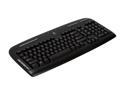
Logitech Media Black 103 Normal Keys 12 Function Keys PS/2 Wired Standard Keyboard
Pros: It's nice to see an modern PS/2 keyboard. Layout is mostly standard, and there are five fully-programmable extra buttons for your uses. Logitech drivers are really good on that front.
Cons: The media and other buttons feel much cheaper than the normal keys. They're wobbly and made of flimsy plastic. The delete-home-insert area has been redone, and the arrow keys have been pushed to the left as a result.
7/30/2007See more detail
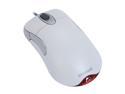
Microsoft IntelliMouse Optical 1.1A - White
Pros: My favorite mouse of all time. Been using one for six years. Ambidextrous, both side buttons are easily accessible, and the scroll wheel is very toothy. PS/2 support frees up a USB port.
Cons: It gets dirty after a while, and there's no tilt wheel. But I don't hear of many companies doing a tilt wheel correctly.
Overall Review: Despite what you may think of some of Microsoft's other products, they used to (and to some extent, still) make some of the best peripherals in the industry.
7/30/2007See more detail
You should install the drivers.
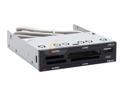
AFT Xm-4U 11-in-1 USB 2.0 Black & Silver Internal card reader
Pros: Covers all the important formats. The USB pass-through is literally a pass-through, so it functions at full speed. Good price.
Cons: Card mechanism is cheap - they're held in by friction. Then again, you only really see the nicer, click-latching ones on laptops and electronics. Each slot is given its own drive letter, but that seems to be how most companies are doing it (cheaper, maybe).
Overall Review: Install the drivers. Otherwise, your entire drive will "eject" when you stop a memory card, and you'll have to restart to recognize the drive again. The driver software also gives icons to the drives, and although they're not the prettiest, they turn red when something is inserted.
7/30/2007See more detail
Good enough.
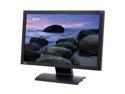
BenQ 22" WSXGA+ LCD Monitor 5 ms D-Sub, DVI, HDMI FP222WH
Pros: I bought for the looks - very spartan, no speakers, matte black bezel. It's a good enough monitor for what it costs. Lots of space, very bright (if you want it to be), and the HDMI is a great touch at this price point.
Cons: Backlight bleed does happen on this monitor, but it's really only noticeable when you're displaying a mostly-black image (and in a darkened room). Monitor not very adjustable. Also, the buttons on the side are not easy to use, but you shouldn't need to fiddle with them too much to begin with.
Overall Review: Add a TV tuner card to your computer with video-in and you can have both a last-generation console and a this-generation console hooked up to it.
7/30/2007See more detail