

Your Browsing History


Richard F.
Joined on 08/25/03
0
0
product reviews
- 9
15 mm
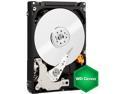
Western Digital Green WD20NPVT 2TB IntelliPower 8MB Cache SATA 3.0Gb/s 2.5" Internal Hard Drive Bare Drive
Pros: Nice Drive. Data transferred nicely.
Cons: The Computer needed a 9.5 mm drive and it wasn't until after I transferred all the data (cloned the drive) that I saw that the drive was much bigger than the one that would fit. This drive is really thick, 15 mm. Caveat Emptor.
6/10/2013See more detail
Don't waste your money, time or patience
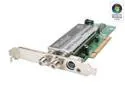
Leadtek WinFast HDTV Cinema Video Device
Pros: Not a single one
Cons: I had install issues galore. This is on a high end new Intel MOBO with a quad core CPU and a top of the line ATI video card. Everything else on this system has been flawless, except this terrible card. The thing hangs whenever the TotalMedia application is run for TV and when Setup is run in that application. Have installed at least ten times. Sometimes it works for a day or two, but mostly it just hangs my system. No support from Leadtek at all.
Overall Review: I almost always can make things work and am able to debug most problems. This one defies logic and the software quality is so poor that I can't tell if the problem is a bad card or just crummy software. I suspect the latter. Don't wast your money, time or patience.
6/22/2008See more detail
Eats Batteries
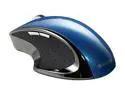
Verbatim Ergo Mouse 97593 Blue 1 x Wheel USB 2.0 RF Wireless Optical Mouse
Pros: Looks very nice. Buttons feel good.
Cons: This is my second Verbatim 97593. The first one failed and I got it replaced under warrantee. But that previous mouse and this one both suffer from excessive battery consumption. I don't think I can go a month without having to replace the AAA batteries. I bought big card of Durcells and I have plowed through most of that in less than a year. I have checked for drivers, hoping that an updated driver might solve the problem, but so far, I have found no solution. I suspect there is a design defect that has not been corrected by Verbatim. I also think that this mouse is not as "ergonomic" as claimed. It could arch a little bit higher IMO, at least for the shape of my adult hand, My previous Microsoft ergonomic mouse felt much better in my hand. I would not buy another of these and I am sorry I own this one.
5/5/2014See more detail
2 out of 5 had a strange problem
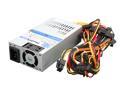
Athena Power AP-MFATX35 350W Mini ITX / Micro FLEX ATX / ATX12V 80 PLUS BRONZE Certified Active PFC Power Supply for many HP Slimline System Upgrades/Replacement
Pros: THe PSU was good. The Power Cord Measured Good. They didn't work together. See Other thoughts section for an explanation.
Cons: Someone at Athena is not doing a good job in outgoing quality, See Other Thoughts Section.
Overall Review: After doing some debugging, the supply itself seems to be fine. I built 5 systems using this small supply and 2 of the 5 Asus Mobtherboards would not fire up. Nothing happened and no LEDs lit up. At first I thought I had assembled the computer wrong. But then when I swapped out the Athena Power Suppy, the problem followed the supply. The motherboards all worked perfectly. I thought it was strange that I would get 2 out of 5 bad supplies. Then I put a multimeter on the line cord and it showed 120 Volts. So the line cord looked good. That made me think that the two supplies were duds. But then I got new line cords from stock and plugged them in to the power supplies that would not fire up. That worked fine. So there seems to have been some incompatibility between the PSU itself and the line cord.
11/14/2013See more detail
Avoid this turkey
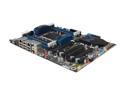
Intel BOXDX79SI LGA 2011 Intel X79 USB 3.0 ATX Intel Motherboard
Pros: None
Cons: I can't use this garbage. The first one I got from NewEgg was bad. LEDs were flashing on the Mobo indicating, according to Intel, a dead Mobo. The second one did not do that, but I was unable to get into the BIOS. The reason is that Intel says the BIOS was too old to support the 211 package 3820 I-7 chip. But the documentation clearly says that it does. So why would Intel even sell this thing? And this is supposedly designed for the latest version of CPU. It just doesn't work with that. I don't get it.
Overall Review: I hate that I am having to send this back to NewEgg and buy something else. Who knows what I will find this time? I have heard that the DX79TO does work with this CPU. I cannot say until I try it. Intel owes everyone that has had this mess a big apology.
12/5/2012See more detail
Great MoBo
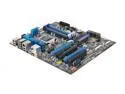
Intel BOXDZ68ZV LGA 1155 Intel Z68 USB 3.0 ATX Intel Motherboard
Pros: All the bells and whistles
Cons: None
Overall Review: I know that some people have had issue with this MoBo. But once you know how to get around the one silly issue, this is a well-performing, appropriatley featured motherboard that has served me well. I have built around 20 systems with this Mobo and I have not seen a single failure or had a single complaint for our users. The issue has to do with some video cards, We have bought the newer Asus EngTX560's for example and when you try to boot up the build for the first time, it doesn't work. The trick is to boot up with an older generation card, which the BIOS can deal with and then install the correct ddriver for the newer card. When you swap out to the newer card, you are simply good to go. I don't know if Intel has fixed this issue by upgrading the BIOS, but that is the only real problem with this MoBo and we love it.
7/19/2012See more detail