
Your Browsing History
 Holiday Shipping Details & Extended Holiday Returns Holiday Shipping Details & Extended Holiday Returns

Joined on 08/01/11
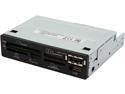
Pros: Works... so far.
Cons: No bottom under the CF/MD slot; just open space. USB slot is upside-down (I guess it's sort of nice to have my flash drive's LED pointing at the floor instead of my face, though still annoying when I try to plug it in downside-down). Holes don't line up with my case's tray; to line them up, this unit would either be sticking half an inch out or be recessed half an inch back. Since I can't drill more holes into the tray, had to drill them into this unit's fuselage.
Overall Review: Seeing the other reviews for this product failing in a time period of about a month, I'm going to have to wait to see if mine will also fail in that time frame (or sooner).
It Works, But Top-Mount Design Hurts for Bottom-Mount Cases
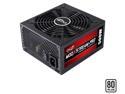
Pros: It works. Rebate was honored.
Cons: Most of the cons of this PSU revolve around one thing: it's designed for top-mounting. However, this is dumb because modern cases are designed for the PSU to be mounted to the bottom. To elaborate... First of all, the ATX cable doesn't reach to the top of the motherboard where is plugs in. Well, it does reach... if you don't have a video card and run it up through the middle (I had to run it between the pipes of my heat sink). I actually had to get an ATX extension. Because it's designed for top-mounting, this means all the power cables for the drives (the HDDs, the DVD drive, the media card drive) are upsidedown for a bottom-mounted case (because the PSU has to be turned upsidedown to be mounted). What to do? Well, I certainly can't turn my mechanical HDD and DVD drives upsidedown (though I can turn my SSD and card reader)... so there was a lot of wrestling with and twisting the power cables to fold them over. And then I had to space these drives in such a way so the twisted power cables could actually go inside. Now, UNRELATED TO THE TOP-MOUNT DESIGN, the cables are extremely loose. Over the course of five months, the cables running to my video card have twice popped out (I just checked them, and noticed they were halfway out again). There was a time when the motherboard cable came loose and my computer went all crazy (it has a side window, so I could see all sorts of flashing lights were dancing around inside the case while all the fans went high speed; I thought my computer had died!). Perhaps the only good thing about the top-mount design is after wrestling and twisting the drive cables, there's enough tension so they won't come loose.
Overall Review: Modern cases are designed for bottom-mounting. Modern PSUs should be designed similarly.
Works, But...
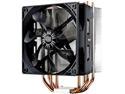
Pros: It works. I actually think the processor doesn't get too hot, since I've touched the heat sink and it's never felt warm except at the very bottom.
Cons: Manual has nothing about how to adjust the screws at the ends of the mounting bracket. Might be obvious to someone who's worked with these things before, but since I hadn't, I didn't know how to adjust it (the board I was working with was a DX79TO, and the default position for the screws was for something smaller, I guess). Also, it's too wide. So in a DX79TO, it can only fit in one direction (horizontally), and it's blocking two of the RAM slots in this way. True, Intel is as much to blame for putting parts in the way of a vertical mount. But what's really irksome is after four and a half months, I still haven't received my rebate. I filled out the form, cut out the box's UPC and serial number, sent it in... and I still haven't gotten a rebate. All the other rebates I sent in between Thanksgiving and Christmas have arrived by now, but not the one for this product.
Overall Review: I wish it wasn't so wide, so it wouldn't be blocking my RAM slots or hitting on stuff if I tried to turn it vertically. But I really wish I'd gotten the rebate I was supposed to receive.
Bad Customer Support Knocks Eggs Down
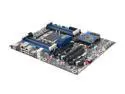
Pros: Actually came with a BIOS that supports the 3820. It works... so far.
Cons: No internal USB 3.0 headers. Big bulky blue thing with "Intel" written across it just underneath the processor prevents vertical installation of heat sink. What is this thing's purpose, anyway? And customer support is HORRENDOUS. No owners manual included in the box; had to find a digital one to find out what BIOS beeps meant. Even then, descriptions were vague. Intel's online site just runs people in circles (Page 1 "Click here for troubleshooting" > Page 2 "Click here for the nature of your problem" > Back to Page 1 > "Click here for troubleshooting"). They want you to register an account on their site because they're too incompetent to provide any reasonable ownership instructions.
Overall Review: Seriously, no on-board internal USB 3.0 headers? It's obviously inconceivable that someone who wants USB 3.0 capability might be using a case with USB 3.0 front ports. But more importantly, Intel needs to include hardcopies of owners manuals in their boxes and they need to make a competent website with competent customer support.