




 here!
here!
I’m your shopping assistant for PC builds, upgrades, and everything tech.
Got questions? Ask away!
Start a conversation
here!
I’m your shopping assistant for PC builds, upgrades, and everything tech.
Got questions? Ask away!
Start a conversation

Joined on 08/24/04
Midrange power in a small package
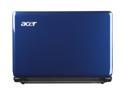
Pros: Really, it performs better than my Dell Inspiron 9300 powered by a Pentium M 1.6GHz running XP with 2GB or ram -- all except the 17" screen (only in size, the old Dell screen actually isn't all that good). Here is what I like about my new netbook: = Small but not too small and it is very light to carry around = Very sharp screen. The contrast and the richness of color is surprisingly good! = Battery life is very good - need to adjust to that! = Fullsize keyboard - there is some flex around the yhtg keys, but in reality they don't interfere my typing = 2GB ram and upgradable to 4GB, a good starting point for Windows 7 = Dual core processor - apps run efficiently with that 1MB L1 cache = Runs cool - ok, a little warm at the vent = Very responsive. MS Office documents all pop up instantly. = The webcam works in my not very bright living room, but with a heavy yellow tint. Not exactly top performing webcam, but get the job done type.
Cons: = The charger get "quite hot" when charging. Once the charging completes and becomes the direct power of the netbook, the heat goes away and becomes a little warm. I would make sure the charger isn't covered by a pillow or something like that when use. = Common to all laptop, but especially apparent to small size notebook/netbook: Watch out if you have a USB drive plugged in while you work. The size of the netbook can sometimes force the USB drive to be bent between the device and your leg. Since this netbook is very small, I can feel that the weight of the netbook is concentrated on the USB drive itself. Just a word of caution when using long USB device while using the netbook on your lap.
Overall Review: I am very please with my this device, and am surprised how it beats my Dell Inspiron 9300 in terms of processing power. I was actually set out to buy another 14"-15.6" replacement for the Dell which the battery can last only about 1 hour or so. Last night I purposely let my 1410 to run without external power. I surfed the web some, had a video chat with my friends some, did a little JAVA coding in eclipse some, and the machine was still going after 4+ hours of use. Wow! That took a lot of getting used to because I am not familiar with the idea that a laptop runs without a power supply! The wireless N adapter gives me a zippy 270kbps. Finally, the touch pad works like my iTouch. I can zoom in/out, scrool, and etc with a swipe of my fingers. People who complaints about finger prints should try to learn to use a computer without touching it. Just kidding. LOL!
Dropped 4 eggs in less than 2 months
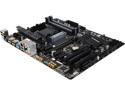
Pros: I originally had high hope for a successful build that could last for a few years, but this motherboard disappoints me. All started when it was about 1 month into operation. I was blaming Microsoft at first when I discovered that my machine had rebooted over night. I thought they were pushing patches out to my computer. Then came one evening while I was working on my project, the computer rebooted all of a sudden. It started to get worst and the self reboot became more frequent. A couple weeks ago it got so bad that it would power up and lit my keyboard but would do nothing else. No fan. No video. No beep. Only the power light and the keyboard light came on. I resorted unpluging the power and pluging the power back. I pushed the power button and it came back on. The system reported that the BIOS was corrupted and needed to restore from backup BIOS. I had no choice but to accept it. The restore took about 1 to 2 minutes. The process was nerve racking. What happened if it would not restore? Brick? The system finally came back up after the BIOS restore. Fortunately, I bought this motherboard for work so I did not have to mug around the BIOS setup except boot orders. But the whole idea is that I wasn't even supposed to come to this point and tell you my experience, correct? Anyway, the system continues to do its usual random reboot the past couple of weeks now. I don't know what to do. The board has not been overclocked. I have sufficient cooling fans. I don't overclock my CPU. I don't overclock my memory. I don't overclock my video card. I did not even upgrade BIOS because it says it already has the latest version! I use a 850W power supply and the system is connected to a UPS so there should not be any power stability issue. Something bad had developed.
Cons: With a kind heart, I thought that there was a silent majority who bought and would love this motherboard. I now hate to become a new tally on the bad motherboard column. I now believe in every word those owners who have experienced the problem of random reboots. It is because I am living in such nightmare. I now conclude that this motherboard is not stable and not trust worthy.
Overall Review: I wrote an initial review on 11/23/2015 praising this MB and gave it 5 eggs. I now declare that my initial assessment was wrong. I am sorry to those who made a purchase decision based on my initial review.
Hacker's GEM!
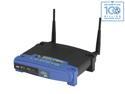
Pros: I have 7 of the WRT54G/GL routers all because of the two build-in serial ports. This gem is like a dream comes true to all of us hackers who want to control micro controllers via WiFi to serial communications. The reliability so high it is unbelievable for a $50 product!
Cons: None to me, but probably some to speed thrusty buyers because it is not a 802.11n router. My only purpose of buying this is for micro controller projects.
Overall Review: Ordering 2 more for new iPad controllable projects for church.
Fast! Very Fast!
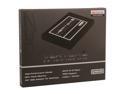
Pros: 128GB SSD has finally dropped below $100! This is a fine, 128GB, SSD. My primary goal of getting a 128GB SSD was to expand storage capacity because I have only about 6GB left on the old drive. The aluminum construction is very nice and has a very sturdy feel. The bracket that comes with the drive fits very well in my case. 5 years warranty! This drive replaced the original 64GB SSB (OS+APP partition, also from vertex). I've used the 64GB for the past 2 years without a hitch so Vertex has won my trust. I paid more for that old SSD than this new drive. I only have 3gb SATA, so I don't know have the environment to really push the drive and to feel or measurable the different. The general feel is that it is just as zippy if not more because my bandwidth got easily saturated. I used a free version of Acronic which was downloaded from a famous hard disk support site and moved the old 64GB onto this new 128GB drive in merely 7 minutes. It was totally effortless! I now can move the old 64GB SSD onto my netbook. Yahoo!
Cons: No free data cable!
Overall Review: Although it did not happen to me, I think that Vertex will do a great service to their customers by providing instructions on how to clone their boot partition should they want to migrate to a larger or SSD based device. I believe that a large portion of user base who buy SSD are aim to use such device to boost overall system performance and smoother operating experience.
Very stable board
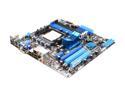
Pros: Replacing my A8N-SLI delux which finally died. I also picked up a PhenomII X4 B55 knowing that it has a good chance of unlocking the extra 2 cores. Sure enough. The BIOS prompted me to hit '4' to unlock the extra cores when first booted up. All the shortcut wiring blocks came from the old ASUS motherboard plugged right in without any fuzz. What a simple but yet elegant idea! ASUS rocks! From replacing board to wiring everything back up took only 20 minutes. 1st boot and everything worked as expected. I didn't even bother to read the manual. It just worked! I can't say enough about those shortcut blocks coming from the A8N-SLI that simplifies so much in re-wiring the entire machine. Anyway, the BIOS is rather smart in figuring out what to do for my new CPU. The onboard video does do HDMI very well. Don't expect the 4200 HD GPU will do a whole lot for your games, it is just not enough for that purpose.
Cons: (1) A bit too small for any future expansion. An extra PCI-e slot will go a long way for future purpose. (2) The IDE header is too awfully close to the power header. It would be a nightmare to put one it. Fortunately I have abandoned IDE years ago so I won't have to experience that. Those are just personal preference and aren't really cons, so there is no egg being subtracted.
Overall Review: Price is just right. I could have re-use my 64 x2 5600, but what the heck! Can't beat the deal on the Phenom II. 2 extra core unlocked and stable. What more can I ask for? 16GB DDR2-800 works expected with the Phenom II. No need for memory upgrade for me since I have RAID 0 on two 60GB OCZ SSD, enough speed for me already while I don't play games. Fired up Tradestation and Thinkandswim. All charting and trading analysis tools work much better and it is just loafing. The RAID is a little confusing to set up and be configured to be the boot drive. The doc left a lot of details on how to get that done. Well, the procedure is on the CD! I got everything going and finally put the CD in after the 4th day! LOL. The bottom line is that don't expect your onboard ATI video to do a whole lot because it won't. Win Experience index: CPU=6.6 (2 cores) 7.4 (4 cores); RAM=7.4; onboard graphics=4.8; onboard gaming=4.7; RAID0 SSD=7.6 hehe...
So easy to double the core count
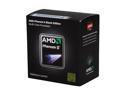
Pros: Thanks to the A8N-SLI which finally died last week! I have all the right reason to told my wife about the new mother board and a new CPU. The board now is ASUS M4A785-M. Unlock the 2 extra cores was so easy. The BIOS actually instructed me to hit '4' during POST and whola! I got a Quard core processor. No fuzzing around what option to pick.
Cons: Heatsink is not copper. Idle at 45 degrees C so it runs understandably hotter than my old 65W CPU.
Overall Review: The heat sink is surprisingly smaller than the old Athlon 64 5600 X2 I used to have. The fins are thinner and the fan is actually not very audible at all while going at around 2900rpm. Since I use it in my bed room, I can hear pin drops. I use fanless video card so the only sound that is obvious to me while sitting next to the box is the WD 7200 BLACK HD. OS is Win 7 64 bits and Ubuntu 10.4LTS dual boot. A simple Windows Experience Index shows processor score (Scale 1.0 - 7.9): 2 cores = 6.6 4 cores = 7.4 No overclocking is needed. My 60GB+60GB OCZ SSDs give me 7.6 in RAID 0 configuration for all OSs and APPs. 16GB of DDR2-800. Not a gamer myself so enough speed already.


