

Your Browsing History


andrew m.
Joined on 12/13/04
0
0
product reviews
- 7
Nice cheap board. Docs aren't great
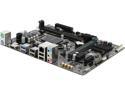
GIGABYTE GA-H110M-A (rev. 1.0) LGA 1151 Intel H110 HDMI USB 3.0 Micro ATX Intel Motherboard
Pros: Nice cheap DDR4 board
Cons: Docs don't tell you what the BIOS beep codes are.
Overall Review: If you get 5 long beeps followed by a restart that is a RAM issue, not a CPU issue as indicated elsewhere on the infowebs. Gigabyte should include those POST beep codes in the docs
2/6/2016See more detail
keyboard=junk
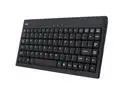
Adesso AKB-110B EasyTouch mini USB Keyboard with PS/2 Adapter (Black)
Pros: Small
Cons: This keyboard totally sucks. You have to hit the space bar DIRECTLY in the VERY center of the space bar or it won't work. I have no idea what they were thinking when they made this thing? Apparently nobody who made it bothered to type on it or they would have noticed how useless it is.
Overall Review: If you want a decent keyboard this size get the SIIG one.
4/15/2011See more detail
Was not reliable at 6Gb/s speed
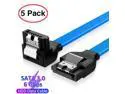
AUBEAMTO SATA Cable III 5 Pack 6Gbps 7pin Female to 90 Degree Right-Angle Data Cable with Locking Latch Compatible for SATA SSD, HDD, CD Driver, CD Writer, 20 Inch Blue
Cons: (Using Seagate Exos SATA drives) I had to force the SATA speed down to 3Gb/s when using these cables to prevent data errors. I replaced them with Cable Matters SATA cables and 6Gb/s works fine.
Overall Review: Do not recommend.
4/23/2026See more detail
Install mostly broken. Won't display WAN interface IP address.
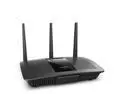
Linksys EA7500 MAX-STREAM™ AC1900 MU-MIMO Wireless Router
Pros: Got decent price on a factory refurbished one here. Seems to work (eventually).
Cons: When you first connect you're given the option to go through their helpful setup wizard or just click manual setup. Obviously I was clicking manual setup. If you skip their helpful wizard the WAN port will not acquire a DHCP address from the cable modem or accept a static one and complains of errors. After lots of messing with it I accidentally started the wizard and after a few more weird errors like the router insisting I disconnect the "TV Cable" from my cable modem (which was working fine) it did finally enable the WAN port however not quite because it still won't display the DHCP assigned IP on its public interface (see image) so if you want to login to your cable modem, good luck guessing its address. And the web admin GUI is slow as balls to do even the simplest thing.
Overall Review: Decent price for the hardware. It
8/8/2020See more detail
didnt work.
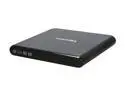
TOSHIBA USB 2.0 DVD±RW SuperMulti Portable Drive Model PA3834U-1DV2
Pros: Didn't explode or catch fire.
Cons: Doesn't work.
Overall Review: Why do I continually fall for the 'recertified' bargains? Who recertifies these things? One day I'll learn.
6/2/2011See more detail
IcePak is stupid
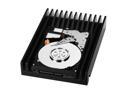
Western Digital VelociRaptor WD3000GLFS 300GB 10000 RPM 16MB Cache SATA 3.0Gb/s 3.5" Hard Drive Bare Drive
Pros: good specs.
Cons: Stupid IcePak makes the drive incompatible with both 3.5" and 2.5" RAID sleds. Didn't realize this before I ordered. I guess I assumed WD wouldn't design something boneheaded like this. my bad. Of course you can remove it easily, but that'd void your warranty. great.
6/20/2008See more detail