


Your Browsing History


Dean L.
Joined on 06/06/06
0
0
product reviews
- 7
Easy to set up, quite, bit of a learning curve to start with
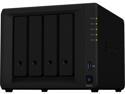
Synology 4 Bay NAS DiskStation DS418 (Diskless)
Overall Review: Getting the hardware going and adding drives was a piece of cake. UI is a little rough though, and is particularly bad at giving status information (I ran one drive through SMART test; it just hung at 90% complete for three days before I gave up and assumed the drive was bad). Plex app seems insistent on using it's own volume, rather than looking at other volumes which is annoying. But RAID and mounting volumes to other (Win10-based) machines was easy.
1/4/2021See more detail
If Not For One Major Flaw
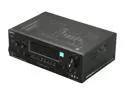
SONY STR-DH700 7.1-Channel Home Theater A/V Receiver
Pros: Plenty of connectors for up to (I believe) seven different devices.
Cons: There is *NO* conversion between standards (HDMI, component, and RCA). For example, if you use an RCA input, you *must* use the RCA output to view that video feed on your TV; the HDMI and component video outs will be blank. For me, that means having all three cables running from the receiver to my TV and constantly switching inputs. Thankfully my universal remote supports macros!
Overall Review: This is a great box for a brand-new home theater, when all devices share one standard. But if you prefer incremental upgrades like I do, mixing and matching is a total pain! And, of course, if all devices share one standard, you may find yourself short on ports (as others have complained of).
1/14/2010See more detail
Exactly as described
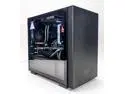
Custom Gaming Desktop PC - Intel i7-9700F - GeForce GTX 1080 8GB - 16GB DDR4 RAM - 512GB NVME M.2 SSD - No HDD
Overall Review: This is a very pretty, very minimalistic, and very quiet machine. Case was in better shape that the description suggested. It's a great buy for the price. Do note the lack of OS; it comes with Win10 Home installed but no product key. That was an unexpected disappointment, but can't ding seller for me not noticing the lack of OS in the feature list.
1/4/2021See more detail
Wireless Does Not Work
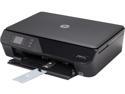
HP Envy 4500 ISO speeds: Up to 6 ppm Black Print Speed 4800 x 1200 dpi Color Print Quality WiFi 802.11n HP Thermal Inkjet MFC / All-In-One Color Printer
Pros: Prints out lovely system status and diagnostic pages. I've had to print a lot of them trying to debug this printer.
Cons: Wireless connectivity does not work. This printer has a problem correctly handing wifi passphrases, and this appears to be a fairly widespread problem HP is choosing to ignore: http://h30434.www3.hp.com/t5/Printer-Networking-and-Wireless/Printer-rejects-WPA-Passphrase/m-p/4923585/highlight/false#M91672
Overall Review: Placing the printer alignment sheet on the scanning bed to perform alignment was a pretty nifty feature. Too bad it's the only positive experience I've had with this printer
3/25/2015See more detail
Great Except the Webcam
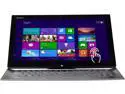
SONY VAIO Duo Core i5 4GB 128GB SSD 13.3" FHD Touchscreen 2-in-1 Ultrabook Windows 8.1 (SVD13223CXB)
Pros: Excellent as a tablet, and the large-ish screen and physical keyboard let me get real work done when necessary. Built-in apps work nicely, and the machine is snappy.
Cons: Two cons: 1) Front-facing webcam was non-functional on arrival. Sony fixed it free, but we did have to do without for a month or so. 2) Screen position is fixed at about a 60 degree angle in laptop mode. This is well suited to a table or desk but makes viewing the screen difficult when reclined (bed or couch)
2/24/2014See more detail
Simple and Effective
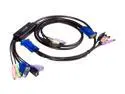
StarTech.com SV215MICUSBA 2 Port USB VGA KVM Switch with Audio
Pros: Dead simple to set up and use, and works like a charm
Cons: The cables on the computer side of the KVM are short. They work well if the various ports are close (i.e. a tower) but are too short if the ports are spread out (i.e. a laptop). If you want to use this as a laptop dock, make sure your K, V, and M ports are all near one another.
2/4/2012See more detail