


Your Browsing History


Christopher W.
Joined on 03/28/06
0
0
product reviews
- 10
Solid device
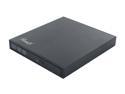
Rosewill Model ROD-EX002 - Slim Aluminum 8X DVD Writer - USB 2.0 - External Optical Drive for PCs - Black
Pros: The body is very well-made, looks like a single piece of milled or extruded aluminum with a backplate and the drive tray serving as the front of the device. The surface finish is 'brushed' black and looks very nice even after handling. The activity light is dim enough to ignore if you are playing a movie on it; the drive itself was louder than a 120mm fan but still quiet. I was able to install Windows from a disk that looks like it lost a sandpaper deathmatch. Should have no problem reading through scuffs, dirt, fingerprints, etc. Overall, glad I bought it. I would still feel that way if it was another $5.
Cons: May require two open USB ports. This is common to most if not all external burners, just something to be aware of. You can often get away with only one port, but that is not a guarantee. Included Y-cable is a bit short.
Overall Review: It's a solid aluminum external burner with no extra power needed. Get one. Use it for netbooks with no optical drive, plug it into other machines for duplicating backup disks, keep it as a spare in case your main drive dies. I did not use the bundled software, so I cannot comment on that part of the package. There are many free programs for burning disks and watching movies, so if you don't like what comes with it go check out sourceforge. This review cannot address reliability, since I've only had it for a week.
3/7/2014See more detail
Refined
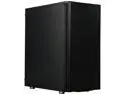
Fractal Design Define C Black Silent Compact ATX Mid Tower Computer Case
Pros: Modular construction. Just about anything that might get in the way can be moved or removed easily. Mostly thumbscrews for major parts; installation only needs a screwdriver for the motherboard standoffs and screws. I managed not to bleed in this one, which is a first; no sharp edges. Sound dampening panels are excellent; when paired with low-noise parts the box is almost undetectable. The two 120mm fans are very quiet and move a lot of air. They are around 800 RPM most of the time and so effective that my CPU fan barely runs and the PSU fan shuts off entirely. The front-panel IO is actually on the top, at the front of the case. The power button feels like a hi-fi knob. It and the reset button are hard to hit accidentally. 2x USB3 ports, so you can put an external drive and an IO dock on top of the box if you want. It would look right at home under a nice component stereo set or in a home theater cabinet.
Cons: It's heavy. The feet aren't really suitable for carpet since the bottom panel has airflow access for the PSU. Interior panels are matte black, so you pretty much need a flashlight to see what's going on.
Overall Review: This is the best case I've worked with so far. Would definitely recommend, worth every penny.
8/3/2019See more detail
Works as advertized
Crucial Ballistix Elite 3600 MHz DDR4 DRAM Desktop Gaming Memory Kit 16GB (8GBx2) CL16 BLE2K8G4D36BEEAK
Pros: XMP setting works as advertized. Fast and simple to set up. You get what you pay for. Nice heat spreaders; still fits under a giant Noctua heatsink.
Cons: It's expensive.
Overall Review: Worked out of the box. The XMP setting puts it at 3600/16/18/18 with no fuss, rock-solid. Temps and voltage looks like there is a bit of room beyond that if necessary, but the point of a package like this is excellent performance with only a minute's work in BIOS. It delivers exactly that.
8/3/2019See more detail
Reliable unit
![ORICO 6619US3-BK SuperSpeed USB 3.0 to SATA Hard Drive Docking Station for 2.5" and 3.5" HDD, SSD [8TB Support]](https://c1.neweggimages.com/ProductImageCompressAll125/0VN-0003-000H5-22.jpg)
ORICO 6619US3-BK SuperSpeed USB 3.0 to SATA Hard Drive Docking Station for 2.5" and 3.5" HDD, SSD [8TB Support]
Pros: Very reliable operation. Quiet. No drivers to install. Simple. Works in Windows and Linux. Works with failing drives. Cheaper than an external drive enclosure.
Cons: The activity LED is pretty bright. It could be distracting in a dark room. If you want to use it for HTPC purposes, apply tape.
Overall Review: I bought this unit to perform a forensic data recovery for a client. The device flawlessly handled a failing hard drive for the entire four weeks of recovery runtime. 24/7 operation using a low-level access tool (ddrescue) in Linux was perfect. Follow-up use in Windows was likewise flawless, with no software disk or crapware to install. I did not do any speed testing, mainly because most of the time the drive in recovery was only pushing 100kbps or less; if speed is your #1 concern then look for some benchmarks. This type of peripheral is the kind you don't expect to be worth much; it's pretty cheap, plastic and it is something not a lot of people use. Normally that is a recipe for a disposable product that works once or twice and then dies. I was very pleasantly surprised. The unit is well-built, uses standard interfaces, adapts to laptop and desktop drives, handles hot-swapping, handles punishing workloads and works with no setup or configuration. If you have a few hard drives lying around or if you ever do virus removal for people, get one. It saves so much time and hassle I wish I had bought one years ago.
7/25/2014See more detail
good buy
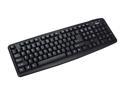
Rosewill RK-200 - Standard Keyboard - Black, 107 Normal Keys, USB Wired
Pros: Cheap. Spill-resistant. Keys are easy to remove and put back, so it's a device you can clean without a screwdriver. Print on the letters is bright, sharp and holding up well so far. Key action is OK. I'd prefer a heavier spring action and some CLACK, but the keys are responsive enough. There's nothing worse than squishy keys, so this is make-or-break behavior for me. Does everything a full keyboard should do, and for an excellent price. No annoyances noticed even after a few hours in spreadsheets (or a few hours in games).
Cons: A bit flimsy. Needs a solid, level surface. Don't stack stuff on it. Not comfortable to use on a lap (with an HTPC for instance), so look for another solution for long-term use in your armchair. I say that because it is so light it will move around; keys on the extreme ends will make it bounce up at the other end.
Overall Review: I'm happy with it. Five eggs easily for the performance at this price. If I had $50+ to spend on a keyboard I might get something more heavy-duty with metal springs, but I'm in no hurry to replace this one. I had to clean some 'lightly-used' cat food out of mine thanks to a vindictive pet and a trip out of town. It took a few Q-tips and some Clorox cleaner, but it's just like new again.
3/15/2014See more detail
solid machine
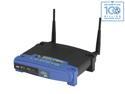
Linksys WRT54GL 802.11b/g Wireless Broadband Router up to 54 Mbps/ Compatible with Open Source DD-WRT (not pre-load)
Pros: stock configuration. It works; follow the directions and you can't go wrong. Supports a wide variety of features out of the box. Reliable. Supports custom firmware to go way beyond the stated capabilities.
Cons: The stock configuration buries some options. If you know what you're doing, it would be better to use one of the open firmwares on this hardware.
Overall Review: If you just want it to work, or would have no idea how or why to configure a router, just follow the instructions. If you want VPN, ftp, QoS, etc. or if you want options not available in the software then use a custom firmware. If it melted today I would buy another, no hesitation.
9/15/2009See more detail