


Your Browsing History


John M.
Joined on 08/31/04
0
0
product reviews
- 4
Clearly a higher-end product
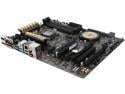
ASUS Z97-A LGA 1150 Intel Z97 HDMI USB 3.0 ATX Intel Motherboard
Pros: - Plug and play LAN with Windows 10, nice not to have to bootstrap that with a drive. - Impressive BIOS and tweaking utilities. - Dead simple overclocking. My mother could probably overclock this system without frying it. - Front panel block! I love these things. Great for sausage fingers.
Cons: - The SATA ports. Oh dear, the SATA ports. - Board arrived bent, concave. Was crossing my fingers during install. - Boot error LEDs are nice, but not terribly visible nor intuitive in my rig. I'd rather have a seven-segment display in a corner or even speaker error codes. - I/O shield didn't fit great, but are there any that really do?
Overall Review: I don't usually buy the higher-end motherboards but this one was on sale plus had a mail-in rebate. I didn't know system tweaking had gotten to this level of detail--if Newegg still did reviewer tech levels I would have docked myself a point. To give you an idea of how impressed I was, this is the first motherboard install I've done where I needed to connect my mouse for the BIOS. Power saving features in the software are also neat. Maybe this board will pay for itself in electricity costs in 20 years. I'll cover my primary complaint, though, and that's the SATA ports. For whatever reason, they aren't vertical. They face away from the end of the board, opposite the I/O. If my hard drive bay was just a couple of millimeters closer, I'd be shopping for special angled SATA cables right now. One of my cables had a connector that was too long, but fortunately one of the included cables fit. Quite the challenge getting them installed. Driver installation wasn't bad, though. I laughed at the provided disc, as this is the first mobo I've bought without an ancient IDE port for my old DVD-R drive. Maybe some day flash drives will get cheap enough that we can get drivers on a USB stick. Fortunately, I didn't have to bootstrap my system with LAN drivers as the adapter was functional on first boot. Grabbing the drivers from the ASUS website is easy enough, though I found it odd that the MEI drivers weren't included with the utility suite. In all, a smooth setup. I'm not an absolute optimum performance guy, so overclocking with provided utilities was a breeze. Finished up in less time than I anticipated.
12/30/2015See more detail
Spotty wireless
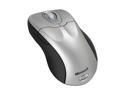
Microsoft Wireless Optical Mouse 5000
Pros: Like the design, though it would have taken some getting used to as it's much larger than any other mice I've used. Buttons are very quiet, no bright visible lighting.
Cons: Wireless is very spotty. At what seems like random intervals, it will stop registering movement or clicks for a split second; very annoying for a competitive gamer. Side buttons are also too small compared to other products on the market, and the top button is poorly placed.
Overall Review: Returning this for a wired model, which will be the plain white, too bad since this one matches my rig's black/silver perfectly. My girlfriend has a wireless mouse from Logitech with her laptop that works flawlessly, so I'd assumed overall that wireless mouse tech had improved over the years. I suppose not.
9/26/2009See more detail
Nice product, good price
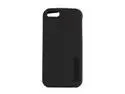
Incipio SILICRYLIC DualPro Obsidian Black / Obsidian Black Solid Hard Shell Case w/ Silicone Core for iPhone 5 / 5S IPH-815
Pros: Waited too long to get a case--my butterfingers managed a number of chips in my iPhone 5. Picked up for $15.49 shipped. This case fits the phone well and doesn't block the Lightning connector, headphone jack, or camera. Top and side buttons are covered and replaced with buttons built into the case, which feel organic. Mute switch is accessible through recessed opening. Feels great in the hand. Big unexpected benefit: without a case, I was losing Wi-Fi signal when holding the top of my phone in landscape orientation. Having this case fixes that problem.
Cons: Seems durable but don't expect Otterbox-level protection. No problems so far with a few drops already. This didn't come with instructions, so I have to assume I installed the case correctly since it fits. Fairly large "INCIPIO" stamp with a logo on the back, not a big fan of that.
Overall Review: Some may not like the mute switch access. Despite having no nails it's not too tough for me to access, but it is fairly deep in there.
4/19/2014See more detail
Frustrating install, but it's working
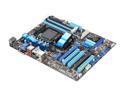
ASUS M5A88-V EVO AM3+ AMD 880G USB 3.0 HDMI ATX AMD Motherboard
Pros: Good mobo layout, and the manual is detailed and doesn't read in ESL for once. The Q-Connector is fantastic. I haven't installed a mobo in a few years, so I don't know if this sort of thing is becoming standard issue these days, but I sure hope it is.
Cons: Windows install after putting in this board was comical. Could not get mouse to work on back USB ports until I installed the Windows USB 3.0 driver. Joke was on me, as the install program wasn't designed to work with a keyboard! Incredibly bad design on ASUS' part here. Thankfully mouse worked in a front panel port, otherwise I'm not sure what I would have done. Wouldn't post on first start-up. Removed third and fourth memory sticks, replaced, and it booted. Twice now since install (a couple months or so now), the system randomly won't post unless I remove and replace again. Looks like I got bad slots, but they are working for now. Guessing it's only a matter of time before I'm down to two. Onboard audio mic-in is garbage (at least with Win 7). I ended up installing my ancient SB Live in a PCI slot to be able to use Ventrilo and Skype.
Overall Review: If it were just one of these problems, I'd recommend this mobo, but I've had boards almost half the price give me a lot less trouble. I can't recommend it.
4/27/2012See more detail