

Your Browsing History


Don N.
Joined on 05/20/07
0
0
product reviews
- 5
Great for gaming, travel, and work with just one problem.
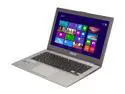
ASUS Zenbook UX32VD-DH71 Ultrabook - Intel Core i7 3517U (1.9GHz) 6GB RAM 500GB HDD+24GB SSD 13.3" FHD NVIDIA GT 620M Windows 8
Pros: Size - The most notable feature, that most of you who are reading this are wanting, is that it is very slim and lightweight. For a 13" Ultrabook, only weighing in at about 3 lbs is a great convenience to me as I tend to carry around many textbooks with me to my classes. Adding a 5lbs laptop to that mix and my back just wants to die. It is the perfect size for taking it around while also having a large enough screen to be productive. Aesthetics - If you've seen any of the previous Zenbooks then you've seen all there is to see, and by this I mean it looks absolutely gorgeous. With its slim profile, metal body and spiral design on the lid, it is a classy looking piece of hardware that will look good wherever you go. They even include what looks like a portfolio folder to sleeve your Zenbook in. Screen - Right away before you even turn it on, you will notice its matte screen. It does an excellent job of ridding the screen of glare so you can definitely use this laptop outdoors. Once you turn it on, colors are crisp and clean. With the full 1920x1080 resolution, everything looks very sharp and it is a great pleasure to use. Some people may be concerned that an HD resolution on a 13.3" screen might be a problem as text will be too small. For me, it isn't a problem as I can still read things clearly and if I do find something too small I can always zoom in on the text to read, which is a very simple task might I add that leads me into... Trackpad - The trackpad, it is generously sized which I definitely enjoy. It is responsive and is definitely usable, however I wouldn't call it the best trackpad I've ever used. Even so, with the added multi touch gestures that are included with the Asus software, it makes up for what little problems it has. Two finger swipes are for scrolling in whichever direction you want. Three finger swipes left and right are for forward and backwards in applications, down to minimize all/show desktop, up to open Aero Flip which I have more to talk about later in the other thoughts. Then of course there is pinch to zoom as well, which makes everything significantly easier to work with if you find something too small to zoom in on it. Other than that, other things to note are the entire trackpad is a single button and is basically a big left click with the exception of the bottom right of the trackpad which is the right click. Keyboard - Fairly standard chicklet key style keyboard, function keys running along the top for all your media and wireless, brightness settings and what nots. If you've used any of Asus' keyboards in the past it will feel very familiar to you and I definitely like it. Arrow keys are a bit small if that bothers you. Speakers - Volume is pretty good at max, they are definitely loud but they definitely won't break any eardrums. Sound clarity is impressive to me, I'm no audiofile so I have much lower standards but they definitely aren't tinny. Performance - I'll get to that in the other though
Cons: Screen - Light bleed. This one isn't a huge deal as most of the time you will not be able to see it but if you are ever on a black screen, say hello to the light bleed. First time booting it up, I saw it immediately and it was pretty disappointing but during normal use for many hours you really don't notice. Not a huge deal, just something to point out. So why 4 eggs you may ask, well this is why: Battery Life - Oh for goodness sake, I don't know if I did something wrong to it or it's supposed to be this way but I only get 2.5 hours of use from this guy. I know that this laptop would not last as long as its brothers because of the GPU inside it but only 2.5 hours? The previous UX32VD (according to several reviews) gets at least 4+ hours of battery life with brightness up and wifi on. I get 2.5 hours throttling down the CPU to 50%, which you can do using another Asus software, turning the brightness all the way down and turning off wifi and bluetooth. This was a huge bummer for me and it is just incredibly disappointing. -1 Eggs for that, just horrible battery life.
Overall Review: Performance & Upgrades - I want to start off by saying that I am running Windows 7 x64 Ultimate on this machine as I do not like Windows 8. Now that that is out of the way, the biggest selling point for me on this laptop was the ability to easily open it up and swap out the harddrive and ram. It was an absolute breeze, the back panel has all the screws visible (torx screws) and easily accessible. Once you have that open, the ram slot is out in the open for a fast easy change of ram. The harddrive takes a little more work to get to but nothing complicated. All you have to do is remove the screws from the battery and lift the battery up slightly so you don't pull out the cables, remove the screws from the harddrive tray and slide it out. EASY For ram I replaced that with the Corsair Vengence 8GB (MODEL#: CMSX8GX3M1A1600C10) version for a total of 10GB total of ram. The additional 2 being the one ram soldered on to the board itself. For the harddrive I replaced that with the OCZ Vertex 4 128GB (VTX4-25SAT3-128G). This took a bit of work to get in however. With the Vertex, it was too tall to fit inside the case, this is what I had to do to get it to fit: 1. Open up the SSD 2. Remove the board from the case. 3. Place THICK doublesided tape onto some of the chips (I used Scotch Indoor Mounting Squares and just cut them up) 4. Place the bottom half of the SSD case onto the board so that it sticks and stays onto it. 5. Once that is in place you screw on the tray brackets and place it in like how you had it before. Trust me it's not that hard and is definitely worth it in the end. The result of all this is a ridiculously fast ultrabook that boots up in no time at all and everything runs blazingly fast. So along the road if you ever feel like you want to upgrade, know that if you get this ultrabook you can and it is very simple. The GPU is impressive on this machine. I don't run too many crazy intensive games but so far as of using it, it can run League of Legends on max at a very steady 60fps. XCOM also runs extremely smooth at max settings. For games such as Skyrim it should have no problem running it at pretty high settings without a hiccup. It's definitely gaming worthy and even more impressive due to the size. I also need to note that there are 3 USB3.0 slots with one of them having the ability to charge devices while the laptop is off/asleep. Of course you can enable or disable it within Windows using Asus' software. It also has HDMI and a minidisplay port with included VGA adapter. --------- I am uncertain as to whether or not it being Windows 7 or me swapping out the hardware has anything to do with the horrendous battery life. I highly doubt it but I feel as if 2.5hrs of battery life seems a bit ridiculous. I have the included Asus software for power management which helps but still. I am just unsure as of the moment if it is just me or this is just the way it is. Either way, it's a big disappointment to a near
11/14/2012See more detail
Super fast
CORSAIR Vengeance 8GB 204-Pin DDR3 SO-DIMM DDR3 1600 (PC3 12800) Laptop Memory Model CMSX8GX3M1A1600C10
Pros: Very fast and high capacity
Cons: None
11/14/2012See more detail
Reliable and Pretty Quick
Intel 320 Series 2.5" 120GB SATA II MLC Internal Solid State Drive (SSD) SSDSA2CW120G3K5
Pros: I've had this SSD for nearly a year now and I have not run into trouble with it. It runs well and it runs quicker than a regular hard drive. For me, 120GB is enough to run all the programs I need as I have separate drives to hold everything else I need. The price per GB isn't that bad if you're looking for a long term SSD and with a 5 year warranty you know you can't really go wrong. - Faster than an HDD - $/GB is good for how long it will last - 5 yr warranty
Cons: It's definitely slower than many other SSDs on the market. While it may be faster than regular HDD it is no where close to the other drives in the market in terms of speed. This drive was meant for people who wanted something a little faster than an HDD with the reliability of an HDD. I've had problems with the SSD software that Intel provides as it does not seem to like AMD systems. It may detect my SSD but nothing else seems to work. I suppose this is okay as Win7 handles SSDs pretty well on its own as I have owned it for nearly a year now.
Overall Review: If you're looking for speed, you're not going to want this. You want reliability in an SSD? Then you're in the right place.
10/29/2012See more detail
Meh
Genius SP-S110 Basic Speaker System (Black)
Pros: Very cheap, works, compact. It has a 3.5mm headphone jack, I find that very useful.
Cons: Very muffled sound, but that's what I get for going with some cheap speakers. They are quite sub par speakers, something you would just get in order to have sound.
Overall Review: Only reason it got a 4 star was because of price or else it would have been a 3 star from me.
4/16/2010See more detail
Excellent!!
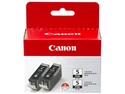
Canon PGI-5 Ink Cartridge - Dual Pack - Pigmented Black
Pros: First off, it has 2 very large cartridges of black ink and that is very nice. I have used my printer quite extensively, printing large amounts of presentations, essays and sometimes even pictures for school. I bought a pack back in Febuary and I'm still the first pack. I'm nearly out but I still have my second one! I am extremely satisfied with how the printer manages the ink, very efficient and works well. I think it's quite worth your money! -2 cartridges -they're large -last a long time
Cons: Even though I say it's worth your money, it could always be a bit cheaper.
Overall Review: Loving my canon printer.
10/20/2009See more detail