

Your Browsing History


William M.
Joined on 10/28/06
0
0
product reviews
- 28
great gaming monitor
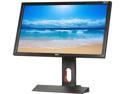
BenQ 24" 120Hz HD LCD Monitor 3D 1ms (GTG) D-sub / DVI-DL(Dual Link) / HDMI x 2 / DP 1.2 / Headphone Jack XL Series XL2420TE
Pros: Alot better colors then Asus monitors even out the box. Only a small amount of tweaking is needed. Smoother gameplay then 60hz monitors even at 120hz. Comes with dvi dual link cable which is needed to run the monitor at 120 or 144hz refresh rate. Easier and less strain on my eyes compared to my old Asus VW266H
Cons: The only thing i hate about the monitor is why did they use touch buttons instead of normal buttons. The menu buttons is fine with touch since they are easy to press but the power button is different you have to hit it spot on and sometimes i have to hit it several times before it turns on.
Overall Review: Recommend settings for monitor is Standard Mode with brightness at 26-28, Contrast 50, Sharpness 5. Color Temps at Red 96, Green 98, Blue 100. I personally turned down the brightness to 7-8 since alot of websites i go on have white backgrounds.
10/10/2013See more detail
Great case has plenty of room even for 420mm aio on top or front.
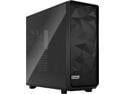
Fractal Design Meshify 2 XL Black ATX Flexible Light Tinted Tempered Glass Window Full Tower Computer Case
Pros: Big case has plenty of room even fits a 420mm Arctic Freezer II AIO on top. that 420mm radiator is thicker at 42 or 47mm thick compared to 27mm which most radiators are. Can fit 4qty 140mm fans in front or 420mm radiator. I added AcoustiPack Max 12mm sound dampening sheets to the glass side panel to absorb noise. Acoustipack sound dampening sheets added throughout the case will drop noise anywhere from 3 to 7db depending on how much you use. Lightweight case, plenty of room on bottom even for the bigger EVGA 1600 watt p2 power supply. Has extra room for pumps etc for custom water loops. No longer has the issue of overly tight screws that would strip when removing them. Plenty of areas for running wires through and good cable management.
Cons: no handle to pick up the case but just grab from the front and back of case. if you try to grab from the panel sides they will end up popping off. more of nitpicking or caution than a con. make sure your front fans have good static pressure somewhere around 1.7 or higher since the case is long lower static fans lose their strength at 6 to 7 inches and might not reach the motherboard/ram areas. you can add fan ducts to help with this or use the new Noctua NF-P12 1700rpm Redux fans with high static pressure.
Overall Review: highly recommend for water cooling. Would be overkill if its only for air cooling since its a long case.
9/6/2023See more detail
Great little heatsinks
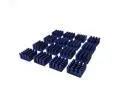
Akust Aluminum Chip Heatsink - 0.59"x0.59"x0.32"- 16Pack
Pros: They are a perfect size for putting on top of the alloy chokes on my Asus Strix 980ti. They are also a perfect size for the ram on your graphics card.
Cons: none
8/16/2015See more detail
GPU update still a killer
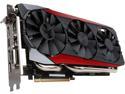
ASUS GeForce GTX 980 Ti 6GB GDDR5 PCI Express 3.0 SLI Support Graphics Card STRIX-GTX980TI-DC3OC-6GD5-GAMING
Pros: Over a month of using it and still acts like a beast. My Strix 980ti baseclock is actually 1293mhz and boostclock is 1405mhz. Why so much higher then the rated specs you say? Well I have Enzotech copper heatsinks on all the mosfets, voltage controller chip, alloy chokes etc on the board. I reach those speeds above with NO overclock and NO increased power limit aka TDP. This is the benefit of improved VRM cooling. No coil whine.
Cons: It is a long card but most people should know this. A close fit width wise with thermal armor on my Asus Z97 sabertooth board but it fits no problem.
Overall Review: If you want to know exactly which chips I put the heatsinks on then follow the link below. Also used an Arctic Xtreme III cooler no problem with the Asus Strix 980ti. Use Prolimatech PK3 thermal paste on the GPU to help lower the temps a couple Celcius lower. http://www.overclock.net/t/1565167/how-to-improve-your-980ti-for-higher-overclocks-without-actually-overclocking-it
8/16/2015See more detail
Great CPU but runs HOT
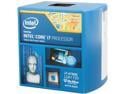
Intel Core i7-4790K - Core i7 4th Gen Devil's Canyon Quad-Core 4.0 GHz LGA 1150 88W Intel HD Graphics 4600 Desktop Processor - BX80646I74790K
Pros: upgraded from an i7 2700k OC to 4.6ghz. This 4790k at stock speeds scored 3340 points higher on CPU score with Passmark performance test compared to my old 2700k.
Cons: Bad quality TIM used instead of soldered like the good 2700k sandy bridge chips are. I hit 59-68C easily with a Noctua NHD15 cpu cooler compared to before where I barely went over 50C with an overclocked and overvolted sandy bridge.
8/6/2015See more detail
Great cooler
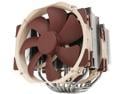
Noctua NH-D15, Premium CPU Cooler with 2x NF-A15 PWM 140mm Fans (Brown)
Pros: Fits on an Asus Z97 Mark1 Sabertooth motherboard. The install brackets that go around the cpu is a tight fit with the Asus thermal armor installing it sideways blowing air out the rear of the case. If you install it blowing air toward the top of the case there is more room to install the mounting brackets but the fans may get in the way of the 1st PCI x16 slot. Keeps my I7 4790k around 55-59C during gaming.
Cons: It is alot wider then my old Thermalright Silver Arrow cpu cooler. It covers all 4 slots of my ram if you use a fan lol. If you dont use a fan in front then the whole tower only covers 2 ram slots on an Asus Z97 Mark 1 motherboard.
8/6/2015See more detail