


Your Browsing History


Jeff L.
Joined on 04/08/10
0
0
product reviews
- 30
Great Case for the money!
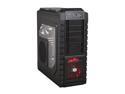
Cooler Master HAF X - High Air Flow Full Tower Computer Case with Windowed Side Panel and USB 3.0 Ports
Pros: Great airflow, awesome sharp look, huge, can handle E-ATX boards and huge components, looks well made, feels well made, overall good material and parts. Also, wheels are a nice addition and if you have this on carpet, they allow air access on the bottom due to it being raised. Great and I mean great cable management. My cords are all disguised and it looks amazingly clean, and is very quiet! The quality of steel is also very thick and nice. Black painted interior, all black parts, and even screws is a really nice touch.
Cons: Really big (also a pro) and heavy. Not really major problems by any means. I think my whole system ways about 50lbs now which is crazy but I could care less.
Overall Review: I really couldn't believe how big this case was. I have watched lots of videos on it and I knew it was big but you can't really tell until you receive it. It dwarfs my old mid tower. I must admit it is great to have all this extra room. I love this case and would buy it again for $300!! i7-930 @ 4.0 Ghz. Noctua NH-D14 Kingwin 1000w PSU MSI X-58 PRO-E MOBO 4GB G.Skill Ripjaw DDR3 1600 HAF X Win7 Home Pro Samsung Spinpoint F3 500GB HD XFX ATI Radeon 5850
7/1/2010See more detail
Review #2
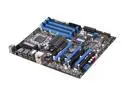
MSI X58 Pro-E USB3 LGA 1366 Intel X58 USB 3.0 ATX Intel Motherboard
Pros: Good board, has a lot of features such as crossfire/sli support. Nice color scheme (except for the stupid post/power lights). Cpu overclocked nicely for me. I had the voltage to auto. Got i7-930 up to about 4.0ghz on a decent voltage.
Cons: The post/power leds are really, really bright and ruin the color scheme of my HAF X. One of the annoying lights is green and the other blue so even if you wanteda blue scheme, then the stupid green can still be seen! urghh. Runs extremely hot! At first, my temps were not bad. Then, I added a 5970 for trifire with a 5850 and the stupid board is running 85C idle and 95C load (very close to its 100C limit). I hope it is not throtteling down the speeds or anything. Also, my 5970 seems to not overclock well with it; any voltage increase causes it to artifact (may not be the board, but I think it is since I am running a 1000W kingwin psu). Also, it would be better if the fourth pci-e 2.0 would be x8 and throttle the second down to x8 when populated.
Overall Review: Not a terrible board but the temps are just outrages! I may try to use some new thermal grease on the board to lower temps and maybe a spot fan but it is really frustrating that I have to do the extra work because it wasn't done right the first time! Just gonna deal with this board until I can afford to upgrade to a decent board like Rampage or Classified or until new chipsets come out. Annoying to be stuck with a somewhat faulty/broken component :( My system: i7-930 @ 4.0 Ghz. Noctua NH-D14 Kingwin 1000w PSU MSI X-58 PRO-E MOBO 6GB G.Skill Ripjaw DDR3 1600 HAF X Win7 Home Pro Samsung Spinpoint F3 500GB HD Sapphire 5970 (825/1175; no voltage increase because of my artifacting problem) and XFX ATI Radeon 5850 (775/1125) in trifire
9/1/2010See more detail
Outstanding Monitor!
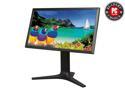
ViewSonic VP2770-LED Black 27" 2K SuperClear IPS Monitor, 1000:1, 300cd/m2, USB&HDMI&VGA&DVI-D Display Port, VESA mountable
Pros: I am in love with this monitor; it is absolutely beautiful! My previous monitor was a CrossOver korean IPS monitor, and while it was decent, it has nothing on the VP2770. I upgraded, as I needed DisplayPort input, and the CrossOver only supported DVI. I'm glad I did, as the color accuracy and AG coat on this monitor make it infinitely better than that korean junk! This monitor is easily the best I have ever used, and I highly recommend it to anyone who isn't scared of the slightly high price tag. After all my research and personal experience with this monitor, I believe it is one of the best (if not the best) WQHD displays on the market! Pros: -2560x1440 is stunning. I couldn't imagine going back to 1080p or anything less again. It is just so much better! -The PLS panel has stunning color production and extremely wide viewing angles! -The input lag is fairly low compared to some other IPS displays (I haven't noticed any in fact). -The monitor comes pre-calibrated from the factory and looks very accurate out of the box (the colors on my CrossOver were very saturated, but the colors on this monitor are far more true to life). -It has a wide variety of inputs and comes with a large selection of cables. -The OSD is intuitive and allows for a wide variety of options -Bright backlight and no stuck/dead pixels -No PWM! I hate PWM backlight dimming, as I have sensitive eyes and can often see flickering on monitors using this technique. -The AG coat is just enough to stop reflections while still maintaining clarity. -The stand is heavy duty, stable, and strong and the monitor is extremely high quality. It's very well put together and the material used is solid.
Cons: Cons: -The monitor has some backlight bleeding issues, but it's not too bad and better than my CrossOver. Seems to just be a common occurrence on these panels. Only noticeable with the lights off and a black screen. -The stand is big and takes up a lot of desk space -It's expensive, but you get what you pay for. In my opinion, it's worth every penny. -Nothing else really. It excels in nearly every way.
Overall Review: When I was first looking to replace this monitor, I also looked at Dell's u2713hm and the Asus PB278Q. The u2713hm is known to have backlighting issues, cross-hatching in the AG coat, and general poor build quality. The Asus used PWM backlight dimming and many have had problems with the DisplayPort input not working correctly. The Asus also doesn't come factory calibrated which was also a big turn off. After reading about all of the issues and drawbacks with those monitors, I decided to give Viewsonic a shot. I'm sure glad I did! It truly is a great monitor, and I highly recommend it to anyone who wants a nice, high resolution, and accurate monitor out of the box.
3/24/2013See more detail
Nice Cord!!
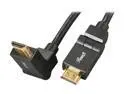
Rosewill-Pellucid HD Series High Speed Swivel HDMI Cable with Ethernet (15 FEET)
Pros: Nice cord, extremely thick, durable, perfect length for my situation, swivel heads are nice, very cheap for HDMI 1.4.
Cons: None really.
Overall Review: I use this to connect my PC to my TV to play 3D games like WOW and COD. Pretty cool stuff!!
1/23/2011See more detail
Awesome 3D Television
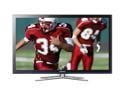
Samsung 50" 720p 600Hz Plasma HDTV PN50C490
Pros: This screen has a really nice picture. I previously had a 42" 1080P TV, and I must say this TV has a nicer picture. The TV is also pretty slim and very light weight for a plasma. I have played games, movies, and cable all in HD, and everything looked great. The 3D is also really cool. The 2D to 3D converter is pretty cool too; it brings a slight depth to the 2D content. Native 3D inputs or content looks really great on this TV. I have played Black Ops on my XBOX in 3D, and I have also played multiple games (WoW, ME2, etc.) using IZ3D, a 3D game converter, on my computer. The 3D effect is pretty amazing, especially when using my computer (I highly recommend doing this). The glasses connect very easy to the TV. Great picture. Great experience so far. Oh, it also has some measures to counter plasma burn-in.
Cons: Has one stuck pixel (actually, it blinks red)!!!! Although it is not noticeable from a normal viewing distance, it is annoying just knowing it is there. I tried to fix it, but I have not had any luck so far. Also, Plasma burn-in is a pain. I strongly suggest looking up plasma burn-in and how to protect from it before using the TV. Remember, don't leave any unnecessary static images on the screen. One other thing is that the glasses do not connect well if you are at the sides of the TV. Also, the 2D to 3D conversion is not as great as it may seem. It only does a mediocre job at making the image 3D, and is not worth wearing the glasses for.
Overall Review: I bought this TV on Circuit City for $700 and free shipping, although I usually try to make all my purchases at Newegg. Also, I highly suggest, if you are into gaming, either pick up a PS3 or the IZ3D driver on your computer.
1/20/2011See more detail
Does what it should
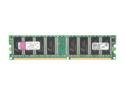
Kingston ValueRAM 512MB DDR 400 (PC 3200) Desktop Memory Model KVR400/512R
Pros: Works, speeds up computer somewhat. Very cheap compared to the value brand garbage they sell at other places. Very fast shipping also; you got to love the Egg.
Cons: Not as big as an improvement as I would have wanted.
Overall Review: Bought this for a computer at my dad's work. Not my personal computer, so I have not had much time with it. But according to its daily user, the increase in performance is not very noticeable. Probably due to CPU limitations.
1/8/2011See more detail