

Your Browsing History


Randall M.
Joined on 02/22/10
0
0
product reviews
- 1
It's a winner
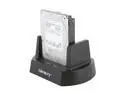
Cavalry 2-Bay USB 2.0 Dock & One (1) 7200 RPM 16MB 1TB SATA Hard Drive
Pros: Simple, versatile, expandable. Newegg's fast shipping.
Cons: Not black & tiny or shiny.
Overall Review: INSTALLATION You can set the micro switches on the back side for "spanning" to have a pair of drives show as one or for "JBOD" (Just A Bunch Of Disks) to have the hard drives show individually. I left the the default setting of JBOD. I'm using it on an XP machine, the installation is easy but apparently, it may often involve a step that's not in the documentation. XP found the Hitachi 1TB HDD no problem BUT no drive letter showed up in Windows Explorer. I had to do the following: Right click on the My Computer icon in your XP OS> select Manage> select Disk Management> select your new HDD in the graph & follow the setup Wizard which will among other things assign it a letter - you'll be in business in no time. One more thing, the wizard may ask you if you want to format the disk, if you do, you may want to opt for the quick format to save a lot of time. This missing step is likely the cause for some negative reviews I've seen.
2/24/2010See more detail