

Your Browsing History


Jonathan G.
Joined on 12/01/03
0
0
product reviews
- 4
Best USB 3 Docking Station
![Ineo I-NA320U PLUS USB 3.0 to SATA III Hard Drive Docking Station for 2.5-inch & 3.5-inch SSD & HDD [Supports 4TB+]](https://c1.neweggimages.com/ProductImageCompressAll125/17-620-034-02.jpg)
Ineo I-NA320U PLUS USB 3.0 to SATA III Hard Drive Docking Station for 2.5-inch & 3.5-inch SSD & HDD [Supports 4TB+]
Pros: Fast, Reliable
Cons: none.
Overall Review: I just had to buy a new USB3 docking station after a year of dealing with a Thermaltake Blacx USB3 docking station that would always disconnect (extremely aggravating). I looked around for alternative brands, and this one seemed to have decent reviews, though not that many. It's price was excellent (currently on sale for 27), and I thought I would give it a try. Transfer speeds are great, does not disconnect like my Thermaltake docking station did, half the price, it just works. I highly recommend this product.
4/25/2012See more detail
Drops Connection
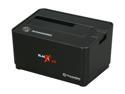
Thermaltake BlacX 5G ST0019U ABS 2.5" & 3.5" Black SATA I/II/III USB 3.0 Docking Station
Pros: Fast when it works.
Cons: This device frequently drops connection, making file transfers with many files a nightmare, trying to figure out what has successfully transferred, and what has not. I've tried swapping cables, USB3 ports, everything... it's definitely the docking station. Other USB3 devices connected to my system do not experience this problem.
Overall Review: After the device drops connection, it comes back as USB 2.0 only (max transfer of approx. 35 MBps), forcing you to power cycle the unit to get usb 3.0 speeds again. At first I thought it was disconnecting because the docking station was powered up after the system had booted, but it also happens when the system boots up with the station powered up. I'm very disappointed with this product. It took me a while to determine it was the docking station causing the problem since I didn't have any other USB 3 devices at the time of purchase. Hopefully Thermaltake can replace it now.
2/4/2012See more detail
Fantastic

ASUS P8Z68 DELUXE/GEN3 LGA 1155 Intel Z68 USB 3.0 ATX Intel Motherboard with UEFI BIOS
Pros: Board works great, just as expected. No issues, no blue screens... it just works.
Cons: Having 2 more SATA ports would be nice, and having them all be 6 Gb/s ports would also be nice. Currently, there are 4 SATA ports that are 3 Gb/s speed. I only recommend the Intel 6 Gb/s ports for an SSD (there are 2 Intel ports, and 2 Marvell ports). I am currently using the 6 Gb/s Marvell ports for 2 Pioneer BDR-206 Blu-ray Burners.
Overall Review: Here is the new system I just built. It works perfectly without issues... Corsair Vengeance 16GB (4 x 4GB) Low Profile RAM Antec Twelve Hundred v3 Corsair HX750 Power Supply Asus P8Z68 Deluxe/Gen3 Intel i7 2600K @4.8Ghz Noctua NH-D14 120mm & 140mm SSO CPU Cooler OCZ Vertex 3 Series SSD – MAX IOPS Edition 120GB (System Drive) 3x1TB Spinpoint F3 Hard Drive in RAID 0 EVGA GTX 570 2x Pioneer BDR-206 Blu-ray Burner Pioneer Drives are plugged into the Marvell 6 Gb/s ports (navy blue). OCZ SSD is plugged into the Intel 6Gb/s port (gray) along with an Intel x25-E SSD Cache drive. Samsung Spinpoint F3's are plugged into the 3 Gb/s ports in a RAID 0 configuration. System overclocked to 4.8 Ghz without issues (Prime95, custom blend). I've been putting the system to heavy use with video encoding and other tasks. No blue screens or anything using the latest Intel Rapid Storage Technology Drivers. If you are concerned about compatibility with parts, you can't go wrong with the hardwar
2/21/2012See more detail
Excellent Quality
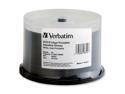
Verbatim 96552 AquaAce 4.7GB 16X Inkjet Printable and Hub Printable DVD-R Disc
Pros: Non-branded, High Quality Burn Surface, High Quality Print Surface, Glossy, Inkjet Hub-Printable
Cons: None
Overall Review: The print surface of these discs is very good. The ink penetrates well, making the colors vibrant and the blacks very dark. The glossy surface of these discs is almost identical to the JVC/TY Glossy discs. When looking directly at the disc, they appear identical. If you look at the discs side-by-side at an angle, and focus on an object through the reflection, these discs have a slightly more blurred reflection indicating a very very slight less amount of glossiness compared to the JVC/TY discs... but unless you have them side by side, you would not notice the difference at all. Since these are usually cheaper than the JVC/Taiyo Yuden discs, there is no reason to get those discs over these. The quality of the discs are the same, it just comes down to which one is cheaper at the time of purchase.
5/12/2011See more detail