

Your Browsing History


Kevin S.
Joined on 08/26/05
0
0
product reviews
- 11
No nonsense panels do what they claim, but no more than that.

Perfect pixel "Matte" 27" MONEX M27QSM 2560x1440 QHD SAMSUNG PLS Panel Computer Monitor
Pros: I bought two of the "perfect pixel" displays and received both quickly with no fuss. - No dead pixels on either display. - Ultra sharp with nice color fidelity. - 1440p was worth it! - Significantly cheaper than other 27" 1440p displays.
Cons: - Shipped essentially bare with just a single layer of foam wrapping around each box. Fortunately there was no damage in my case but I think this is a very chancy shipping method that could result in damage easily. - The stand is cheap and no frills; tilt only. - No USB ports. - View angle is noticeably lower than some higher end monitors. The image starts to lose contrast at about 90 degrees or so. This is perfectly fine for gaming and such but professional users may not want to jump on this one because of it.
Overall Review: The monitors use Dual Link DVI (DVI-D) instead of Display Port 1.2. This will not be a con for most people but something to note in case you intend to daisy chain monitors which is gaining popularity.
5/21/2014See more detail
4.6GHz No Sweat
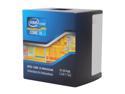
Intel Core i5-3570K - Core i5 3rd Gen Quad-Core 3.4GHz (3.8GHz Turbo) LGA 1155 77W Intel HD Graphics 4000 Desktop Processor - BX80637I53570K
Pros: Runs Mudbox, CS6 and 3DSM 2011 like a dream. That's all I really need. But I do game from time to time, and so I like to overclock. 4.6GHz was no sweat with my Hyper 212 heat sink and just one fan. Temps remain below 80C on Prime95 (well within tolerance for this CPU). Motherboard is a cheaper ASRock Z77 Extreme4. Substantially faster than the 3GHz AMD Phenom II x6 I moved up from. Night and day difference. I was afraid going from 6 cores to 4 cores would hurt performance in Max, but those fears were unfounded.
Cons: The HD4000 integrated GPU is somewhat pointless. Could always be cheaper.
7/14/2013See more detail
Beautiful look. Nice feel.
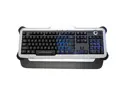
Saitek Pk02u Eclipse Ii Keyboard
Pros: *Excellent feel with full height, slightly wobbly keys. *Smooth, quiet keystrokes. *The built-in wrist rest isn't soft, but is just at the right height and angle to be comfortable, for my hands at least. *The space bar presses down evenly from all angles; no fear of binding. *Switch on the fly between Red, Blue or Purple LED back light.
Cons: * The knob controls the LED brightness, a rarely used feature. Instead it would make more sense if the knob control speaker volume, which is used much more often. * The speaker mute button is counter-intuitively assigned to the same rocking switch as the LED color select button. Wut? * The Caps-Lock, Num-Lock and Insert LEDs at the top of the keyboard are not affected by the brightness control and are extremely difficult to see in bright light. *The back-light is extremely bright but needs to be cranked all the way up to show adequately through the touted "Laser Etched" keys. *LED back light shines between the keys and sides of the keyboard, not too gaudy.
Overall Review: The short space bar appeared awkward to me at first, but doesn't affect my typing. The cons (KHANs!) aren't enough to make me hate this keyboard. It's got the feel I want and so all other considerations are secondary. I highly recommend it for anyone who's looking for an affordable full size back lit keyboard with a nice feel and minimal features.
5/21/2013See more detail
No frills, does the job.
SAMSUNG 22X DVD Burner 22X DVD+R 8X DVD+RW 16X DVD+R DL 22X DVD-R 6X DVD-RW 16X DVD-ROM 48X CD-R 24X CD-RW 48X CD-ROM Black SATA Model SH-222AL/BSBE LightScribe Support
Pros: 48x R/W Solid writes Solid playback Cheap!
Cons: none
Overall Review: I haven't used the Lightscribe discs so I can't comment on the quality of that feature, but the drive otherwise works well.
12/2/2011See more detail
4GHz @ 52'C << says it all
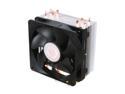
Cooler Master Hyper 212 Plus - CPU Cooler with 4 Direct Contact Heatpipes
Pros: - High value. Low cost. - Very easy to install. - Includes clips for a second fan, if desired. - Screw/Bolt style with sturdy backplate (push pins, R.I.P.!!!). - Amazing performance.
Cons: none.
Overall Review: Phenom II X4 960T BE stable at 4GHz (from 3GHz). Peaks at 52'C under prime95 stress test. Just about says it all. Can't do much better than this without water cooling.
11/20/2011See more detail
Zoom Zooooom!
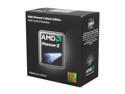
AMD Phenom II X4 960T - Phenom II X4 Quad-Core 3.0 GHz Socket AM3 95W Desktop Processor - HD96ZTWFGRBOX
Pros: This is an X6 processor being sold as an X4, so there is the chance to unlock 2 additional cores. Blinding performance. Price/Performance winner.
Cons: none
Overall Review: I'm the proud owner of an AMD Phenom II X4 960T Black Edition with all 6 cores unlocked (yay!). My main board is an ASUS M4A87TD AM3+; nothing fancy but a solid board. I'm using a Cooler Master Hyper 212+ heatsink to overclock. Currently sitting very stable at 3.4GHz with no voltage changes and a core temp at a very cool 33'C, so I have barely even begun to push the processor. Chances of getting it to 4.0 with some conservative voltage adjustments appear good. Imagine a 4GHz upgrade for a little over $300. That's as much as an Intel processor alone! Figure in the RAM, heat sink and mobo, and it's clear that AMD is the price/performance king.
11/17/2011See more detail