here!
I’m your shopping assistant for PC builds, upgrades, and everything tech.
Got questions? Ask away!
Start a conversation
here!
I’m your shopping assistant for PC builds, upgrades, and everything tech.
Got questions? Ask away!
Start a conversation



Any questions? Ask CelesteSM will help you find out quickly.
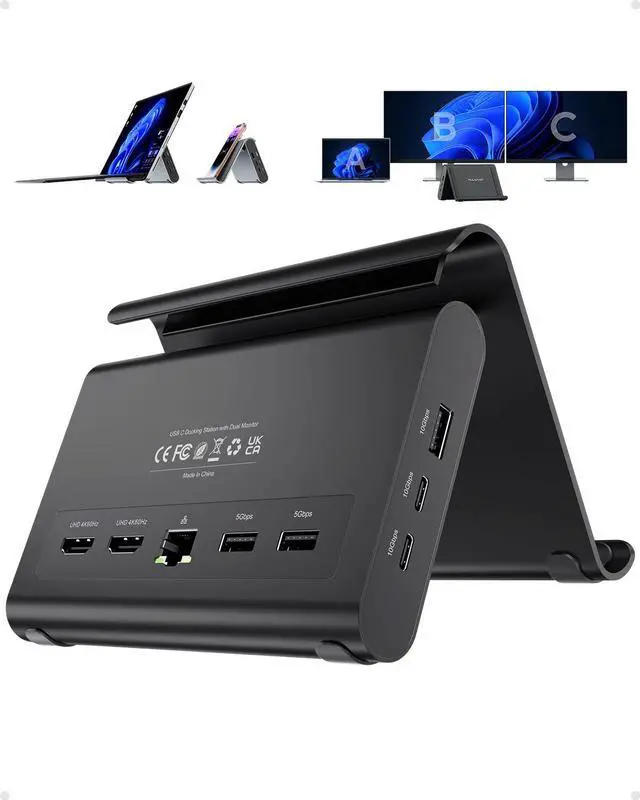
Aluminum Laptop Stand Docking Station - All-in-One Productivity Hub
Model: BD239A-Black
Material: Aluminum
Detachable Cable: 40cm cable
Weight: 400g
Input: USB-C port 10Gbps
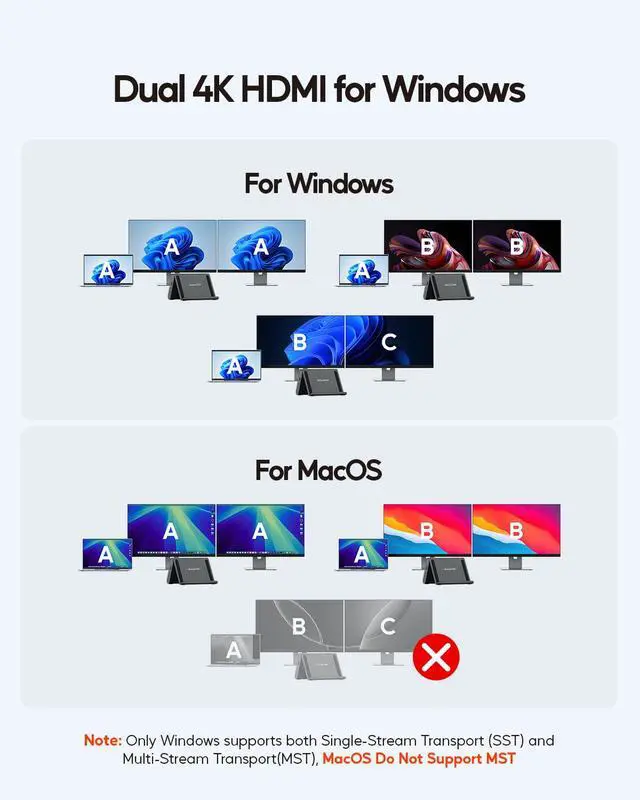
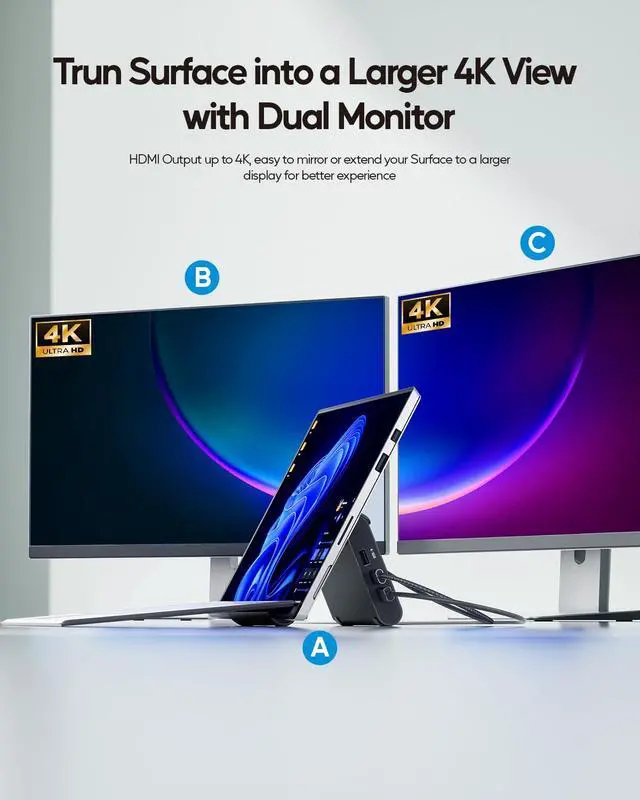
Dual 4K@60Hz HDMI Output - Crystal-Clear Multitasking
Equipped with 2x 4K@60Hz HDMI ports, this docking station allows you to mirror or extend your display to HDTVs, monitors, or projectors with vivid video synchronization. Perfect for traders monitoring multiple charts, video editors previewing 4K footage, and programmers managing complex code. Note: Due to Surface Pro hardware limitations, dual monitor output on Surface Pro devices is capped at 3840 x 2160@30Hz.
11-in-1 Port Expansion - All Connections Covered
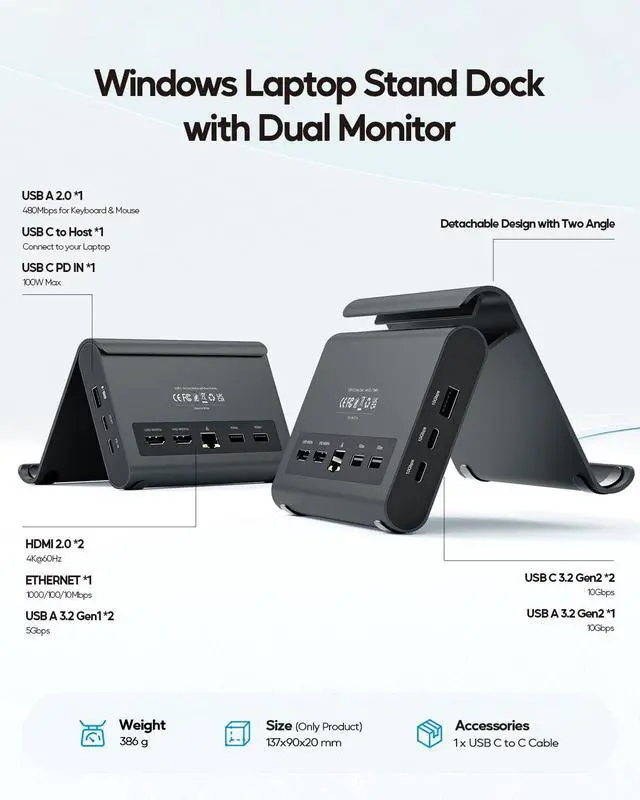
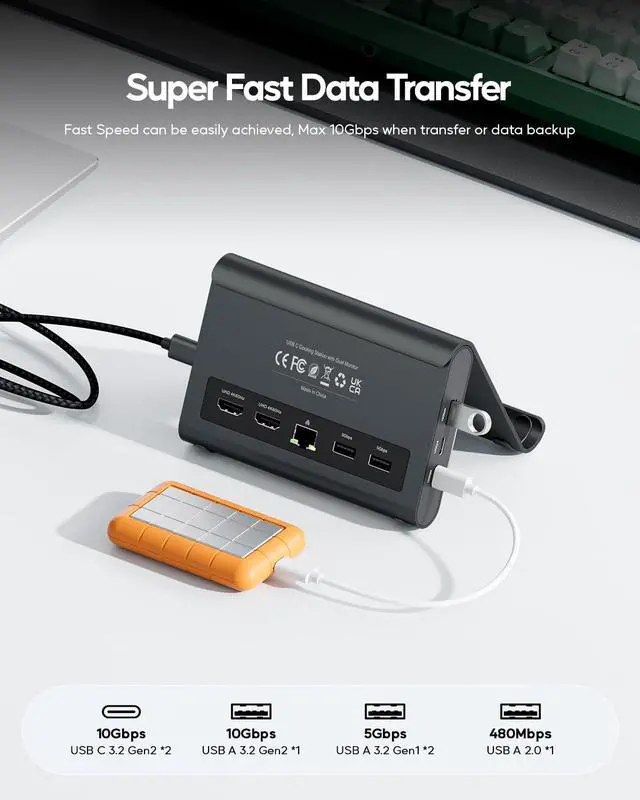
This USB-C docking station eliminates port shortage with 11 versatile ports:
- 2x 4K@60Hz HDMI
- 1x USB-A 3.2 Gen2 (up to 10Gbps)
- 2x USB-C 3.2 Gen2 (up to 10Gbps)
- 2x USB-A 3.1 Gen2 (up to 5Gbps)
- 1x USB-A 2.0 (up to 480Mbps)
- 1x Gigabit Ethernet (RJ45)
- 1x SD/TF Card Slot
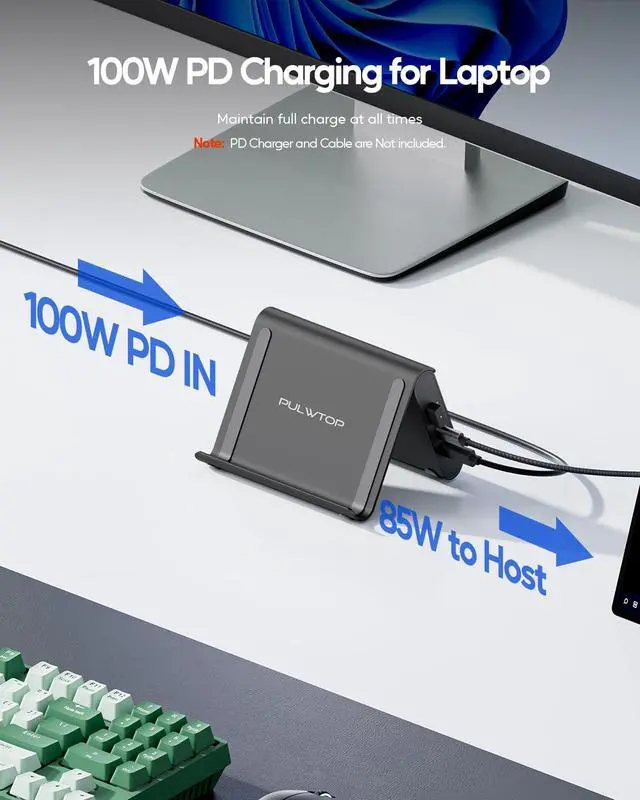
- 1x PD IN Port (100W Power Delivery input)
Connect SSDs, external drives, wired network, and all your peripherals simultaneously. A true all-in-one solution for designers, IT professionals, and creative studios.
Ultra-Fast Data Transfer - 10Gbps Speed
Maximize you're workflow efficiency with USB-C hub ports at 10Gbps workflow with 10Gbps USB-C and USB-A ports - transfer large RAW footage, 3D renders, HD movies, and backup files in seconds between your hard drive or USB stick and your laptop. The built-in RJ45 Gigabit Ethernet ensures lag-free wired internet for Zoom calls, cloud collaboration, and large downloads. Say goodbye to unstable Wi-Fi and enjoy reliable connectivity.
Premium Aluminum Build - Sleek & Durable
Crafted from high-quality aluminum with a rounded, elegant concave arc design, this USB-C docking station feels like a natural extension of your laptop. The sturdy stand holds your device upright, saves valuable desk space, and improves airflow for better passive cooling. Maintain a clean, organized workspace while keeping your laptop running cool.
Plug-and-Play - No Drivers Required
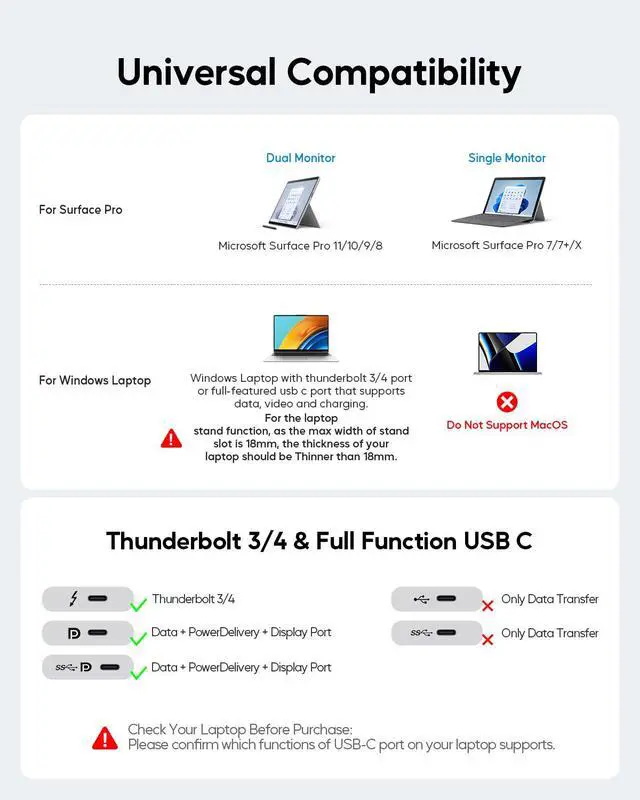
Simply connect via the built-in USB-C cable to any full-featured USB-C port (with DP Alt Mode and Power Delivery) or Thunderbolt 3/4/5 port. Compatible with Windows 10/11 and ChromeOS laptops from Dell, HP, Lenovo, ASUS, Acer, and Microsoft Surface Pro 11/10/9/8/X. No driver installation needed - just plug in and get to work.
Important - Clamshell Mode Setup & Compatibility
To use your laptop in closed-lid (clamshell) mode with external monitors:
1. Remove protective case before placing on stand.
2. Laptop closed thickness mu