




 here!
here!
I’m your shopping assistant for PC builds, upgrades, and everything tech.
Got questions? Ask away!
Start a conversation
here!
I’m your shopping assistant for PC builds, upgrades, and everything tech.
Got questions? Ask away!
Start a conversation



Any questions? Ask CelesteSM will help you find out quickly.


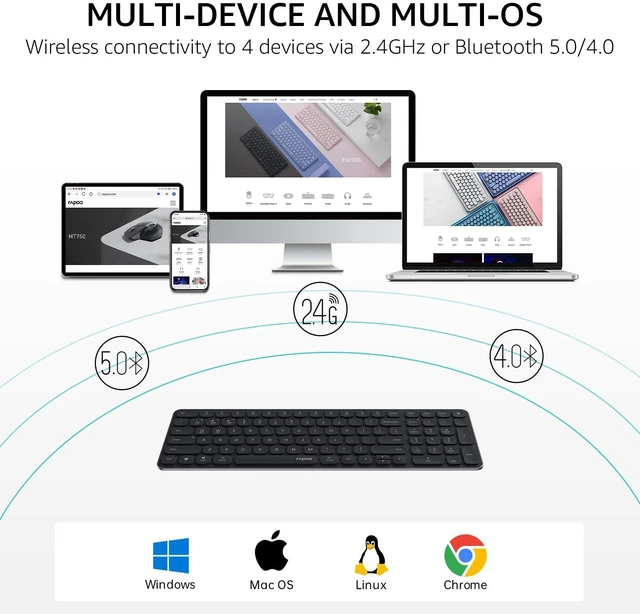
Connect up to 4 devices across OS (Windows, Mac, Chrome, Android) with a press of a button.

Get reliable and encrypted wireless connection via Bluetooth or the plug-and-play USB receiver.

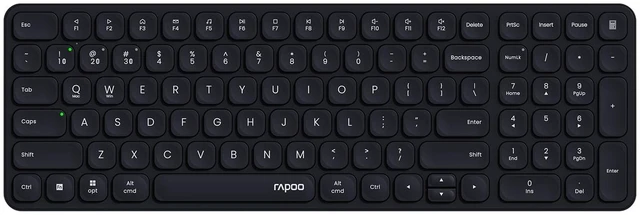
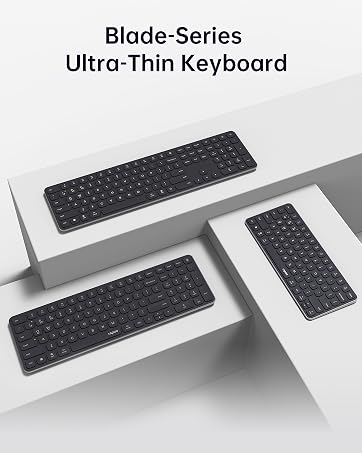
Concave rounded edges, type comfortably with quiet, low-profile, laptop-like chiclet keys.

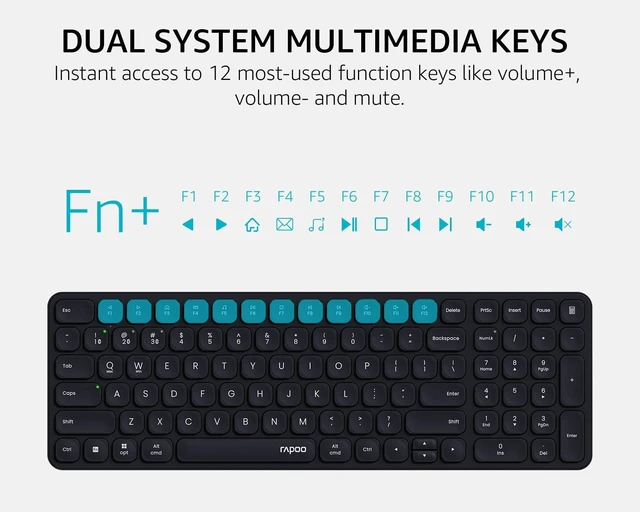
12 FN-keys support Windows and Mac OS, provide instant access to most used applications.

Add indicators on Device and Caps Lock, easily switch between devices and avoid password typos.

Made of aircraft-grade aluminum alloy for a lifetime durability and sturdiness.

Upgraded low energy Bluetooth chip for extended battery life. Enjoy up to 12 months using just 2 alkaline batteries (included).
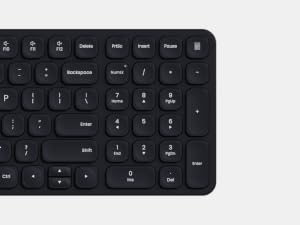
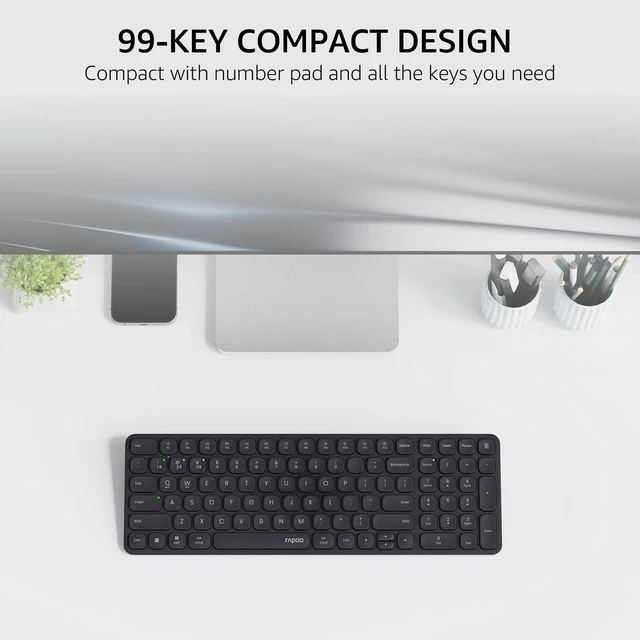
Boost data entry efficiency for spreadsheets, calculators, financial/accounting programs. Also be an alternative to the WASD keys in pc gaming.

Windows/Mac OS/Chrome OS/Linux/Android with USB-A port or Bluetooth enabled.

More powerful than other brands - the only keyboard and mouse that support 4 devices, with Bluetooth, USB receiver, and longer battery life.

Ergonomic, programmable and rechargeable. The only mouse that supports 4 devices, 90 days battery life.

Modern, slim and heavy duty. The only keyboard that supports 4 devices.
How to switch the wireless modes between Bluetooth 5.0/4.0 and 2.4GHz?
Just turn the mode button (BT/OFF/2.4G) according to your needs - you can find the mode button on the back side of the keyboard, and bottom of the mouse. The Bluetooth 5.0/4.0 is automatically detected and applied according to your device version.
How to pair the keyboard and mouse with different devices?
2.4GHz mode: just plug the USB dongle; Bluetooth mode: long press (> 3 seconds) key combination [FN]+[1], [FN]+[2], [FN]+[3] to pair the keyboard with 3 devices, long press the mouse's BT button to pair the mouse - keep the device orders consistent.
How to switch among the 3 Bluetooth devices?
Short press (< 3 seconds) key combination [FN]+[1], [FN]+[2], [FN]+[3] to switch the keyboard, and short press the mouse's [Device Button] to switch the mouse among 3 Bluetooth devices.
How to switch the multimedia hotkeys between Windows and Mac OS?
Windows: Press key combination [FN]+[W]; Mac OS: Press key combination [FN]+[Q].
 E9310M |  E9350L |  E9550L |  E9050L |  9010M |  9560M |  9900M | |
|---|---|---|---|---|---|---|---|
Customer Reviews | — | — | — | — | — | — | — |
Price | — | — | — | — | — | — | — |
Release Date | 2024 Jan | 2024 Mar | 2024 Mar | 2024 Mar | 2024 Jan | 2024 Jul | 2019 Apr |
Wireless Connectivity | Bluetooth 5.0/4.0 + 2.4GHz | Bluetooth 5.0/4.0 + 2.4GHz | Bluetooth 5.0/4.0 + 2.4GHz | Bluetooth 5.0/4.0 + 2.4GHz | Bluetooth 5.0/4.0 + 2.4GHz | Bluetooth 5.0/4.0 + 2.4GHz | Bluetooth 4.0/3.0 + 2.4GHz |
Multi-Device | Keyboard: 4 | Keyboard: 4 | Keyboard: 4 | Keyboard: 4 | Keyboard: 4, Mouse: 2 | Keyboard: 4, Mouse: 4 | Keyboard: 4, Mouse: 4 |
Key Type | Scissor | Scissor | Scissor | Scissor | Scissor | Scissor | Membrane |
Number of Keys | 99 | 99 | 110 | 78 | 78 | 110 | 104 |
Numeric Pad | ? | ? | ? | ? | ? | ? | ? |
Multimedia Keys | ? | ? | ? | ? | ? | ? | ? |
Programmable Mouse Buttons | ? | ? | ? | ? | ? | ? | ? |
Sensor | N/A | N/A | N/A | N/A | Optical | Optical | Laser |
DPI | N/A | N/A | N/A | N/A | 800-2400 | 800-4000 | 600-3200 |
Keyboard Battery Type | AAA | Lithium-ion | Lithium-ion | Lithium-ion | AAA | Lithium-ion | Lithium-ion |
Mouse Battery Type | N/A | N/A | N/A | N/A | AA | Lithium-ion | Lithium-ion |

For Work, For Gaming

Founded in 2002, RAPOO has been engaged in computer peripherals development and manufacturing for over 20 years.
RAPOO keyboards share rank is No.1 and mice share rank is No.2 in China market (ZDC Report, 2022-2023). Our products are chosen and trusted by more than 100 million customers from 50+ countries and regions.
RAPOO focused on preserving the natural world, and building a sustainable business for our customers and the planet.

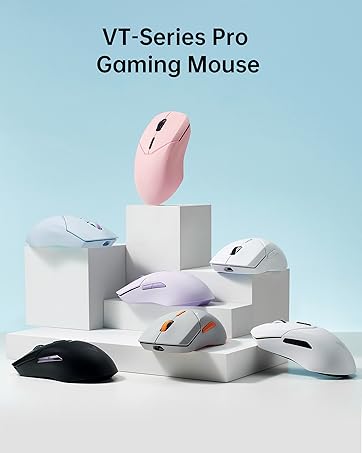
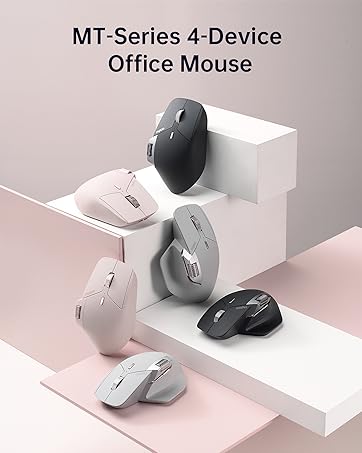


Connect up to 4 devices across OS (Windows, Mac, Chrome, Android) with a press of a button.
Get reliable and encrypted wireless connection via Bluetooth or the plug-and-play USB receiver.
Concave rounded edges, type comfortably with quiet, low-profile, laptop-like chiclet keys.
12 FN-keys support Windows and Mac OS, provide instant access to most used applications.
Add indicators on Device and Caps Lock, easily switch between devices and avoid password typos.


Made of aircraft-grade aluminum alloy for a lifetime durability and sturdiness.
Upgraded low energy Bluetooth chip for extended battery life. Enjoy up to 12 months using just 2 alkaline batteries (included).
Boost data entry efficiency for spreadsheets, calculators, financial/accounting programs. Also be an alternative to the WASD keys in pc gaming.
Windows/Mac OS/Chrome OS/Linux/Android with USB-A port or Bluetooth enabled.


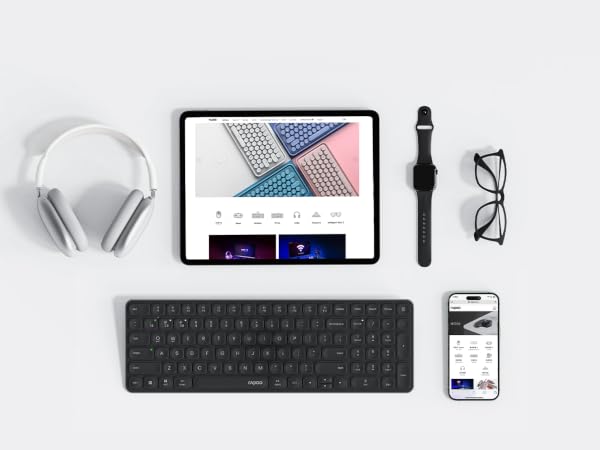
More powerful than other brands - the only keyboard and mouse that support 4 devices, with Bluetooth, USB receiver, and longer battery life.
Ergonomic, programmable and rechargeable. The only mouse that supports 4 devices, 90 days battery life.
Modern, slim and heavy duty. The only keyboard that supports 4 devices.
How to switch the wireless modes between Bluetooth 5.0/4.0 and 2.4GHz?
Just turn the mode button (BT/OFF/2.4G) according to your needs - you can find the mode button on the back side of the keyboard, and bottom of the mouse. The Bluetooth 5.0/4.0 is automatically detected and applied according to your device version.
How to pair the keyboard and mouse with different devices?
2.4GHz mode: just plug the USB dongle; Bluetooth mode: long press (> 3 seconds) key combination [FN]+[1], [FN]+[2], [FN]+[3] to pair the keyboard with 3 devices, long press the mouse's BT button to pair the mouse - keep the device orders consistent.
How to switch among the 3 Bluetooth devices?
Short press (< 3 seconds) key combination [FN]+[1], [FN]+[2], [FN]+[3] to switch the keyboard, and short press the mouse's [Device Button] to switch the mouse among 3 Bluetooth devices.
How to switch the multimedia hotkeys between Windows and Mac OS?
Windows: Press key combination [FN]+[W]; Mac OS: Press key combination [FN]+[Q].
E9310M | E9350L | E9550L | E9050L | 9010M | 9560M | 9900M |
|---|---|---|---|---|---|---|
| Customer Reviews | ||||||
| — | — | — | — | — | — | — |
| Price | ||||||
| — | — | — | — | — | — | — |
| Release Date | ||||||
| 2024 Jan | 2024 Mar | 2024 Mar | 2024 Mar | 2024 Jan | 2024 Jul | 2019 Apr |
| Wireless Connectivity | ||||||
| Bluetooth 5.0/4.0 + 2.4GHz | Bluetooth 5.0/4.0 + 2.4GHz | Bluetooth 5.0/4.0 + 2.4GHz | Bluetooth 5.0/4.0 + 2.4GHz | Bluetooth 5.0/4.0 + 2.4GHz | Bluetooth 5.0/4.0 + 2.4GHz | Bluetooth 4.0/3.0 + 2.4GHz |
| Multi-Device | ||||||
| Keyboard: 4 | Keyboard: 4 | Keyboard: 4 | Keyboard: 4 | Keyboard: 4, Mouse: 2 | Keyboard: 4, Mouse: 4 | Keyboard: 4, Mouse: 4 |
| Key Type | ||||||
| Scissor | Scissor | Scissor | Scissor | Scissor | Scissor | Membrane |
| Number of Keys | ||||||
| 99 | 99 | 110 | 78 | 78 | 110 | 104 |
| Numeric Pad | ||||||
| ? | ? | ? | ? | ? | ? | ? |
| Multimedia Keys | ||||||
| ? | ? | ? | ? | ? | ? | ? |
| Programmable Mouse Buttons | ||||||
| ? | ? | ? | ? | ? | ? | ? |
| Sensor | ||||||
| N/A | N/A | N/A | N/A | Optical | Optical | Laser |
| DPI | ||||||
| N/A | N/A | N/A | N/A | 800-2400 | 800-4000 | 600-3200 |
| Keyboard Battery Type | ||||||
| AAA | Lithium-ion | Lithium-ion | Lithium-ion | AAA | Lithium-ion | Lithium-ion |
| Mouse Battery Type | ||||||
| N/A | N/A | N/A | N/A | AA | Lithium-ion | Lithium-ion |
For Work, For Gaming
Founded in 2002, RAPOO has been engaged in computer peripherals development and manufacturing for over 20 years.
RAPOO keyboards share rank is No.1 and mice share rank is No.2 in China market (ZDC Report, 2022-2023). Our products are chosen and trusted by more than 100 million customers from 50+ countries and regions.
RAPOO focused on preserving the natural world, and building a sustainable business for our customers and the planet.


