Out of stock
  • $29.99
  • Free 30-day Returns
Price alert
Shop it at NeweggBusiness.

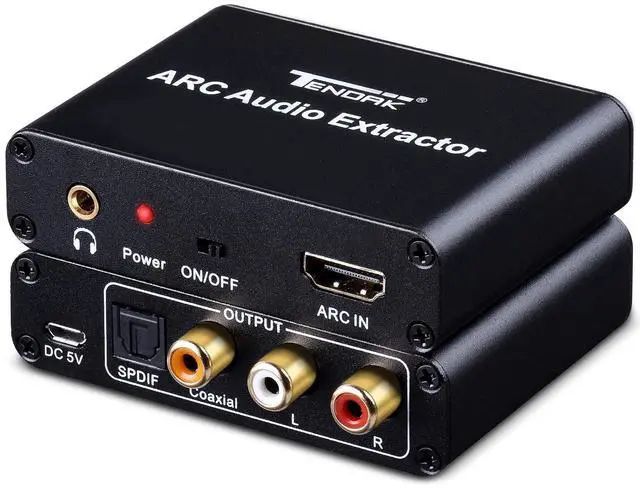
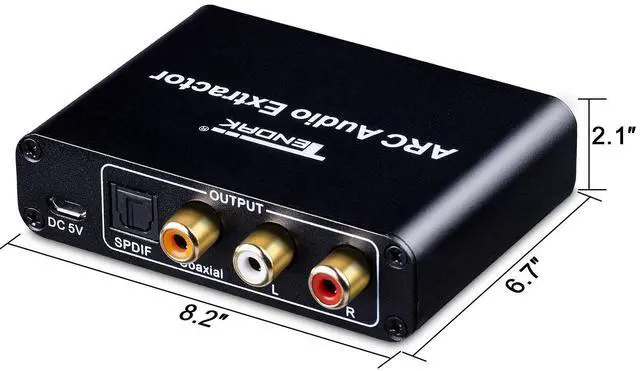
WRIARICH HDMI ARC Adapter, Tendak ARC Audio Extractor with Digital Optical TOSLINK SPDIF/Coaxial and Analog 3.5mm L/R Stereo Audio Converter for HDTV Soundbar Speaker Amplifier

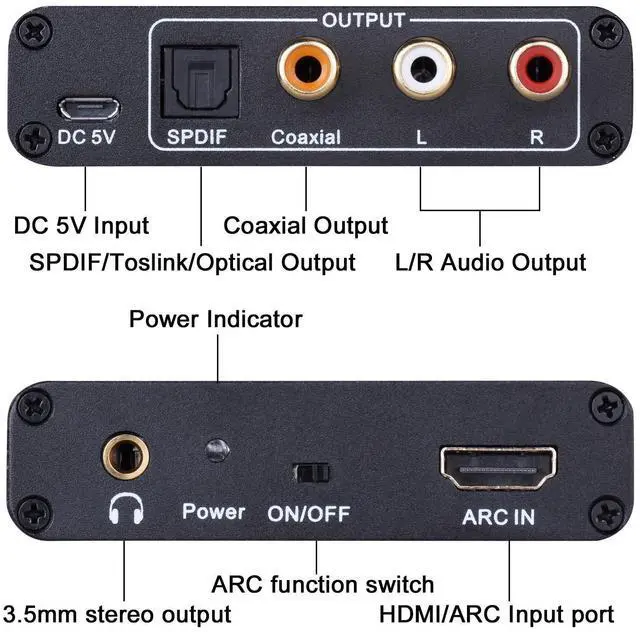
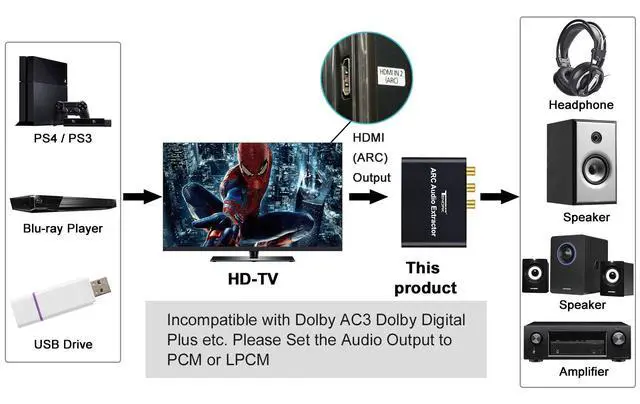
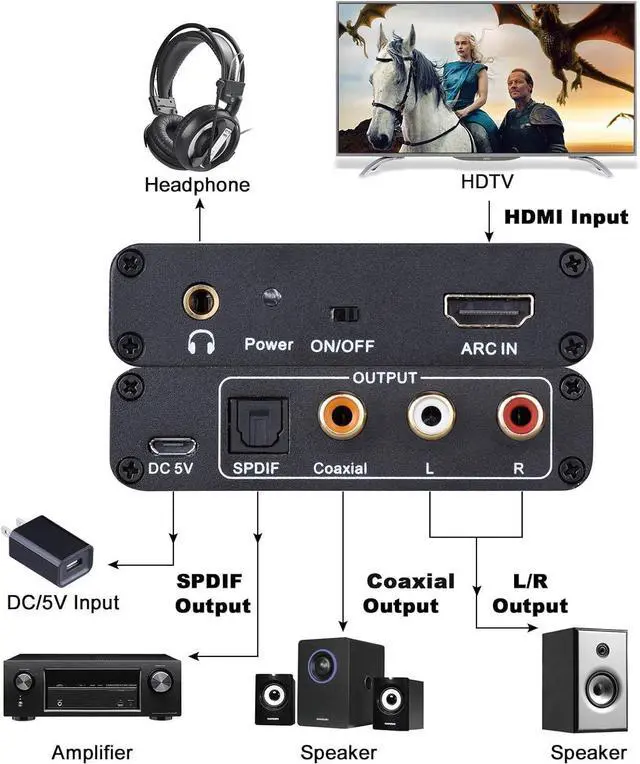
  • ARC Function (Audio Return Channel): Extractor the Audio from TV to Soundbar or Amplifier. Please connect your TV HDMI(ARC) Port to Tendak Audio Adapter HDMI Output Port with HDMI Cable, then optical cable/ L/R or 3.5mm headphone to the soundbar, Speaker, home theater, A/V receivers etc.
  • 192KHz Sampling Rate Achieved: It Actually Supports Sampling Rate at 32, 44.1, 48, 96 and 192 KHz, and 24-bit S/PDIF Incoming Bit Stream on Left and Right Channels. Pleasae use HDMI 1.4 cable (19+1), Please note: Need to manually adjust the volume of the speaker. TV remote cannot change audio volume, and TV remote cannot change audio volume
  • Audio Output Simultaneously: This HDMI ARC Adapter can send audio from TV (Support ARC function) to Optical/ Coxial/ 3.5mm/ L/R audio through ARC Adapter via HDMI/ARC interface and out audio simultaneously. (NOTE: It is Incompatible Dolby AC3/ Dolby Digital Plus etc., Please Set the Audio Output to PCM or LPCM before Using)
  • Wide Compatibility: Plug and play, compatible with all standard HDMI source devices that support ARC functionality. Compatible with Sound bar/ Amplifier/ Blu-ray/ DVD/ HD player, cable/satellite box, Fire TV Stick, Apple TV, PS3, PS4, PS5, Xbox, PC/laptop, HD camera, HD DVR etc.
+
+
Overview
Specs
Reviews
avatar

Any questions? Our AI beta will help you find out quickly.

Additional Features

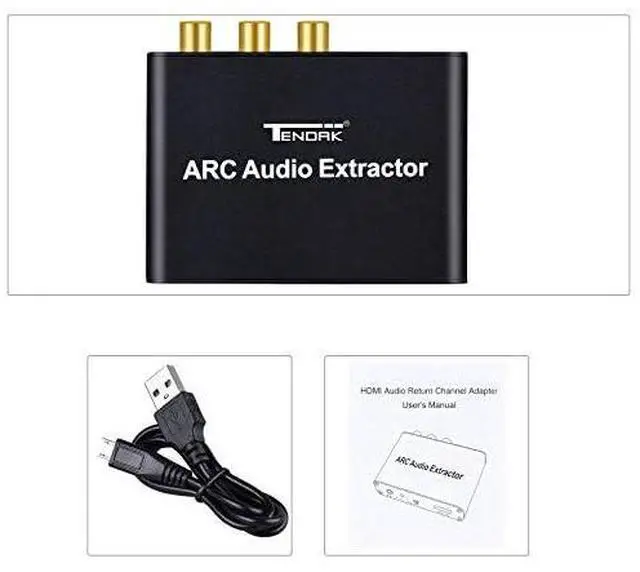
  • What You Will Get: 1xARC Adapter, 1xUSB power supply line, 1xUsers Manual, One Year Limited Manufacturer's Warranty by Tendak. NOTE: When using the ARC function, the volume needs to be adjusted by your audio device. Make sure it is the HDMI ARC port of the connected TV and switch to the "on" state.If the ARC does not work, try unplugging the cable or change HDMI cable, wait a few minutes to reconnect, and plug the converter into a power source.
  • Compatibility Issue Solution: If the item is not compatible with the device, check and ensure that your TV or source device supports ARC functionality and that ARC functionality is enabled, and connect to the device's HDMI ARC port; use an HDMI 1.4 version or higher cable. (HDMI cables below version 1.4 do not support ARC functionality)

Warranty & Returns

Warranty, Returns, And Additional Information

Warranty

  • Please contact the Seller directly for warranty information. Warranty information may also be found on the Manufacturer's website.
  • CONTACT

Return Policies

Manufacturer Contact Info

LOADING...