







Read Before You Buy
Compatible:
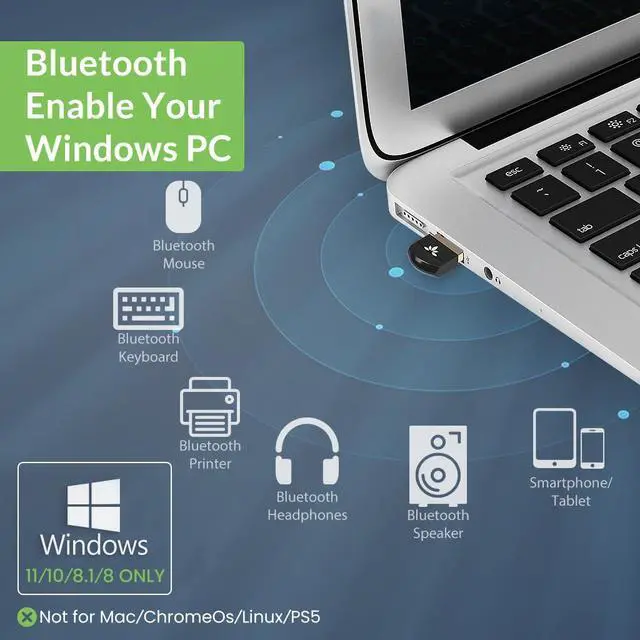
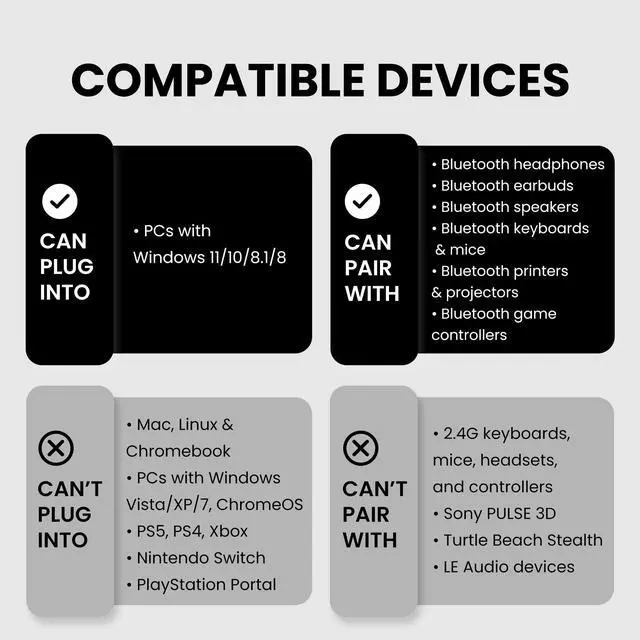
- Works with Windows 11 / 10 / 8.1 / 8 systems only.
- Supports Bluetooth devices ONLY – headphones, speakers, keyboards, mice, printers, smartphones, tablets, smartwatches, and Bluetooth game controllers (such as PS4, PS5, Switch Pro, or Bluetooth versions of Xbox One / Series controllers)
Not Compatible:
- Not compatible with macOS, ChromeOS (Chromebook), Linux, Windows 7 / XP / Vista, PS4, PS5, TVs, or car stereo systems
- Not compatible with 2.4G wireless devices, such as keyboards or mice from brands like Logitech, Arteck, Eagletec, TECKNET, or UBOTIE, 2.4G headsets and speakers from brands like Pulse Headphones or Turtle Beach Stealth, or 2.4G game controllerssuch as Xbox 360, non-Bluetooth Xbox One, or Xbox Series X/S, or 2.4G wireless printers.
- Not compatible with Wi-Fi devices, including Wi-Fi printers that rely on Wi-Fi for data communication, such as DeskJet 2855e, OfficeJet Pro 8125e, Work Smart 1360, PIXMA TS4320, or Color imageCLASS MF753Cdw II.


Data Transfer Support
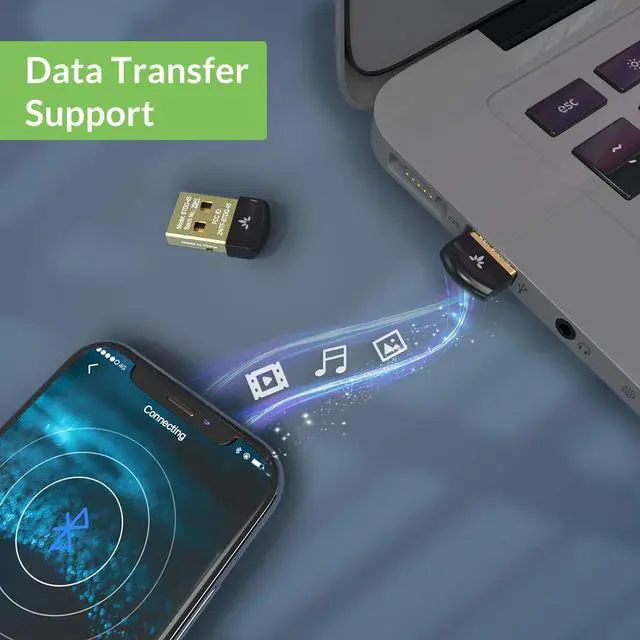
You can send files, videos, and music between a smartphone and PC via Bluetooth provided by the Avantree DG45 pc bluetooth adapter.
The maximum transfer rate up to 3Mbps and transmission distance up to 33ft / 10M in open space.

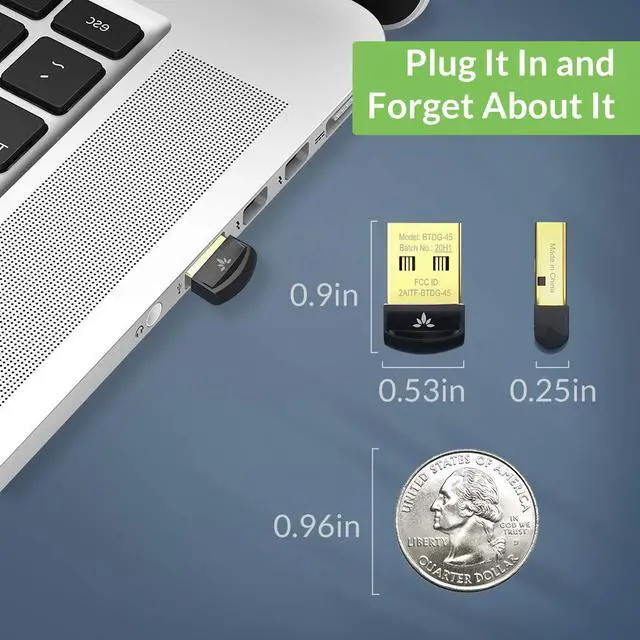
Plug It in and Forget About It
A sleek, ultra-small design means you can insert the Bluetooth USB adapter into any USB port and simply keep it there, out of mind and virtually out of sight.

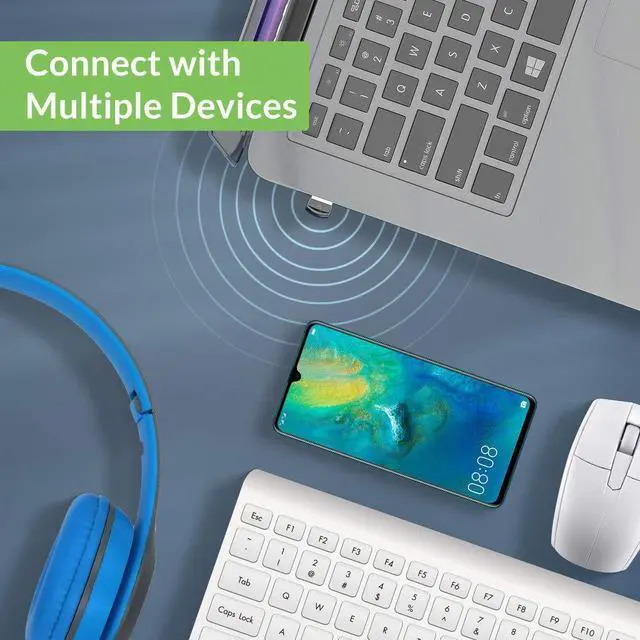
Connect with Multiple Device at the Same Time
Can work with up to 7 devices at the same time!
The latest Bluetooth 5.0 technology for the DG45 allows it to simultaneously connect a Bluetooth headphones, mouse, keyboard, and a printer all at the same time to a Windows computer.

Specifications
- Bluetooth version: 5.0 with EDR - data transfer rate up to 3Mbps
- Operation range: Class II, up to 10 meters
- Audio codec support - SBC
- Bluetooth Profiles - A2DP, AVRCP
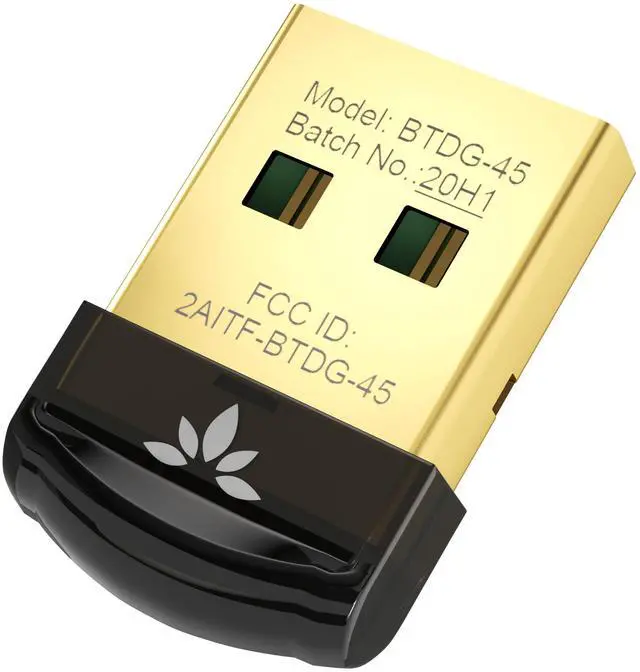
- Product Size - 1 cm X 2 cm X 0.5 cm

#1 - Disable Other Bluetooth
If your computer has built-in Bluetooth or you previously used another Bluetooth USB dongle, please disable or remove them before using DG45. Having multiple Bluetooth drivers installed may cause conflicts and prevent proper pairing.
How to do it: Open Device Manager ? Bluetooth, disable the built-in Bluetooth (if any). Then go to Add or Remove Programs and uninstall any previously installed Bluetooth dongle drivers (such as BlueSoleil, CSR Harmony, or Widcomm).

#2 - Ensure Driver Installed
After plugging in DG45, the Bluetooth driver will install automatically on most Windows 11 / 10 / 8.1 / 8 systems. Please wait a moment until the installation is completed.
If Bluetooth does not appear: Unplug the adapter, restart your PC, and plug it in again.
Manual driver installation (if needed): If the driver does not install automatically, you can download and install the driver manually from our official support website.
Note: If the Bluetooth icon does not appear on the taskbar, Bluetooth may still be installed and working. Please go to Windows Settings ? Bluetooth & devices ? More Bluetooth options, and check “Show the Bluetooth icon in the notification area.”

#3 - Pair & Connect
Put your Bluetooth device into pairing mode first before searching. Then go to Windows Settings ? Bluetooth & devices ? Add device, and select your device from the list.
Important: Most pairing issues occur because the device is not properly put into pairing mode. If the device is not in pairing mode, it will not appear during the search.

#4 - Windows Sound Setting
After pairing, open Windows Sound Settings and set your Bluetooth headphones or speakers as the default output device. For headsets with a microphone, make sure the correct input device is selected as well.
If you are using meeting software (such as Teams, Zoom, or Skype), please select the same Bluetooth device as the audio input and output within the app settings.
 DG45 |  DG60P |  C81-PC |  C81-Gaming |  DG80-Gaming | |
|---|---|---|---|---|---|
| Customer Reviews | — | — | — | — | — |
| Price | — | — no data | — no data | — | — |
| Supported Devices | Bluetooth - Headphones, speaker, keyboard, mouse | Headphones & speaker | Headphones & speaker | Headphones & speaker | Headphones & speaker |
| USB Port | USB A | USB A | USB C | USB C | USB A |
| System Compatibility | Win 11/10/8.1/8 PC | PC, Mac, Linux, PS4, PS5, Switch | PC, Mac, Linux | PS5, PS4, Switch | PS5, PS4, Switch |
| Operating Range | Up to 30ft / 10m | Up to 100ft / 30m | Up to 100ft / 30m | Up to 100ft / 30m | Up to 100ft / 30m |
| Supported Bluetooth Codecs | SBC | aptX-Adaptive/HD/LL, aptX, SBC | aptX-Adaptive/HD/LL, aptX, SBC | aptX-Adaptive/HD/LL, aptX, SBC | aptX-Adaptive/HD/LL, aptX, SBC |
| Nature of Device | Bluetooth-enable your computer | USB sound device | USB sound device | USB sound device | USB sound device |
Frequently Asked Question
Q1 – Is it compatible with Windows 7 or macOS?
A: No. This adapter works with Windows 11 / 10 / 8.1 / 8 ONLY. It is not compatible with Windows 7 / XP / Vista, macOS, ChromeOS, Linux, TVs, or car systems.
Q2 – Will this adapter work with my wireless keyboard, mouse, or printer?
A:It works only with Bluetooth devices. It does not work with 2.4G wireless devices such as manyLogitech, Arteck, Eagletec, TECKNET, or UBOTIE keyboards and mouse, or with Wi-Fi printers such as DeskJet or PIXMA series.
Q3 – Does it work with gaming consoles?
A: No. This adapter is designed for Windows 11/10/8.1/8 PCs only and does not work with PS5, Xbox, Switch, or other gaming consoles.
Q4 – Why doesn’t the adapter work even though it’s plugged in?
A: Common reasons include the device not being Bluetooth, not in pairing mode, or a conflict with built-in Bluetooth or old drivers. Please disable other Bluetooth adapters and try again.
Q5 – Does it work with my game controller?
A: It works with Bluetooth game controllers such as PS4, PS5, Switch Pro, and Bluetooth versions of Xbox One / Series controllers on Windows 11/10/8.1/8 PCs. It does not work with 2.4G or non-Bluetooth controllers (e.g., Xbox 360, non-Bluetooth Xbox One, or Xbox Series X/S).


![Avantree HT5009 Plus - [2025 Upgraded] Wireless Headphones for TV Watching with Transmitter & Cha...](//c1.neweggimages.com/sellingpilot/modules/product/a-plus/e2fb0ae693c7528617efb24e80a896ae318dcd724c652f3dd003ca7cfd3c62d8.jpg)
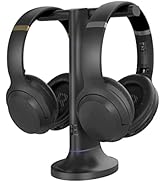
Wireless Headphones for TV
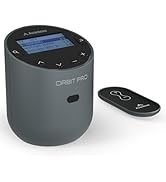
![Avantree Oasis Plus 2 - [2025 Version] Bluetooth Transmitter for TV with Remote Volume Control, a...](//c1.neweggimages.com/sellingpilot/modules/product/a-plus/5ba8f4151951fabc38df36eb71eb1e68226a6f8dbff19f0f7eee885ab5572a5f.jpg)
![Avantree Audikast 3 [2024 Version] - Bluetooth 5.3 Transmitter for TV with aptX-Adaptive & Low La...](//c1.neweggimages.com/sellingpilot/modules/product/a-plus/8bd3c909be0f2e0f315a8da4dc007be2c2a0076efc96cfc28733baa0a7bbf205.jpg)
Bluetooth Transmitters
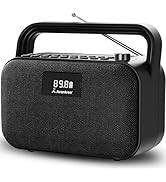
FM Radio and Speakers
Who Are We?
Avantree is a global provider of niche wireless audio solutions that focus not just on "surviving," but thriving.
What Do We Do?
At Avantree, we create products that offer users unique audio experiences such as social listening options and customized hearing profiles. We aim to meet consumers right where they're at by designing devices that provide high-quality sound and satisfy user needs.
Why Do We Do It?
We believe that everyone deserves to enjoy and experience life to the fullest - even those without "perfect" hearing. We seek to create excellent products that cater to this belief.
![Avantree HT5009 Plus - [2025 Upgraded] Wireless Headphones for TV Watching with Transmitter & Cha...](http://c1.neweggimages.com/sellingpilot/modules/product/a-plus/e2fb0ae693c7528617efb24e80a896ae318dcd724c652f3dd003ca7cfd3c62d8.jpg)
![Avantree Oasis Plus 2 - [2025 Version] Bluetooth Transmitter for TV with Remote Volume Control, a...](http://c1.neweggimages.com/sellingpilot/modules/product/a-plus/5ba8f4151951fabc38df36eb71eb1e68226a6f8dbff19f0f7eee885ab5572a5f.jpg)
![Avantree Audikast 3 [2024 Version] - Bluetooth 5.3 Transmitter for TV with aptX-Adaptive & Low La...](http://c1.neweggimages.com/sellingpilot/modules/product/a-plus/8bd3c909be0f2e0f315a8da4dc007be2c2a0076efc96cfc28733baa0a7bbf205.jpg)
Read Before You Buy
Compatible:
- Works with Windows 11 / 10 / 8.1 / 8 systems only.
- Supports Bluetooth devices ONLY – headphones, speakers, keyboards, mice, printers, smartphones, tablets, smartwatches, and Bluetooth game controllers (such as PS4, PS5, Switch Pro, or Bluetooth versions of Xbox One / Series controllers)
Not Compatible:
- Not compatible with macOS, ChromeOS (Chromebook), Linux, Windows 7 / XP / Vista, PS4, PS5, TVs, or car stereo systems
- Not compatible with 2.4G wireless devices, such as keyboards or mice from brands like Logitech, Arteck, Eagletec, TECKNET, or UBOTIE, 2.4G headsets and speakers from brands like Pulse Headphones or Turtle Beach Stealth, or 2.4G game controllerssuch as Xbox 360, non-Bluetooth Xbox One, or Xbox Series X/S, or 2.4G wireless printers.
- Not compatible with Wi-Fi devices, including Wi-Fi printers that rely on Wi-Fi for data communication, such as DeskJet 2855e, OfficeJet Pro 8125e, Work Smart 1360, PIXMA TS4320, or Color imageCLASS MF753Cdw II.
Data Transfer Support
You can send files, videos, and music between a smartphone and PC via Bluetooth provided by the Avantree DG45 pc bluetooth adapter.
The maximum transfer rate up to 3Mbps and transmission distance up to 33ft / 10M in open space.
Plug It in and Forget About It
A sleek, ultra-small design means you can insert the Bluetooth USB adapter into any USB port and simply keep it there, out of mind and virtually out of sight.
Connect with Multiple Device at the Same Time
Can work with up to 7 devices at the same time!
The latest Bluetooth 5.0 technology for the DG45 allows it to simultaneously connect a Bluetooth headphones, mouse, keyboard, and a printer all at the same time to a Windows computer.
Specifications
- Bluetooth version: 5.0 with EDR - data transfer rate up to 3Mbps
- Operation range: Class II, up to 10 meters
- Audio codec support - SBC
- Bluetooth Profiles - A2DP, AVRCP
- Product Size - 1 cm X 2 cm X 0.5 cm
#1 - Disable Other Bluetooth
If your computer has built-in Bluetooth or you previously used another Bluetooth USB dongle, please disable or remove them before using DG45. Having multiple Bluetooth drivers installed may cause conflicts and prevent proper pairing.
How to do it: Open Device Manager ? Bluetooth, disable the built-in Bluetooth (if any). Then go to Add or Remove Programs and uninstall any previously installed Bluetooth dongle drivers (such as BlueSoleil, CSR Harmony, or Widcomm).
#2 - Ensure Driver Installed
After plugging in DG45, the Bluetooth driver will install automatically on most Windows 11 / 10 / 8.1 / 8 systems. Please wait a moment until the installation is completed.
If Bluetooth does not appear: Unplug the adapter, restart your PC, and plug it in again.
Manual driver installation (if needed): If the driver does not install automatically, you can download and install the driver manually from our official support website.
Note: If the Bluetooth icon does not appear on the taskbar, Bluetooth may still be installed and working. Please go to Windows Settings ? Bluetooth & devices ? More Bluetooth options, and check “Show the Bluetooth icon in the notification area.”
#3 - Pair & Connect
Put your Bluetooth device into pairing mode first before searching. Then go to Windows Settings ? Bluetooth & devices ? Add device, and select your device from the list.
Important: Most pairing issues occur because the device is not properly put into pairing mode. If the device is not in pairing mode, it will not appear during the search.
#4 - Windows Sound Setting
After pairing, open Windows Sound Settings and set your Bluetooth headphones or speakers as the default output device. For headsets with a microphone, make sure the correct input device is selected as well.
If you are using meeting software (such as Teams, Zoom, or Skype), please select the same Bluetooth device as the audio input and output within the app settings.
DG45 | DG60P | C81-PC | C81-Gaming | DG80-Gaming | |
|---|---|---|---|---|---|
| Customer Reviews | — | — | — | — | — |
| Price | — | — no data | — no data | — | — |
| Supported Devices | Bluetooth - Headphones, speaker, keyboard, mouse | Headphones & speaker | Headphones & speaker | Headphones & speaker | Headphones & speaker |
| USB Port | USB A | USB A | USB C | USB C | USB A |
| System Compatibility | Win 11/10/8.1/8 PC | PC, Mac, Linux, PS4, PS5, Switch | PC, Mac, Linux | PS5, PS4, Switch | PS5, PS4, Switch |
| Operating Range | Up to 30ft / 10m | Up to 100ft / 30m | Up to 100ft / 30m | Up to 100ft / 30m | Up to 100ft / 30m |
| Supported Bluetooth Codecs | SBC | aptX-Adaptive/HD/LL, aptX, SBC | aptX-Adaptive/HD/LL, aptX, SBC | aptX-Adaptive/HD/LL, aptX, SBC | aptX-Adaptive/HD/LL, aptX, SBC |
| Nature of Device | Bluetooth-enable your computer | USB sound device | USB sound device | USB sound device | USB sound device |
Frequently Asked Question
Q1 – Is it compatible with Windows 7 or macOS?
A: No. This adapter works with Windows 11 / 10 / 8.1 / 8 ONLY. It is not compatible with Windows 7 / XP / Vista, macOS, ChromeOS, Linux, TVs, or car systems.
Q2 – Will this adapter work with my wireless keyboard, mouse, or printer?
A:It works only with Bluetooth devices. It does not work with 2.4G wireless devices such as manyLogitech, Arteck, Eagletec, TECKNET, or UBOTIE keyboards and mouse, or with Wi-Fi printers such as DeskJet or PIXMA series.
Q3 – Does it work with gaming consoles?
A: No. This adapter is designed for Windows 11/10/8.1/8 PCs only and does not work with PS5, Xbox, Switch, or other gaming consoles.
Q4 – Why doesn’t the adapter work even though it’s plugged in?
A: Common reasons include the device not being Bluetooth, not in pairing mode, or a conflict with built-in Bluetooth or old drivers. Please disable other Bluetooth adapters and try again.
Q5 – Does it work with my game controller?
A: It works with Bluetooth game controllers such as PS4, PS5, Switch Pro, and Bluetooth versions of Xbox One / Series controllers on Windows 11/10/8.1/8 PCs. It does not work with 2.4G or non-Bluetooth controllers (e.g., Xbox 360, non-Bluetooth Xbox One, or Xbox Series X/S).
Wireless Headphones for TV
Bluetooth Transmitters
FM Radio and Speakers
Who Are We?
Avantree is a global provider of niche wireless audio solutions that focus not just on "surviving," but thriving.
What Do We Do?
At Avantree, we create products that offer users unique audio experiences such as social listening options and customized hearing profiles. We aim to meet consumers right where they're at by designing devices that provide high-quality sound and satisfy user needs.
Why Do We Do It?
We believe that everyone deserves to enjoy and experience life to the fullest - even those without "perfect" hearing. We seek to create excellent products that cater to this belief.