





Xintronics 3.5mm Headset Splitter Cable for PC-Splitter Female to 2 Male Audio Splitter
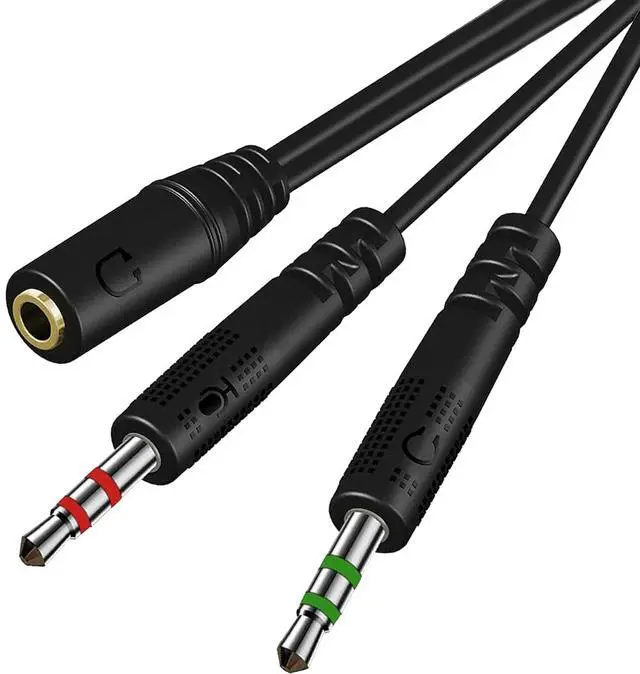
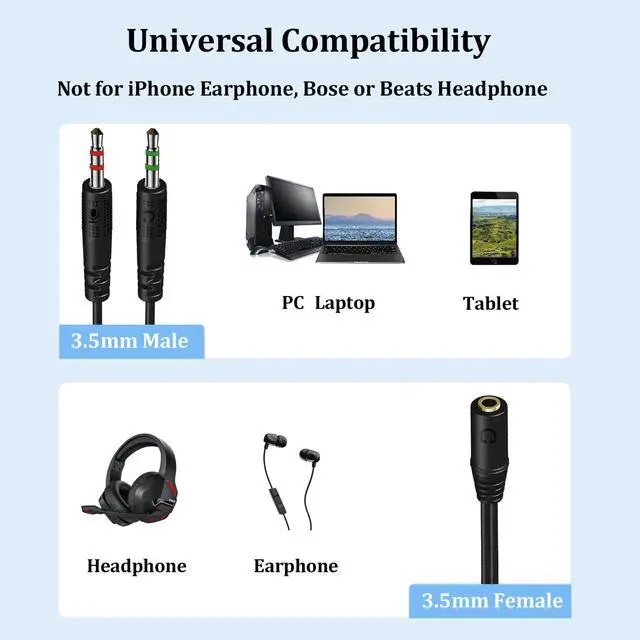
The 3.5mm splitter mic audio split from one 3.5mm plug to two - one for the mic jack, one for the audio jack. Easy to connect the headsets of a 4-pole 3.5mm TRRS plug to PC or Laptop with separate audio and mic jacks. Perfect for all PC Applications - Skype, MSN Messenger, Yahoo, Google Voice, etc. Note: NOT compatible with OMTP standard, Apple earphones, Bose or Beats headphones
Compatible with the following models:
Devices with 3.5mm jack connectors in CTIA audio jack standard
Suitable for most TRRS gaming & smartphone headphones/earphones, such as HyperX Cloud II SADES SA810 SA807 SA708 SA903 SA901 Kotion Each G2000 G9000 Logitech G433
Blackberry / Samsung / Xiaomi / OPPO / LG, etc. ( 3.5mm stereo headsets)
Various Laptop / Netbook / Desktop Computers with Dual Mic / Audio 3.5mm jacks (e.g., HP ProBook 450 G1 / Lenovo Thinkpad T400)

Superior Sound Quality
This 3.5mm stereo jack audio splitter is made of oxygen-free copper wire for stable transmission, providing you with an exceptional gaming and communication experience.

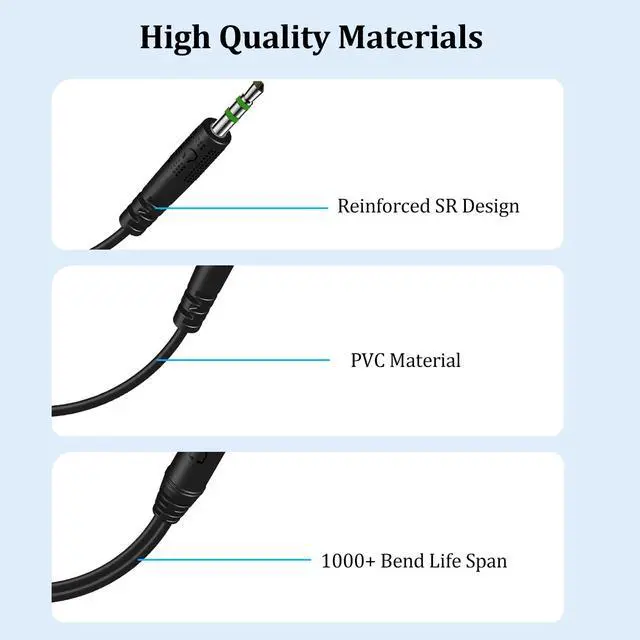
Ultra Durable
Tangle free design and premium TPE materials ensure durability for a longer lifespan. The strain relief construction prevents auxiliary cables from being damaged by excessive curvature.

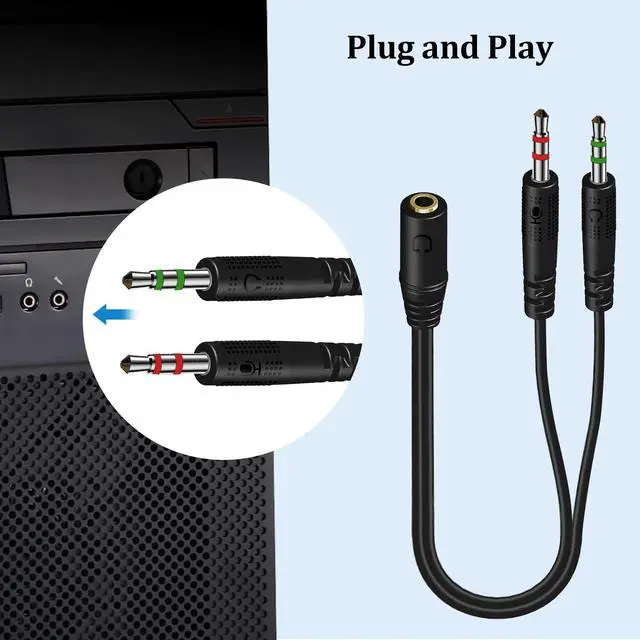
Plug and Play
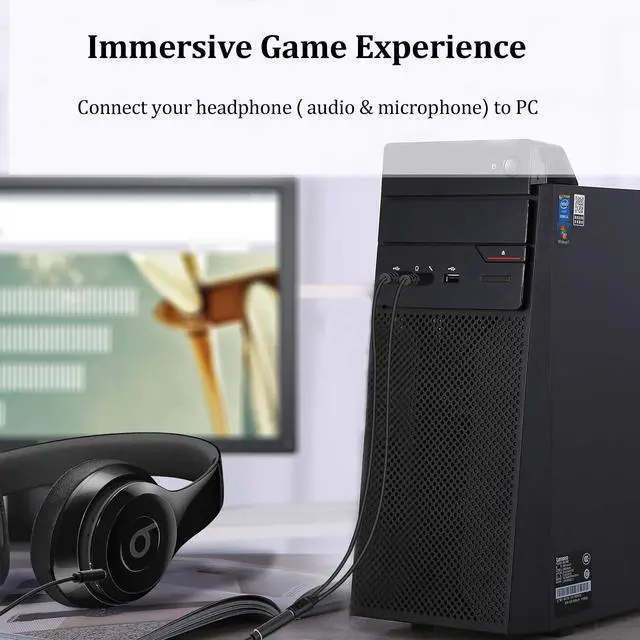
Xintronics audio splitter enables you to connect stereo headphones to PC or Laptop of separate audio and microphone jack.

CAUTIONS:
1. Only compatible with the CTIA standard 3.5mm audio port, not applicable to the OMTP standard. (please don’t worry, more than 98% of the headphones in the US and European markets currently use the CTIA standard)
2. Be sure to plug the headset into this adapter first, and then connect the adapter to the computer, otherwise the computer may determine that the microphone is missing when detecting the hardware. It should be noted that some device systems may have different settings for audio and microphone settings, so please purchase according to your own circumstances !
3. The female port of this adapter must be connected to the TRRS 4-pole interface, and the microphone function of any TRS 3-pole interface device will not be available. (Please check the pin of your connector, the 3 rings are TRRS and the 2 rings are TRS) It does not support volume +/- and other wire control functions.

3.5mm Headphone Splitter
deliver a superior gaming and communication experience
3.5mm Compatibility
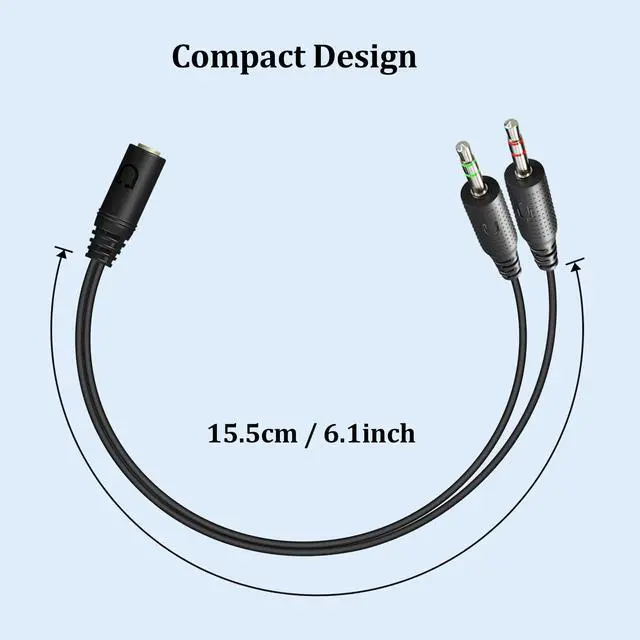
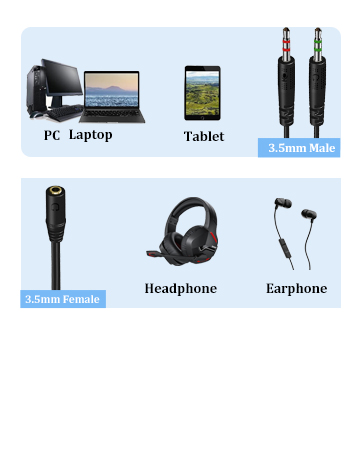
Two male plugs for PC or Laptop with dual separate audio and mic jack, 3.5mm female jack for most smartphone & gaming headsets.
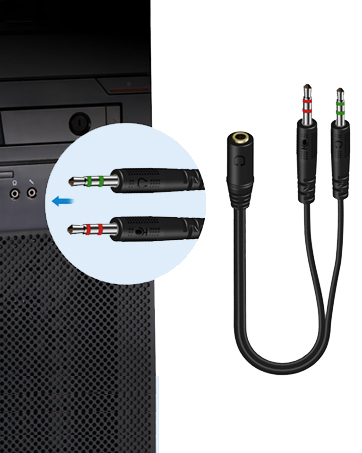
Plug & Play
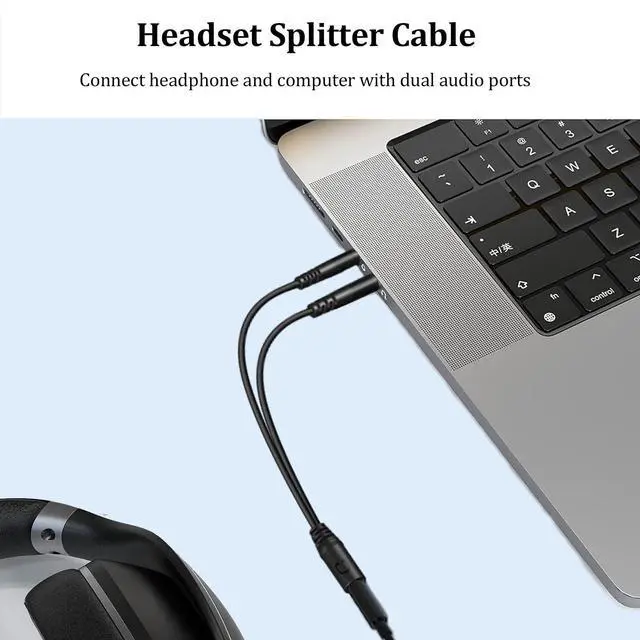
Connect headphone and computer with audio & mic jack

Xintronics is an audio innovator, developing, manufacturing and retailing premium audio products worldwide. With the support of a professional engineering team, some of them have been dedicated in field for over 20 years, we have been providing innovative products at affordable prices to benefit our customers.
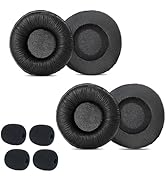
Shop Xintronics Ear Cushions
Xintronics 3.5mm Headset Splitter Cable for PC-Splitter Female to 2 Male Audio Splitter
The 3.5mm splitter mic audio split from one 3.5mm plug to two - one for the mic jack, one for the audio jack. Easy to connect the headsets of a 4-pole 3.5mm TRRS plug to PC or Laptop with separate audio and mic jacks. Perfect for all PC Applications - Skype, MSN Messenger, Yahoo, Google Voice, etc. Note: NOT compatible with OMTP standard, Apple earphones, Bose or Beats headphones
Compatible with the following models:
Devices with 3.5mm jack connectors in CTIA audio jack standard
Suitable for most TRRS gaming & smartphone headphones/earphones, such as HyperX Cloud II SADES SA810 SA807 SA708 SA903 SA901 Kotion Each G2000 G9000 Logitech G433
Blackberry / Samsung / Xiaomi / OPPO / LG, etc. ( 3.5mm stereo headsets)
Various Laptop / Netbook / Desktop Computers with Dual Mic / Audio 3.5mm jacks (e.g., HP ProBook 450 G1 / Lenovo Thinkpad T400)
Superior Sound Quality
This 3.5mm stereo jack audio splitter is made of oxygen-free copper wire for stable transmission, providing you with an exceptional gaming and communication experience.
Ultra Durable
Tangle free design and premium TPE materials ensure durability for a longer lifespan. The strain relief construction prevents auxiliary cables from being damaged by excessive curvature.
Plug and Play
Xintronics audio splitter enables you to connect stereo headphones to PC or Laptop of separate audio and microphone jack.
CAUTIONS:
1. Only compatible with the CTIA standard 3.5mm audio port, not applicable to the OMTP standard. (please don’t worry, more than 98% of the headphones in the US and European markets currently use the CTIA standard)
2. Be sure to plug the headset into this adapter first, and then connect the adapter to the computer, otherwise the computer may determine that the microphone is missing when detecting the hardware. It should be noted that some device systems may have different settings for audio and microphone settings, so please purchase according to your own circumstances !
3. The female port of this adapter must be connected to the TRRS 4-pole interface, and the microphone function of any TRS 3-pole interface device will not be available. (Please check the pin of your connector, the 3 rings are TRRS and the 2 rings are TRS) It does not support volume +/- and other wire control functions.
3.5mm Headphone Splitter
deliver a superior gaming and communication experience
3.5mm Compatibility
Two male plugs for PC or Laptop with dual separate audio and mic jack, 3.5mm female jack for most smartphone & gaming headsets.
Plug & Play
Connect headphone and computer with audio & mic jack
Xintronics is an audio innovator, developing, manufacturing and retailing premium audio products worldwide. With the support of a professional engineering team, some of them have been dedicated in field for over 20 years, we have been providing innovative products at affordable prices to benefit our customers.
Shop Xintronics Ear Cushions