




 here!
here!
I’m your shopping assistant for PC builds, upgrades, and everything tech.
Got questions? Ask away!
Start a conversation
here!
I’m your shopping assistant for PC builds, upgrades, and everything tech.
Got questions? Ask away!
Start a conversation



Any questions? Ask CelesteSM will help you find out quickly.


How to connect?
1. Flip the switch to the ON position to power on the unit.
2. Press and hold "FN + Z" until the blue light flashes rapidly.
3. On your device, find "Bluetooth Keyboard" in the available devices list and tap to pair.
4. Connected successful
How to identify your iPad model?
1.Open Settings on your iPad.
2.Tap General.
3.Tap About.
4.Look for Model Name (e.g., iPad Pro 11-inch (4th generation)).
5.For the exact model number, tap the Model Number field – it will change from a "Model Name" to a shorter code like A2435.
What can I do if my iPad keyboard's trackpad feels unresponsive and requires excessive pressure to click?
First, please make sure your Bluetooth keyboard is connected. Then go to Settings > General > Trackpad, and turn on 'Tap to Click'.
How to make this trackpad more responsive?
If your trackpad or iPad screen feels slow or unresponsive, try turning off AssistiveTouch. Go to Settings > Accessibility > Touch > AssistiveTouch, then turn it off.
Why does the Lock key require more pressure and respond slower than other keys?
Engineered with elevated actuation force and extended press duration to eliminate inadvertent triggers. Taps are disabled; only sustained firm press registers. Minor latency confirms deliberate input. This is an intentional design, not a defect.


How to connect?
1. Flip the switch to the ON position to power on the unit.
2. Press and hold "FN + Z" until the blue light flashes rapidly.
3. On your device, find "Bluetooth Keyboard" in the available devices list and tap to pair.
4. Connected successful
How to identify your iPad model?
1.Open Settings on your iPad.
2.Tap General.
3.Tap About.
4.Look for Model Name (e.g., iPad Pro 11-inch (4th generation)).
5.For the exact model number, tap the Model Number field – it will change from a "Model Name" to a shorter code like A2435.
What can I do if my iPad keyboard's trackpad feels unresponsive and requires excessive pressure to click?
First, please make sure your Bluetooth keyboard is connected. Then go to Settings > General > Trackpad, and turn on 'Tap to Click'.
How to make this trackpad more responsive?
If your trackpad or iPad screen feels slow or unresponsive, try turning off AssistiveTouch. Go to Settings > Accessibility > Touch > AssistiveTouch, then turn it off.
Why does the Lock key require more pressure and respond slower than other keys?
Engineered with elevated actuation force and extended press duration to eliminate inadvertent triggers. Taps are disabled; only sustained firm press registers. Minor latency confirms deliberate input. This is an intentional design, not a defect.


1. Bluetooth keyboard case for iPad A16 equipped with a USB-C rechargeable battery, this wireless iPad keyboard case delivers all-day performance on a single charge. From sunrise study sessions to red-eye flights and full 8-hour workdays, the battery won't let you down. And when it's time to recharge, USB-C fast charging gets you back to full power quicklyno hunting for outdated cables.
2. Whether you're a student grinding through back-to-back lectures, a remote worker hopping between Zoom calls, or a frequent flyer catching up on emails at 30,000 feet, this iPad keyboard case with trackpad is engineered to transform your iPad into a true laptop alternative.
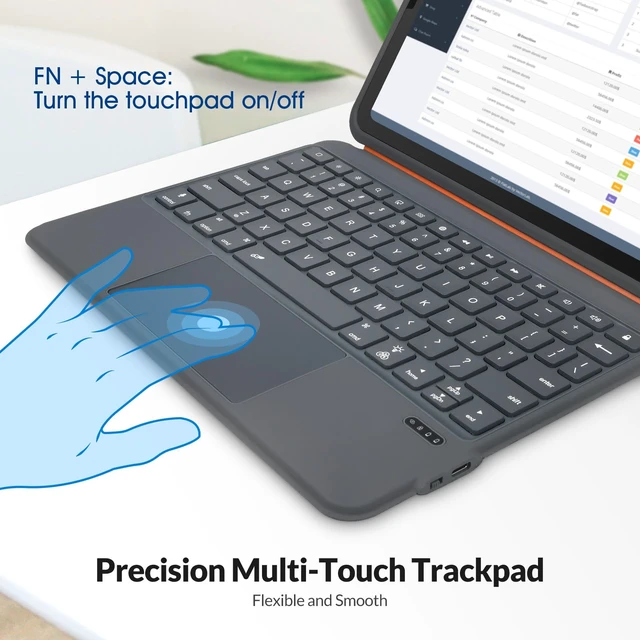
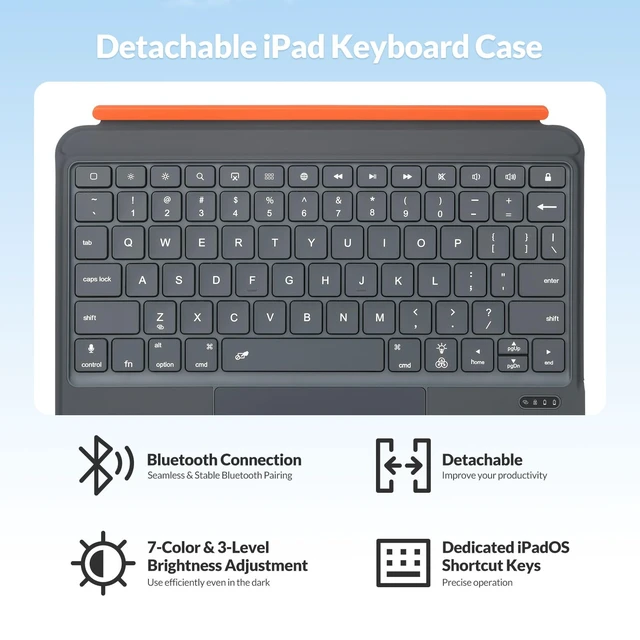
3. The iPad a16 case built-in trackpad unlocks the full potential of iPadOS. With intuitive multi-touch gesture supporttwo-finger scroll for effortless browsing, three-finger swipe for app switching, and pinch-to-zoom for photos and documentsyou'll navigate your iPad with the same fluid precision you'd expect from a high-end laptop. No more reaching up to tap the screen. Everything you need is right under your fingertips.
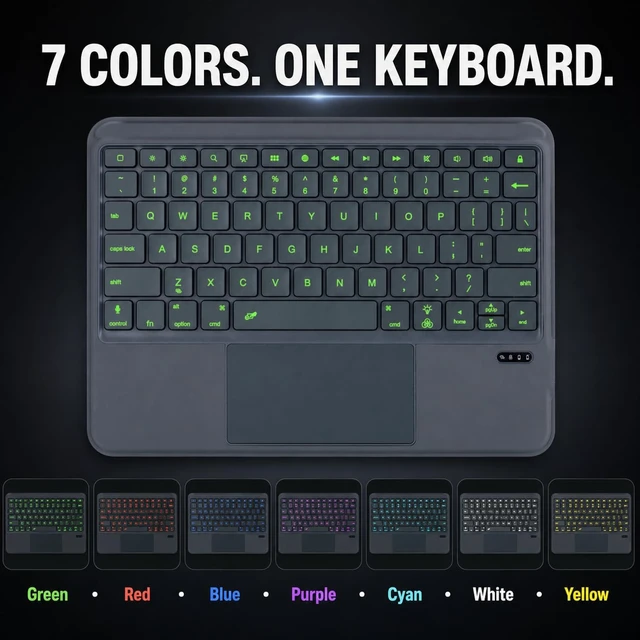
4. Visibility in Any Lighting Condition.Dark library carrels, dimly lit airplane cabins, or bright co-working spacesthe 7-color RGB backlight with 3 adjustable brightness levels ensures your keys are always visible. Choose from a spectrum of colors to match your mood or working environment, and type confidently no matter where your day takes you.
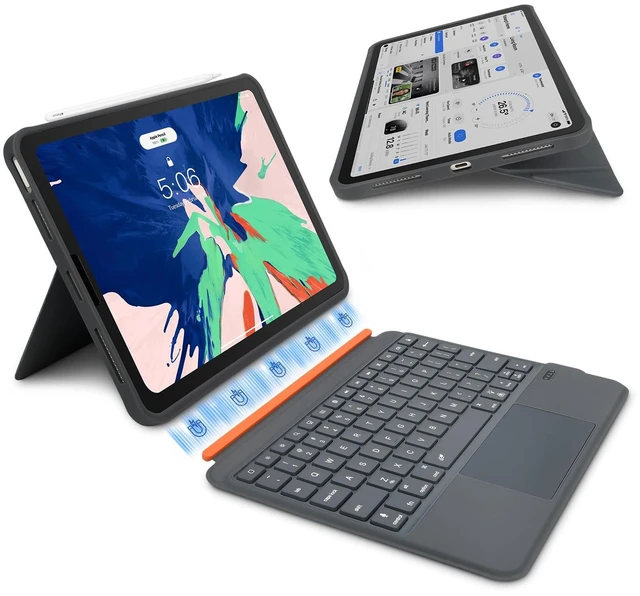
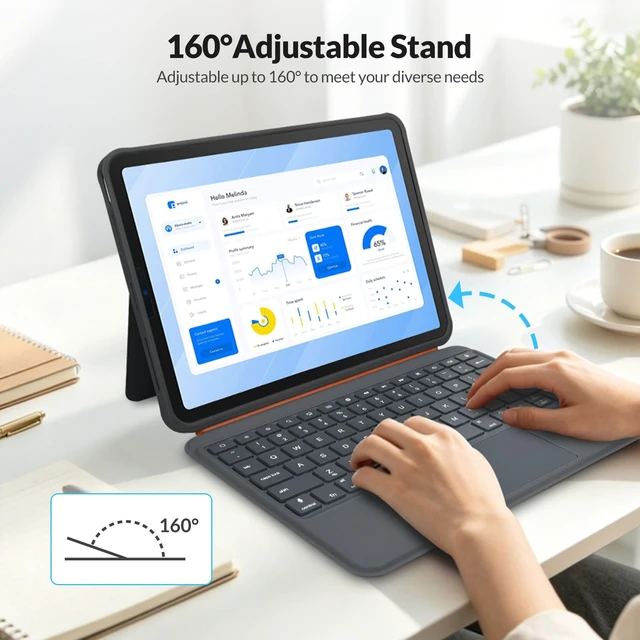
5. The detachable magnetic design lets you snap the iPad in and out with ease. When it's time to type, the 160° adjustable stand locks firmly at your preferred viewing anglewhether you're drafting reports, joining video conferences, streaming your favorite shows, or following a recipe hands-free in the kitchen. The sturdy hinge eliminates screen wobble, so you stay productive without distraction.
6. Bluetooth auto-pairing and instant reconnection mean your keyboard is ready the moment you open the case. The auto-sleep/wake function preserves battery life when you close up, while the ultra-slim, zero-bulk profile keeps your iPad lightweight and portablesliding effortlessly into backpacks, briefcases, or tote bags without adding unnecessary weight.
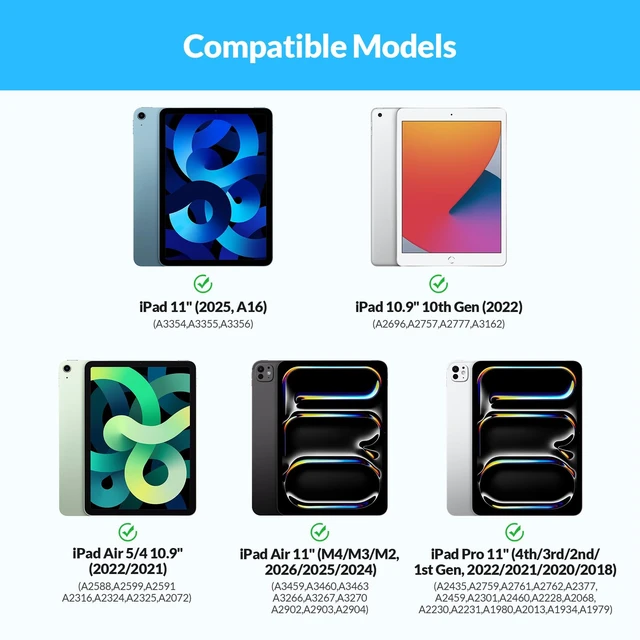
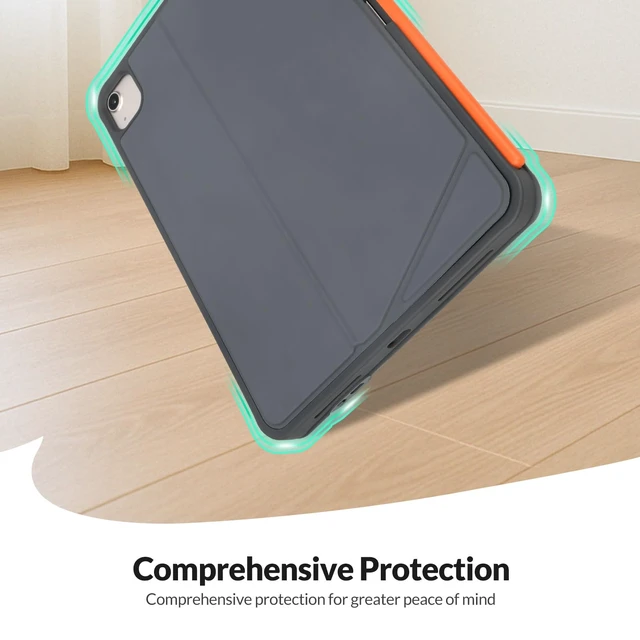
7. This all-in-one iPad keyboard case fits iPad 11" A16 (2026), 10.9" 10th Gen (2022), and Pro 11" 1st4th Gen. Just snap, connect, and start typingno complicated setup, no driver installation.Upgrade your iPad experience today. Whether you're writing, presenting, or binge-watching, this keyboard case with trackpad gives you the versatility, comfort, and style you deserve.Professional iPad keyboard case for students and business professionals, combining wireless Bluetooth connectivity with a protective folio stand for everyday use.


