




 here!
I’m your shopping assistant for PC builds, upgrades, and everything tech.
Got questions? Ask away!
Start a conversation
here!
I’m your shopping assistant for PC builds, upgrades, and everything tech.
Got questions? Ask away!
Start a conversation



Any questions? Ask CelesteSM will help you find out quickly.


Charging: This hub is primarily designed for data transfer. All USB ports support the BC 1.2 protocol and deliver a maximum of 1.5A (7.5W) per port. This provides standard charging for low-power USB devices such as mice, keyboards, wireless earbuds, and small fans. For higher-power devices like tablets and iPads, we strongly recommend using a dedicated charger or a hub with fast-charging ports for rapid charging. It is Not a dedicated charger.
USB hub does NOT support charging host such as laptop.
Video: The USB-C port does Not support video output.
If the problem still cannot be identified, we will provide support and services.
 RSH-H7C4 USB Hub | 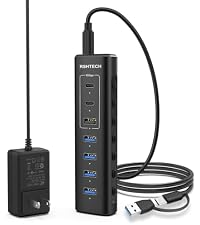 RSH-A107H USB Hub | 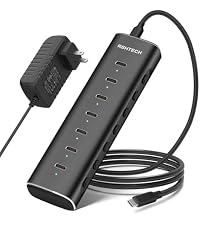 RSH-H7C USB Hub | 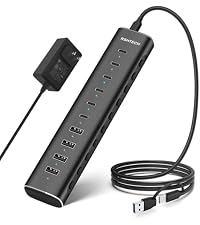 RSH-H10C6 USB Hub | 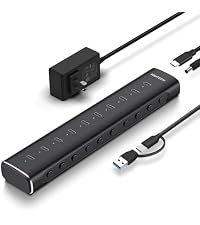 RSH-H10C USB Hub | 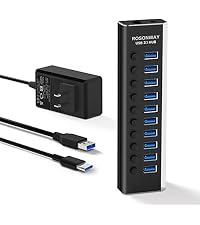 RSH-A10S USB Hub |  RSH-A13 USB Hub | |
|---|---|---|---|---|---|---|---|
Customer Reviews | — | — | — | — | — | — | — |
Price | — | — | — | — | — | — | — |
Number of Ports | 7 | 7 | 7 | 10 | 10 | 10 | 13 |
USB-C Ports | 4xUSB-C 3.2 ports | 2xUSB-C 3.2 ports | 7xUSB-C 3.2 ports | 6xUSB-C 3.2 ports | 10xUSB-C 3.2 ports | / | / |
USB-A Ports | 3xUSB-A 3.2 ports | 1xUSB-A 3.2+4xUSB-A 3.0 ports | / | 4xUSB-A 3.2 ports | / | 10xUSB-A 3.2 ports | 13xUSB-A 3.2 ports |
USB Connector Type | USB-C | 2-IN-1 USB-A+USB-C | USB-C | 2-IN-1 USB-A+USB-C | 2-IN-1 USB-A+USB-C | 2 Cables USB-A+USB-C | 2 Cables USB-A+USB-C |
Power Adapter Included | 12V/3A | 12V/2A | 12V/3A | 12V/5A | 12V/5A | 12V/3A | 12V/6A |
USB Cable Length | 3.3Ft | 3.3Ft | 3.3Ft | 3.3Ft | 3.3Ft | 3.3Ft+2Ft | 3.3Ft+2Ft |
Independent Switch&LED Iight | ? | ? | ? | ? | ? | ? | ? |


ROSONWAY, beginning as a manufacturer of computer peripherals, with multiple patent designs and years of expert manufacturing experience, we rapidly established ourselves in the USB expansion area as an innovator, providing solid and reliable products for our customers around the world.
ROSONWAY is committed to premium products, professional after-sales service, combined with technology and innovation, to bring expanding more possibilities.


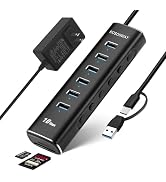


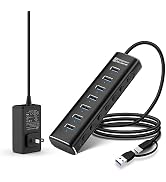


| Model Number | RSH-H7C4 |
|---|---|
| Color | Black |
| Material | Aluminium |
| Number of USB-C Ports | 4x USB-C 3.2 Ports |
| Number of USB-A Ports | 3x USB-A 3.2 Ports |
| USB Cable | Detachable USB-C connector 3.3ft/1m |
| Power Adapter Input | AC 100-240V 50/60Hz |
| Power Adapter Output | DC 12V/3A (36W) |
| Individual Buttons | Turn on: tap the button; Turn off: press and hold for 2s |
| LED indicator | Soft blue LED during operation |
Charging: This hub is primarily designed for data transfer. All USB ports support the BC 1.2 protocol and deliver a maximum of 1.5A (7.5W) per port. This provides standard charging for low-power USB devices such as mice, keyboards, wireless earbuds, and small fans. For higher-power devices like tablets and iPads, we strongly recommend using a dedicated charger or a hub with fast-charging ports for rapid charging. It is Not a dedicated charger.
USB hub does NOT support charging host such as laptop.
Video: The USB-C port does Not support video output.
If the problem still cannot be identified, we will provide support and services.
RSH-H7C4 USB Hub | RSH-A107H USB Hub | RSH-H7C USB Hub | RSH-H10C6 USB Hub | RSH-H10C USB Hub | RSH-A10S USB Hub | 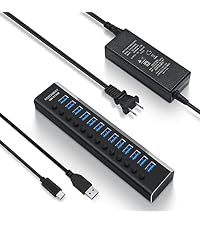 RSH-A13 USB Hub |
|---|---|---|---|---|---|---|
| Customer Reviews | ||||||
| — | — | — | — | — | — | — |
| Price | ||||||
| — | — | — | — | — | — | — |
| Number of Ports | ||||||
| 7 | 7 | 7 | 10 | 10 | 10 | 13 |
| USB-C Ports | ||||||
| 4xUSB-C 3.2 ports | 2xUSB-C 3.2 ports | 7xUSB-C 3.2 ports | 6xUSB-C 3.2 ports | 10xUSB-C 3.2 ports | / | / |
| USB-A Ports | ||||||
| 3xUSB-A 3.2 ports | 1xUSB-A 3.2+4xUSB-A 3.0 ports | / | 4xUSB-A 3.2 ports | / | 10xUSB-A 3.2 ports | 13xUSB-A 3.2 ports |
| USB Connector Type | ||||||
| USB-C | 2-IN-1 USB-A+USB-C | USB-C | 2-IN-1 USB-A+USB-C | 2-IN-1 USB-A+USB-C | 2 Cables USB-A+USB-C | 2 Cables USB-A+USB-C |
| Power Adapter Included | ||||||
| 12V/3A | 12V/2A | 12V/3A | 12V/5A | 12V/5A | 12V/3A | 12V/6A |
| USB Cable Length | ||||||
| 3.3Ft | 3.3Ft | 3.3Ft | 3.3Ft | 3.3Ft | 3.3Ft+2Ft | 3.3Ft+2Ft |
| Independent Switch&LED Iight | ||||||
| ? | ? | ? | ? | ? | ? | ? |
ROSONWAY, beginning as a manufacturer of computer peripherals, with multiple patent designs and years of expert manufacturing experience, we rapidly established ourselves in the USB expansion area as an innovator, providing solid and reliable products for our customers around the world.
ROSONWAY is committed to premium products, professional after-sales service, combined with technology and innovation, to bring expanding more possibilities.


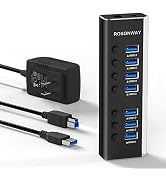

Rosonway Hybrid 7 Ports Powered USB hub, Expand Your Ports, Simplify Your Workflow.
Upgrade your connectivity with speed, control, and simplicity.
Fully Upgraded to 10Gbps: USB 3.2 hub with 4 USB-C 3.2 ports and 3 USB-A 3.2 ports, Adopts the latest USB protocol for data transfer speeds up to 10Gbps, 10x Faster Than USB 2.0.
7 USB ports support BC1.2 charging up to 1.5A.
Powered Type C Hub with an detachable 3.3ft usb-c cable, you can connect it freely to your desktop or laptop.
USB 3.1/3.2 gen 2 Hub with 36W power adapter, built-in surge protector, Short-circuit, over-current, over-voltage, and over-heating protection.
Effortlessly connect to PCs, laptops (MacBook Pro/Air, Dell, HP), Mac mini, iMac Pro, iPad Pro, iPad mini, Android phones, and more.
OTG Support: Transform your smartphone or tablet into a productivity powerhouse.
Operating Systems: Compatible with Windows, macOS, Linux, Chrome OS, iPadOS, and Android.
Product specifications
Model: RSH-H7C4
Color: Black
Number of ports:
3 x 10Gbps USB Type-A ports
4 x 10Gbps USB Type-C ports
Material: Aluminum housing
Size: 5.7*1.8*0.9inch
USB-C Cable length: 3.3ft/1m
Connector Type: /USB-C/Thunderbolt 3
LED Lights: Individual blue LEDs display the power status of each port.
Independent switch: electronic switch design, light press to turn on, long press for two seconds to turn off.
Included power supply: 12V/3A 36W DC power adapter
Note: USB hub does NOT support video output





