




What can I get ?
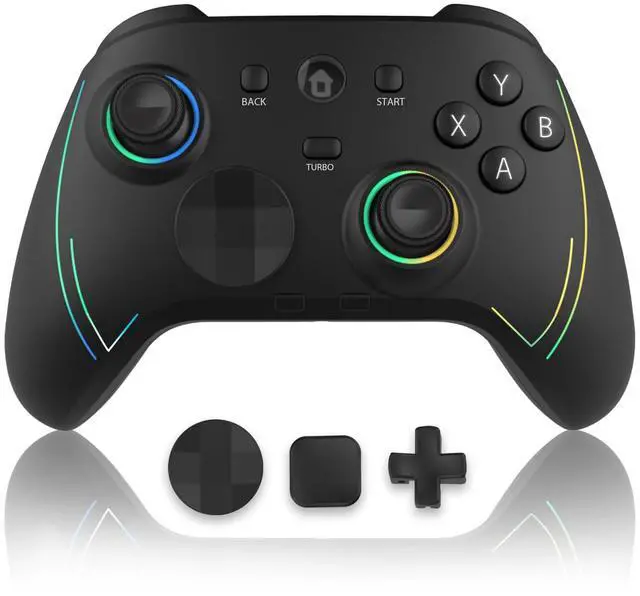
Includes controller, USB-C cable, 2.4GHz adapter, 3 D-Pads, and backed by 10+ years of specialist gaming support—all in one ready-to-dominate kit.
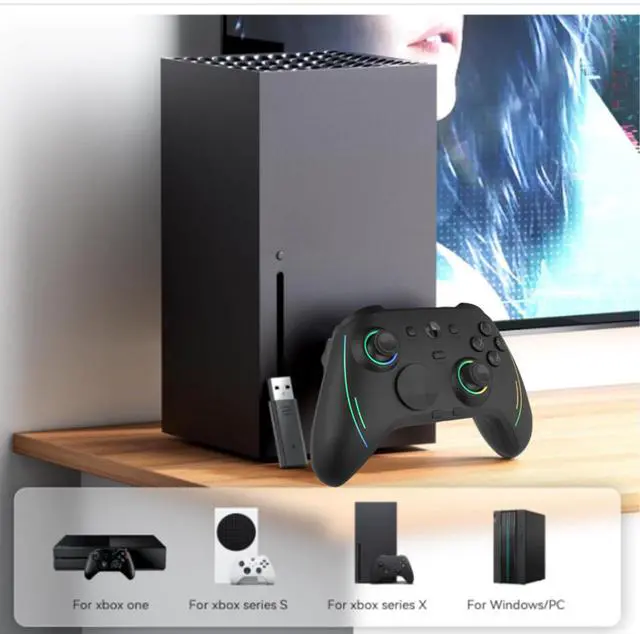
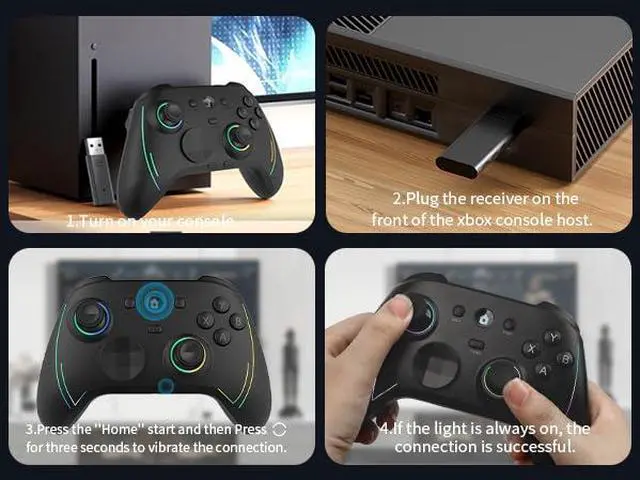
How to connect an Xbox/Xbox Series console?
1.Turn on your console
2.Plug the receiver on the front of the xbox console host.
3.Press the"Home' start and then press and hold the 'Sync button' (circular icon) for 3 seconds to connect.
4.lf the light is always on, the connection is successful.
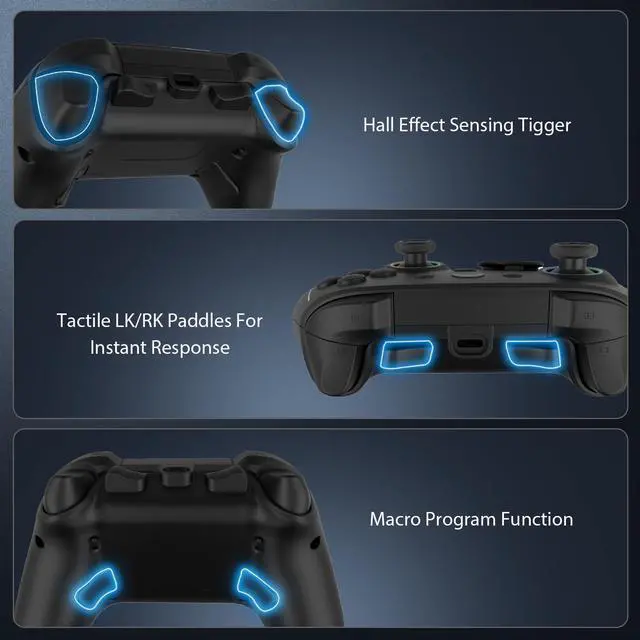
What are the steps for manual button programming (Mapping) on an Xbox controller?
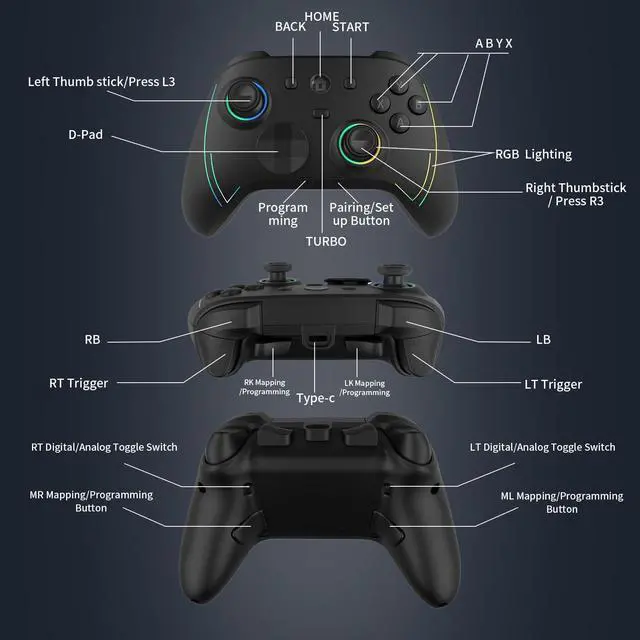
1.Hold Sun button' (bottom left) + ML/MR (3 sec) ? LED flashes (programming mode).
2.Press buttons to remap (D-pad, ABXY, bumpers/triggers, sticks).
3.Press M1/M2/M3/M4 to save (vibration confirms).
How to clear ML/MR button mapping?
1.Hold Sun button' (bottom left) + ML/MR (3 sec) ? LED flashes (programming mode).
2.Press M1/M2/M3/M4 to save (vibration confirms).
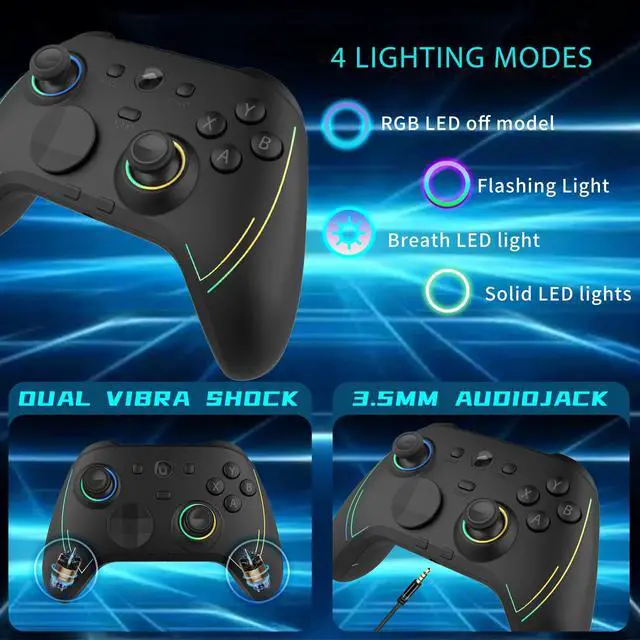
How to Use RGB Lighting Modes for the Left/Right Thumbsticks on This Xbox Controller?
1.Hold Sun+Sync buttons (3s) to toggle lights on/off.
2. Press Turbo+R3 to cycle lighting modes (rainbow/solid/breathing/color cycle).
3.In solid/breathing modes, press Turbo+L3 to change colors.


What can I get ?
Includes controller, USB-C cable, 2.4GHz adapter, 3 D-Pads, and backed by 10+ years of specialist gaming support—all in one ready-to-dominate kit.
How to connect an Xbox/Xbox Series console?
1.Turn on your console
2.Plug the receiver on the front of the xbox console host.
3.Press the"Home' start and then press and hold the 'Sync button' (circular icon) for 3 seconds to connect.
4.lf the light is always on, the connection is successful.
What are the steps for manual button programming (Mapping) on an Xbox controller?
1.Hold Sun button' (bottom left) + ML/MR (3 sec) ? LED flashes (programming mode).
2.Press buttons to remap (D-pad, ABXY, bumpers/triggers, sticks).
3.Press M1/M2/M3/M4 to save (vibration confirms).
How to clear ML/MR button mapping?
1.Hold Sun button' (bottom left) + ML/MR (3 sec) ? LED flashes (programming mode).
2.Press M1/M2/M3/M4 to save (vibration confirms).
How to Use RGB Lighting Modes for the Left/Right Thumbsticks on This Xbox Controller?
1.Hold Sun+Sync buttons (3s) to toggle lights on/off.
2. Press Turbo+R3 to cycle lighting modes (rainbow/solid/breathing/color cycle).
3.In solid/breathing modes, press Turbo+L3 to change colors.