


  • $49.99
  • Free 30-day Returns
  • Shipped by BrightMart Shop

    Price alert
    Shop it at NeweggBusiness.

    Meet Your Seller

    Back Buttons Charging Grip for Nintendo Switch 2 Joy-Con 2 Charge While Playing, GL/GR Mapping Ready, Strong Magnetic Connection, 3 Interchangeable Back Buttons

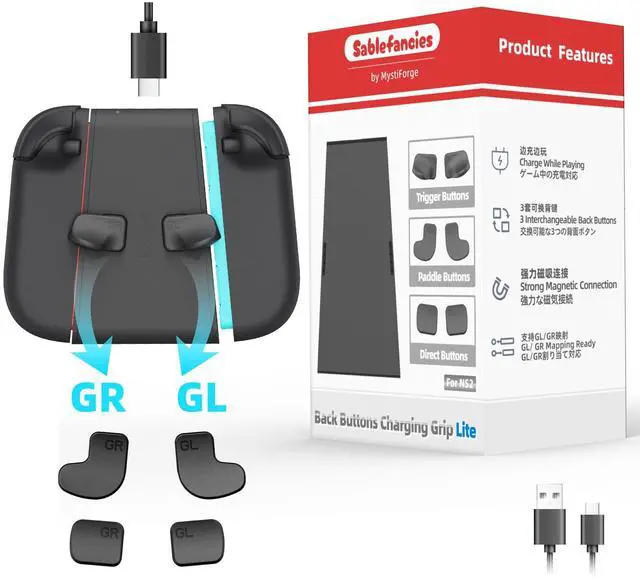
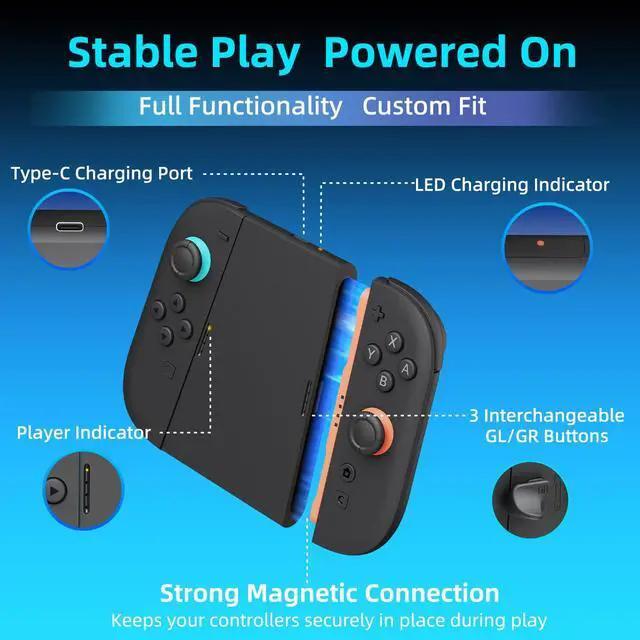
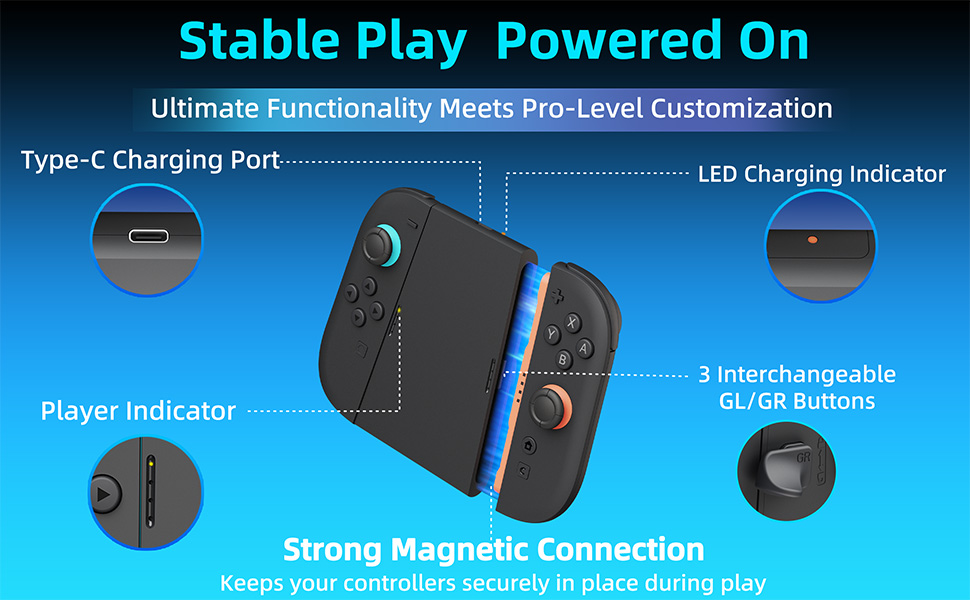
    • CHARGE WHILE PLAYING Keep your controllers powered during gameplay. Connect via Type-C for stable charging and uninterrupted play
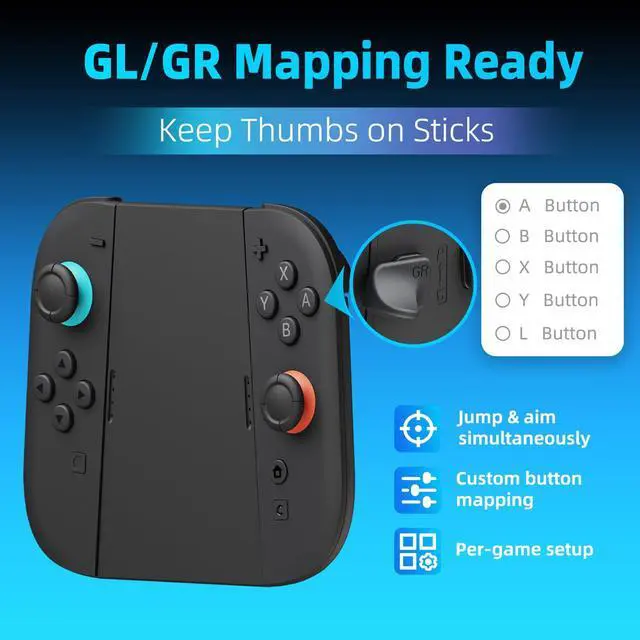
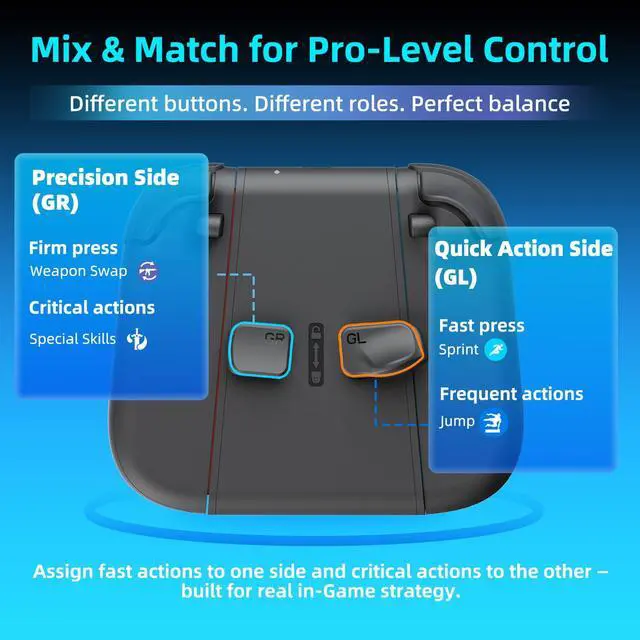
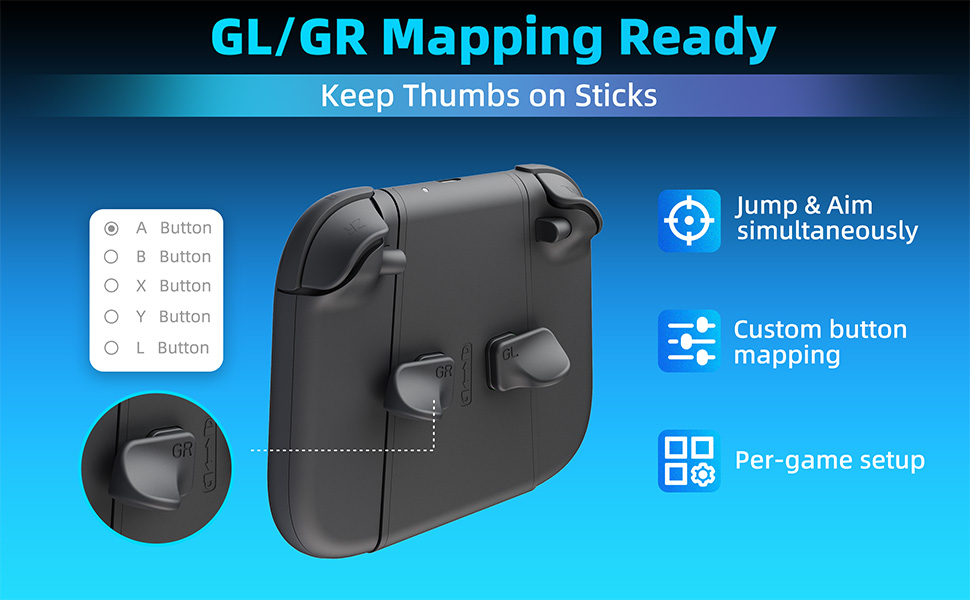
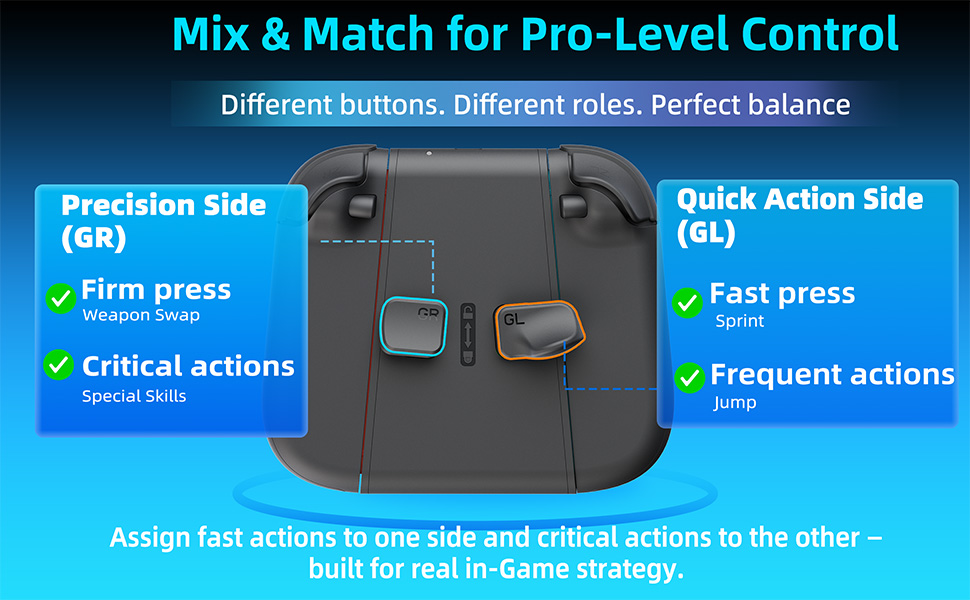
    • GL/GR BACK BUTTONS MAPPING READY Built-in GL/GR back buttons support in-game mapping for faster reactions and more efficient control
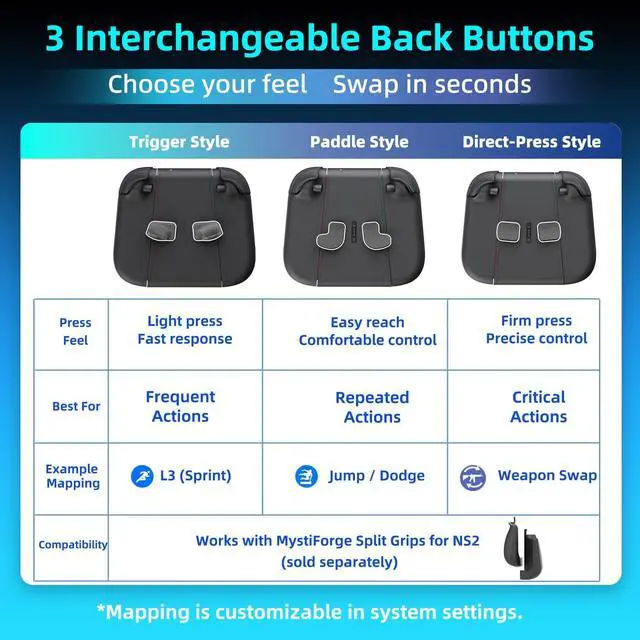
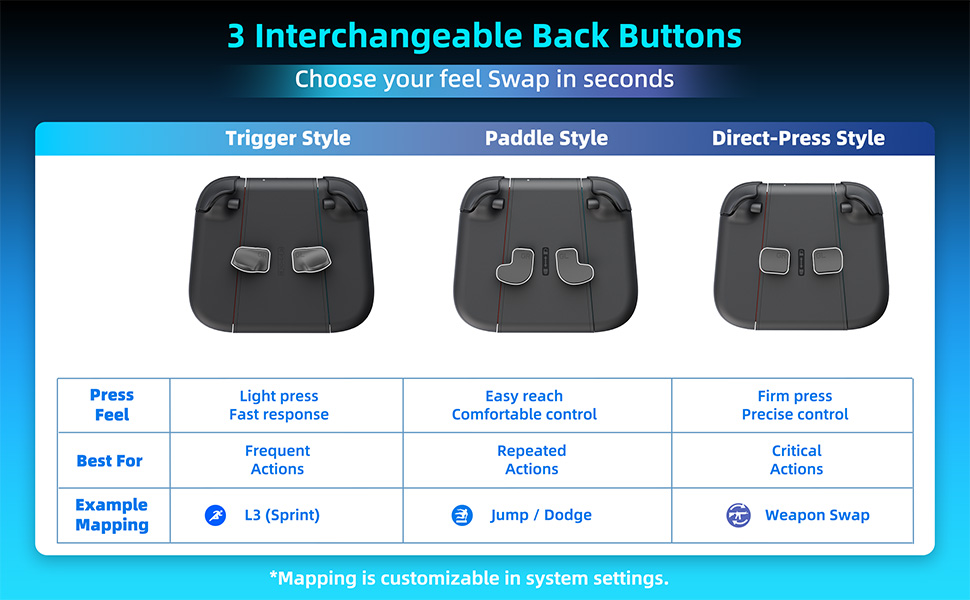
    • 3 INTERCHANGEABLE BACK BUTTONS Includes 3 styles of interchangeable back buttons (Trigger / Paddle / Direct-Press) to match different grip styles and games
    • FLEXIBLE SETUP Works as a standalone charging grip, and is also compatible with MystiForge Split Grips for NS2 (sold separately)
    • NOTE This product only includes the back buttons charging grip, interchangeable back buttons, and Type-C cable, and does not include the console or controllers
    +
    +
    Overview
    Specs
    Reviews
    avatar

    Any questions? Our AI mode will help you find out quickly.

    GP06-A+1
    GP06-A+2
    GP06-A+3
    GP06-A+4
    GP06-A+5

    Troubleshooting & FAQ

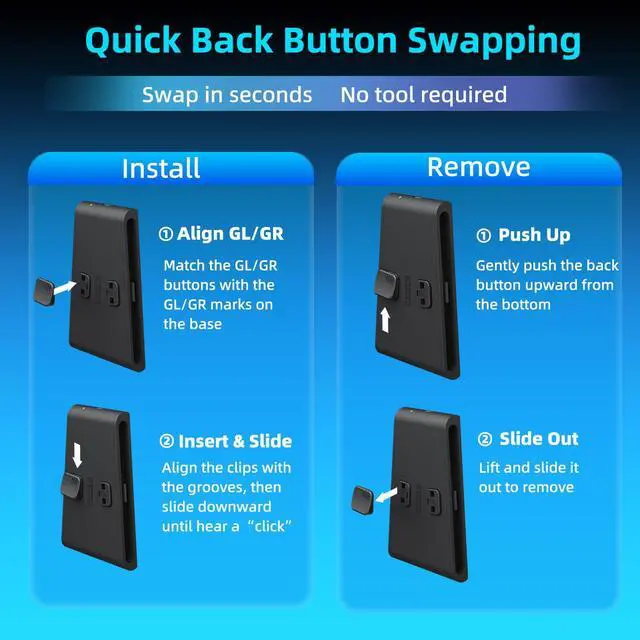
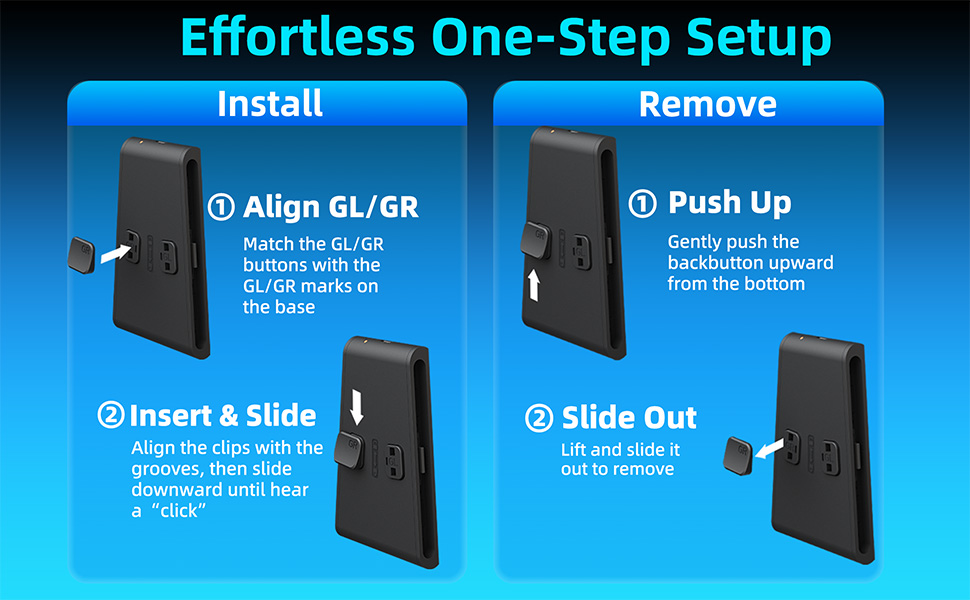
    Q1: Why can't I install the back buttons successfully?

    A: Check for Alignment.Please ensure that both the top and bottom clips of the back button are perfectly aligned with the bracket’s slots. If the button is tilted or any edge is lifted, it will not snap into place. Make sure the button sits flush before sliding to lock.

    Q2: Why are the back buttons (GL/GR) not working?

    A: Mapping and Connection Check.

    • Button Mapping: The GL and GR buttons must be mapped to your desired functions in-game. Long-press the HOME button to enter the mapping mode and assign the keys before use.
    • Re-seat the Controller: If the back buttons are still not recognized, try removing the controller from the bracket and re-inserting it to ensure a secure connection between the components.

    GP06-A+1
    GP06-A+2
    GP06-A+3
    GP06-A+4
    GP06-A+5

    Troubleshooting & FAQ

    Q1: Why can't I install the back buttons successfully?

    A: Check for Alignment.Please ensure that both the top and bottom clips of the back button are perfectly aligned with the bracket’s slots. If the button is tilted or any edge is lifted, it will not snap into place. Make sure the button sits flush before sliding to lock.

    Q2: Why are the back buttons (GL/GR) not working?

    A: Mapping and Connection Check.

    • Button Mapping: The GL and GR buttons must be mapped to your desired functions in-game. Long-press the HOME button to enter the mapping mode and assign the keys before use.
    • Re-seat the Controller: If the back buttons are still not recognized, try removing the controller from the bracket and re-inserting it to ensure a secure connection between the components.

    Back Buttons Charging Grip for Nintendo Switch 2 Joy-Con 2 Charge While Playing, GL/GR Mapping Ready, Strong Magnetic Connection, 3 Interchangeable Back Buttons

    Warranty & Returns

    Warranty, Returns, And Additional Information

    Warranty

    • Please contact the Seller directly for warranty information. Warranty information may also be found on the Manufacturer's website.
    • CONTACT

    Return Policies

    Manufacturer Contact Info

    LOADING...