




SABRENT USB Type-C 5-Port Hub – Power, Display, and Speed in One Compact Dock
The SABRENT USB C 5-Port Hub is designed to transform a single USB-C port into a powerful, streamlined workstation for modern laptops and tablets. Built for productivity and mobility, this compact hub combines high-speed data transfer, 4K display output, and reliable power delivery in one durable aluminum design.
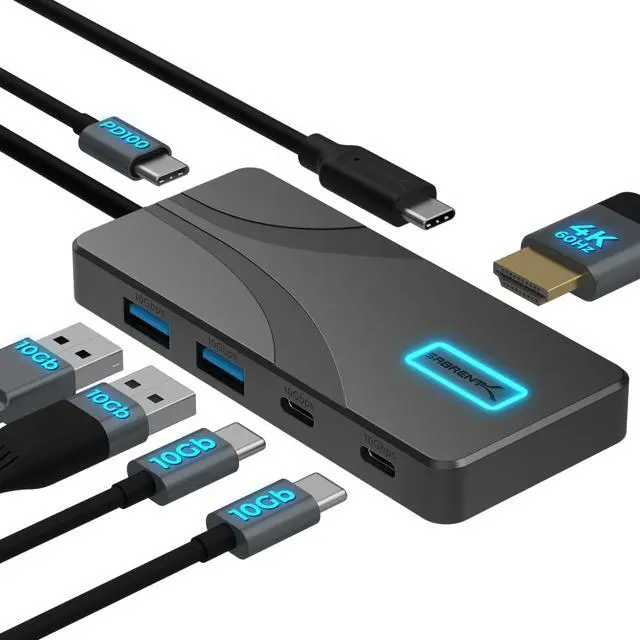
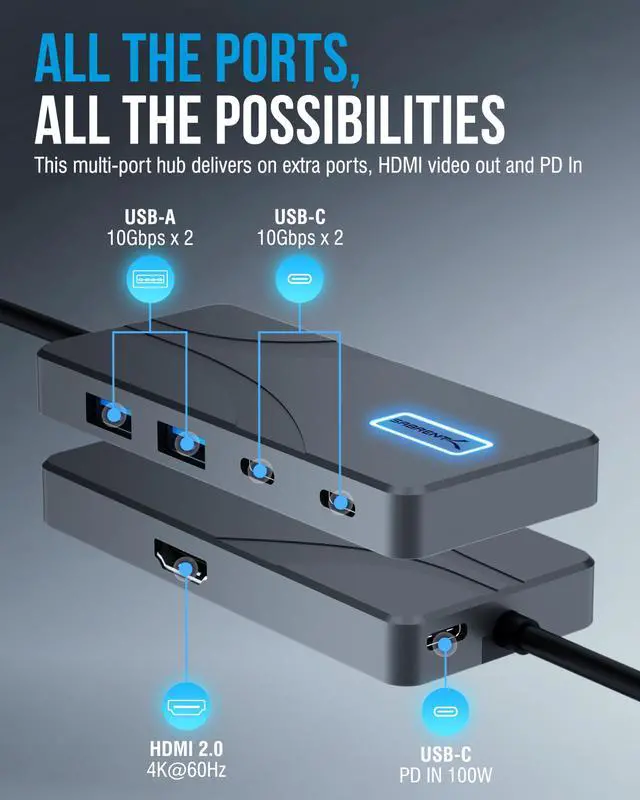
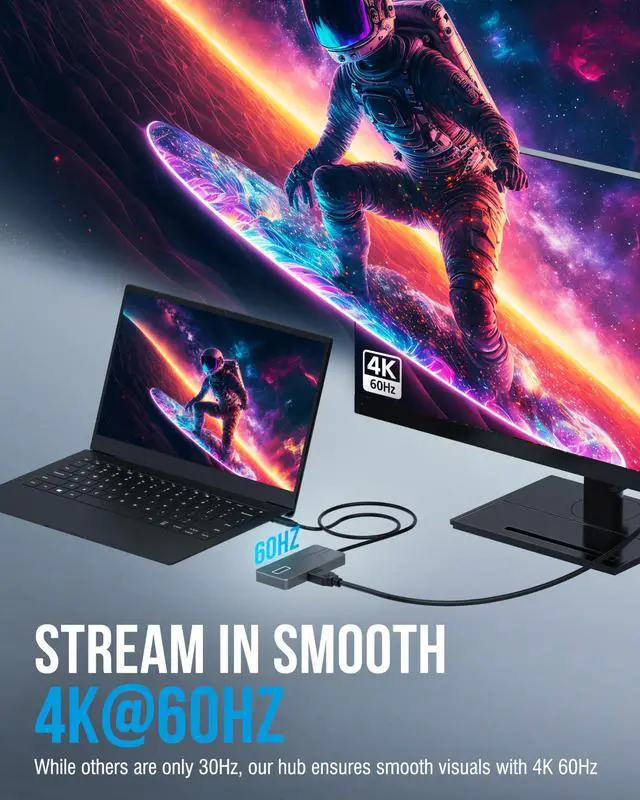
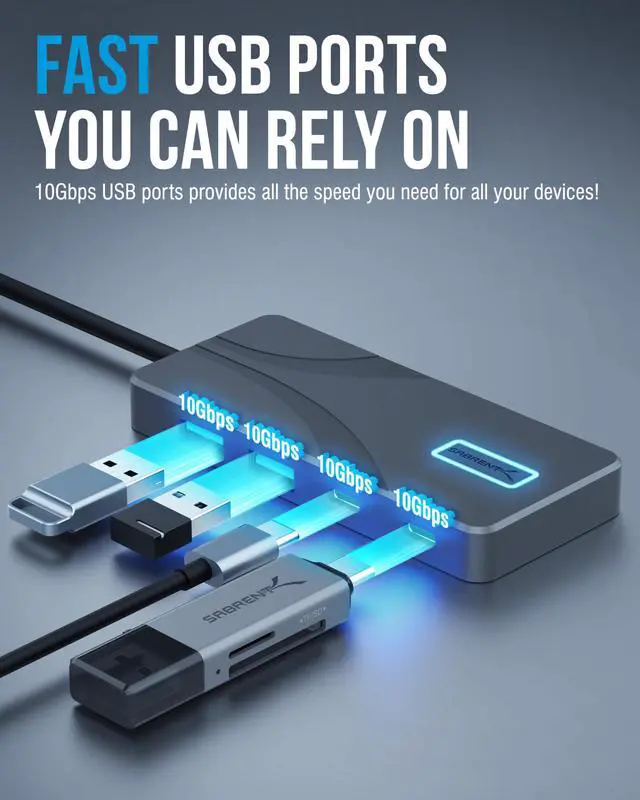
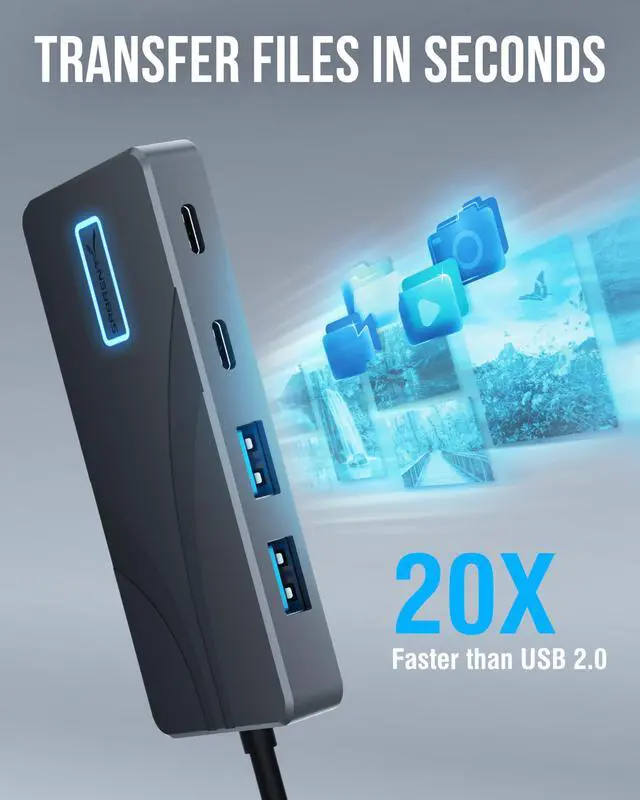
Equipped with USB 3.2 Gen 2 (10Gbps), the hub features 2× USB-C and 2× USB-A ports, allowing fast, stable connections for external drives, peripherals, and everyday accessories. The integrated HDMI 2.0 output supports 4K at 60Hz with HDR and HDCP 2.3, delivering sharp, fluid visuals for monitors, presentations, and creative workflows on compatible systems.
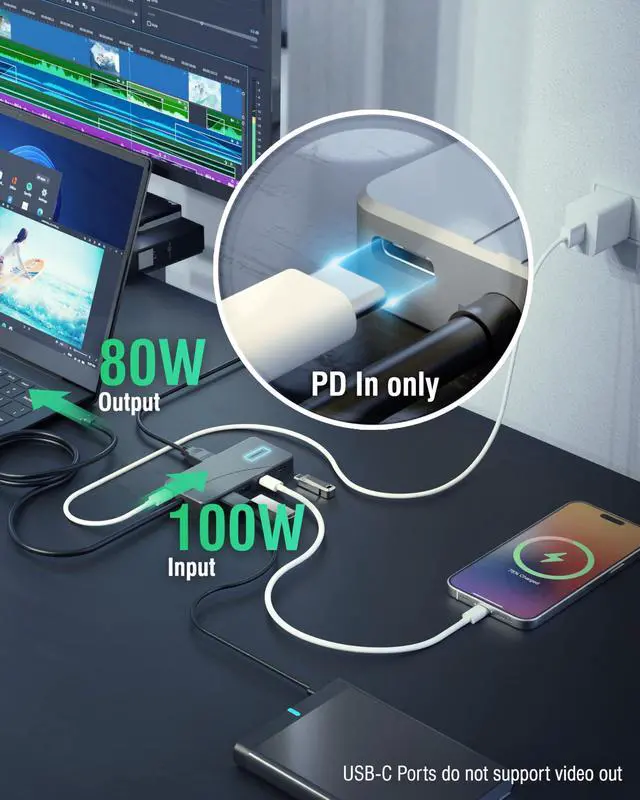
Beyond connectivity, this hub functions as a reliable USB-C docking solution with Power Delivery 3.0, supporting up to 100W input and up to 80W output to your laptop. This ensures consistent charging even while multiple devices are connected, helping prevent battery drain on MacBook, Windows, and Chromebook devices during demanding tasks.
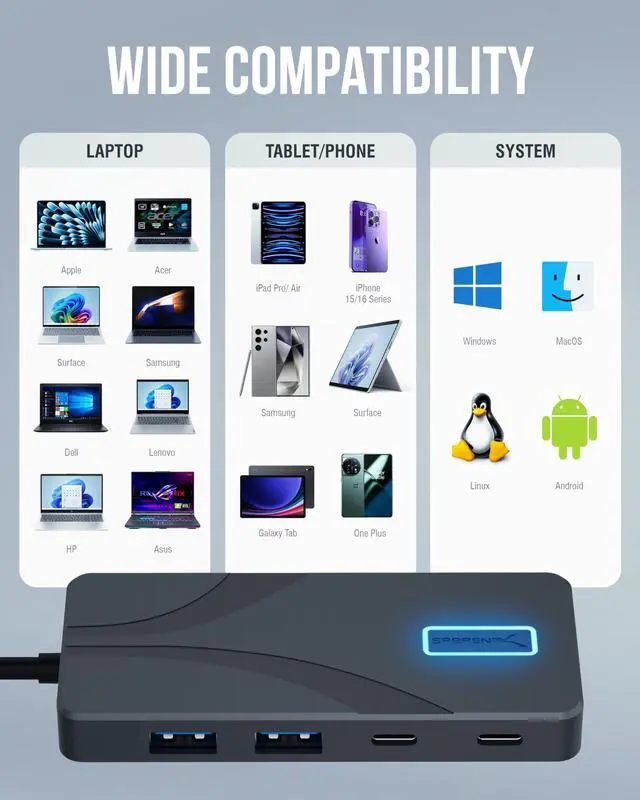
The premium aluminum housing provides durability and passive cooling, while the integrated cable keeps your setup clean and travel-ready. With true plug-and-play compatibility across Windows, macOS, and ChromeOS, setup is effortless — no drivers or software required.
Whether upgrading a MacBook Pro, expanding a laptop workstation, or building a flexible mobile setup, the SABRENT USB Type-C 5-Port Hub delivers power, clarity, and performance wherever you work.
USB-C Port Clarity: Includes 2× USB-C data ports (10Gbps) for peripherals and storage, plus 1× dedicated USB-C Power Delivery input for charging the hub and laptop. USB-C ports do not support video output or phone data passthrough — HDMI is required for display output.
Does this hub support 4K at 60Hz?
Yes. The HDMI port supports 4K @ 60Hz with HDR and HDCP 2.3 when connected to a compatible USB-C port that supports DisplayPort Alt Mode.
How much power does the hub deliver to my laptop?
The hub supports up to 100W USB-C Power Delivery input and provides up to 80W output to your laptop, with the remaining power used to operate the hub and connected devices.
Is this compatible with MacBooks, Windows laptops, and Chromebooks?
Yes. It is plug-and-play with macOS, Windows, and ChromeOS systems that support USB-C DisplayPort Alt Mode and Power Delivery.
Can I use all ports at the same time without performance issues?
Yes. The hub is designed for simultaneous use of USB-C, USB-A, HDMI, and Power Delivery, though total performance depends on your host device’s USB-C capabilities.
Does this hub require drivers or external power to function?
No drivers are required. The hub works instantly when connected. External USB-C power is only needed if you want to charge your laptop while using the hub.


SABRENT USB Type-C 5-Port Hub – Power, Display, and Speed in One Compact Dock
The SABRENT USB C 5-Port Hub is designed to transform a single USB-C port into a powerful, streamlined workstation for modern laptops and tablets. Built for productivity and mobility, this compact hub combines high-speed data transfer, 4K display output, and reliable power delivery in one durable aluminum design.
Equipped with USB 3.2 Gen 2 (10Gbps), the hub features 2× USB-C and 2× USB-A ports, allowing fast, stable connections for external drives, peripherals, and everyday accessories. The integrated HDMI 2.0 output supports 4K at 60Hz with HDR and HDCP 2.3, delivering sharp, fluid visuals for monitors, presentations, and creative workflows on compatible systems.
Beyond connectivity, this hub functions as a reliable USB-C docking solution with Power Delivery 3.0, supporting up to 100W input and up to 80W output to your laptop. This ensures consistent charging even while multiple devices are connected, helping prevent battery drain on MacBook, Windows, and Chromebook devices during demanding tasks.
The premium aluminum housing provides durability and passive cooling, while the integrated cable keeps your setup clean and travel-ready. With true plug-and-play compatibility across Windows, macOS, and ChromeOS, setup is effortless — no drivers or software required.
Whether upgrading a MacBook Pro, expanding a laptop workstation, or building a flexible mobile setup, the SABRENT USB Type-C 5-Port Hub delivers power, clarity, and performance wherever you work.
USB-C Port Clarity: Includes 2× USB-C data ports (10Gbps) for peripherals and storage, plus 1× dedicated USB-C Power Delivery input for charging the hub and laptop. USB-C ports do not support video output or phone data passthrough — HDMI is required for display output.
| Host Interface | USB Type-C |
|---|---|
| Data Transfer Speed | Up to 10Gbps (USB 3.2 Gen 2) |
| USB Ports | 2 × USB-C, 2 × USB-A |
| Display Output | HDMI 2.0 |
| Maximum Resolution | 4K @ 60Hz with HDR |
| HDCP Support | HDCP 2.3 |
| Power Delivery Input | Up to 100W USB-C PD |
| Power Delivery Output | Up to 80W to host device |
| Compatibility | Windows, macOS, ChromeOS, Linux |
| Plug and Play | No drivers required |
| Build Material | Aluminum housing |
| Cooling | Passive cooling design |
| Cable Design | Integrated USB-C cable |
Does this hub support 4K at 60Hz?
Yes. The HDMI port supports 4K @ 60Hz with HDR and HDCP 2.3 when connected to a compatible USB-C port that supports DisplayPort Alt Mode.
How much power does the hub deliver to my laptop?
The hub supports up to 100W USB-C Power Delivery input and provides up to 80W output to your laptop, with the remaining power used to operate the hub and connected devices.
Is this compatible with MacBooks, Windows laptops, and Chromebooks?
Yes. It is plug-and-play with macOS, Windows, and ChromeOS systems that support USB-C DisplayPort Alt Mode and Power Delivery.
Can I use all ports at the same time without performance issues?
Yes. The hub is designed for simultaneous use of USB-C, USB-A, HDMI, and Power Delivery, though total performance depends on your host device’s USB-C capabilities.
Does this hub require drivers or external power to function?
No drivers are required. The hub works instantly when connected. External USB-C power is only needed if you want to charge your laptop while using the hub.