
Your Browsing History



Any questions? Our AI beta will help you find out quickly.
A Smart Display That's Built to Enhance Communication
Whether you're in a classroom or a meeting room, it can sometimes be a challenge to keep everyone focused and engaged. That's where the Sharp PN-C703B and PN-C603D AQUOS BOARD® interactive display systems come in.

Simultaneous Writing
Recognizing up to six points of contact, the PN-C703B and PN-C603D interactive displays let two people write on the screen at the same time using touch pens or fingers. Participants can take an active part in classroom interactions, meetings, brainstorming sessions and more. With simultaneous writing, your discussions and presentations become platforms for the productive and creative exchange of ideas. Having two people write at the same time lets you double the range of opinions gathered during discussions. During a debate between two groups, for example, participants can dictate points to two nominated note writers. And no matter where you're writing on the screen, you can easily change the color and type of pen output or use the included eraser to delete unwanted content.
Note: When multiple touch pens are used simultaneously, they have the same pen settings.

User-Friendly Sharp Pen Software Interface
Using a touch pen, you can easily launch and display the Sharp Pen Software user interface, a menu comprising smartly arranged icons that provide easy access to pen settings and functions. Menus can be browsed easily and are displayed in a floating format that allows them to be moved to anywhere on the screen.


Work Smarter with SHARP Display Connect
Touch SHARP Display Connect'1 software supports effective and multifaceted communication. Onscreen content-including handwritten notes and drawings—can be viewed simultaneously on the PN-C703B or PN-C603D interactive displays and on mobile devices"2 such as PCs, tablets, and smartphones. SHARP Display Connect facilitates interactive presentations, lively discussions, and paperless meetings in both business and educational settings.
SHARP Display Connect enables the following Interactive functions on the PN-C703B or PN-C603D Interactive displays and mobile devices connected via wireless LAN:
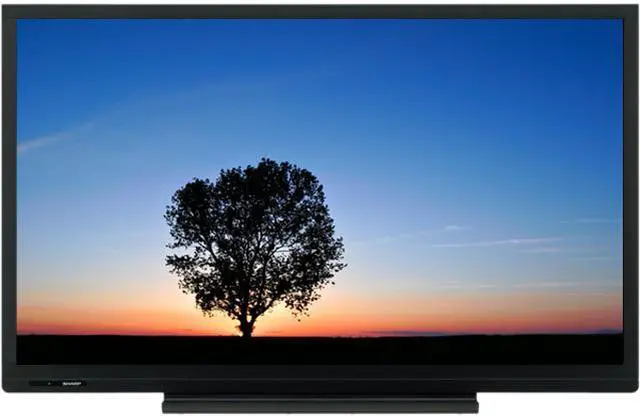
These large, Full-HD 70" Class (69.5" diagonal) and 60" Class (60.1" diagonal) touchscreen monitors let you display and manipulate a variety of information with ease and precision. Smart and convenient, Sharp Pen™ Software opens up new possibilities for brainstorming and sharing information in real time. Flexible and cost-effective, the PN-C703B and PN-C603D displays provide a platform to boost collaboration and enhance the impact of your lessons, meetings, or presentations.
Display, Write, Edit and Share Information
The AQUOS BOARD* interaclive display system's Sharp Pen Software includes two convenient modes that you can select depending on your needs. Whiteboard mode is ideal for writing memos and diagrams, and it comes with a range of useful background templates: a calendar, an action plan, a to-do list, a corkboard and more. With overlay mode, meanwhile, you can write or draw directly onto displayed photos, videos, PDFs, or Microsoft* Excel*, Word and PowerPoint* documents. In either mode, you can easily save your notes, make printouts, send files as email attachments, and share data with selected recipients. Because meetings and classroom discussions revolve around a single large monitor, participants can stay focused on the interaction itself rather than on their own note-taking.
70" or 60" Class Screen with Full-HD Quality
The Full-HD (1,920 x 1,080-pixel) resolution of these large 70" (69.5" diagonal) and 60" (60.1" diagonal) monitors helps ensure that detailed text and images are reproduced vividly and accurately. Charts, paintings, historical photos and more are all brought to life on the big screen in a way that simply can't be achieved with normal textbooks and printed materials. Even in bright rooms, text and images are displayed beautifully, so that everyone can stay focused on the discussion.
Built-in Speakers
The PN-C703B and PN-C603D interaclive displays feature built-in speakers that let you hear any audio information that accompanies videos or other content. No external speakers required.
Handwriting Recognition
The PN-C703B and PN-C603D interactive displays feature a handwriting recognition" function that converts selected onscreen handwriting into standard text. It can also recognize handwritten shapes—such as circles, triangles, and straight lines—and automatically convert them into objects. This smart and convenient function makes it easy to utilize onscreen content to make a legible record of your lesson or meeting.

Minimize Glare and Fingerprints
Protecting the glass screen is an anti-glare film that works to help reduce glare and reflections and minimize fingerprint soiling. Even in brightly lit rooms, documents and teaching materials are easy to read.

16-Hour Daily Operation
The PN-C703B and PN-C603D interactive displays can be used continuously for up to 16 hours per day, providing reliable performance in the schoolroom or office.
*1 The number of connectable mobile devices depends on the host OS and the accompanying Windows* End-User License Agreement: Windows 7: Max. 20; Windows 8/8.1: Max. 50
*2 OS requirements (as of August 2015): Host: Windows* 7. Windows* 8/8.1; Client: Windows* 7. Windows* 8/8.1, OS X* 10.7-10.10. Android™ 2.3-5.0, iOS 6.0-8.0. Piease contact your local authorized Sharp dealer or representative for further details.
*3 Connecting 26 or mote mobile devices requires at least two LAN access points.
MFP Connectivity
Documents and color images scanned from a compatible Sharp MFP can be imported directly to the Sharp Pen Software for display on the PN-C703B or PN-C603D interactive displays. For added convenience, image data shown onscreen—including notations—can be saved to a PC or sent directly to an MFP for printout.
