
Your Browsing History
 Holiday Shipping Details & Extended Holiday Returns

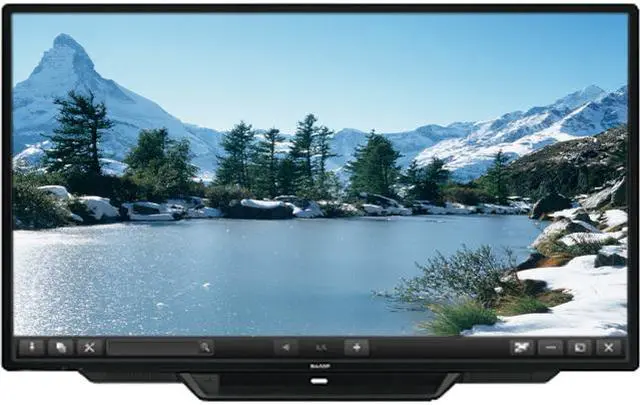
Sharp delivers a breakthrough in capacitive touch-panel technology: the new PN-L803C AQUOS BOARD interactive display system with a featherlight touch. Using this interface is so intuitive and responsive that it feels like writing on a conventional whiteboard. The PN-L803C display revolutionizes the way you collaborate with colleagues or classmates. It allows you to display and freely annotate a huge variety of documents, with up to four people able to write onscreen at the same time. Now, whether in the boardroom or the classroom, you can share your message with more precision than ever.


The PN-L803C display lets you capture ideas at the moment of creation. Recognizing up to 10 touch points, it allows up to four people to write at the same time with a finger or touch pen. Each pen boasts a thin 3.5 mm tip that makes it easier to add detailed notes that remain legible when printed out.
Say goodbye to unintended input and writing errors. Thanks to the PN-L803C display's precise position detection, only intentional input from fingers and touch pens appears on the display. Employing Sharp's original capacitive touch technology, which achieves high sensitivity and precision by reducing the noise level to one-eighth that of conventional models, the PN-L803C display eliminates unwanted noise to deliver a clear onscreen signal.

Sharp Touch Viewer1
is a touch-operated onscreen user interface that lets
you easily manipulate different types of les, including Microsoft® Office
applications, videos and Web pages. Being able to simultaneously open
and handle a variety of le types allows you to have more active meetings.
1
Available for download via included download application

A Fluid, Smart and Responsive Interface
The new touch pen links with Sharp Pen
Software to help you write with an
uninterrupted ow. Furthermore, you can
use the included eraser to delete unwanted
content without switching functions, just as
you would with a regular whiteboard.
Display, Write and Share Information
In overlay mode, you can write onscreen annotations directly onto photos,
videos, PDFs, and documents such as Microsoft® Excel®, Word, and
PowerPoint®. Text and graphics written on the board can be stored in USB
memory2
or sent directly via email to selected recipients.
Note: Documents displayed in the background of the board during overlay mode cannot be
accessed directly.
2Saved as PDF, BMP, JPEG, or PNG files.
Handwriting Recognition
The PN-L803C display features a handwriting recognition3
function that
converts selected onscreen handwriting into standard text. It can also
automatically recognize and reproduce handwritten shapes such as circles,
triangles and squares. This convenient function makes it easy to utilize
onscreen content to make a legible record of your meeting or lesson.
3
Works with languages supported by Sharp Pen Software.
Presentation Support Tool
Sharp Pen Software links smoothly with the PowerPoint application4
. During
slideshow presentations, you can perform various control operations, such
as returning to a previous slide without using a right-click.
4
Compatible applications: Microsoft PowerPoint 2007/2010/2013

Multi Board Function
Up to three PN-L803C display units can be connected and used to display
sequential pages that can be navigated by swiping side to side. With the
Multi Board function5
, meeting participants are better able to grasp the
overall ow of a presentation.
5
Requires a compatible version of Sharp Pen Software. Check with your local Sharp authorized
dealer/representative for details. Only one PN-L803C display unit can be operated at a time.
system with a featherlight touch. Using this interface is so intuitive and responsive that it feels like writing on a conventional whiteboard. The PN-L803C display revolutionizes the way you collaborate with colleagues or classmates. It allows you to display and freely annotate a huge variety of documents, with up to four people able to write onscreen at the same time.


Pressing the Touch Menu button brings up an onscreen menu that lets you easily switch input sources, change volume level, or turn the touchscreen function on and off, all from the front of the PN-L803C display and all without the need for a remote controller.

For increased convenience when the panel is
mounted on a wall, the PN-L803C display features
a USB input on the front that connects to the PC
on the back of the unit. Now there's no need to
reach around the back of the monitor when you
want to connect a peripheral device.
Note: The PC is sold separately

The PN-L803C display supports
installation of a Web camera in any one of
seven positions*, giving you the flexibility
to nd the optimal setup to match your
room layout and seating arrangements.
* The camera mount cannot be attached in the bottom-center position when the tray is attached.
To attach the camera mount there, it is necessary to remove the tray mount fitting.
The PN-L803C display comes standard-equipped with a wealth of input and output terminals, located on the side and bottom of the monitor, to enable easy connection with a wide variety of equipment.
Documents and color images scanned from a compatible Sharp MFP can be imported directly to the Pen Software for display on the PN-L803C display. For added convenience, image data shown onscreen—including notations—can be saved to a PC or sent directly to an MFP for printout.
Touch Display Link 2.0*1 software supports effective and multifaceted communication. By enabling connection with mobile devices*2 , Touch Display Link 2.0 facilitates interactive presentations, lively discussions and paperless meetings in both business and educational settings.

