| Brand | HP |
|---|---|
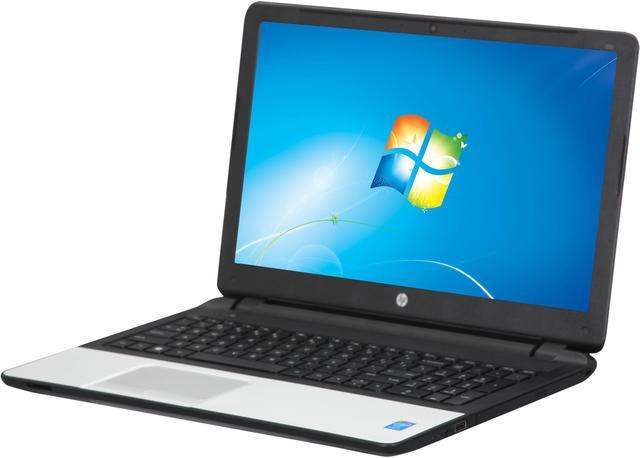
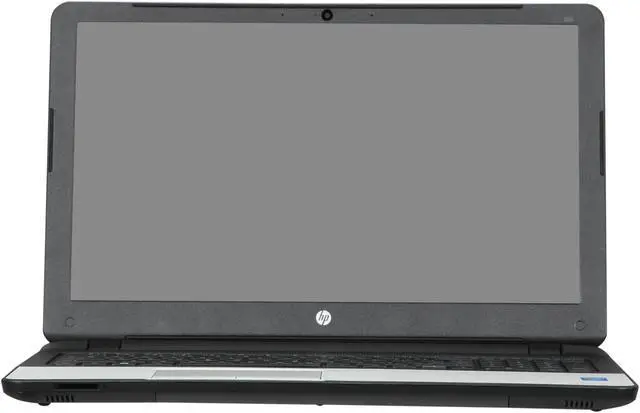
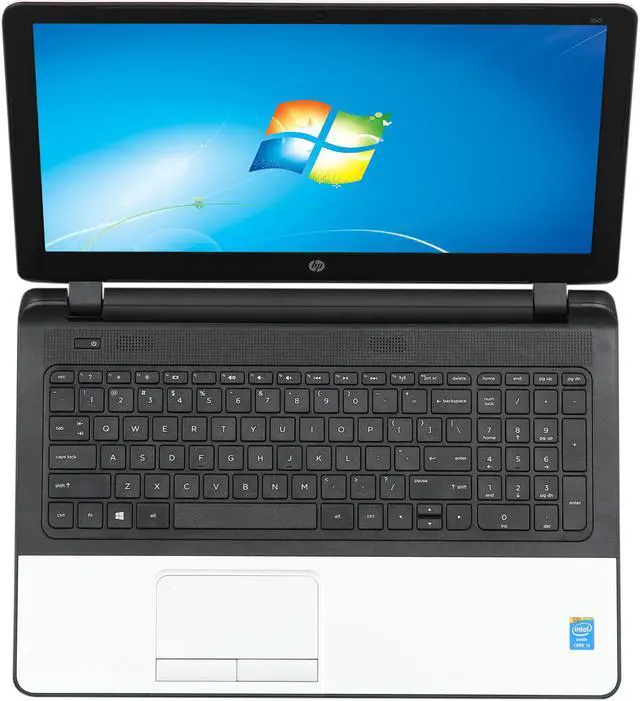
| Model | 350 G1 (G4S61UT#ABA) |
| Part Number | G4S61UT#ABA |
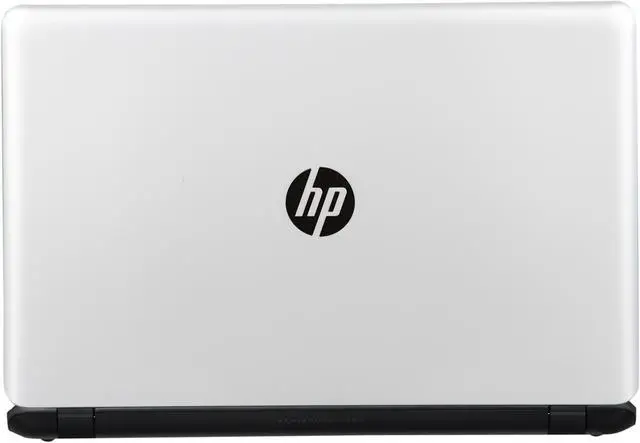
| Color | Silver |
|---|---|
| Operating System | Windows 7 Professional 64-Bit |
| CPU | Intel Core i3-4005U 1.7GHz |
| Screen | 15.6" |
| Memory | 4 GB DDR3 |
| Storage | 500 GB |
| Optical Drive | DVD Super Multi |
| Graphics Card | Intel HD Graphics 4400 |
| Video Memory | Shared memory |
| Communication | Gigabit LAN and WLAN |
| Dimensions (W x D x H) | 15.12" x 10.28" x 0.91" |
| Weight | 5.07 lbs. |
| CPU Type | Intel Core i3 4th Gen |
|---|---|
| CPU Speed | 4005U (1.7GHz) |
| Core Name | Haswell |
| Number of Cores | Dual-core Processor |
| CPU Support | 3MB L3 Cache |
| Screen Size | 15.6" |
|---|---|
| Touchscreen | No |
| Wide Screen Support | Yes |
| Resolution | 1366 x 768 |
| LCD Features | Anti-Glare |
| Operating System | Windows 7 Professional 64-Bit |
|---|
| GPU/VPU | Intel HD Graphics 4400 |
|---|---|
| Video Memory | Shared system memory |
| Graphic Type | Integrated Card |
| HDD | 500GB |
|---|---|
| HDD RPM | 7200 RPM |
| Memory | 4GB |
|---|---|
| Memory Speed | DDR3 1600 |
| Memory Spec | 4 GB x 1 |
| Memory Slot (Total) | 2 |
| Optical Drive Type | DVD Super Multi |
|---|---|
| Optical Drive Spec | DVD+/-RW SuperMulti DL |
| LAN | 10/100/1000Mbps |
|---|---|
| WLAN | 802.11a/b/g/n Wireless LAN |
| Bluetooth | Bluetooth 4.0 |
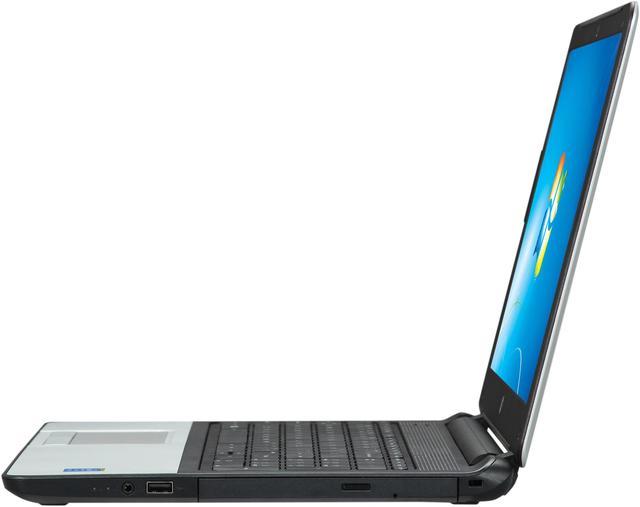
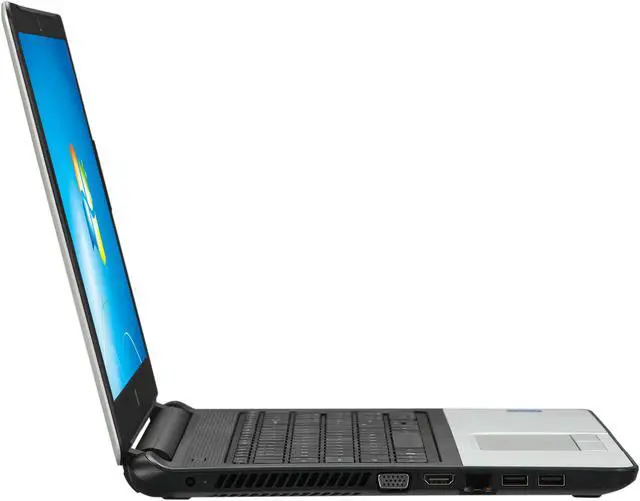
| USB | 2 x USB 3.0 1 x USB 2.0 |
|---|---|
| Video Port | 1 x VGA |
| HDMI | 1 x HDMI |
| Audio Ports | 1 x Headphone/microphone combo |
| Keyboard | TouchPad Keyboard |
|---|---|
| Backlit Keyboard | Non-backlit |
| Webcam | 720p HD webcam |
| Card Reader | Multi-format digital media reader |
| Style | Standard |
|---|---|
| Type | Mainstream |
| Usage | Business |
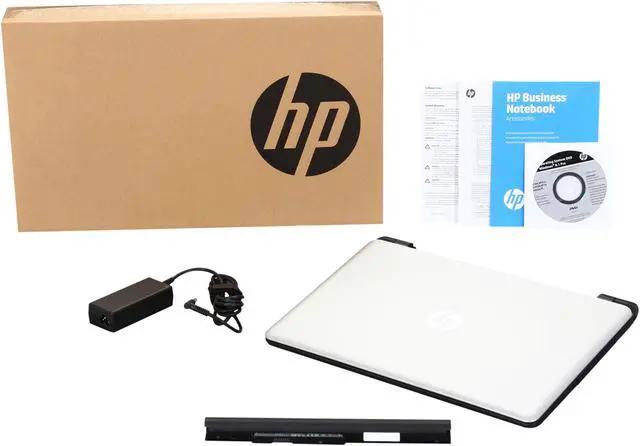
| AC Adapter | 65-watt AC Adapter |
|---|---|
| Battery | 4-cell, 41 WHr Li-ion |
| Dimensions (W x D x H) | 15.12" x 10.28" x 0.91" |
|---|---|
| Weight | 5.07 lbs. |
| Package Type | Commercial |
|---|
| Date First Available | March 13, 2014 |
|---|
Pros: Intel I3 Build quality seems to be the best in its price range There dose not seem to be a lot of bloatware
Cons: There is a Wireless driver issue. Downloading these drivers seems to have fixed it http://h20565.www2.hp.com/hpsc/swd/public/detail?swItemId=ob_124773_1&sp4ts.oid=5405371 Touch Pad is a bit sticky Keyboard wiil need some getting used to.
Pros: HP business notebook at a bargain price. Comes with a Broadcom dual band wireless card with Bluetooth. One 4 GB memory module. Easy to upgrade memory to 8 GB by adding a second 4 GB module. Anti-glare screen. Runs cool, decent battery life.
Cons: None
Pros: 7200 RPM Hard Drive. Two USB 3 ports. They are NOT blue in color, but the have the SS logo (superspeed) and I tested them. They ARE USB 3. (one USB 2) Looks great. Fast for everyday or business computing (not for high end gaming). Great for the price. Comes with Windows 7 Professional and a Windows 8.1 Disk.
Cons: Most computers come from the factory with the sound too low even at 100%. That is an easy fix by right clicking on the sound icon on your task bar, then go to Playback Volume, then press the Speakers you are using, then press properties, then press the ENHANCEMENTS tab and the Loudness Equalization and it at LEAST 50% louder. There was NO enhancements tab until I updated the audio driver at HP's web site. Now the sound it LOUD and great!
Overall Review: Just download the audio driver from HP's website and then right clicking on the sound icon on your task bar, then go to Playback Volume, then press the Speakers you are using, then press properties, then press the ENHANCEMENTS tab and the Loudness Equalization and it at LEAST 50% louder. There was NO enhancements tab until I updated the sound driver at HP's web site. Now the sound it LOUD and great!
Pros: Haswell i3 processor is plenty power for the business uses that we use it for. We have purchased 6 of these so far and every one has exceeded our expectations.
Cons: Every unit had the same shoddy wifi drivers as the first one I ordered. I have become used to updating to Windows 8.1 on the computer. I don't even start Windows 7 anymore.
Overall Review: I will be purchasing a whole lot more of these computers because they are simply amazing for the price you pay. I will wait until they're just south of $400 though, which they are quite often. Out of the 6 that I purchased thus far, only one was defective. It was a minor defect, the screen had a small dark blob on the lower right corner. I contacted HP and they sent a box next day and three days later, it was back sitting on my desk. I have to say HP support has really stepped up in the last few years. It used to be like pulling teeth, but it was faster than Newegg's RMA process. Word to the wise, check all of your warranty dates on HP Support site. I found out that my warranties started a month and a half before I purchased them. Again, HP's warranty stepped up and corrected it without hassle.
Pros: Clean look, decent screen considering the size, keyboard, fast HDD dirve. Very easy to access back panels
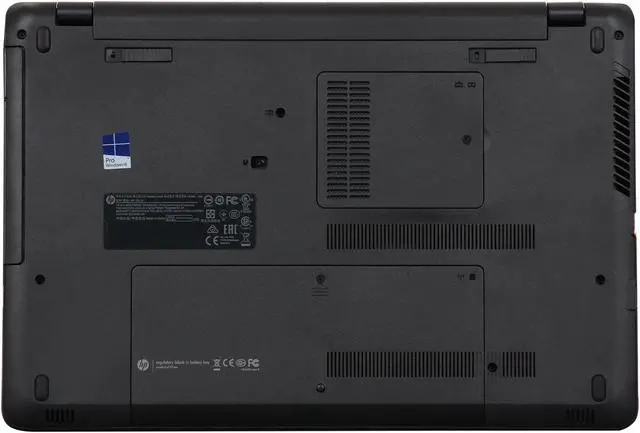
Cons: A little big, but that's not the computers fault.. I guess I just wanted something a little smaller. No mSATA support... be careful of that.. HP manuals for maintenance and service say intel versions have mSATA support, but the truth is this model does NOT. All i3s do not have mSATA support... Reference HP quick specs for each particular model rather then any manuals.. Oh, and HP wasn't willing to say they made a mistake on clarity.
Pros: Very fast delivery. Company followed up to verify my satisfaction.
Cons: Product as described with one caveat. The laptop was delivered with Windows 7 Pro installed, but the reinstall CD is Windows 8.1 Pro. That is nice if I ever want to move forward, but not as expected.
Pros: +Price +4th Gen Haswell i3 +Brand new for refurb. price +Full keyboard w/ number pad on right +Speakers on on top not bottom +Comes with DVD R/W +Windows Pro edition +Ability to choose between Win 7 and Win 8.1 +Quiet operation +Built in Bluetooth +VGA & HDMI out +HD 4400 GPU is pretty good for an iGPU +RAM upgradeable to 8GB
Cons: -1366x768 resolution -Poor viewing angle -Only 4GB RAM -No CPU turbo boost -500 GB "spin" HDD -HD 4400 is only pretty good for a modern GPU in general -Keyboard not back lit -Not the best touch pad, doesn't click but does all the standard swiping gestures like two finger scroll, two finger tap for right mouse button, etc.
Overall Review: If you are looking at the differences between this model and the 350 G1 with the i5 4210u, you might notice that the CPU is the only major one. The only difference between a mobile i3 and mobile i5 is that the i3 does not have turbo boost. The i3 and i5 are almost identical in every other way including being a dual core with hyperthreading (4 thread CPU), 3 MB cache size, 15W TDP, etc. One minor difference is that the i5 has a 50 MHz higher GPU clock speed. In Single threaded apps, the i5 would be much faster since it can boost to 2.7 GHz while the i3 will stay at 1.7 GHz all the time. In light multi-tasking apps, though, the i3 will give you almost the same performance as the i5. Right now, the difference between the two laptops is about $60. If that isn't a big deal, then the i5 is probably the better choice. But, that $60 would be better spent on a 120GB SSD which would significantly boost the overall performance; which is what I did. The Samsung 840 EVO was about $70 so I got one and it made it much faster. Overall, this is a great laptop for office or school work especially if you need Windows 7/8 Pro. If you minus the price of Windows Pro, which is about $130, this machine only costs about $220 (bought on Black Fri. Week) which is a bargain. As for play, this is not the laptop for PC gaming, or at least serious gaming. The HD 4400 could probably give you decent FPS in 720p but some of the newest games will most likely not even pass 10 FPS on it due to the weak dual core CPU and HD 4400. For Office or school use, I give it a 5 out of 5. For gaming or any heavy rendering or editing work, it is more like a 1 out of 5. If you have no need for the optical drive other than installing Windows and the occasional driver or hard copy application, then the best thing to do is buy a ODD drive tray that allows you to use the 500 GB HDD as a secondary and a mSATA to USB adapter that allows you to still use the ODD when needed without having to remove the HDD tray.

Pros: Sleek laptop. I recommended it based on price and specs and purchased it for a friend, and, after sweating over the slow wi fi and almost returning it, I downloaded and installed a seemingly unrelated driver and got the wi fi running appropriately fast. See Cons for details. Minus one star for the slow wi-fi out of the box.
Cons: WI FI was s-l-o-o-o-w out of the box. When I noticed the painfully slow wi fi speed, I ran all the windows updates. That did not help. Then I tried to update the wi fi driver with the Broadcom Wireless LAN Driver for Microsoft Windows 7 located in the HP support site for this laptop but that DID NOT WORK either. As the last thing to try before returning it, I downloaded and installed the Broadcom Bluetooth 4.0 Driver and Software (American, International) (238.3 GB), and WHOA! THAT FIXED THE WI FI !!! And yes, the bluetooth works too.. Now my friend and I are happy with this laptop. So, try what I did before returning it. Good Luck!! Sam O.