
Your Browsing History



Any questions? Our AI beta will help you find out quickly.
| Brand | SONY |
|---|---|
| Model | SVDVD9000 |
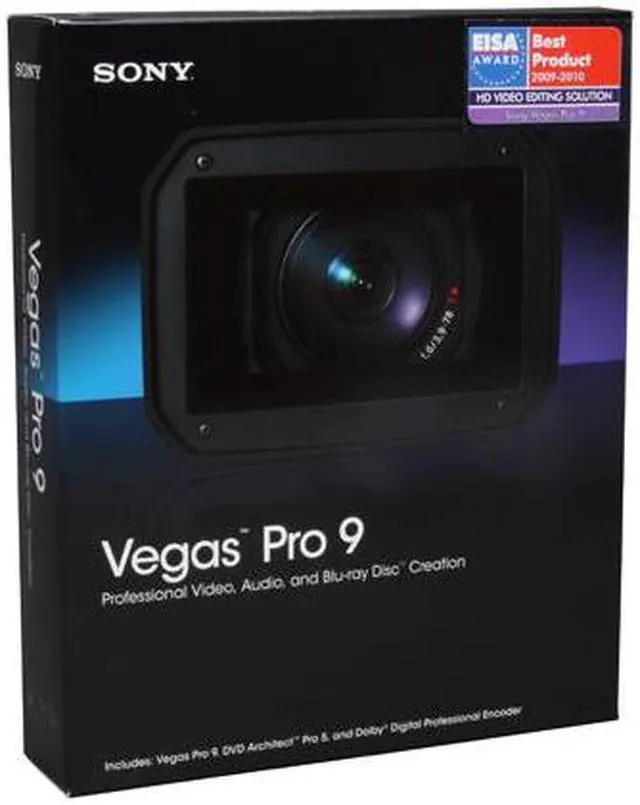
| Name | Media Software Vegas Pro 9 |
|---|---|
| Type | Audio/Video Utilities |
| Version | Professional |
| Operating Systems Supported | Windows |
| System Requirements | Microsoft Windows XP 32-bit SP2 (SP3 recommended) or Windows Vista 32-bit or 64-bit (SP1 recommended) 1 GHz processor (multicore or multiprocessor CPU recommended for HD) 200 MB hard-disk space for program installation 1 GB RAM (2 GB recommended) OHCI-compatible i.LINK connector*/IEEE-1394DV card (for DV and HDV capture and print-to-tape) USB 2.0 connection (for importing from AVCHD, XDCAM EX, or DVD camcorders) Windows-compatible sound card DVD-ROM drive (for installation from a DVD only) Supported CD-recordable drive (for CD burning only) Supported DVD-recordable drive (for DVD burning only) Supported Blu-ray recordable drive (for Blu-ray Disc burning only) Microsoft .NET Framework 3.0 QuickTime 7.1.6 or later |
| Packaging | Retail |
| Feature | Precise Editing Tools Edit SD or HD video with drag-and-drop functionality, mouse and keyboard trimming, and ripple editing. Features include ProType Titling technology, multicamera editing tools, 32-bit floating point video processing, customizable window layouts, color-coded snapping, improved HDV/SDI/XDCAM support, Cinescore plug-in support, A/V synchronization detection and repair, and auto-frame quantization. Efficient, Professional Workflow for 32- and 64-bit systems The Vegas Pro 9 interface provides a fully customizable workspace for accomplishing a wide range of production requirements. Dock multiple windows across multiple monitors, and save your layouts to fit specific editing tasks; nest Vegas projects within the timeline, customize and save keyboard commands, and use application scripting to automate repetitive tasks. Broad Format Support Vegas Pro 9 software natively supports the newest professional camcorder formats including XDCAM EX and RED. Vegas Pro 9 software also includes support for still images greater than one gigapixel in resolution. Superior Audio Control Use unlimited tracks, 24-bit/192 kHz audio, punch-in recording, 5.1 surround mixing, effects automation, and time compress/expand. Apply customizable, real time audio effects like EQ, Reverb, Delay, and more. Powerful Blu-ray Disc Authoring Burn movies to Blu-ray Disc directly from the Vegas Pro timeline for high-definition delivery. Use DVD Architect Pro software (included with the Vegas Pro collection) to author DVDs or Blu-ray Disc media with multiple video angles, subtitles, multiple languages, and special features. Interactive Tutorials Vegas Pro 9 software has a comprehensive help system, as well as detailed interactive tutorials that provide walk-through demonstrations of common features and functionality. |
|---|
| First Listed on Newegg | May 18, 2009 |
|---|