Your Browsing History
Best Sellers
- $295.16
- $330.46
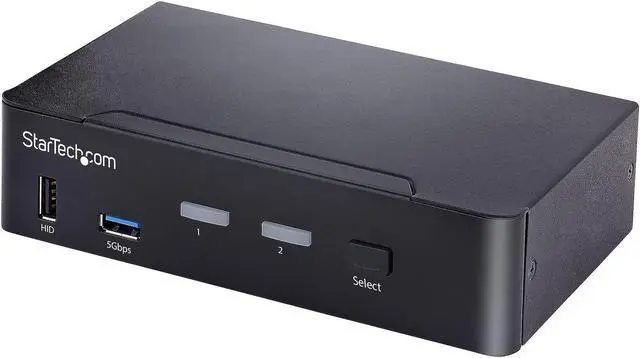
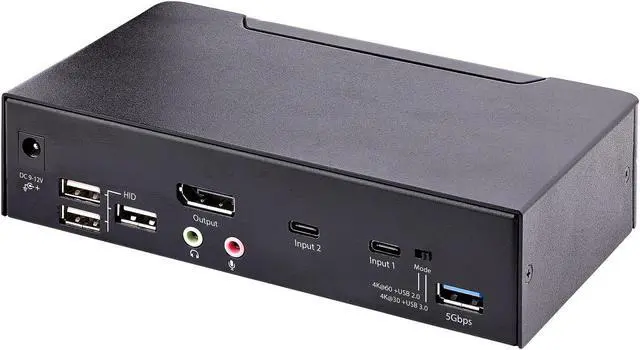
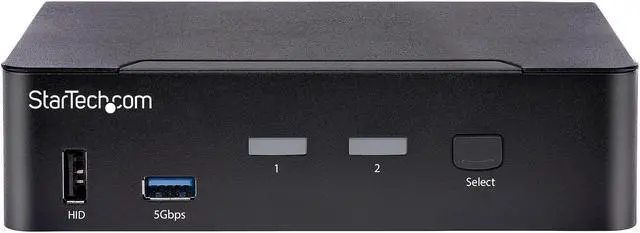
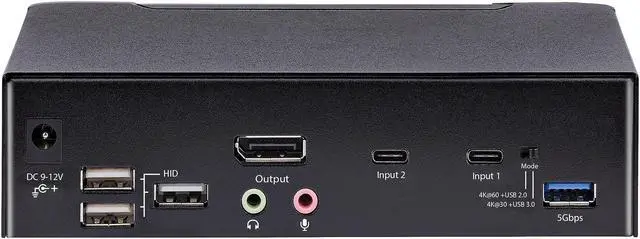
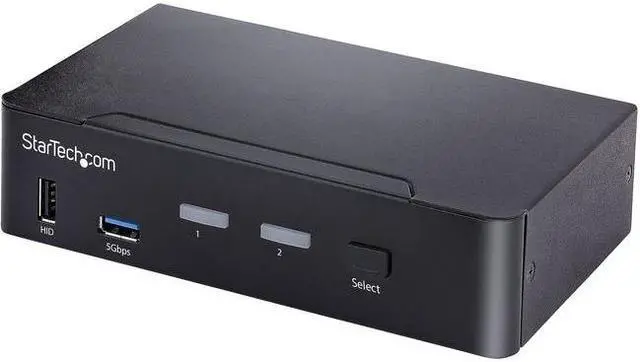
StarTech USB C KVM Switch 2 Port DisplayPort SV231DPUCA
- Manufacturer: STARTECH
- Manufacturer Part Number: SV231DPUCA
- UPC: 065030872201
+
+
Overview
Specs
Reviews
See all Q & A
Any questions? Ask CelesteSM will help you find out quickly.
Try me now
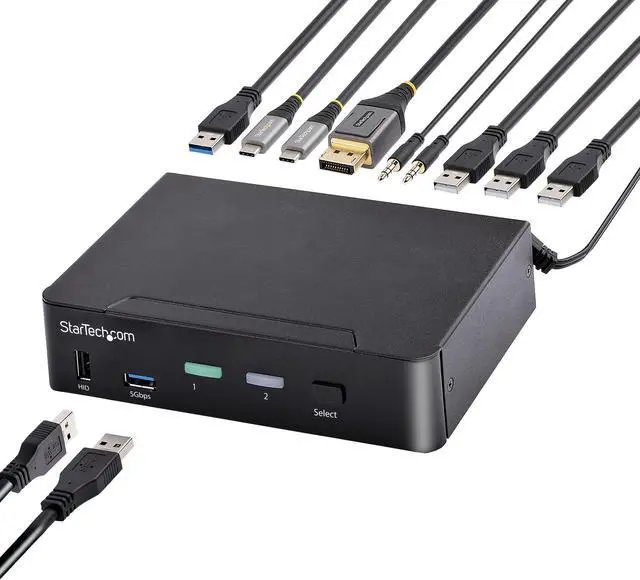
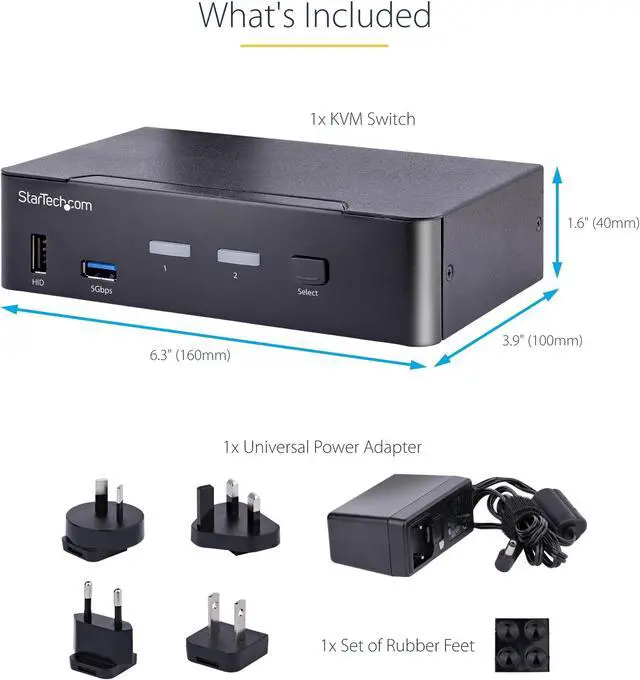
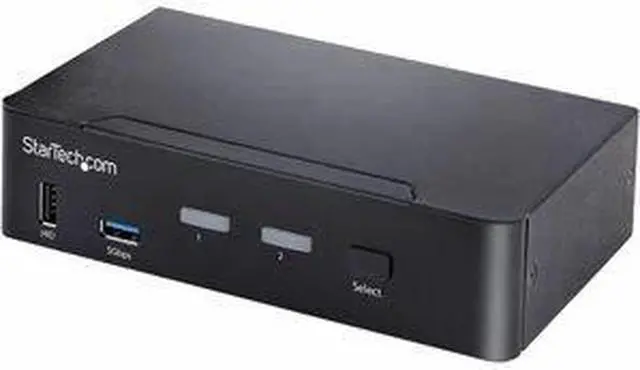
This 2-port KVM switch combines 4K 60 Hz capabilities with control of two USB-C DP Alt Mode, Thunderbolt 3, or Thunderbolt 4 computers.
Warranty & Returns
Warranty, Returns, And Additional Information
Warranty
- Limited Warranty period (parts): 1 year
- Limited Warranty period (labor): 1 year
- Read full details
Return Policies
- Return for refund until: January 31, 2026
- Return for replacement until: January 31, 2026
- This item is covered by Newegg.com's Extended Holiday Return Policy.
- Read full return policy for details.
We want to ensure your holiday shopping this year is hassle-free. That’s why we’re automatically extending our return policies on almost every product! For purchases placed between November 1st, 2025 and December 31, 2025 you will have until January 31, 2026 to return your product.
Manufacturer Contact Info
- Manufacturer Website
- Support Phone: 1-800-265-1844
- Support Email: support@startech.com
- Support Website
- View other products from STARTECH
LOADING...
LOADING...
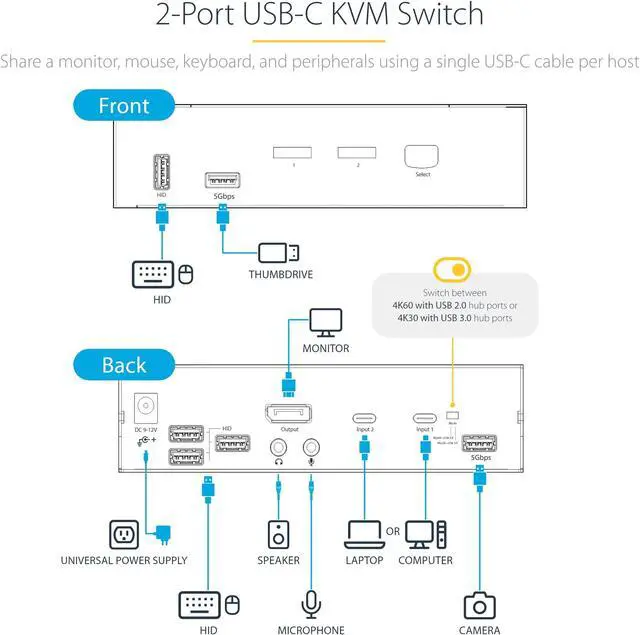
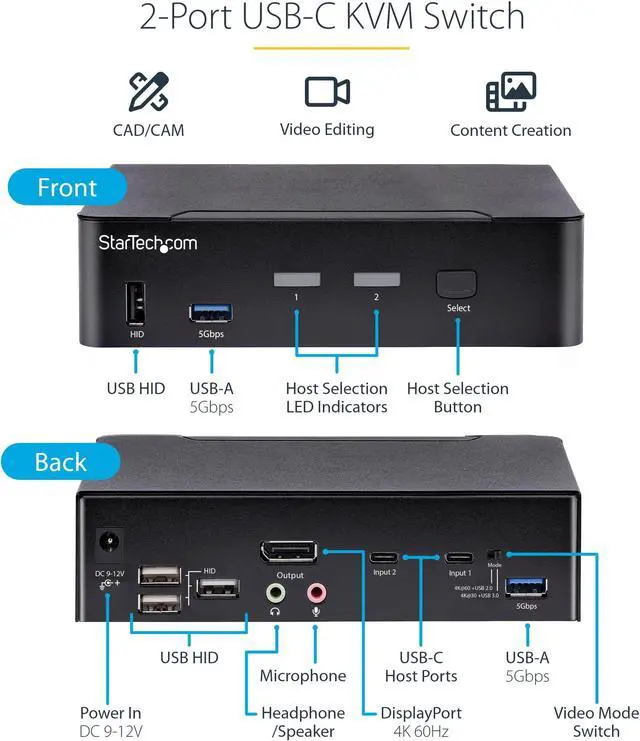
The StarTech SV231DPUCA is a 2-port USB-C KVM switch that lets users control two compatible computers with one DisplayPort monitor and shared peripherals, making it suitable for workstation users who want to switch between systems without duplicating desk equipment.
Recommended For
- People switching between two USB-C laptops or computers at one desk who want to share one DisplayPort monitor, keyboard, mouse, and other peripherals instead of reconnecting them each time.
- CAD/CAM, video-editing, or content-creation users who work on two compatible computers and want to switch a single HDR-capable DisplayPort monitor and shared peripherals between them.
- Desk-based users with a DisplayPort monitor and USB-C DP Alt Mode, Thunderbolt 3, or Thunderbolt 4 computers who want to switch hosts using a front button or hotkey.
- Users who want to route shared speakers or headphones and a microphone through the same switch as their display and USB peripherals.
Real-World Use Scenarios
- At a desk shared by a work laptop and a personal computer, switch the monitor, keyboard, mouse, and connected USB devices between the two hosts instead of moving cables; both computers need USB-C ports that support DisplayPort Alt Mode.
- For a two-computer workstation with one DisplayPort monitor, use the KVM’s button or hotkeys to change which computer is shown and controls the shared keyboard and mouse.
- In a CAD, video-editing, or content-creation setup, share one compatible DisplayPort monitor between two computers; the selected host’s video appears on the same display, with supported output depending on the KVM’s video-mode setting.
- When switching between two computers for calls or media, connect speakers or headphones and a microphone to the KVM to route audio with the selected computer rather than reconnecting those accessories each time.
- For a shared desk with several USB accessories, connect compatible peripherals to the KVM and switch their access along with the workstation; USB transfer speed depends on the selected video-mode setting.
Spec Summary
| Attribute | Value |
|---|---|
| Best For | Switching between two positions for a USB-C/DisplayPort setup with compatible PCs, laptops, or MacBooks |
| Switching And Control | Two-position KVM switching with push-button control |
| Connectivity And Compatibility | USB and USB-C connectivity; supports USB-C DP Alt Mode, HDCP 2.2, HDR, and USB audio |
| Compatible Devices | PCs, laptops, and MacBooks |
| Physical Design | Black metal housing with panel-mount support; dimensions 9.600 × 7.360 × 3.680 |
| Weight | 2.4300 |
| Model Identifiers | StarTech SV231DPUCA |