here!
I’m your shopping assistant for PC builds, upgrades, and everything tech.
Got questions? Ask away!
Start a conversation
here!
I’m your shopping assistant for PC builds, upgrades, and everything tech.
Got questions? Ask away!
Start a conversation




Any questions? Ask CelesteSM will help you find out quickly.
1080P60Hz Lag-Free
For Switch 2/Switch/OLED – 60s Setup, 1080P60Hz Lag-Free, 3 Modes, Ultra-Portable.
1080P60Hz Lag-Free
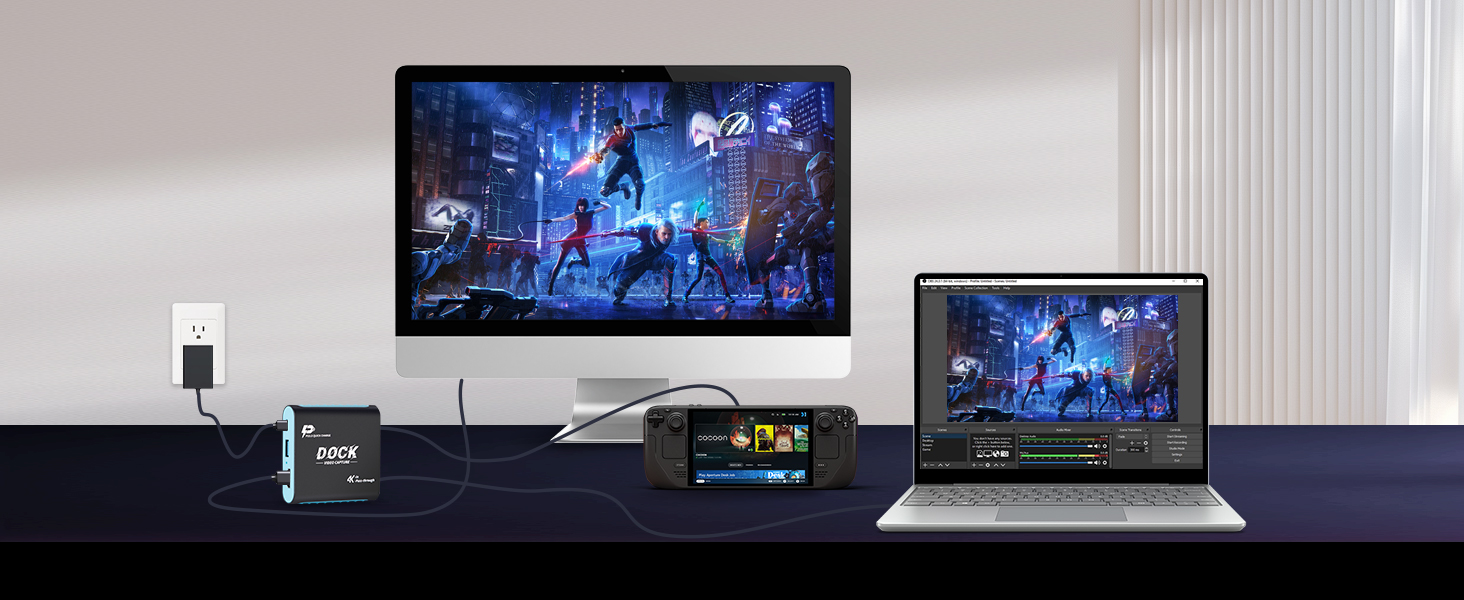
For Steam Deck – 60s Setup, 1080P60Hz Lag-Free, 3 Modes, Ultra-Portable.
1080P60Hz Lag-Free
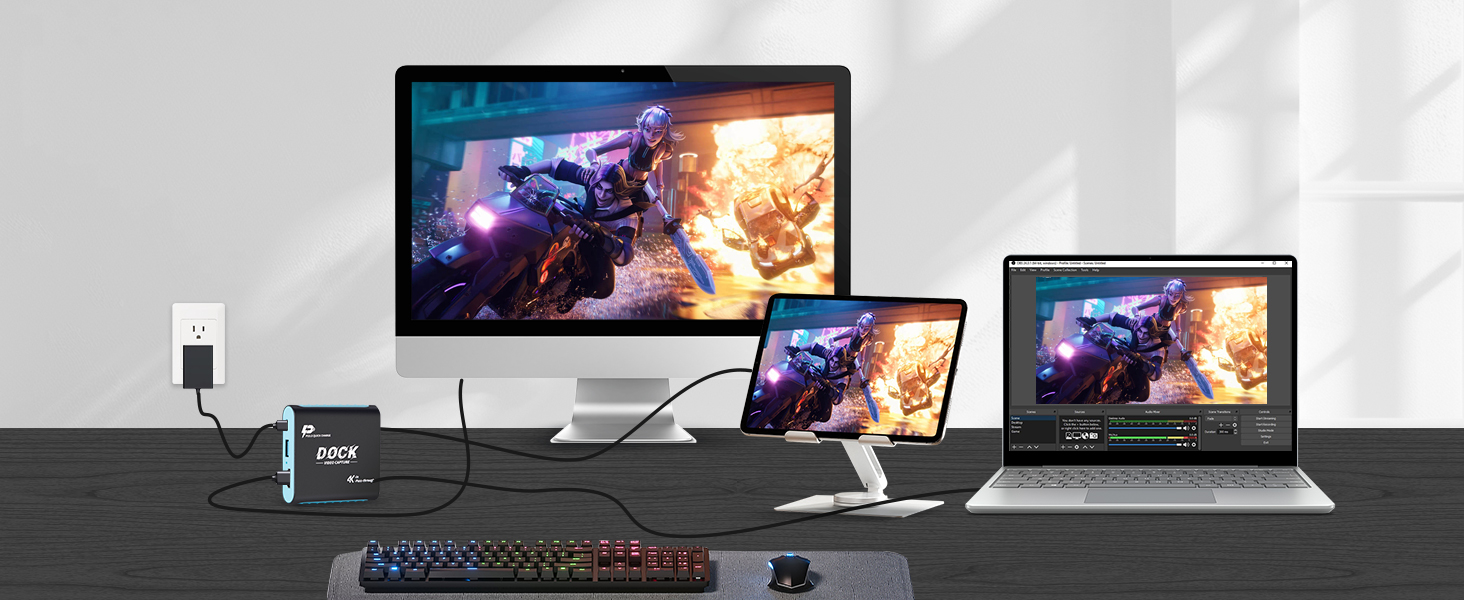
For iPad – 60s Setup, 1080P60Hz Lag-Free, 3 Modes, Ultra-Portable.
1080P60Hz Lag-Free
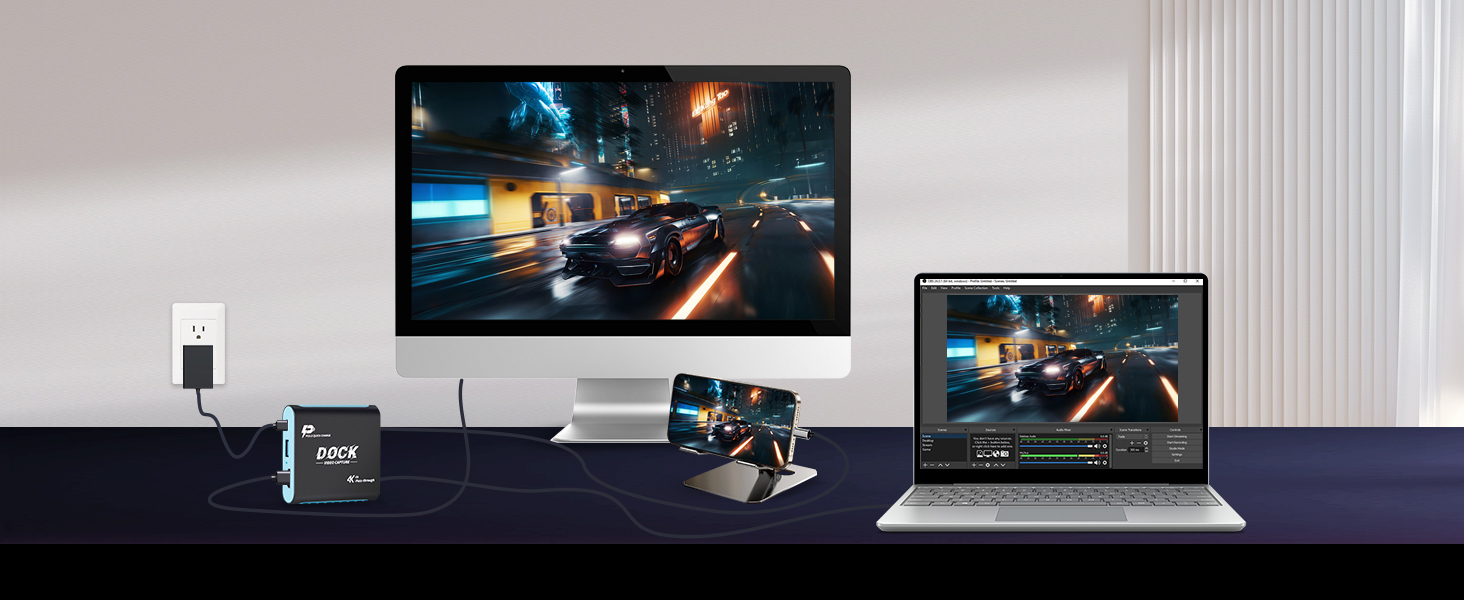
For iPhone – 60s Setup, 1080P60Hz Lag-Free, 3 Modes, Ultra-Portable.
1080P60Hz Lag-Free
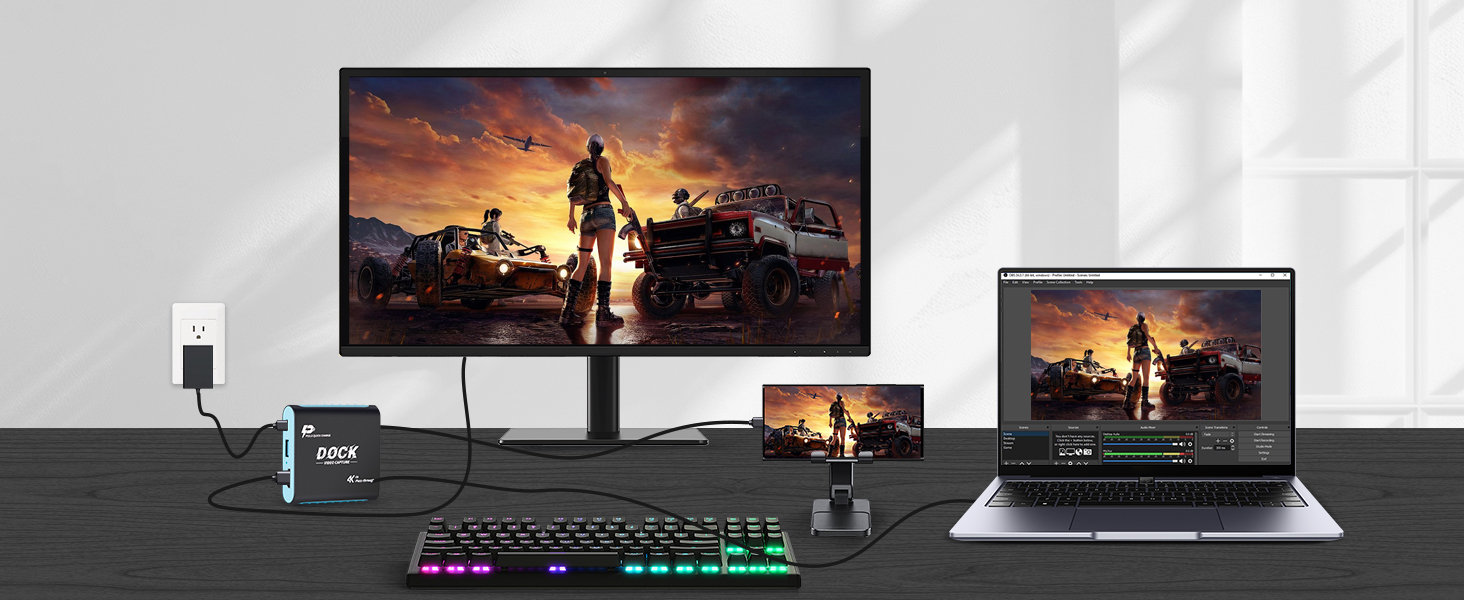
For Sumsung – 60s Setup, 1080P60Hz Lag-Free, 3 Modes, Ultra-Portable.


What devices are compatible? Does it work with PS5 or Xbox?
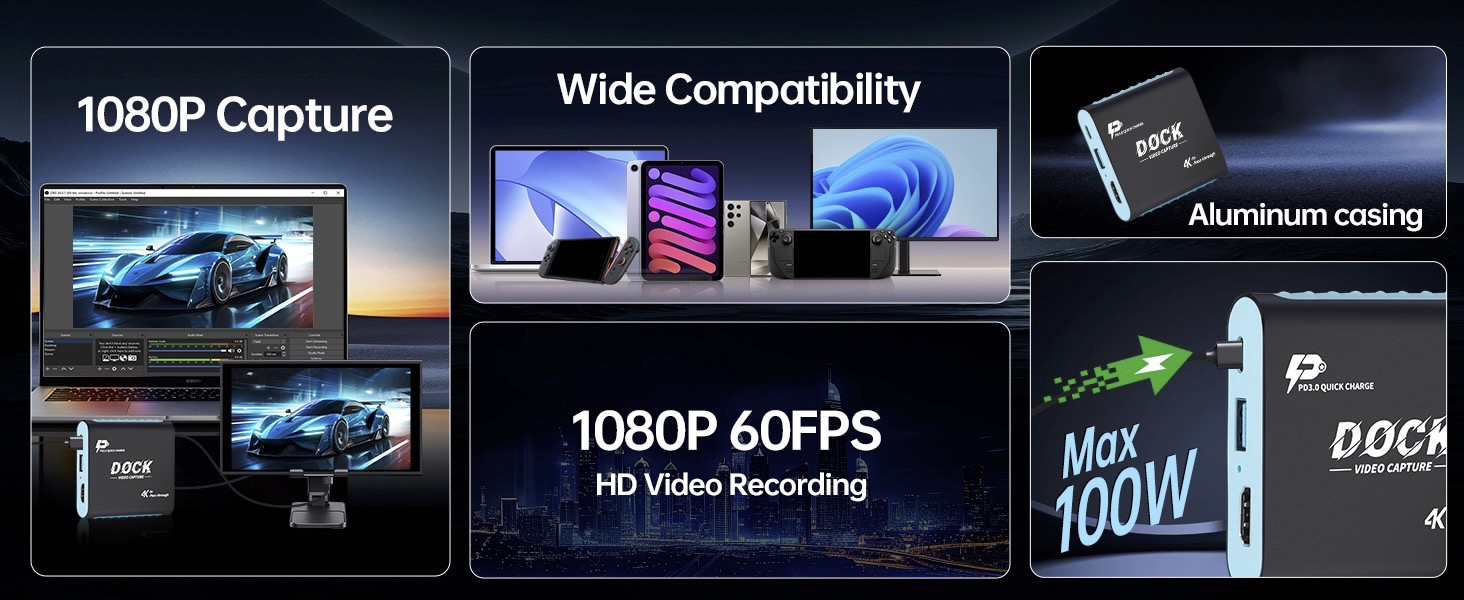
This capture dock works with USB-C video-output devices, including Switch, Switch2, portable consoles, USB-C video-capable phones and tablets. It is incompatible with PS5 / Xbox, since they only output via HDMI.
Do I need the official Switch dock or special drivers to use this with Switch?
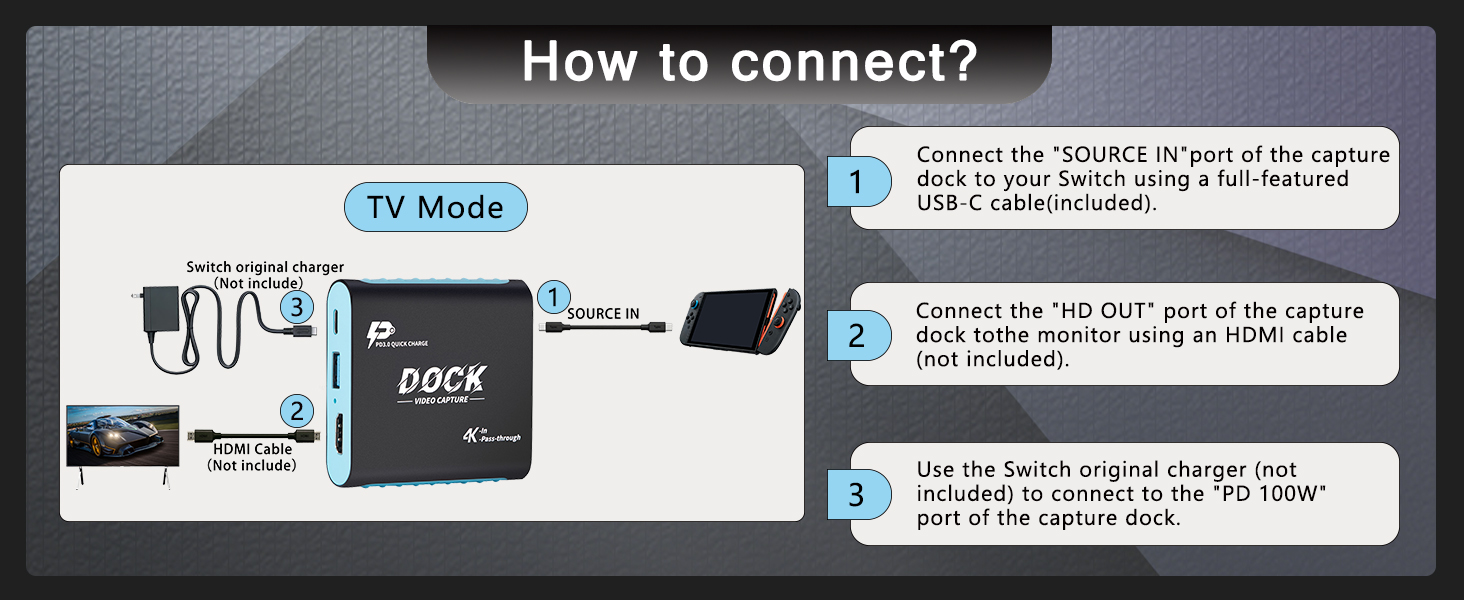
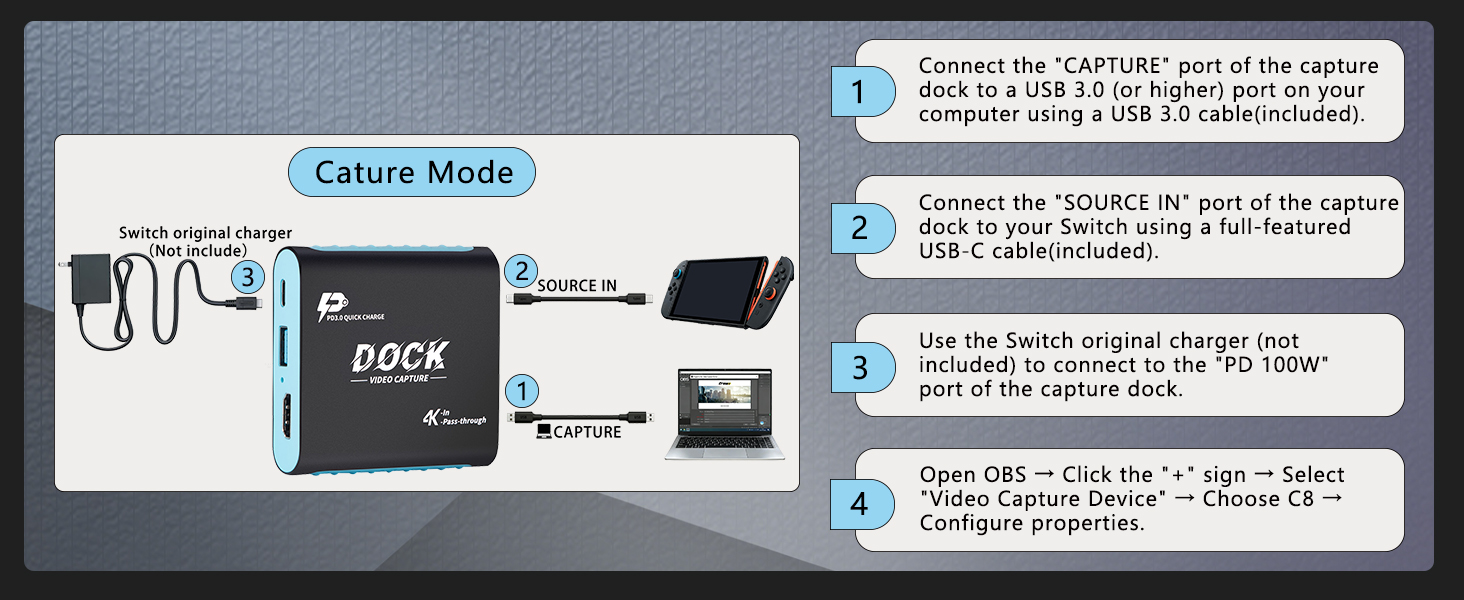
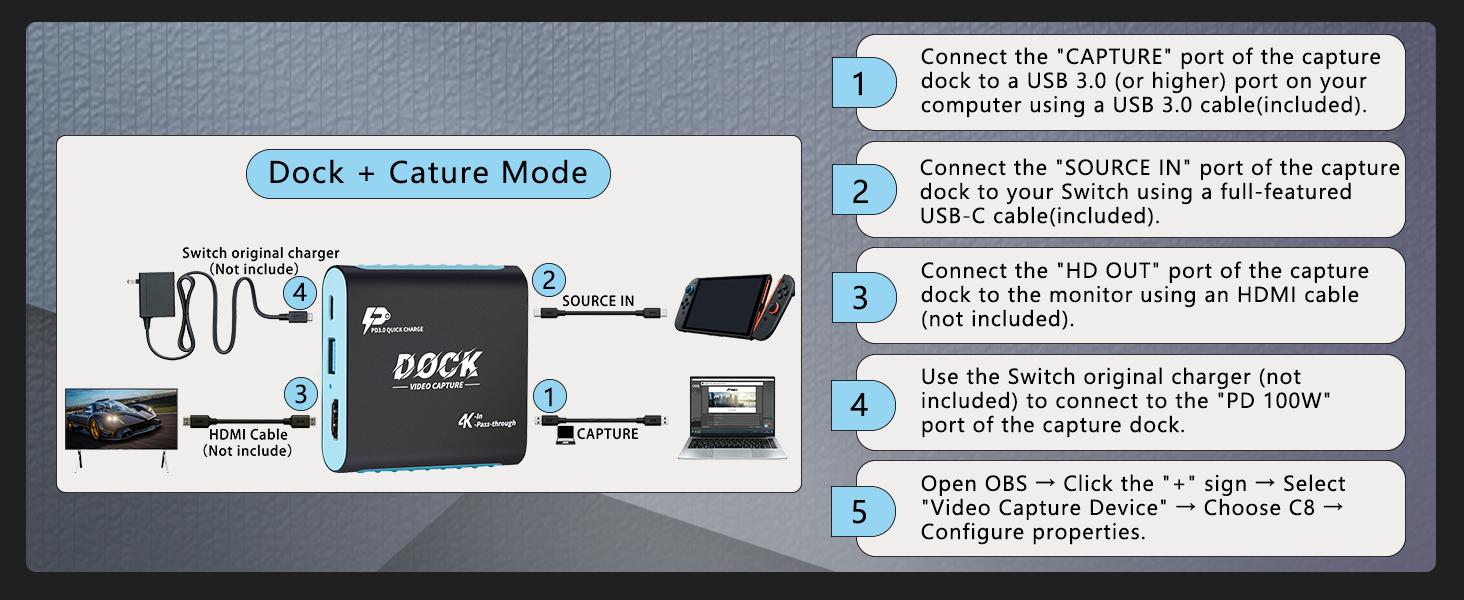
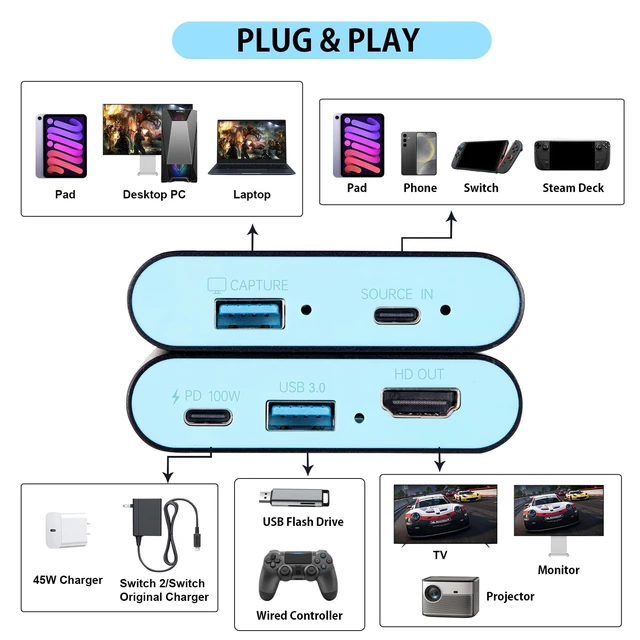
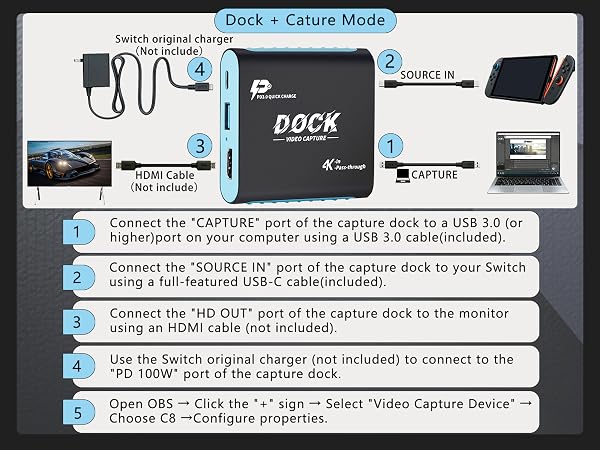
No official Switch dock required. Connect (CAPTURE) to PC, (SOURCE IN) to Switch and monitor to (HD OUT). Connect Switch-compatible PD charger to(PD 100W)port, not directly to Switch. UVC plug-and-play, no driver for recording & streaming.
Will there be latency while gaming and streaming?
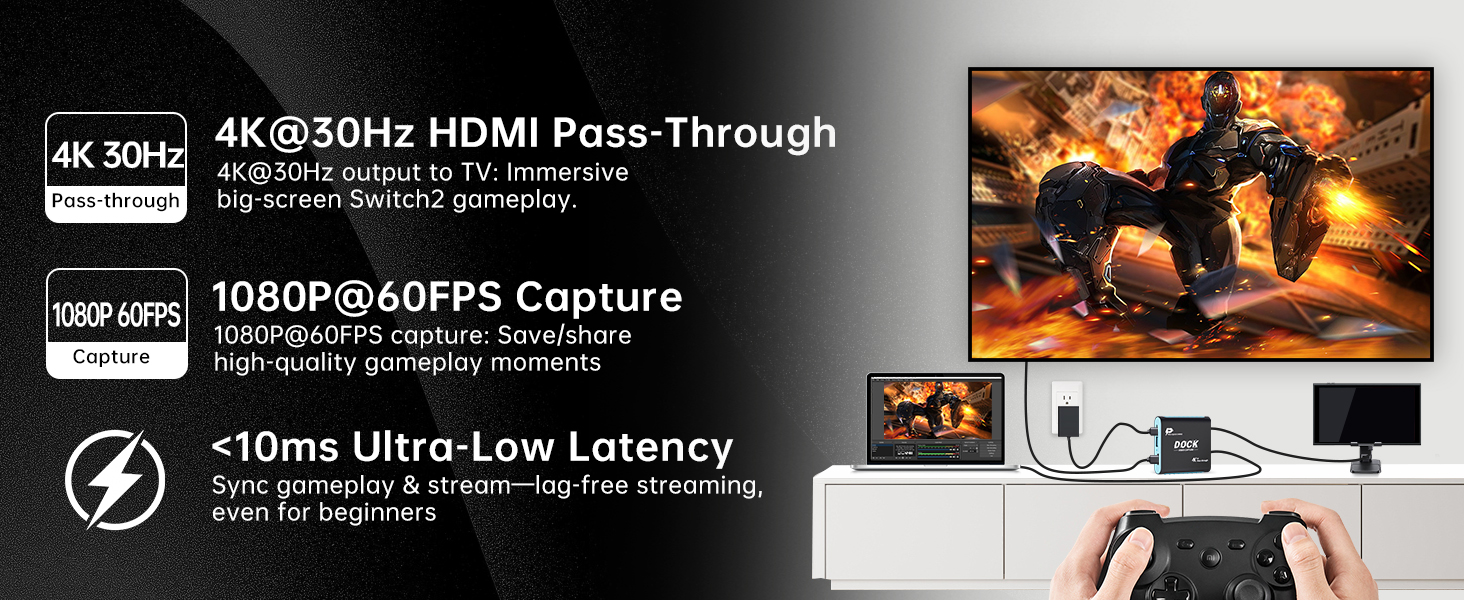
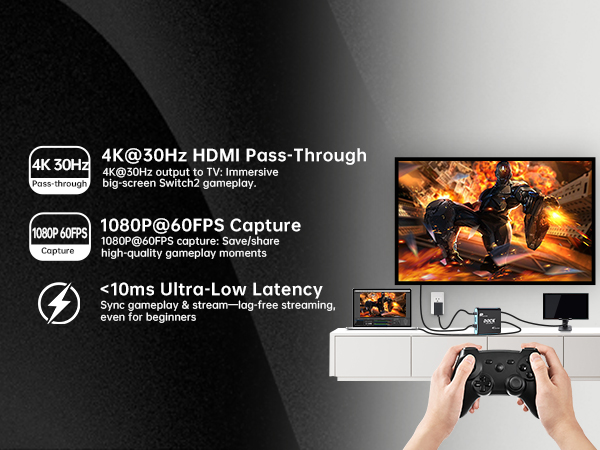
HDMI hardware pass-through brings nearly zero game latency. Its hardware capture latency is within 10ms. Real-world latency depends on your PC /tablet performance and streaming-software settings, works well for live gameplay.
What recording quality? Can it record 4K?
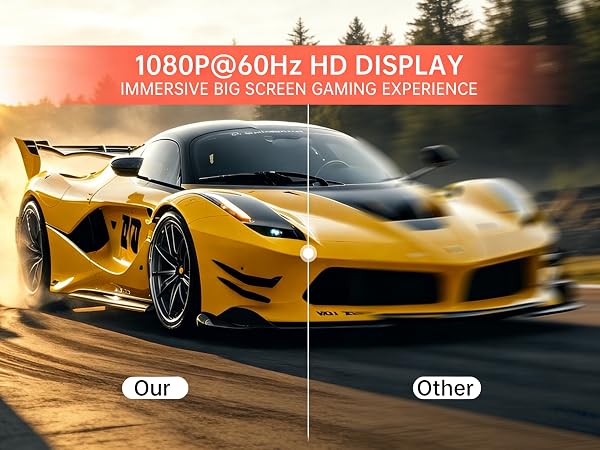
(HD OUT)HDMI pass-through supports 4K@30Hz (4K@60Hz not supported). Capture output supports 1080P 60fps. You can record and stream gameplay with smooth Full-HD image.
What to do for no-picture / black-screen?
Confirm your source USB-C port supports video output (charge-only port won’t work). For Switch, connect Switch-compatible PD charger to(PD 100W)port. Re-connect cables and select this unit as capture device in your streaming app.
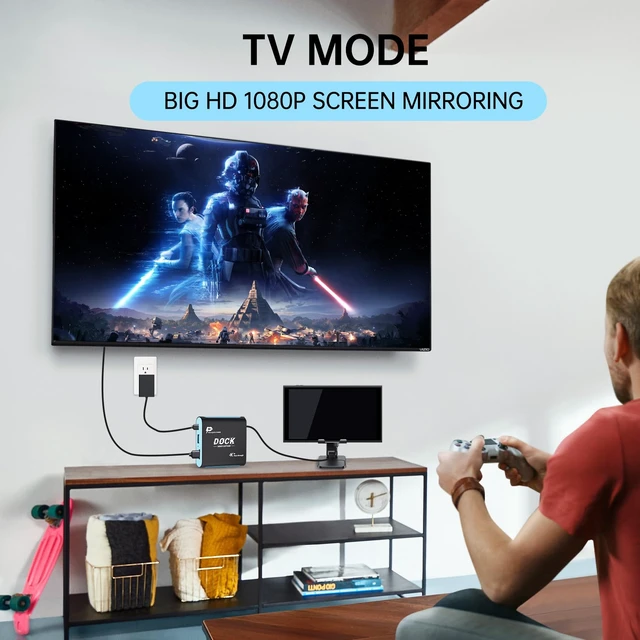
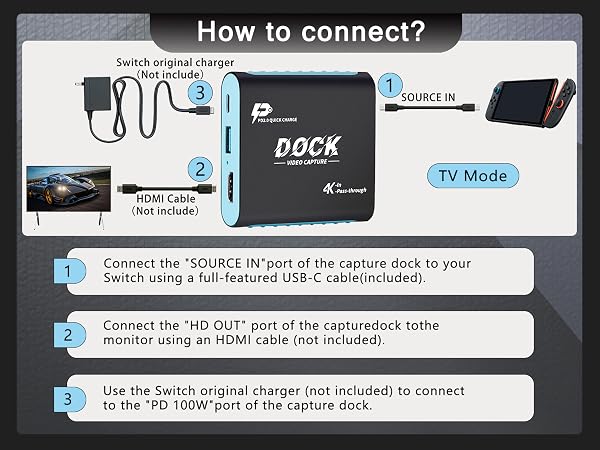
This mode replaces the official Switch 2 dock: connect the 2-in-1 device to your TV via HDMI, plug in Switch 2, and power it (works with the official adapter) – no drivers needed.
It casts Switch 2’s 1080P60Hz native gameplay to big screens (supports 4K@30Hz passthrough) for immersive solo/family gaming. No extra dock = less clutter, and you can switch to other modes seamlessly later.
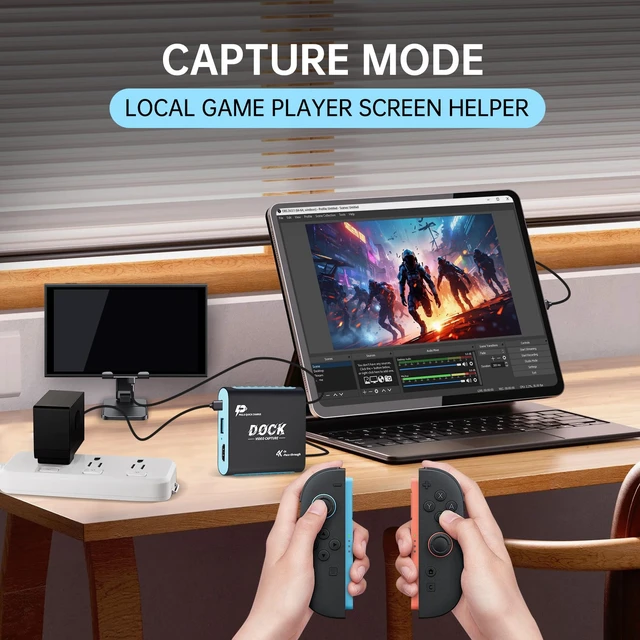
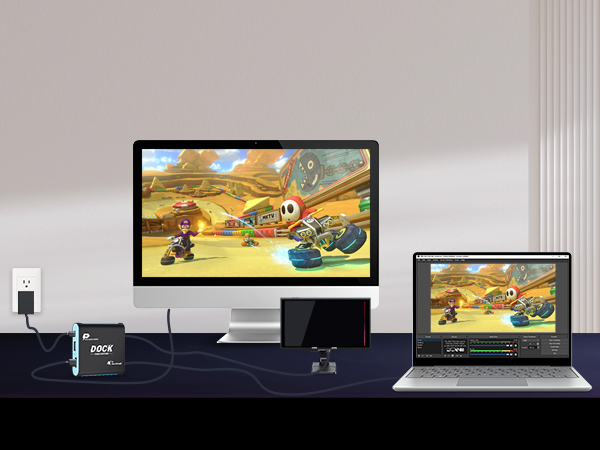
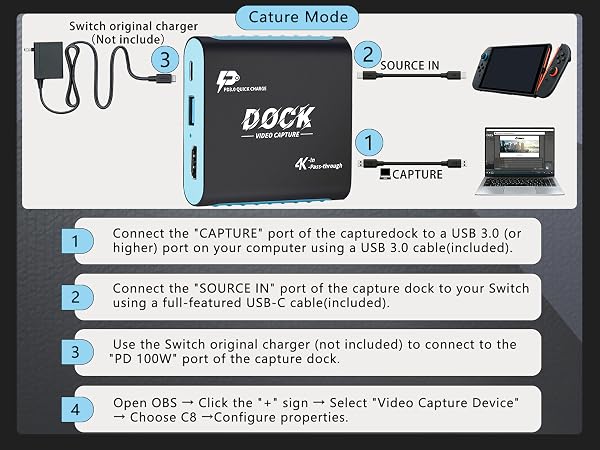
Connect Switch 2 to PC/iPad via the 2-in-1 dock—plug-and-play, no drivers needed. Use PC/laptop as a monitor (no HDMI display required) and instantly record/stream 1080P60Hz gameplay with ultra-low latency, working seamlessly with OBS, YouTube, TikTok.
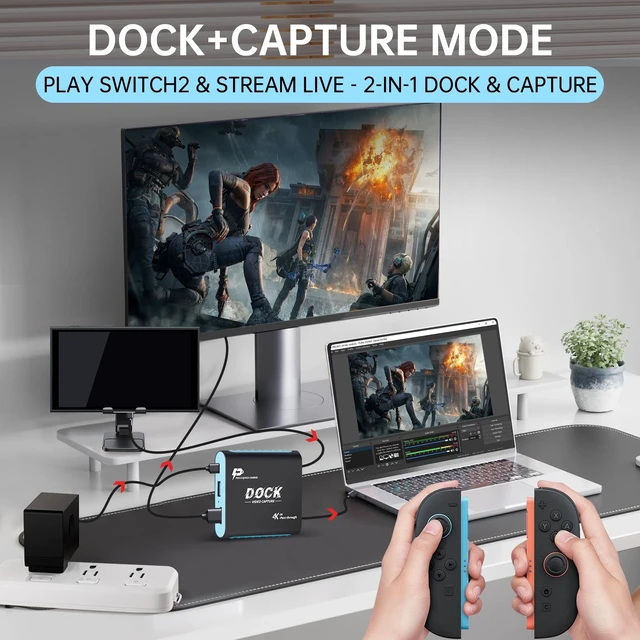
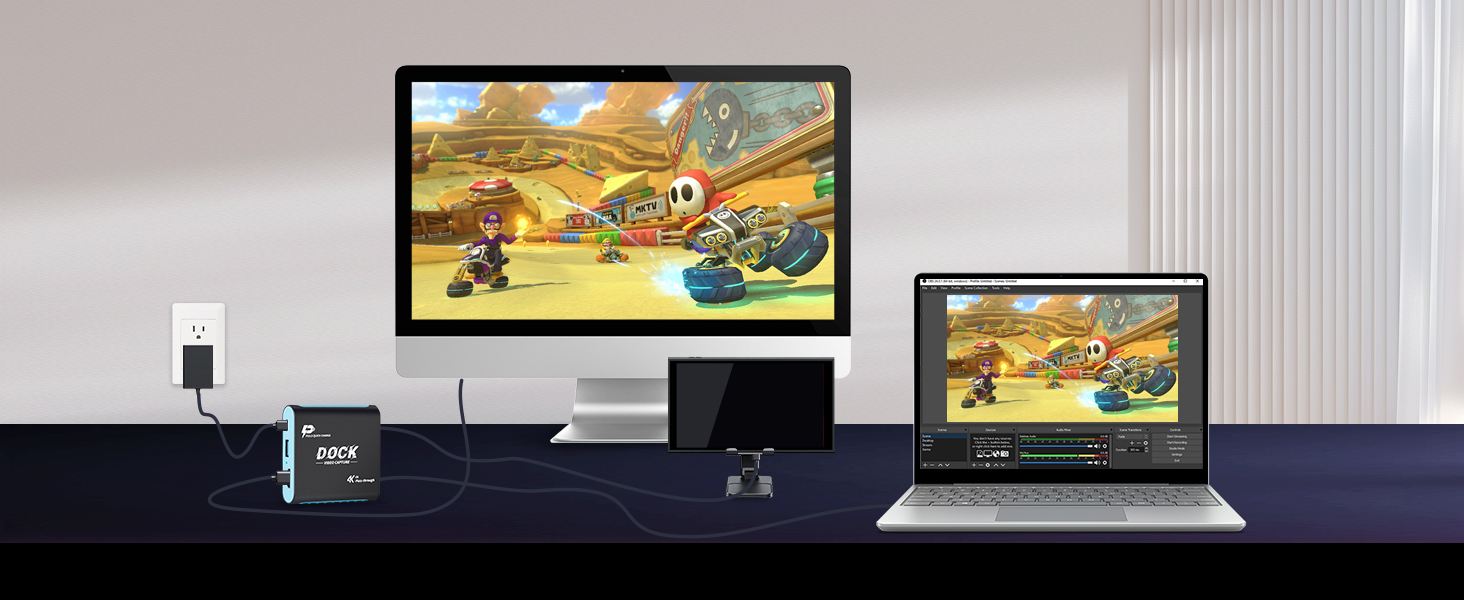
Plug Switch 2 into the 2-in-1 dock—connect to TV for gameplay and PC/Laptop/Pad for capturing. Play on the big screen while streaming/recording 1080P60Hz footage simultaneously, ultra-low latency, plug-and-play.
In Capture Mode, connect Switch 2 to your tablet via the 2-in-1 dock—plug-and-play, no drivers needed. Use the tablet as a portable monitor for 1080P60Hz gameplay, perfect for on-the-go or small spaces (no HDMI display required), with ultra-low latency for smooth control.
Powered by YUY2 encoding and USB 3.0 5Gbps transmission, the 2-in-1 dock delivers sub-10ms ultra-low latency—ideal for both gameplay and streaming. No lag between your actions and on-screen display (or live feed), keeping you in full control during gaming and synced with viewers while streaming. Works seamlessly with OBS/YouTube/TikTok, plug-and-play for smooth, professional experiences.
For Switch 2/Switch/OLED – 60s Setup, 1080P60Hz Lag-Free, 3 Modes, Ultra-Portable.
For Steam Deck – 60s Setup, 1080P60Hz Lag-Free, 3 Modes, Ultra-Portable.
For iPad – 60s Setup, 1080P60Hz Lag-Free, 3 Modes, Ultra-Portable.
For iPhone – 60s Setup, 1080P60Hz Lag-Free, 3 Modes, Ultra-Portable.
For Sumsung – 60s Setup, 1080P60Hz Lag-Free, 3 Modes, Ultra-Portable.
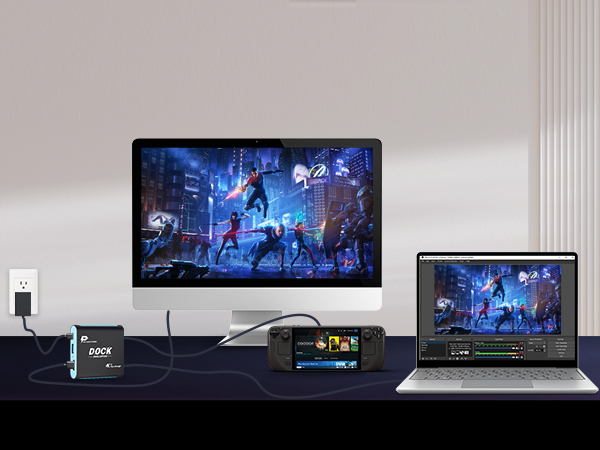
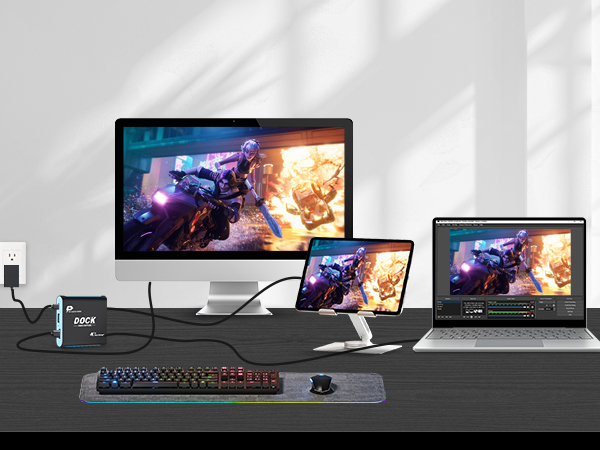
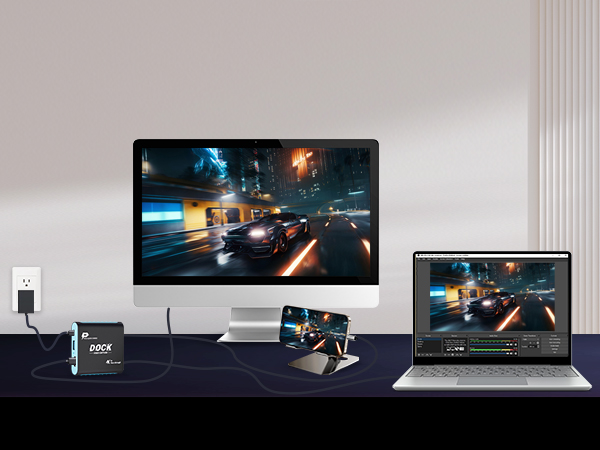
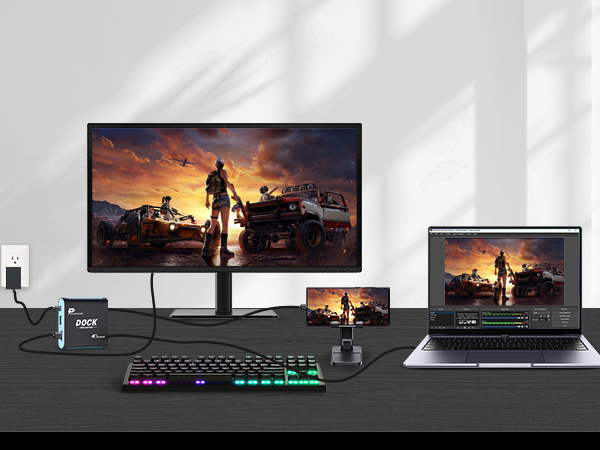




What devices are compatible? Does it work with PS5 or Xbox?
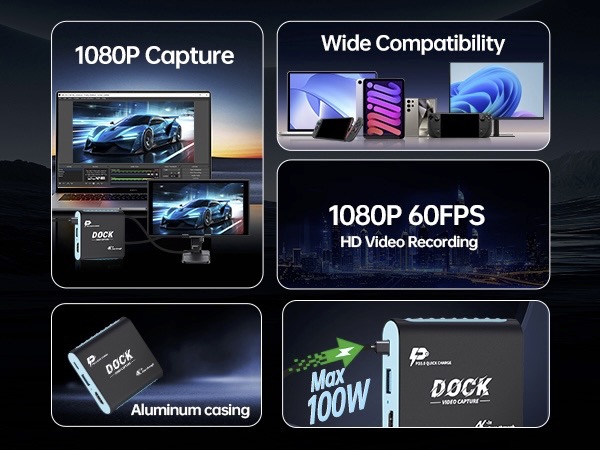
This capture dock works with USB-C video-output devices, including Switch, Switch2, portable consoles, USB-C video-capable phones and tablets. It is incompatible with PS5 / Xbox, since they only output via HDMI.
Do I need the official Switch dock or special drivers to use this with Switch?
No official Switch dock required. Connect (CAPTURE) to PC, (SOURCE IN) to Switch and monitor to (HD OUT). Connect Switch-compatible PD charger to(PD 100W)port, not directly to Switch. UVC plug-and-play, no driver for recording & streaming.
Will there be latency while gaming and streaming?
HDMI hardware pass-through brings nearly zero game latency. Its hardware capture latency is within 10ms. Real-world latency depends on your PC /tablet performance and streaming-software settings, works well for live gameplay.
What recording quality? Can it record 4K?
(HD OUT)HDMI pass-through supports 4K@30Hz (4K@60Hz not supported). Capture output supports 1080P 60fps. You can record and stream gameplay with smooth Full-HD image.
What to do for no-picture / black-screen?
Confirm your source USB-C port supports video output (charge-only port won’t work). For Switch, connect Switch-compatible PD charger to(PD 100W)port. Re-connect cables and select this unit as capture device in your streaming app.
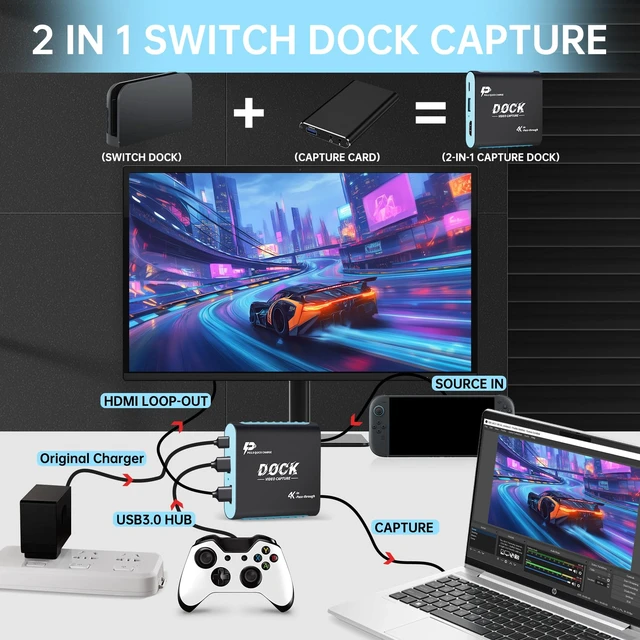
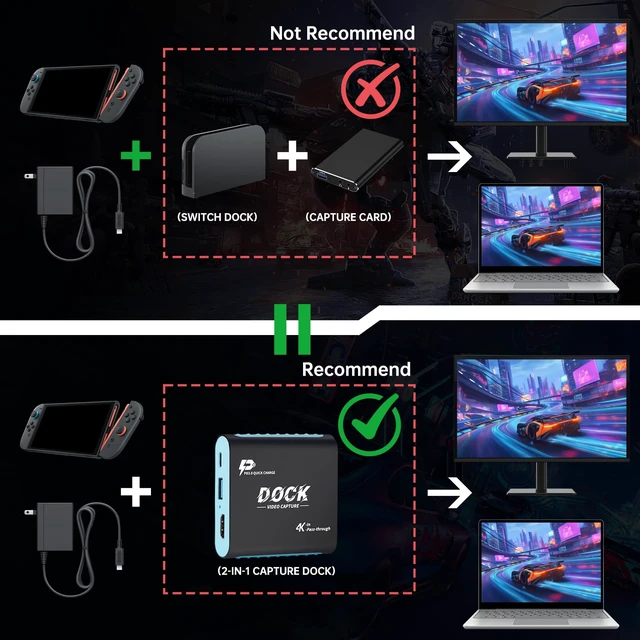
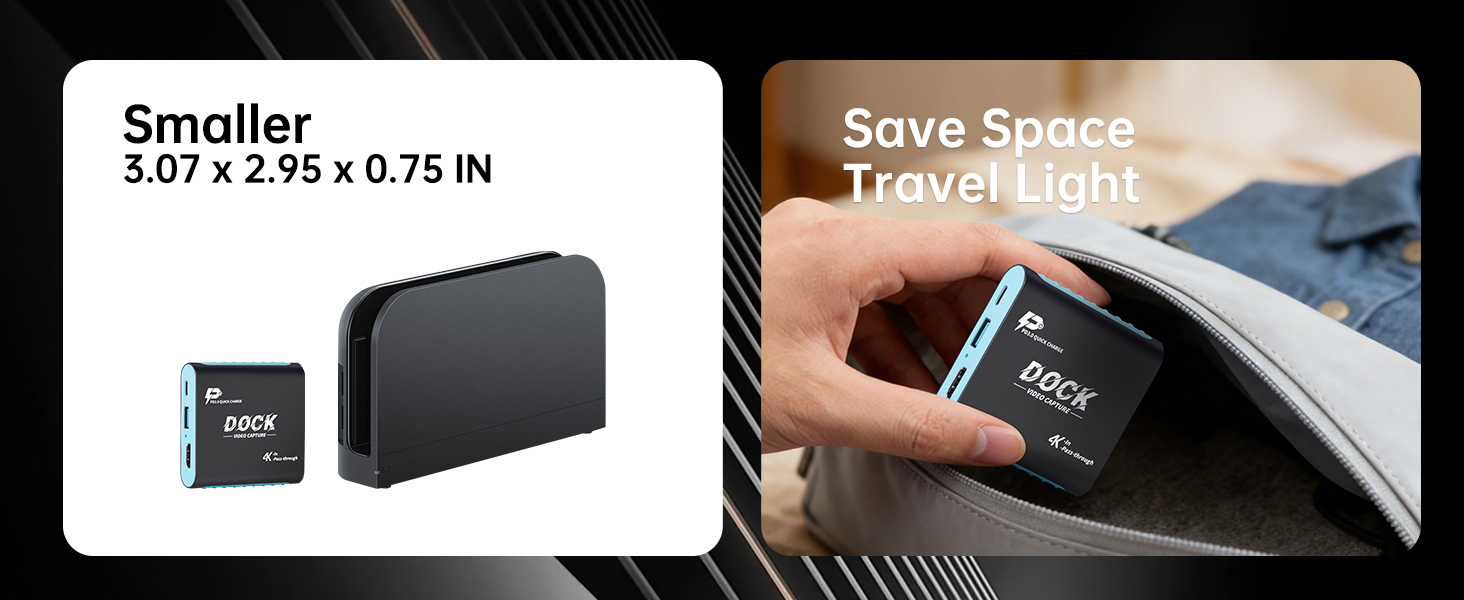
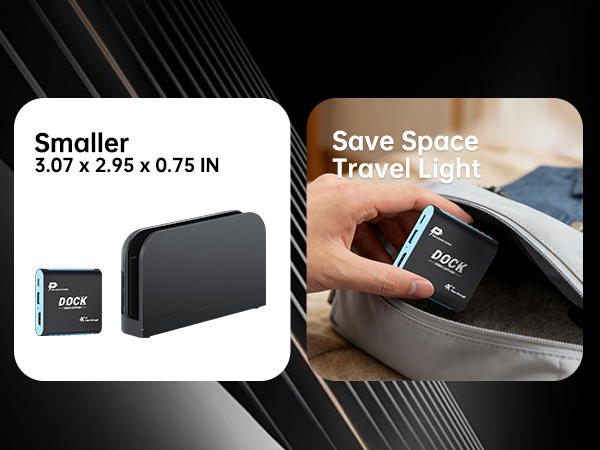
This 2-in-1 Switch 2 Dock and Capture Card solves HDMI shortages, cable clutter, and bulky gear for gamers, streamers, dorm students, and travelers. It combines a TV dock and 1080P 60Hz capture card in one compact design, making it a top gift for gamers.
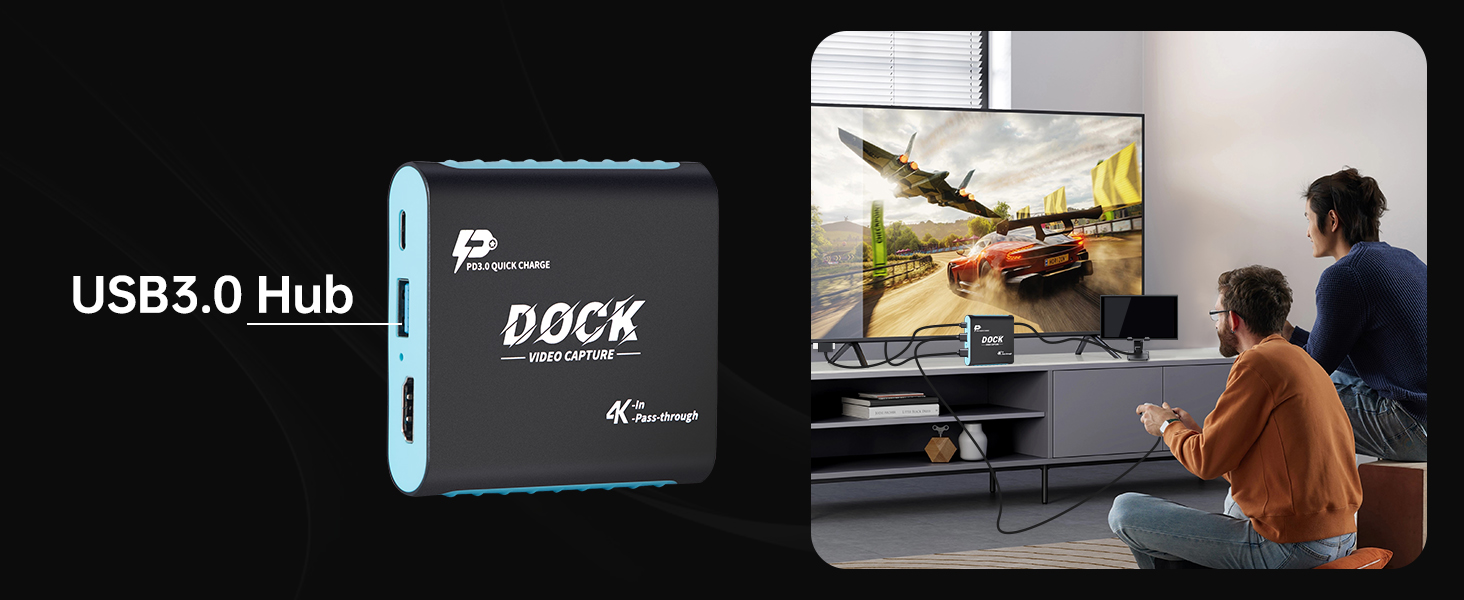
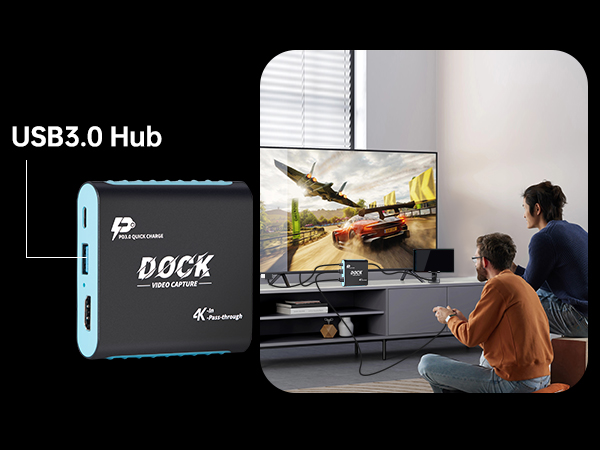
With just one HDMI port on your monitor, you can stream gameplay to your PC without frequent cable changes. For dorms or small spaces, use a laptop or iPad as a display to save the cost of an extra monitor. It features 4K 30Hz HDMI pass-through, 100W PD charging, and low-latency streaming. Two dedicated USB 3.0 ports: CAPTURE for PC streaming; HUB for controllers, mics, and accessories.It automatically adapts to Switch 2, Switch, and OLED for stable performance.
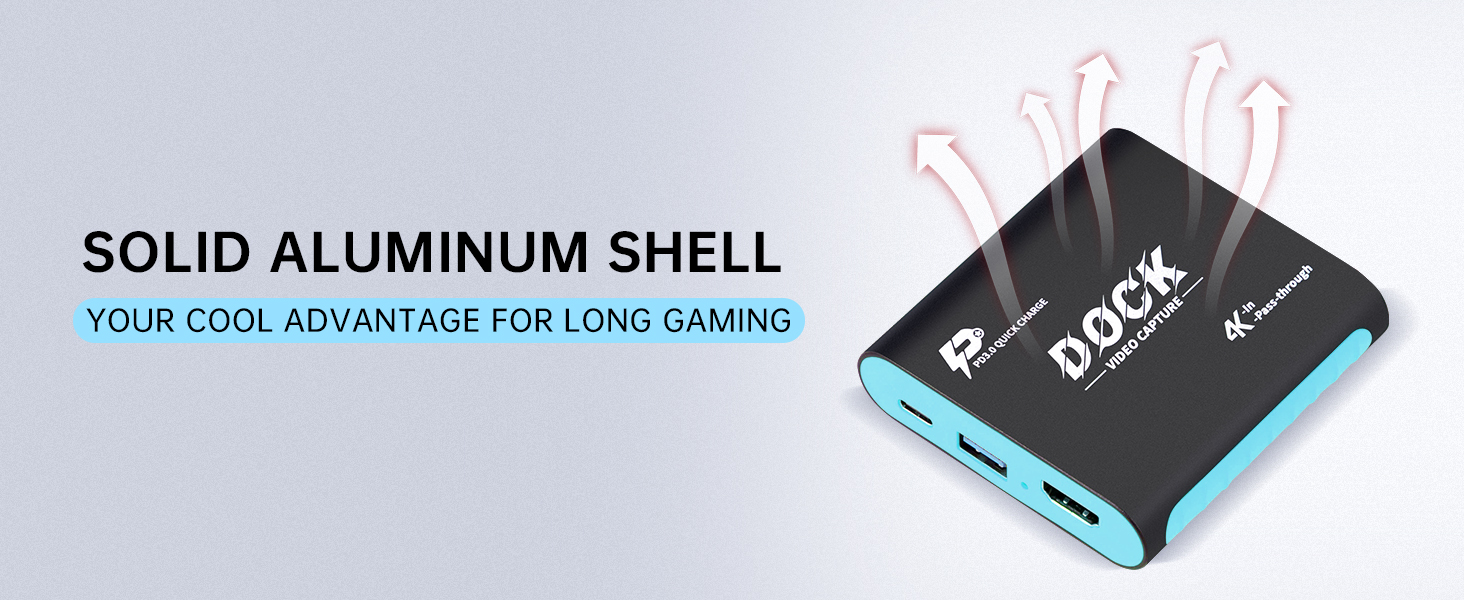
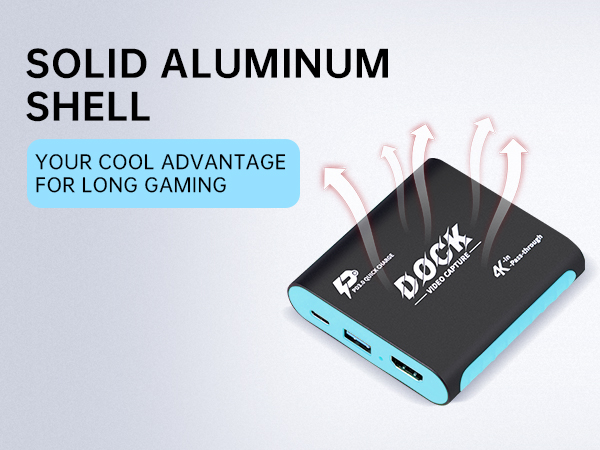
Dock+Capture Mode lets you play on TV while streaming to a PC. Setup is quick and requires no drivers. The aluminum alloy shell provides strong heat dissipation and durability. Built-in safety protection keeps your devices secure.
Perfect for home, dorm, travel, live streaming, and as a gift for gamers.