here!
I’m your shopping assistant for PC builds, upgrades, and everything tech.
Got questions? Ask away!
Start a conversation
here!
I’m your shopping assistant for PC builds, upgrades, and everything tech.
Got questions? Ask away!
Start a conversation



Any questions? Ask CelesteSM will help you find out quickly.
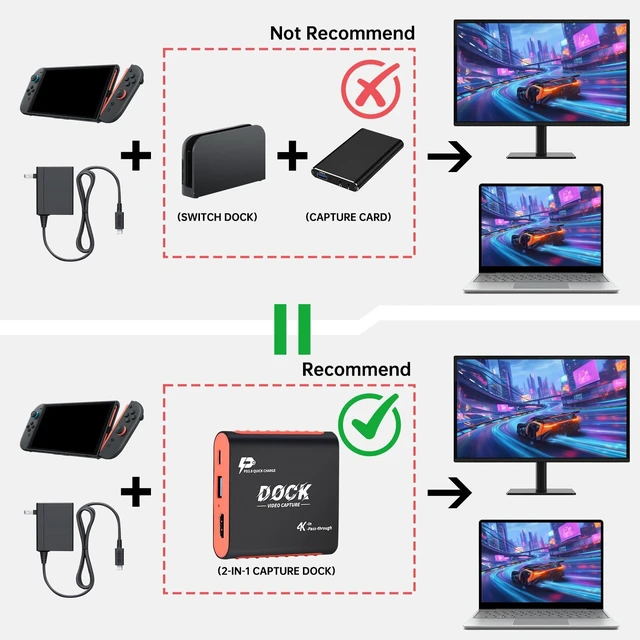
You may wonder: Why choose a Switch Dock with a built-in Capture Card?
This 2-in-1 combo isn’t redundant—it fixes HDMI port shortages or no-HDMI display issues once and for all, giving gamers a cleaner big-screen setup and letting creators stream or record gameplay while they play.
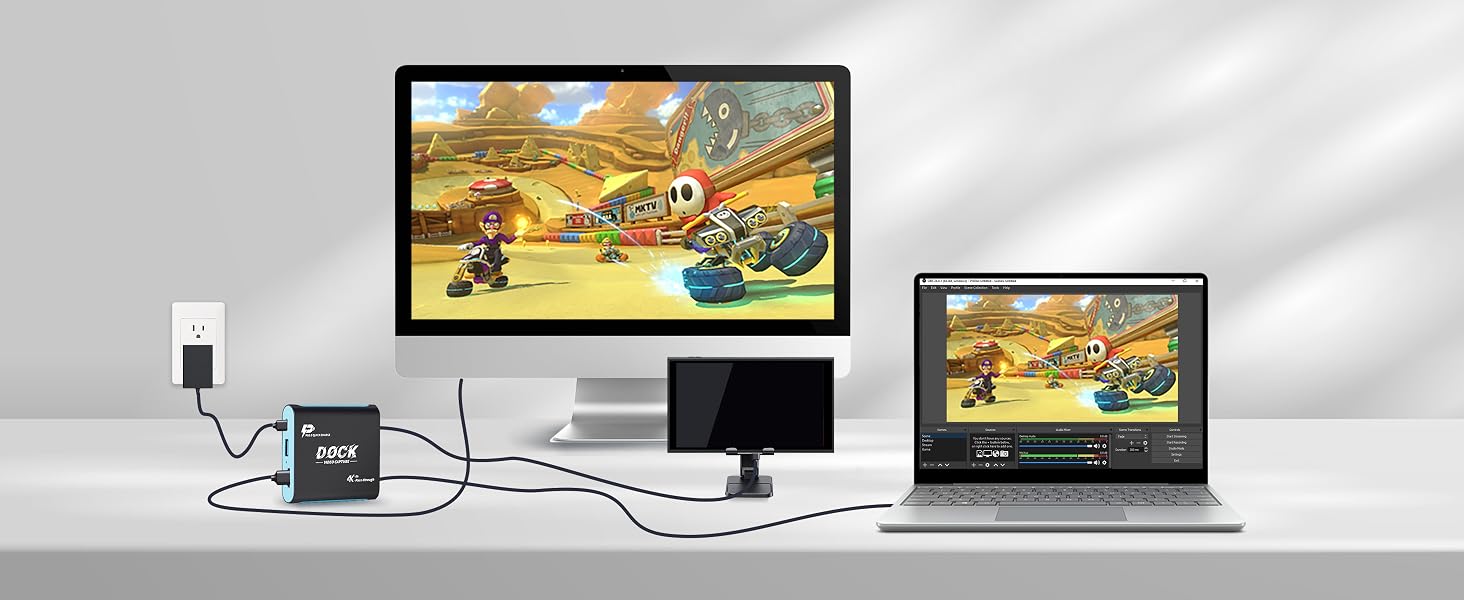
Smooth 1080P60Hz
For Switch 2/Switch/OLED – Fast Setup, Responsive Gameplay, 3 Display Modes, Compact & Travel-Ready.
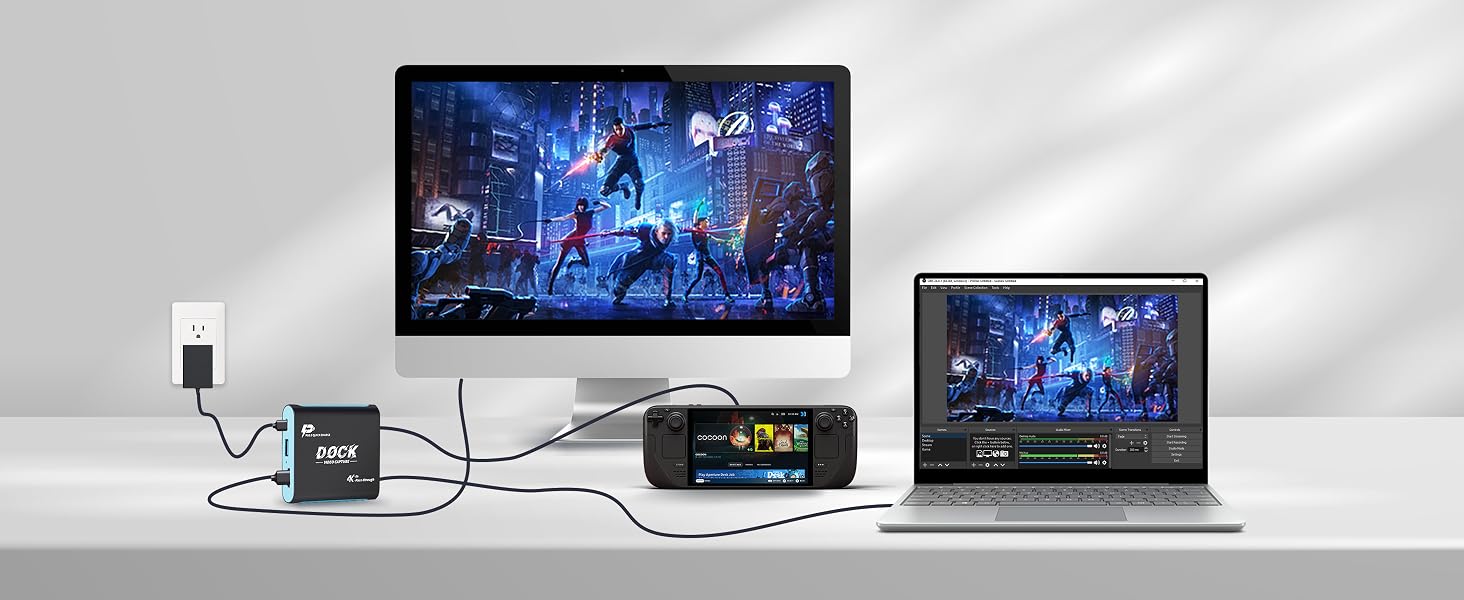
1080P60Hz Gaming
For Steam Deck – Plug In and Play, Low-Latency Output, 3 Flexible Modes, Lightweight & Portable.
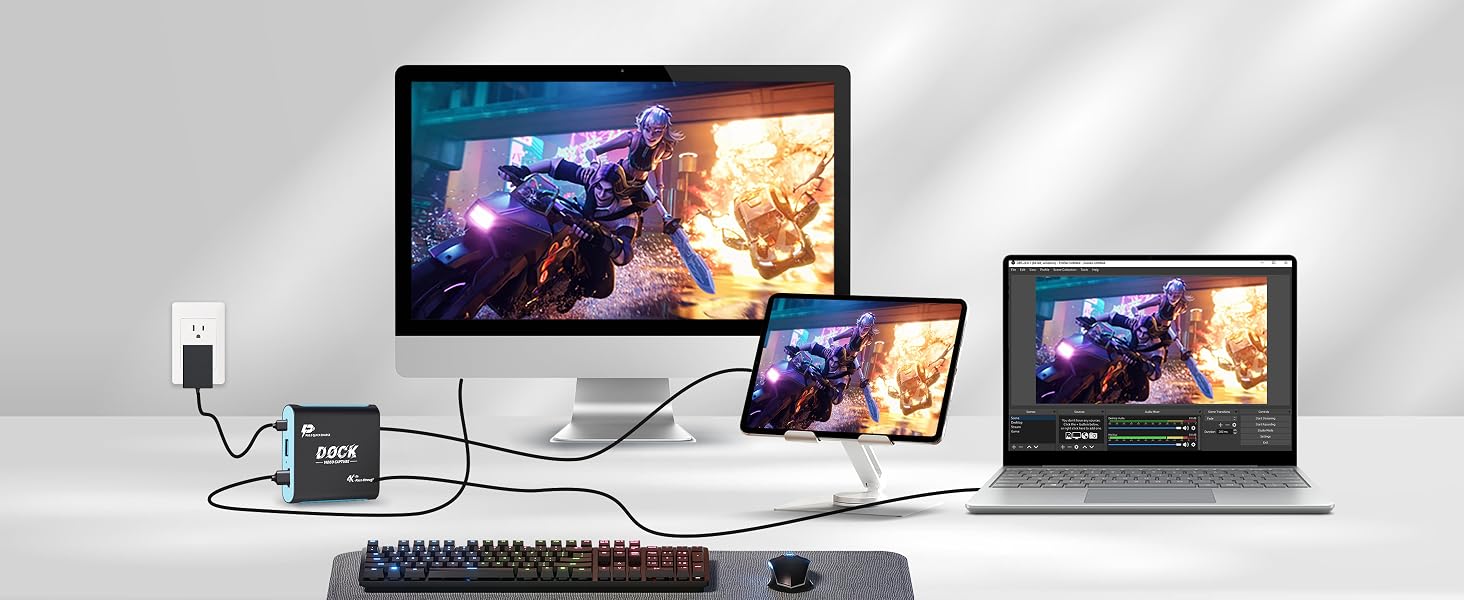
Crisp 1080P60Hz
For iPad – Quick Connection, Smooth Low-Lag Viewing, 3 Versatile Modes, Easy to Carry Anywhere.
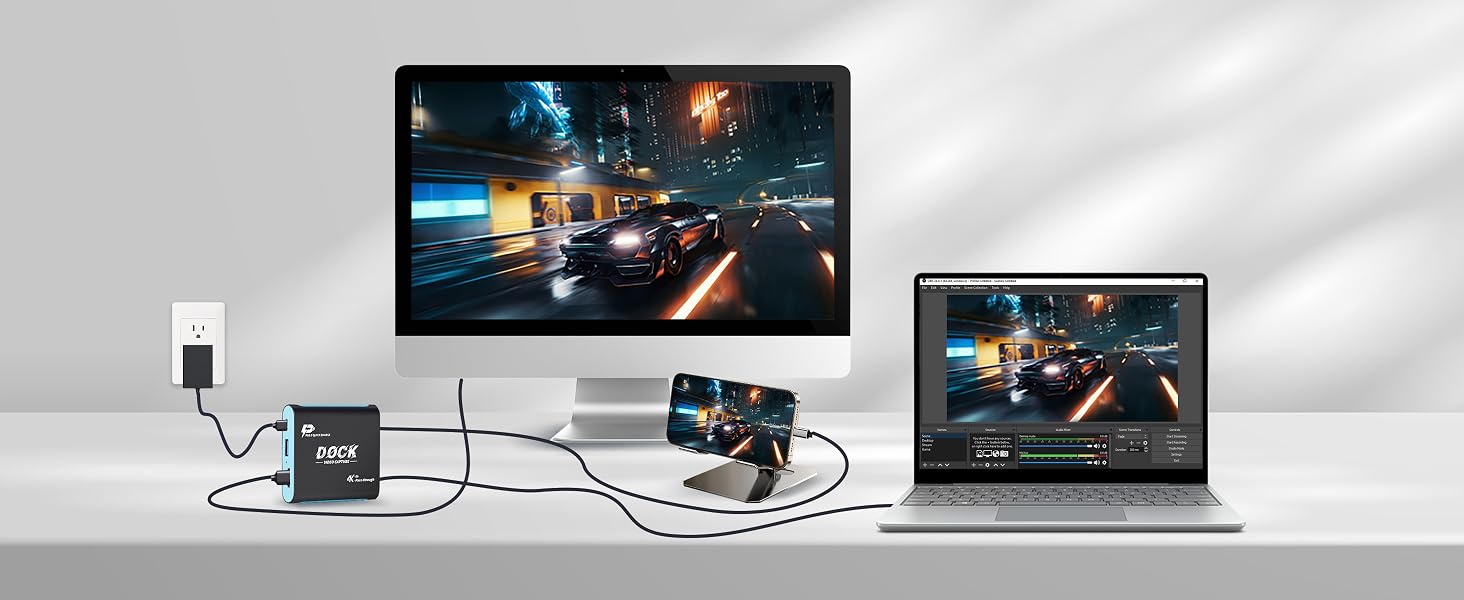
Fluid 1080P60Hz
For iPhone – Simple Setup, Responsive Streaming, 3 Flexible Modes, Pocket-Friendly Portability.
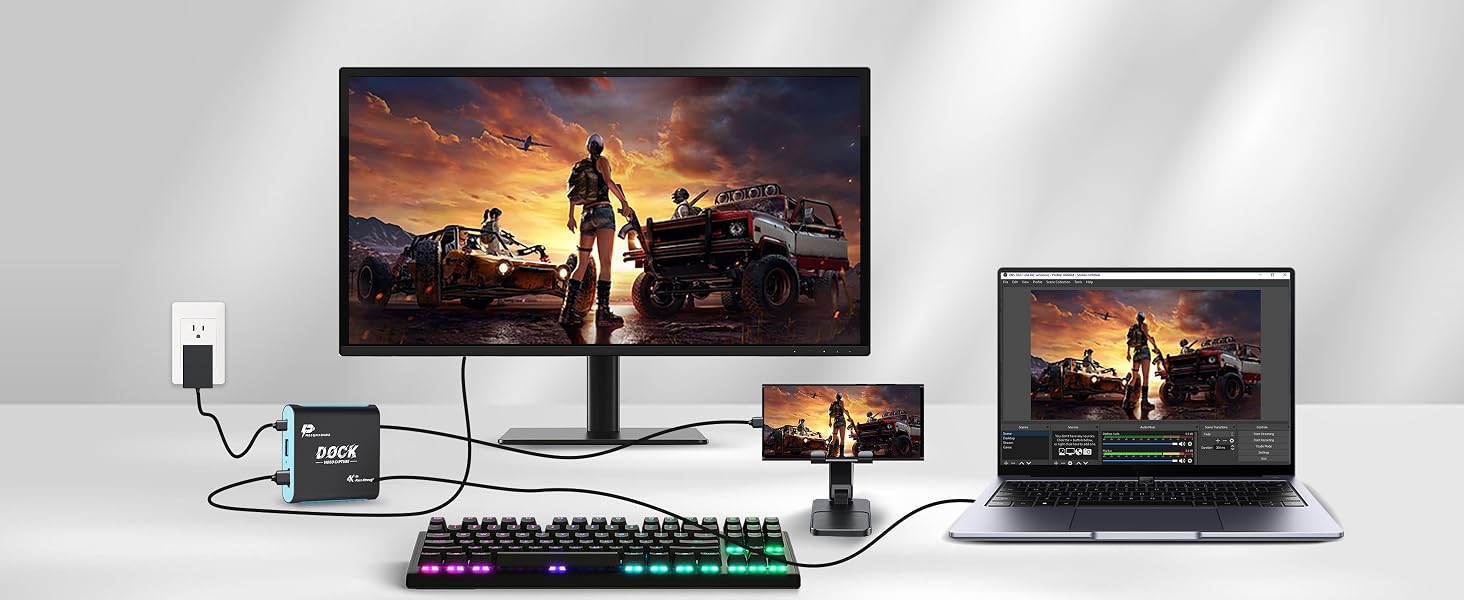
Low-Lag 1080P60Hz
Connect in Seconds, Smooth Big-Screen Output, 3 Viewing Modes, Compact for On-the-Go Use.
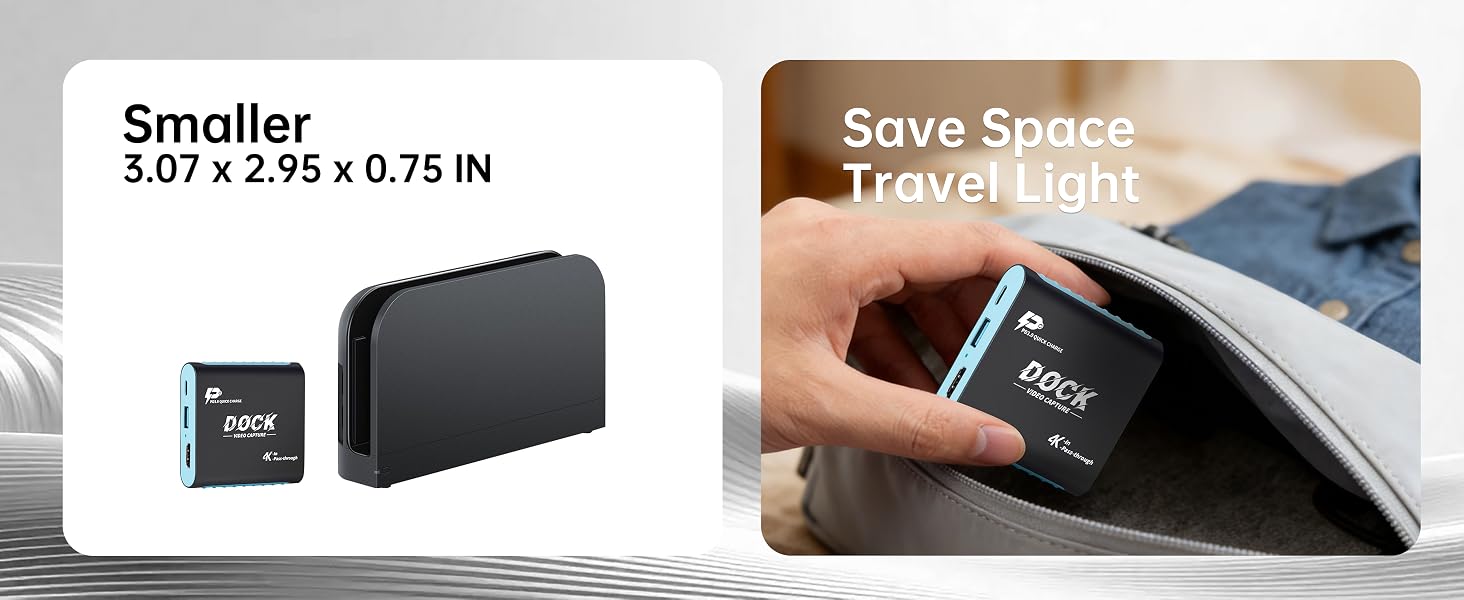
Compact and lightweight – Easy to pack for big-screen gaming wherever you go.
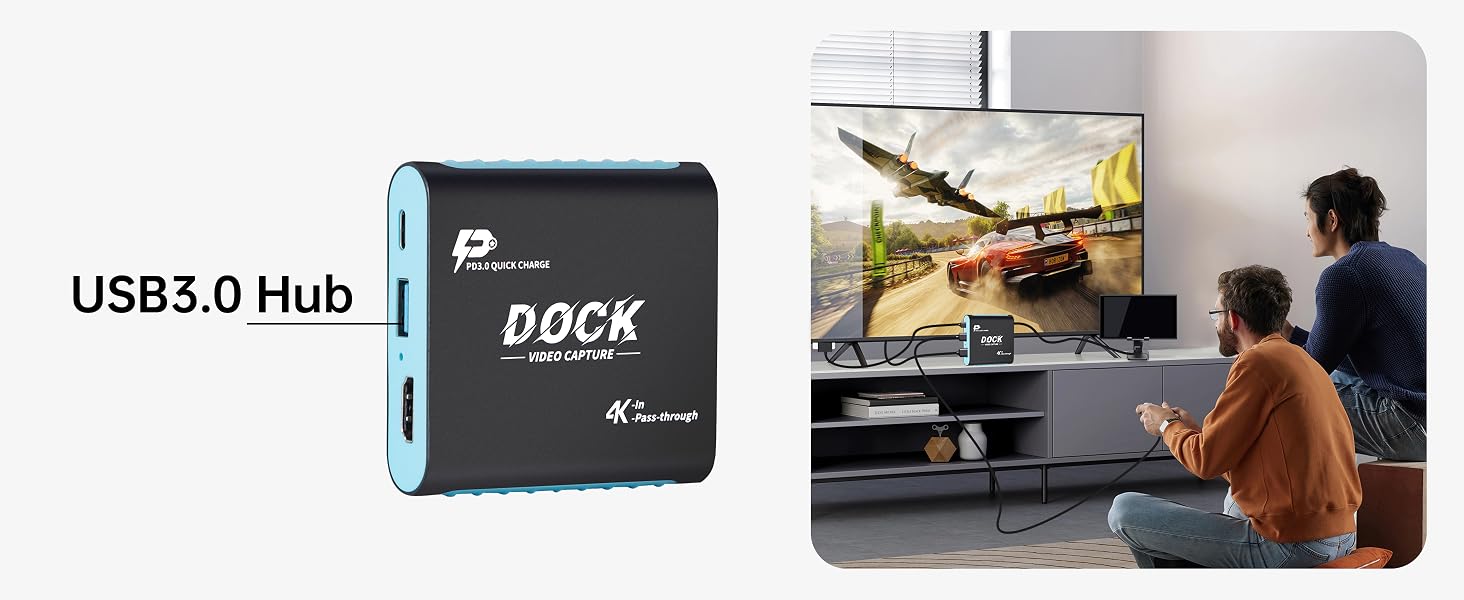
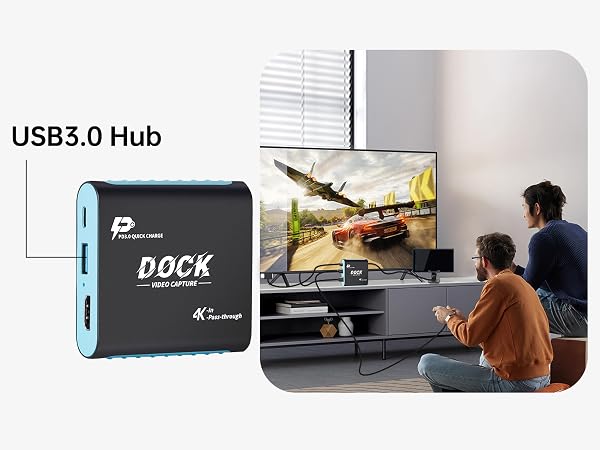
Connect wired controllers via USB 3.0 for smooth, responsive multiplayer gaming.
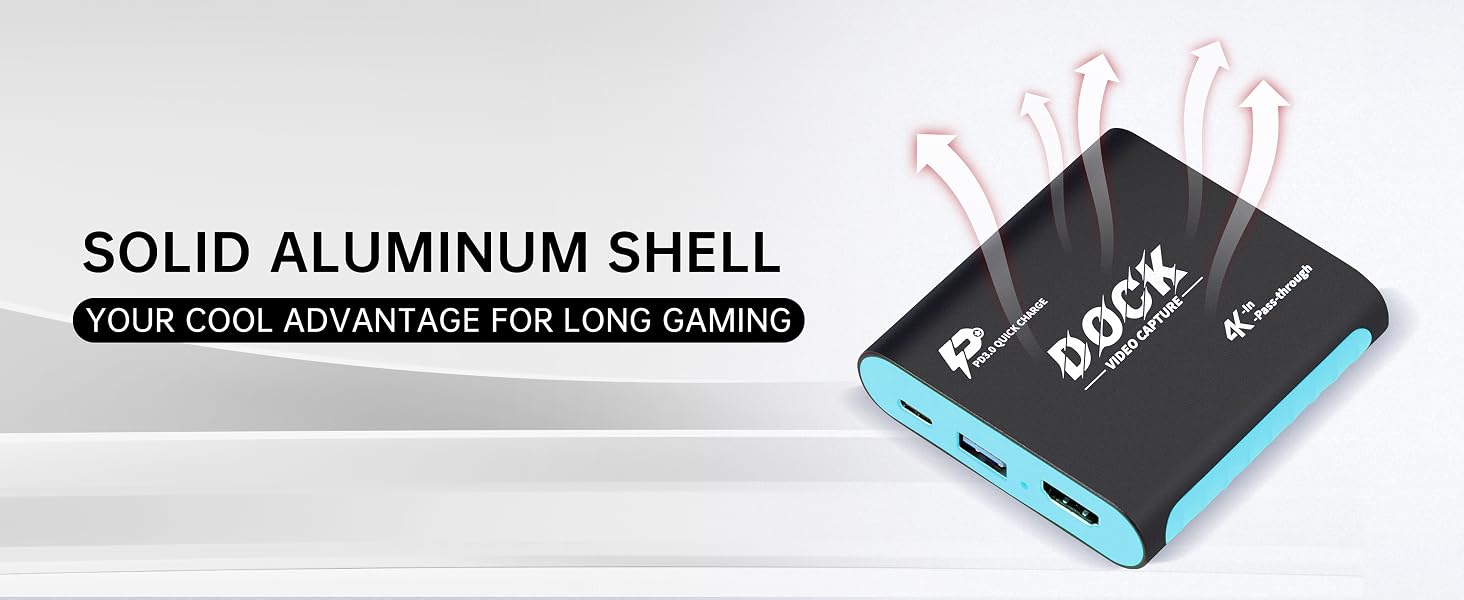
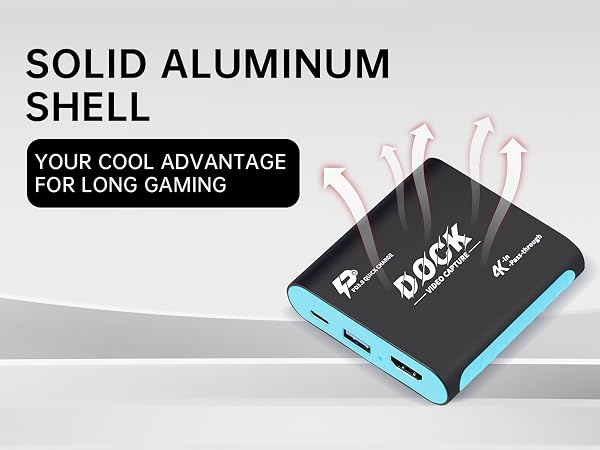
6063 aluminum shell delivers efficient cooling, durability, and reliable performance.
Upgraded chipset ensures stable transmission with fewer glitches, drops, and interruptions.
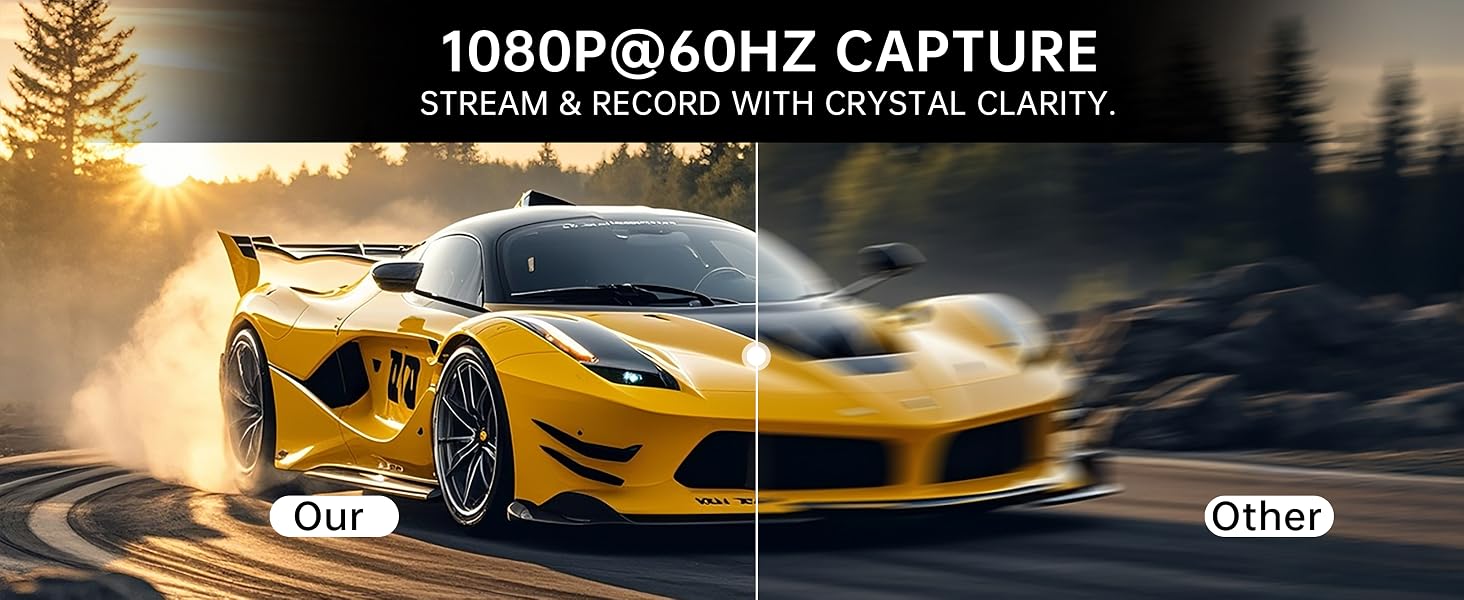
Enjoy crisp 1080P60Hz output with fluid motion for a smoother big-screen experience.
Which devices can this dock work with? Is PS5 or Xbox supported?
This capture dock fits devices with USB-C video output, such as Switch, Switch2, Steam Deck, handheld consoles, video-enabled USB-C phones and tablets. It cannot work with PS5 and Xbox, as these consoles only send video over HDMI.
Must I use original Switch dock or install extra drivers?
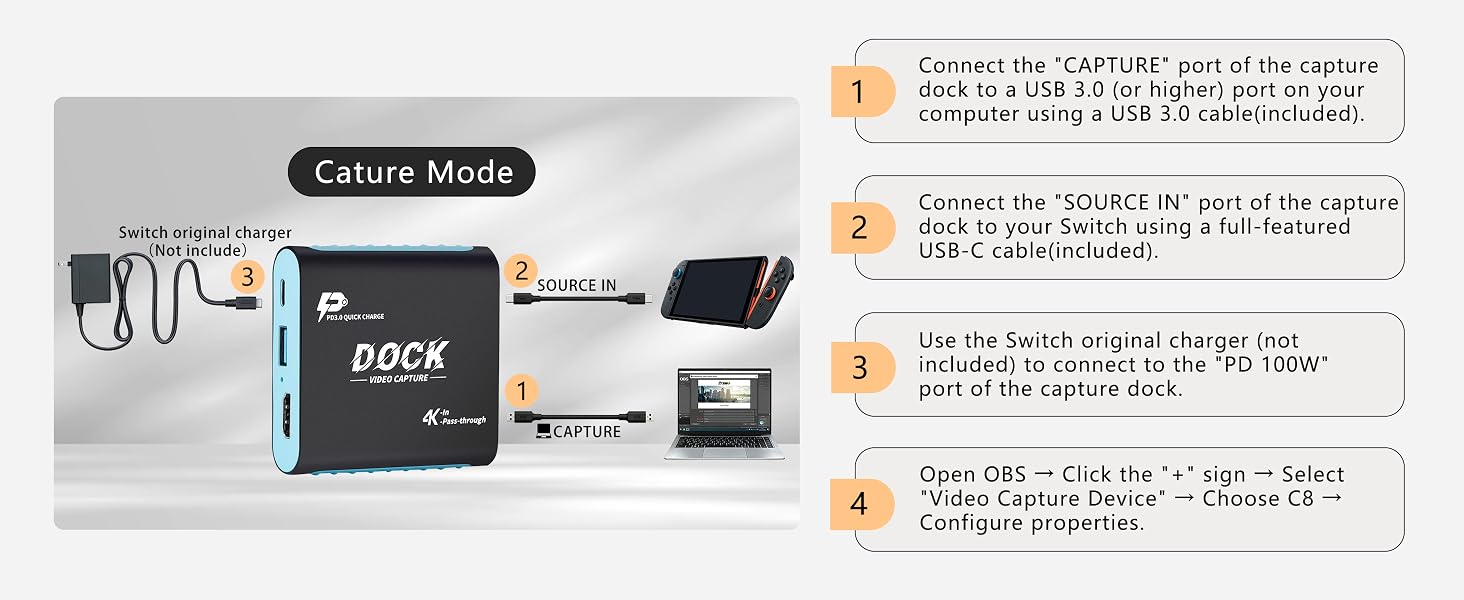
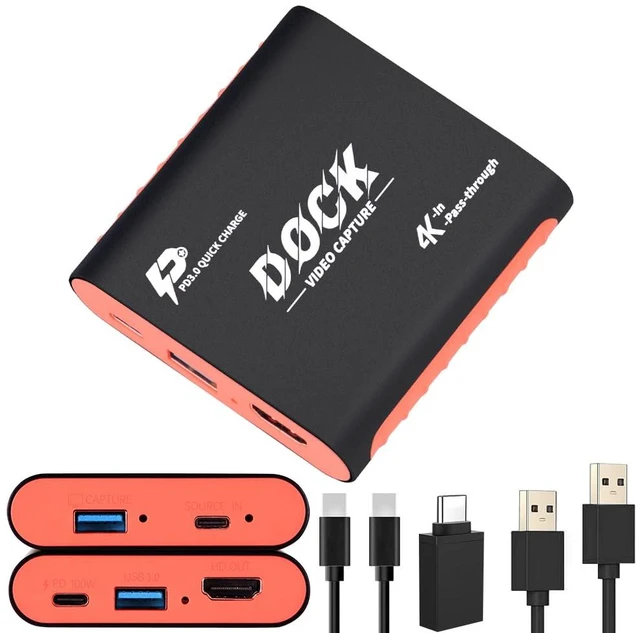
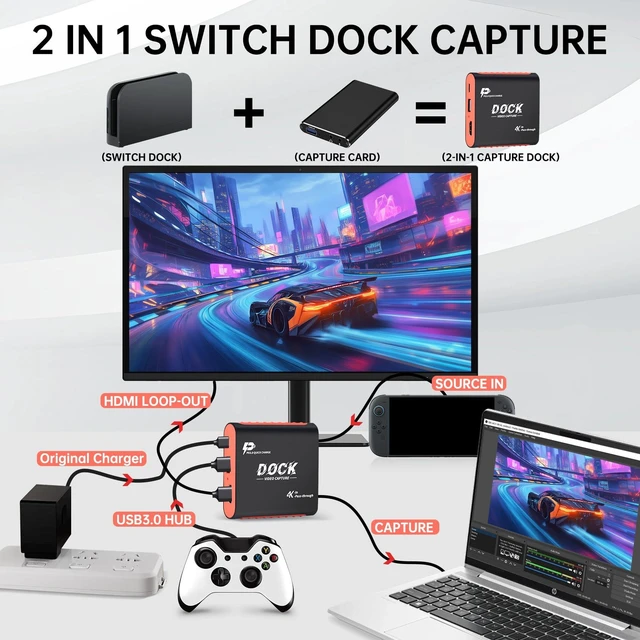
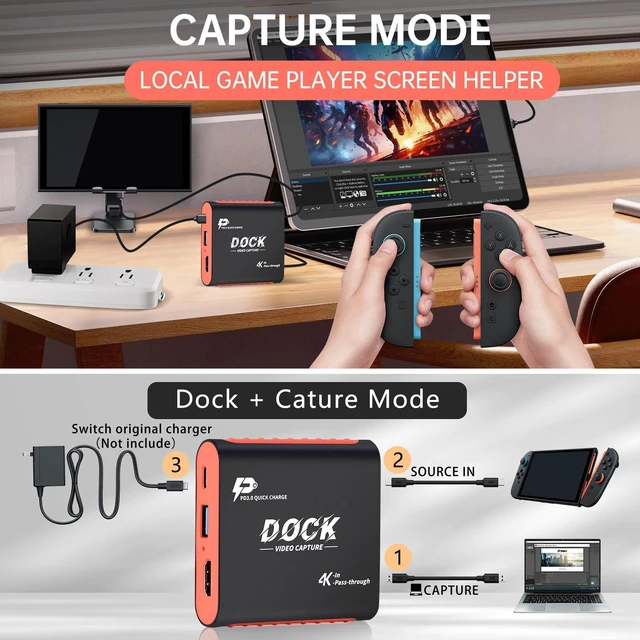
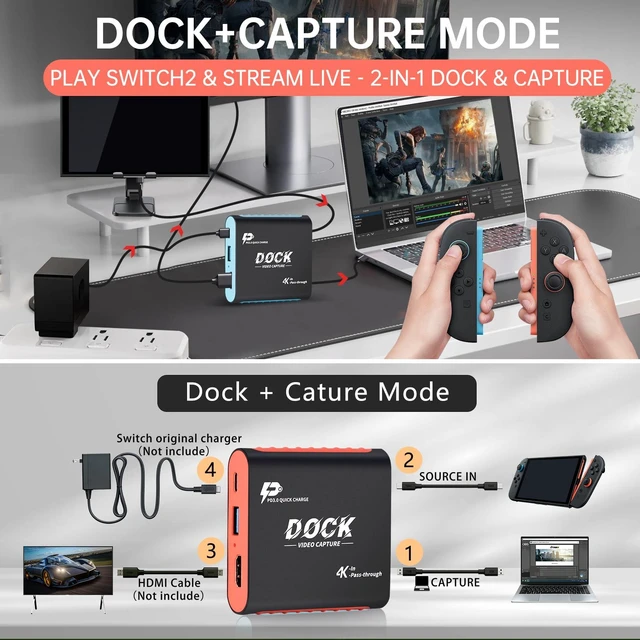
Original Switch dock is unnecessary. Hook (CAPTURE) up to PC, (SOURCE IN) to Switch and display to (HD OUT). Plug Switch-suitable PD charger into (PD 100W) port instead of Switch console. UVC plug-and-play for recording & streaming without drivers.
Will I get lag while playing and streaming games?
Hardware-based HDMI pass-through delivers near-zero gaming lag. Hardware capture lag stays within 10ms. Actual lag varies with your device performance and streaming app settings for smooth game live broadcast.
What resolution can I record at? Is 4K recording available?
HDMI pass-through via (HD OUT) works at 4K@30Hz; 4K@60Hz is unavailable. Captured content outputs at 1080P 60fps for smooth Full-HD gameplay recording and streaming.
Troubleshooting: no signal or black screen?
Ensure your device USB-C port supports video output; charge-only ports cannot transmit video. For Switch, attach compatible PD charger to (PD 100W) port(port supports 100W). Re-seat cables and choose this device inside your streaming software.
You may wonder: Why choose a Switch Dock with a built-in Capture Card?
This 2-in-1 combo isn’t redundant—it fixes HDMI port shortages or no-HDMI display issues once and for all, giving gamers a cleaner big-screen setup and letting creators stream or record gameplay while they play.
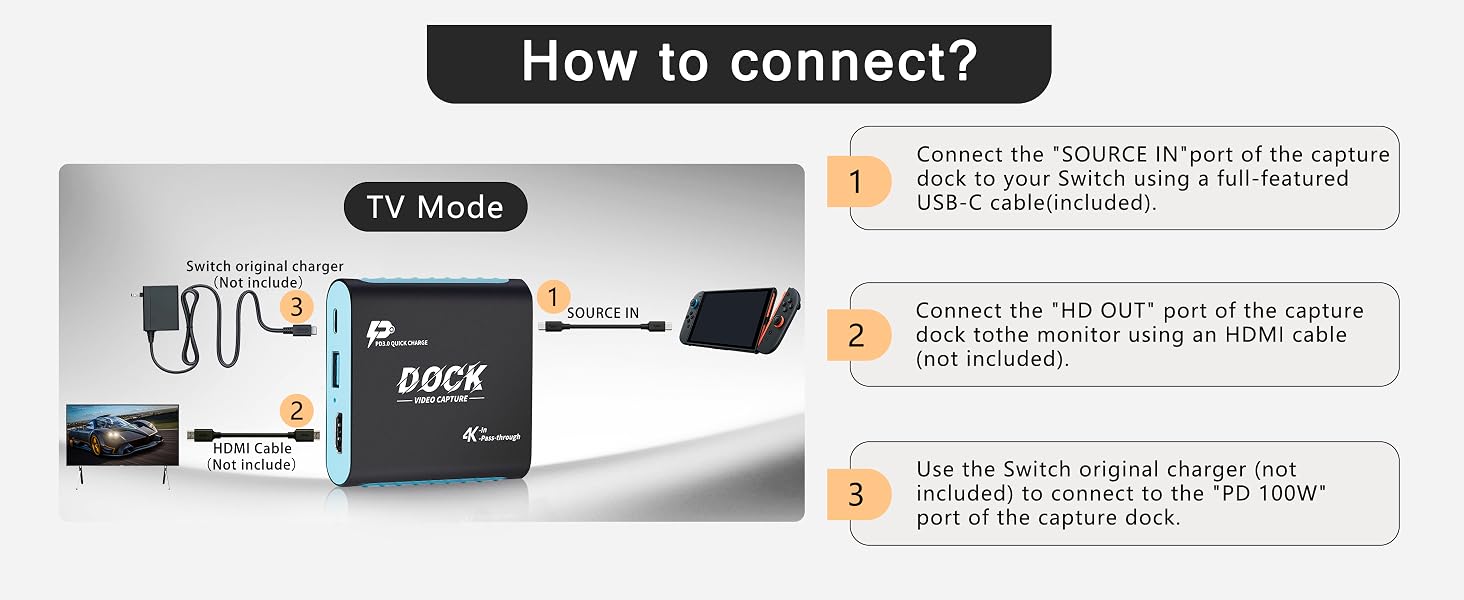
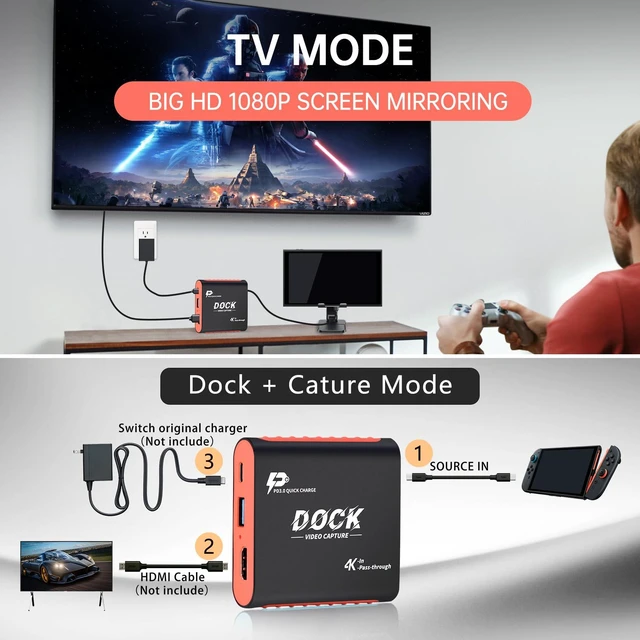
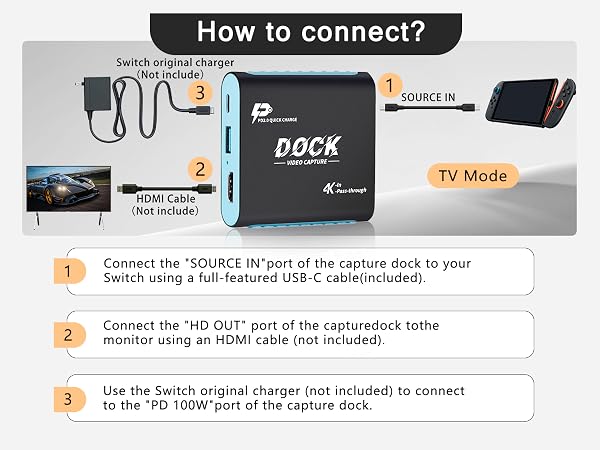
Use this 2-in-1 Switch 2 dock and capture card as a compact TV-mode dock alternative. Connect it to your TV or monitor via HDMI, plug in your Switch 2, and power it with the original adapter—no drivers required.
It delivers smooth 1080P 60Hz gameplay on a larger screen and supports 4K 30Hz HDMI passthrough for clear, immersive solo or family gaming. With no extra dock needed, your setup stays cleaner, and you can easily switch to capture or streaming mode whenever you’re ready.
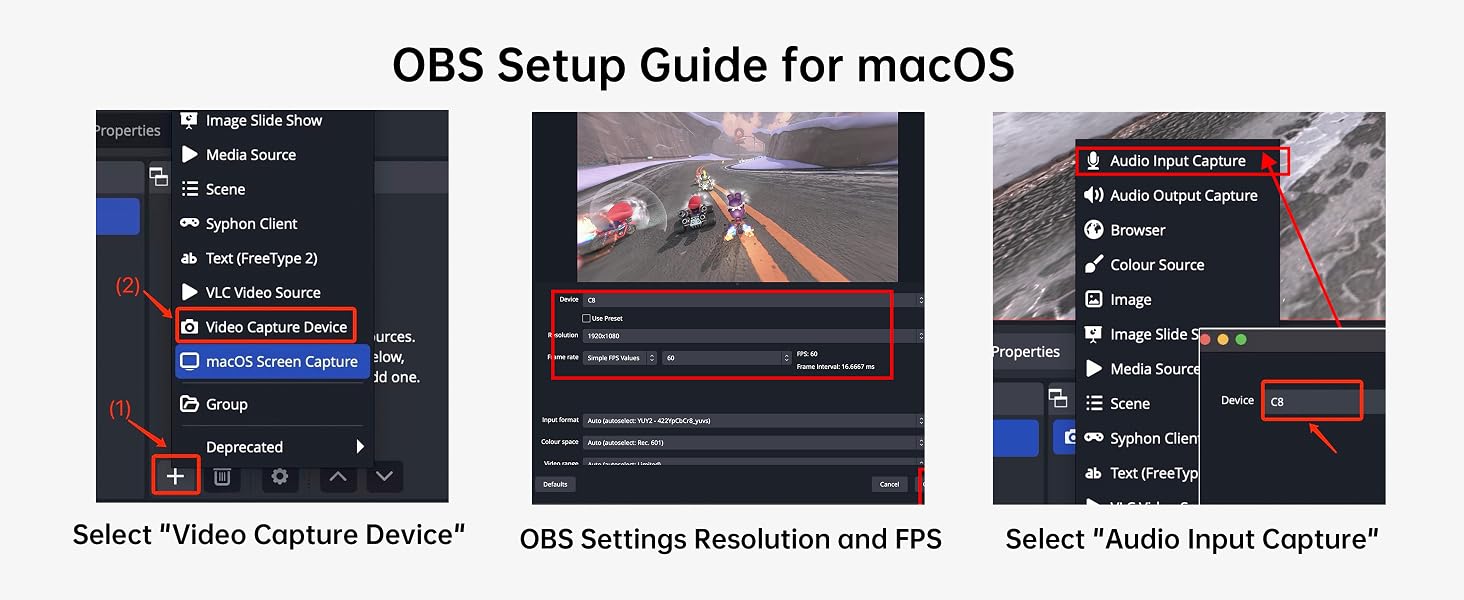
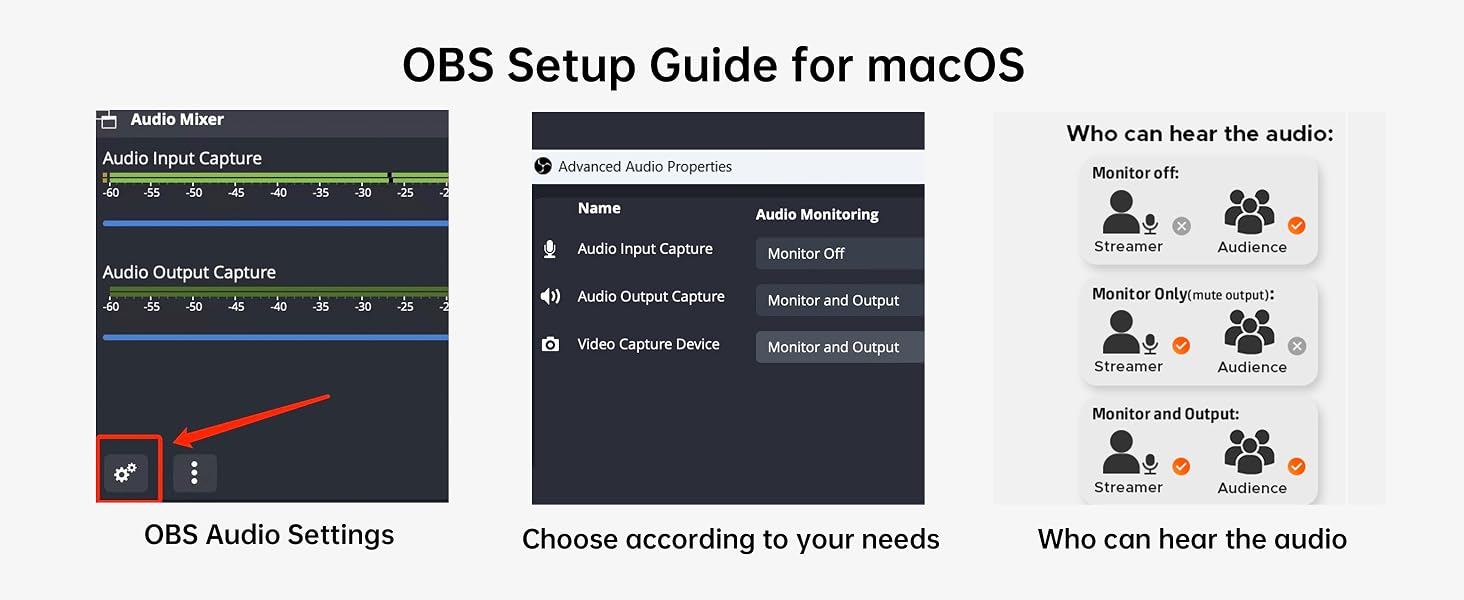
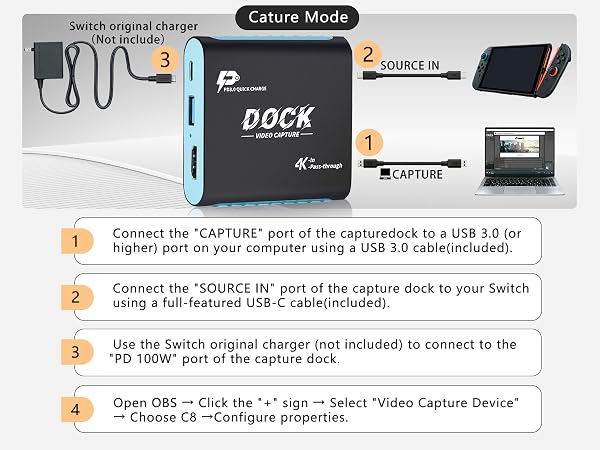
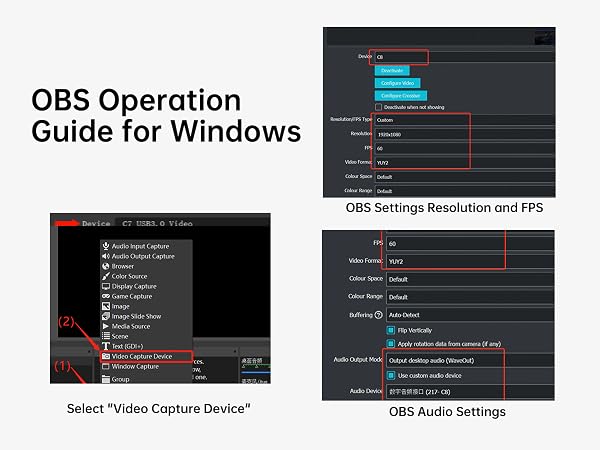
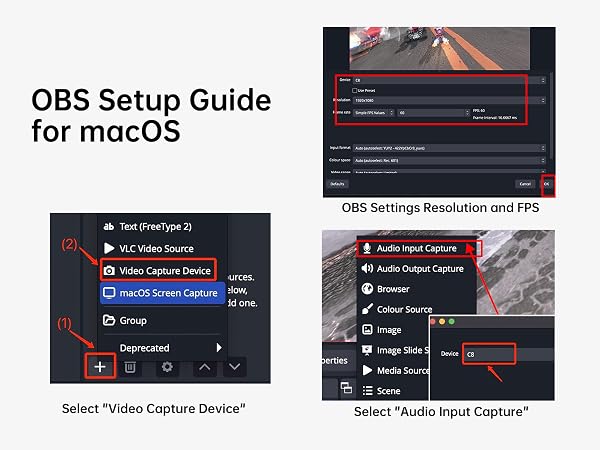
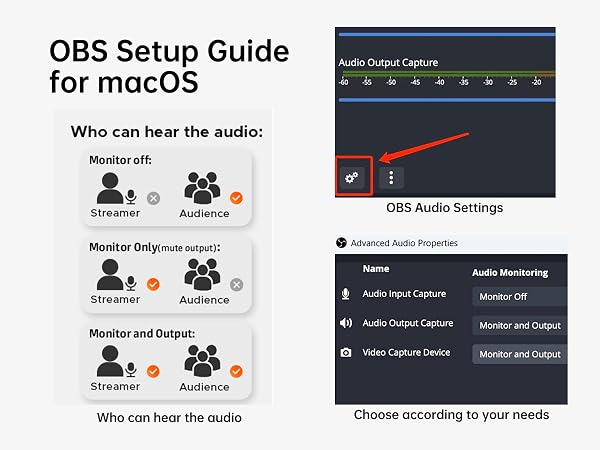
Use your PC, laptop or iPad as a Switch 2 monitor and instantly record or stream 1080P 60Hz gameplay with ultra-low latency. Plug and play, no drivers needed, and works with OBS, YouTube, TikTok and Streamlabs.
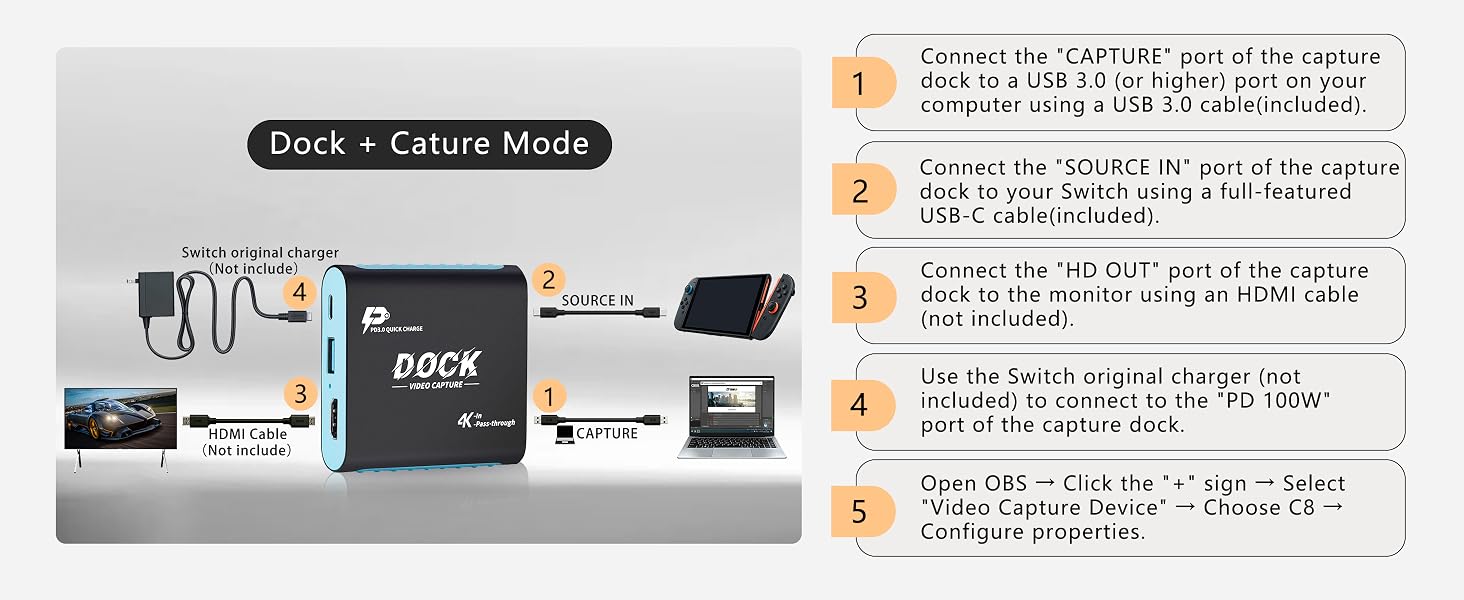
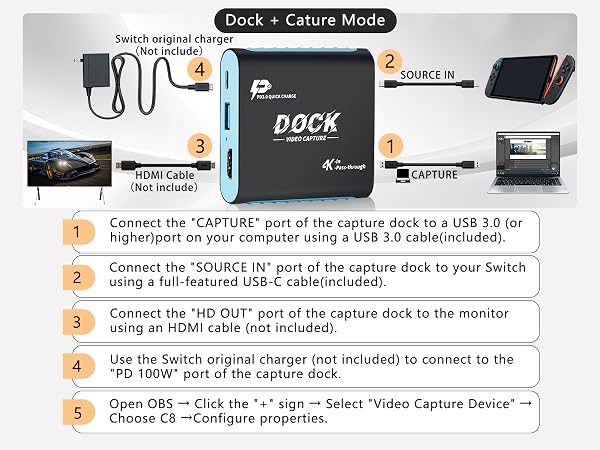
Connect your Switch 2 to a TV or monitor for big-screen gaming while capturing gameplay on your PC or laptop at the same time. This 2-in-1 Switch 2 dock and capture card lets you play, record and stream in one setup, with smooth 1080P 60Hz capture, 4K 30Hz HDMI passthrough and low-latency performance for OBS, YouTube, TikTok and Streamlabs.
In Capture Mode, connect your Switch 2 to a tablet through this 2-in-1 dock and capture card. No TV or HDMI monitor needed. The plug-and-play setup lets your tablet work as a portable gaming screen, showing smooth 1080P 60Hz gameplay with ultra-low latency for responsive control—perfect for travel, dorm rooms and small spaces.
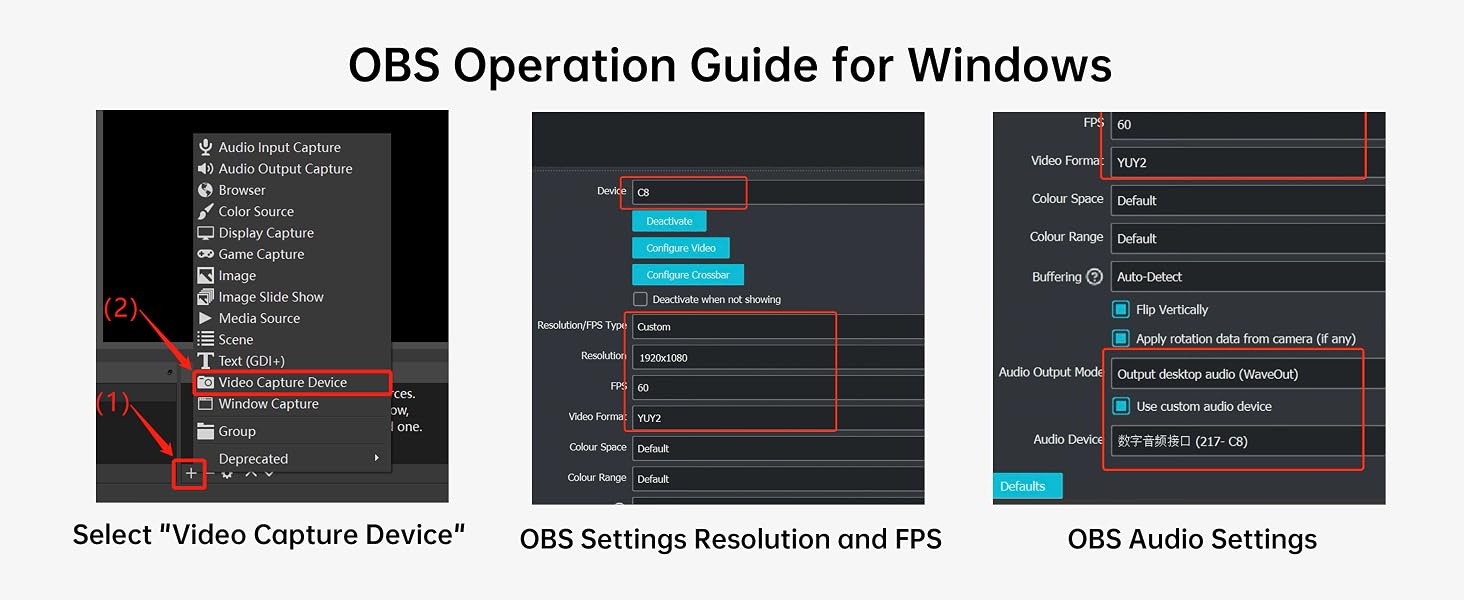
Built with YUY2 encoding and USB 3.0 5Gbps transmission, this 2-in-1 Switch dock and capture card delivers ultra-low-latency 1080P 60Hz capture for responsive gameplay and smooth live streaming. Your actions stay closely synced with the on-screen display and live feed, helping you play with better control and stream with fewer delays. Plug and play with OBS, YouTube, TikTok and Streamlabs—ideal for gamers and creators who want an easy, stable capture setup.
For Switch 2/Switch/OLED – Fast Setup, Responsive Gameplay, 3 Display Modes, Compact & Travel-Ready.
For Steam Deck – Plug In and Play, Low-Latency Output, 3 Flexible Modes, Lightweight & Portable.
For iPad – Quick Connection, Smooth Low-Lag Viewing, 3 Versatile Modes, Easy to Carry Anywhere.
For iPhone – Simple Setup, Responsive Streaming, 3 Flexible Modes, Pocket-Friendly Portability.
Connect in Seconds, Smooth Big-Screen Output, 3 Viewing Modes, Compact for On-the-Go Use.
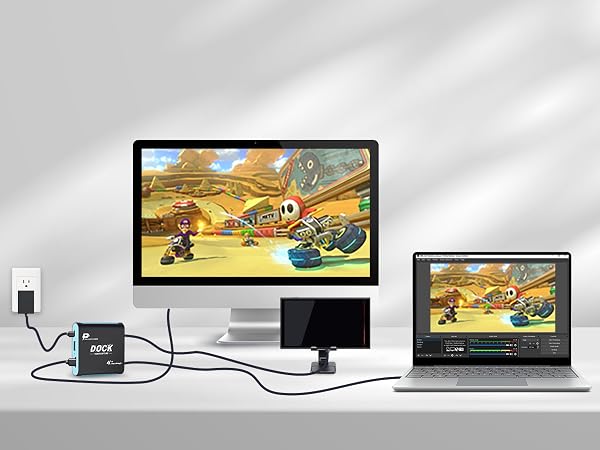
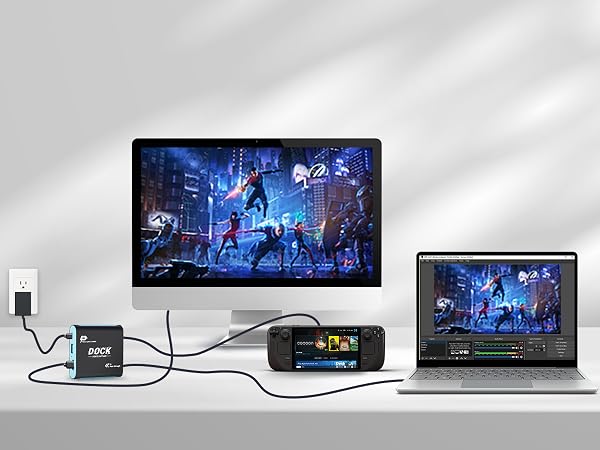
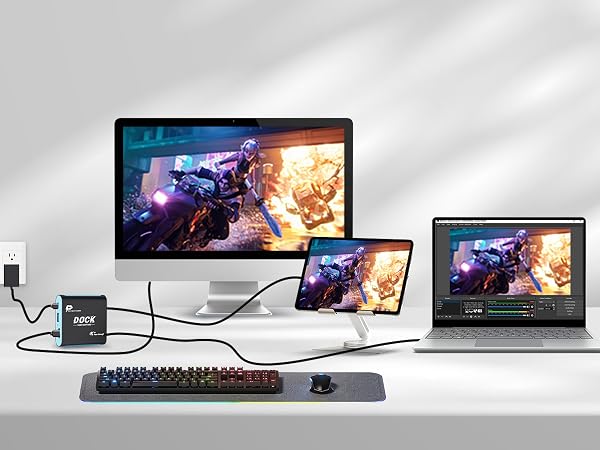
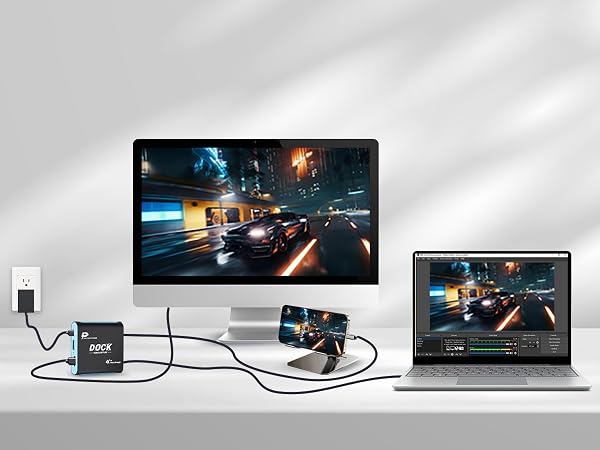
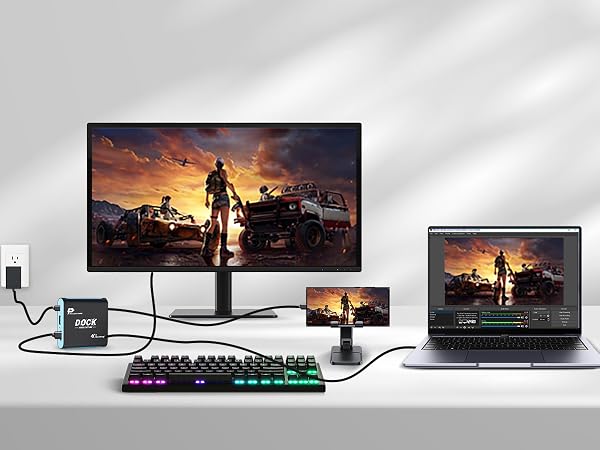
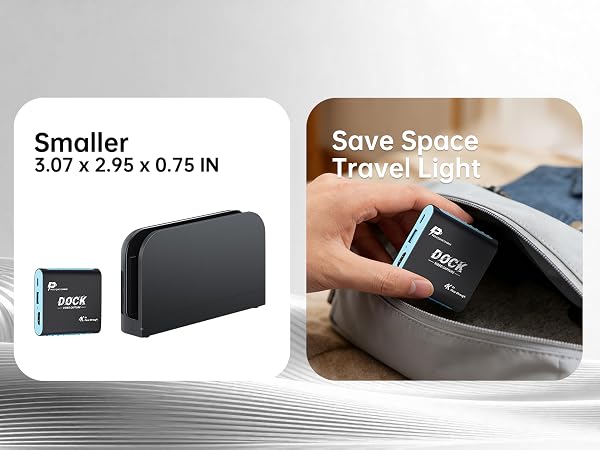
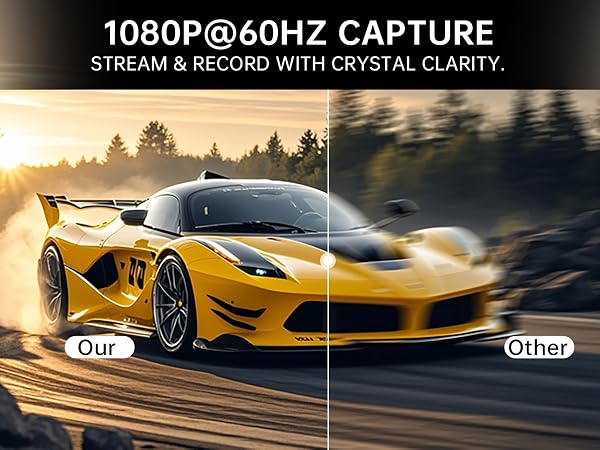
Compact and lightweight – Easy to pack for big-screen gaming wherever you go.
Connect wired controllers via USB 3.0 for smooth, responsive multiplayer gaming.
6063 aluminum shell delivers efficient cooling, durability, and reliable performance.
Upgraded chipset ensures stable transmission with fewer glitches, drops, and interruptions.
Enjoy crisp 1080P60Hz output with fluid motion for a smoother big-screen experience.
Which devices can this dock work with? Is PS5 or Xbox supported?
This capture dock fits devices with USB-C video output, such as Switch, Switch2, Steam Deck, handheld consoles, video-enabled USB-C phones and tablets. It cannot work with PS5 and Xbox, as these consoles only send video over HDMI.
Must I use original Switch dock or install extra drivers?
Original Switch dock is unnecessary. Hook (CAPTURE) up to PC, (SOURCE IN) to Switch and display to (HD OUT). Plug Switch-suitable PD charger into (PD 100W) port instead of Switch console. UVC plug-and-play for recording & streaming without drivers.
Will I get lag while playing and streaming games?
Hardware-based HDMI pass-through delivers near-zero gaming lag. Hardware capture lag stays within 10ms. Actual lag varies with your device performance and streaming app settings for smooth game live broadcast.
What resolution can I record at? Is 4K recording available?
HDMI pass-through via (HD OUT) works at 4K@30Hz; 4K@60Hz is unavailable. Captured content outputs at 1080P 60fps for smooth Full-HD gameplay recording and streaming.
Troubleshooting: no signal or black screen?
Ensure your device USB-C port supports video output; charge-only ports cannot transmit video. For Switch, attach compatible PD charger to (PD 100W) port(port supports 100W). Re-seat cables and choose this device inside your streaming software.
Upgrade your gaming setup with this 2-in-1 Switch 2 Dock with Capture Card, designed for gamers, streamers, students, and content creators who want a cleaner and more portable gaming experience.
This all-in-one gaming dock combines a 1080P 60FPS capture card and TV docking station into one compact device, helping reduce cable clutter and eliminate the need for multiple adapters or bulky streaming equipment. Perfect for home gaming setups, college dorm rooms, travel gaming stations, hotel gaming, portable streaming setups, and creator desks.
Compatible with Nintendo Switch 2, Switch OLED, original Switch, Steam Deck, ROG Ally, Legion Go, iPad Pro, MacBook, Windows PCs, and other USB-C video output devices. This portable gaming dock makes it easy to stream, record, and play games anywhere.
Unlike a traditional docking station, this gaming dock with capture card allows you to connect your gaming console directly to a TV, monitor, laptop, or iPad for live streaming, gameplay recording, content creation, or extended-screen gaming. Ideal for OBS Studio, Streamlabs, TikTok Live, Discord streaming, Twitch streaming, and YouTube gaming content creation.
The built-in USB 3.0 capture card supports smooth 1080P 60FPS video capture with ultra-low latency. HDMI pass-through supports up to 4K 30Hz output, allowing immersive big-screen gameplay while recording or livestreaming simultaneously.
Dock Mode transforms your gaming console into a full TV gaming experience for larger-screen gameplay.
Capture Mode lets you use a laptop, PC, or iPad Pro as a portable monitor for gaming, making it ideal for dorm rooms, small apartments, travel setups, tournaments, and mobile gaming stations.
Dock + Capture Mode allows simultaneous TV gameplay and livestream broadcasting for gaming creators and streamers.
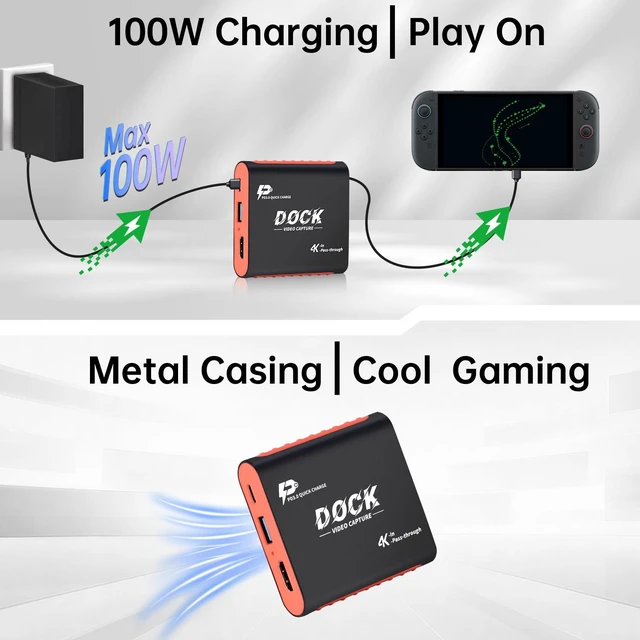
The integrated 100W PD fast charging port provides stable power delivery during long gaming sessions and livestreams. Advanced safety protection helps prevent overheating, overcurrent, overcharging, and short circuits for reliable daily use.
Dual USB 3.0 ports allow easy connection of gaming controllers, microphones, keyboards, webcams, headsets, external storage devices, and streaming accessories, creating a complete gaming and creator setup in one compact hub.
Built with a premium aluminum alloy shell, this portable gaming dock offers efficient heat dissipation, durability, and lightweight portability for backpacks, gaming travel cases, dorm rooms, esports events, and everyday gaming setups.
Plug-and-play design requires no drivers or complicated software installation. Simply connect and start gaming, recording, livestreaming, or creating content within minutes.
Whether you are building a minimalist gaming desk, streaming gameplay on TikTok, recording gaming content for YouTube, traveling with a portable gaming setup, or looking for a practical gift for gamers and content creators, this 2-in-1 Dock with Capture Card is designed to make gaming and streaming easier, cleaner, and more flexible.