



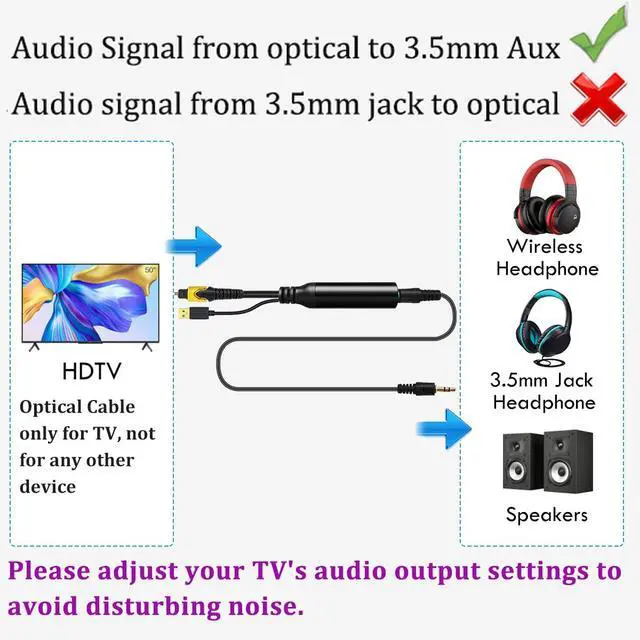
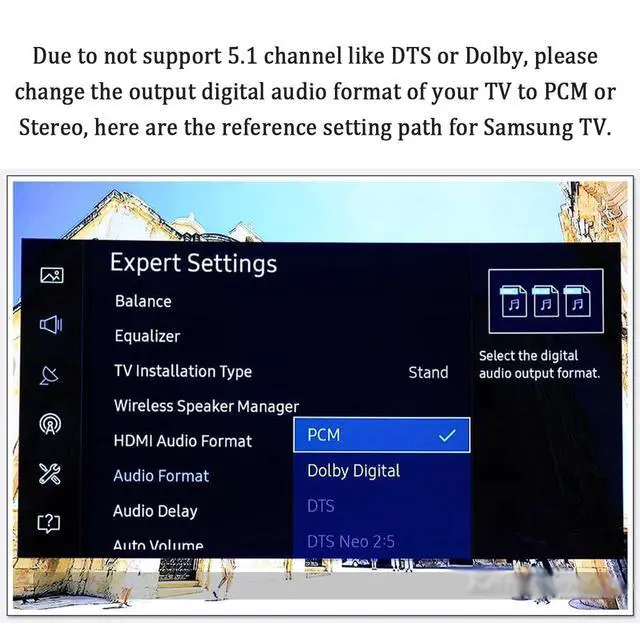


Not support Digital Dolby or DTS audio format, please set the digital audio format of your TV to “PCM/Stereo”
Reference for Samsung TV
1. Press the settings or menu button on the remote control.
2. Choose “Sound Output” and select “Audio Out" to "Optical”.
3. Move down and select the “Sound” menu. Choose “Digital Output Audio Format” and select “PCM”.
Optional: Choose “HDMI Input Audio Format” and select “PCM”.

Not support Digital Dolby or DTS audio format, please set the digital audio format of your TV to “PCM/Stereo”
Reference for Samsung TV
1. Press the settings or menu button on the remote control.
2. Choose “Sound Output” and select “Audio Out" to "Optical”.
3. Move down and select the “Sound” menu. Choose “Digital Output Audio Format” and select “PCM”.
Optional: Choose “HDMI Input Audio Format” and select “PCM”.