The Targus Bluetooth Presenter for Mac is the only wireless presenter dedicated to Mac users. Versatile and easy to use, the Targus for Mac Bluetooth Presenter does double-duty as a presenter or cursor controller. Use it to remotely control your Keynote or PowerPoint presentation in Presenter mode; switch to Cursor mode to use like a mouse, for remote control of iPhoto, Numbers or other projected applications.
With thoughtful, ergonomic design, the intuitive button layout won’t distract from the task at hand, and the cursor moves smoothly with a swipe of your finger thanks to Touch Scroll technology. Dual programmable buttons allow individual customization for one-click access to selected functions or applications.
The Targus Bluetooth Presenter for Mac is the only wireless presenter dedicated to Mac users. Versatile and easy to use, the Targus for Mac Bluetooth Presenter does double-duty as a presenter or cursor controller. Use it to remotely control your Keynote or PowerPoint presentation in Presenter mode; switch to Cursor mode to use like a mouse, for remote control of iPhoto, Numbers or other projected applications.
With thoughtful, ergonomic design, the intuitive button layout won’t distract from the task at hand, and the cursor moves smoothly with a swipe of your finger thanks to Touch Scroll technology. Dual programmable buttons allow individual customization for one-click access to selected functions or applications.
 Wireless ControlBluetooth technology enables remote control of favorite applications, volume control and other functions. Switch effortlessly between applications without being at your computer.
 Ergonomic DesignReduces muscle strain and button errors with comfortable-in-the-hand design and intuitive button placement.
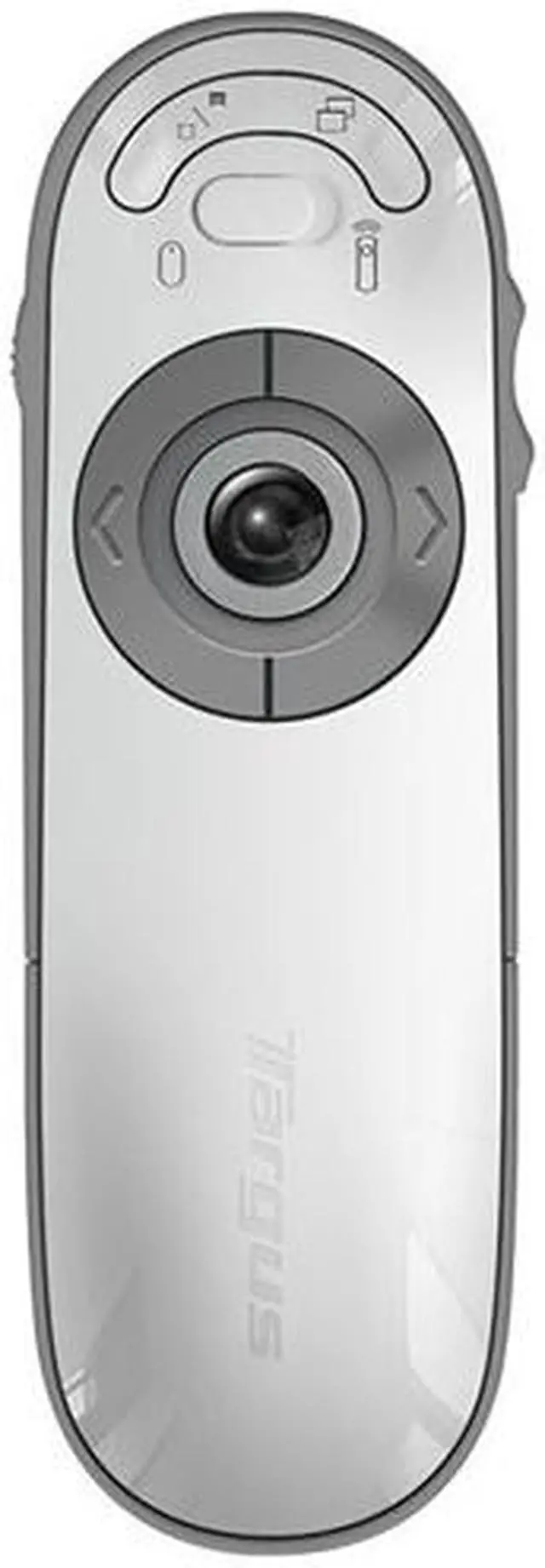
 Intuitive InterfaceEasy-to-use button configuration puts primary presentation controls front and center previous slide, next slide and laser pointer are easily identifiable from tactile cues and intuitive button layout. Secondary functions like blank screen and slide show are recessed and out of the way to prevent accidental button presses.
 Touch Scroll Cursor ControlLaser pointer becomes cursor control by sliding the conveniently positioned mode switch. Touch-sensitive sensor tracks fingertip movement and delivers flexible cursor movement in any direction for smooth and easy navigation through lengthy spreadsheets and PDF documents.
 Dual Programmable ButtonsCustomizable one-click access to favorite applications like Keynote, PowerPoint, iTunes, and iPhoto or functions like cut, paste and play, stop, or create your own AppleScript.




 Wireless ControlBluetooth technology enables remote control of favorite applications, volume control and other functions. Switch effortlessly between applications without being at your computer.
 Ergonomic DesignReduces muscle strain and button errors with comfortable-in-the-hand design and intuitive button placement.
 Intuitive InterfaceEasy-to-use button configuration puts primary presentation controls front and center previous slide, next slide and laser pointer are easily identifiable from tactile cues and intuitive button layout. Secondary functions like blank screen and slide show are recessed and out of the way to prevent accidental button presses.
 Touch Scroll Cursor ControlLaser pointer becomes cursor control by sliding the conveniently positioned mode switch. Touch-sensitive sensor tracks fingertip movement and delivers flexible cursor movement in any direction for smooth and easy navigation through lengthy spreadsheets and PDF documents.
 Dual Programmable ButtonsCustomizable one-click access to favorite applications like Keynote, PowerPoint, iTunes, and iPhoto or functions like cut, paste and play, stop, or create your own AppleScript.