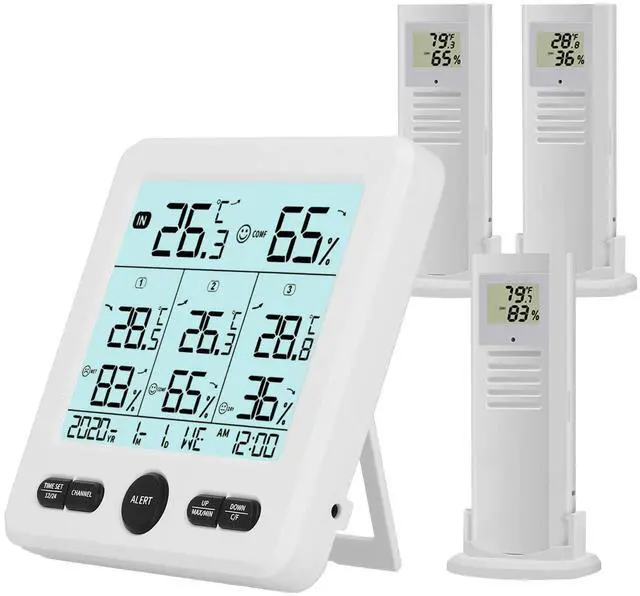
Indoor Outdoor Digital Thermometer Hygrometer with 3 Wireless Sensors, 4.7 Inch Display Temperature Humidity Monitor with 330FT Range Remote Sensor, Backlight, Time for Home, Office, School
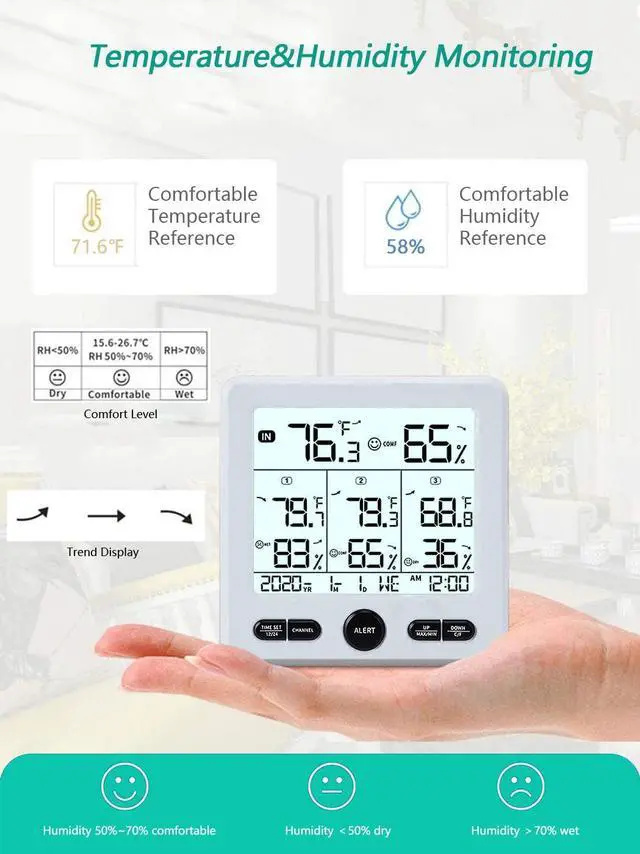
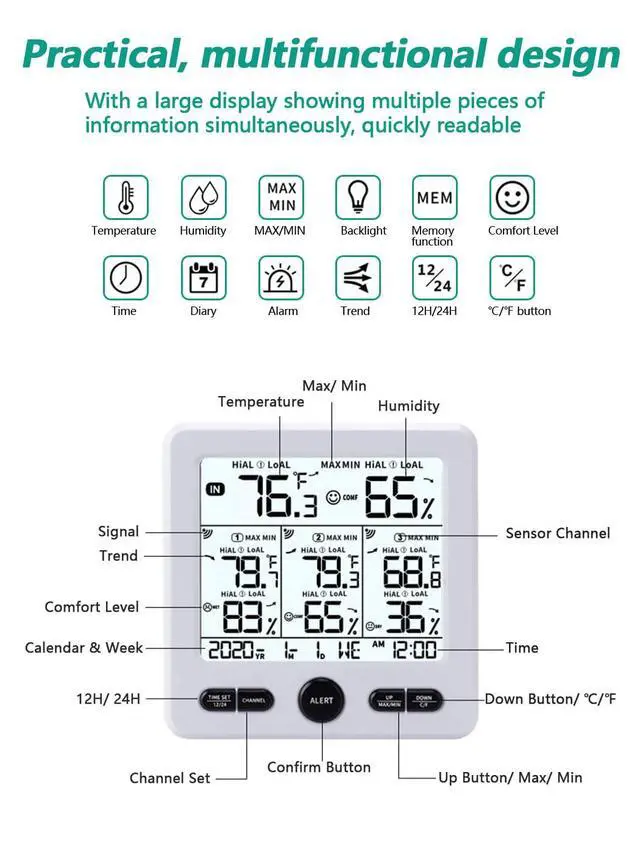
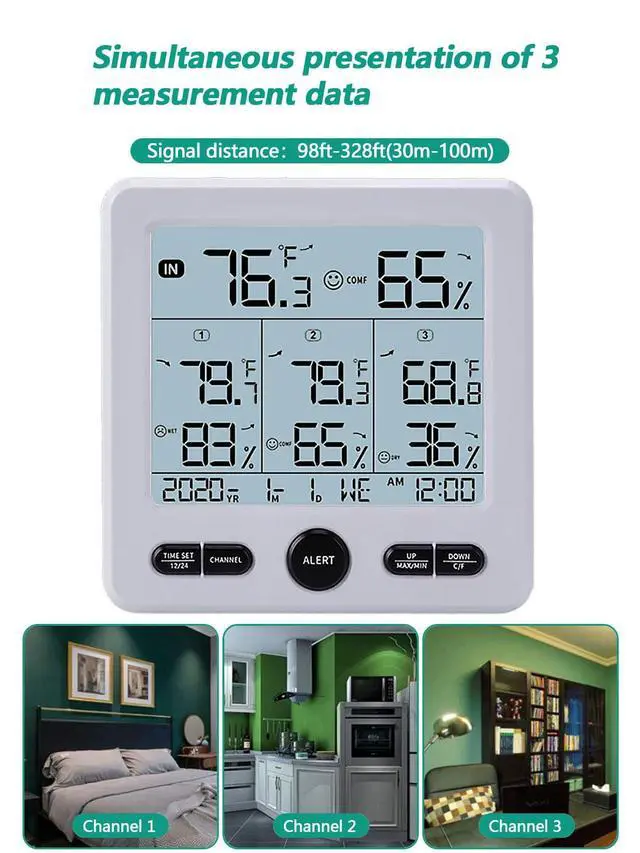
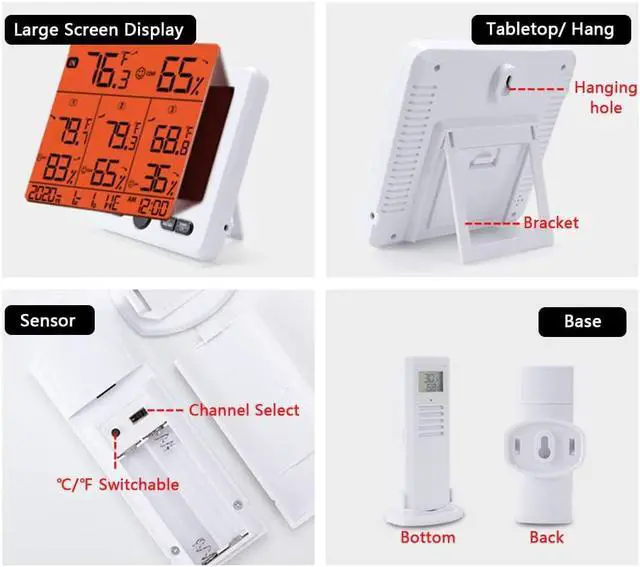
Large LCD And Multifunction Display The thermometer hygrometer features a large 4.7 inch display with large fonts for readings at a glance. It can also display the temperature and humidity of the main unit and 3 transmitters at the same time, so you can quickly understand the temperature and humidity of different places. It provides temperature and humidity trend display, 24-hour maximum/minimum data display, add date and time display function, which will bring you more convenience.
Wide Measuring Range And High AccuracyThe thermo-hygrometer can measure indoor and outdoor temperature humidity at the same time, indoor temperature range: 32-122 (0-50), outdoor temperature range: -58-158 (-50-70); indoor/outdoor humidity range: 20%-99%. It is NORMAL when 2 items display difference within ±2 & ±5%RH, even they are positioned in the same place.
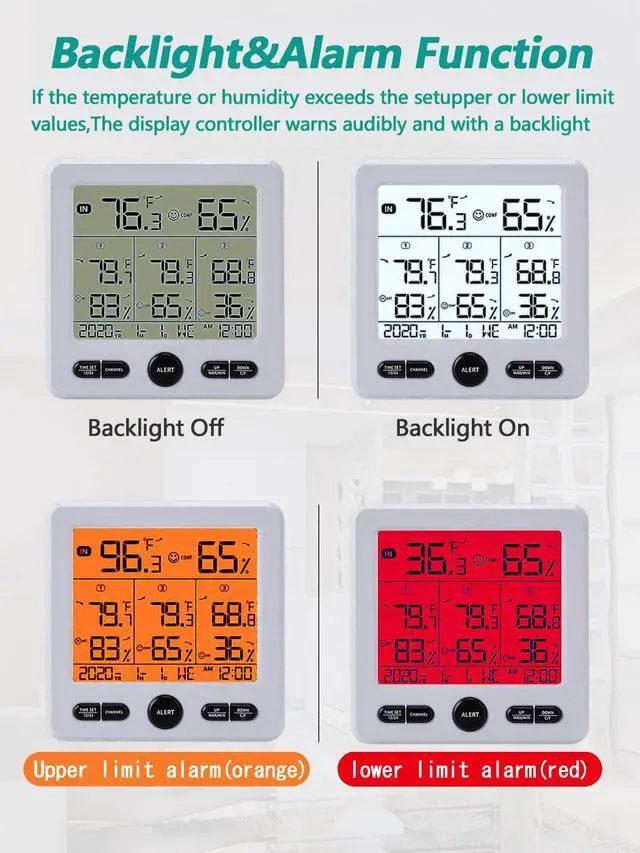
Dual Power Supply And Backlight FunctionThe main unit supports 3*AAA battery power or USB cable power, when battery power, the backlight of the main unit will go out automatically if there is no operation within 5 seconds; when using USB power, the backlight of the main unit can choose to be always on or off after 5 seconds, the two backlight modes can be switched by long pressing the DOWN C/F button. The transmitter has no backlight function, powered by 2*AAA batteries. Batteries are not included in the package.
+
+
Overview
Specs
Reviews
Any questions? Ask CelesteSM will help you find out quickly.
Try me now
packages
1x Indoor display console
3x Wireless thermometer sensor
1x Usb data cable
1x User manual
How to install the Wireless Thermometer?
Install 3 AAA batteries into the thermometer transmitter,or powered by usb date cable, the LCD will display all functions for 3 seconds (and the orange, red, and white backlights will also turn on in turn). Then, the system's initial interface will appear after a “beep” sound.
Install 2 AAA batteries into the thermometer console. Before placing the batteries, please set the relevant channel behind the transmitter (factory default: CH1).
Put the console and transmitter together, wait one hour to verify the accuracy of temp and humidity.
Tips
Electromagnetic interference (EMI). Keep the console a few feet away from the computer monitor and TV.
Radio-frequency interference (RFI). If you have other 433 MHz devices and there are intermittent communications, try turning off other devices for troubleshooting. You may need to relocate the transmitter or receiver to avoid intermittent communications.
Line-of-sight scoring. The device is rated for a line of sight of 300 feet (without interference, obstructions or walls), but in general, in most real-world installations, they will normally reach a maximum of 100 feet (including through obstructions or walls).
Metal obstructions. Radio-frequency does not pass through metal barriers, such as aluminum siding. If you have metal sidings, aim the remote control and console through the window for a clear line of sight.
packages
1x Indoor display console
3x Wireless thermometer sensor
1x Usb data cable
1x User manual
How to install the Wireless Thermometer?
Install 3 AAA batteries into the thermometer transmitter,or powered by usb date cable, the LCD will display all functions for 3 seconds (and the orange, red, and white backlights will also turn on in turn). Then, the system's initial interface will appear after a “beep” sound.
Install 2 AAA batteries into the thermometer console. Before placing the batteries, please set the relevant channel behind the transmitter (factory default: CH1).
Put the console and transmitter together, wait one hour to verify the accuracy of temp and humidity.
Tips
Electromagnetic interference (EMI). Keep the console a few feet away from the computer monitor and TV.
Radio-frequency interference (RFI). If you have other 433 MHz devices and there are intermittent communications, try turning off other devices for troubleshooting. You may need to relocate the transmitter or receiver to avoid intermittent communications.
Line-of-sight scoring. The device is rated for a line of sight of 300 feet (without interference, obstructions or walls), but in general, in most real-world installations, they will normally reach a maximum of 100 feet (including through obstructions or walls).
Metal obstructions. Radio-frequency does not pass through metal barriers, such as aluminum siding. If you have metal sidings, aim the remote control and console through the window for a clear line of sight.
Indoor Outdoor Digital Thermometer Hygrometer with 3 Wireless Sensors, 4.7 Inch Display Temperature Humidity Monitor with 330FT Range Remote Sensor, Backlight, Time for Home, Office, School
Learn more about the Generic Brand TY02
General
Brand
Taylor
Model
TY02
Model
Part Number
TY02
General
Type
Infrared Thermometer
Color
Black
Specification
Measurement Range
32 degrees_fahrenheit to 158 degrees_fahrenheit
Measurement Accuracy
+/-1.8?, +/-5%RH
Power
Power Source
Aaa Battery, Usb Cable Powered
Operating Environment
Operating Environment
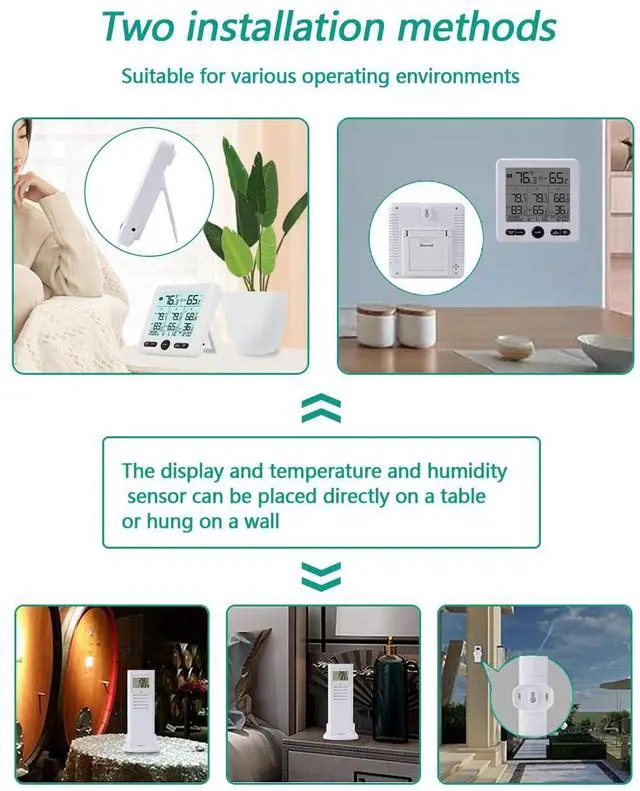
3 Sensors, Home, Garden, Laboratory
Dimensions & Weight
Dimensions
14.33in W x 12.83in H x 9.06in D
Weight
0.372 kilograms
Additional Information
First Listed on Newegg
July 13, 2026
Customer Reviews of the Generic Brand TY02
There are no reviews yet.
Do you own this product?
Warranty & Returns
Warranty, Returns, And Additional Information
Warranty
Please contact the Seller directly for warranty information. Warranty information may also be found on the Manufacturer's website.





 here!
here!