




 here!
here!
I’m your shopping assistant for PC builds, upgrades, and everything tech.
Got questions? Ask away!
Start a conversation
here!
I’m your shopping assistant for PC builds, upgrades, and everything tech.
Got questions? Ask away!
Start a conversation




Any questions? Ask CelesteSM will help you find out quickly.
/20-985-324a/1.jpg)
/20-985-324a/1b.jpg)
/20-985-324a/1a.png)
MEMORY CARD 1TB / 512GB / 256GB / 128GB
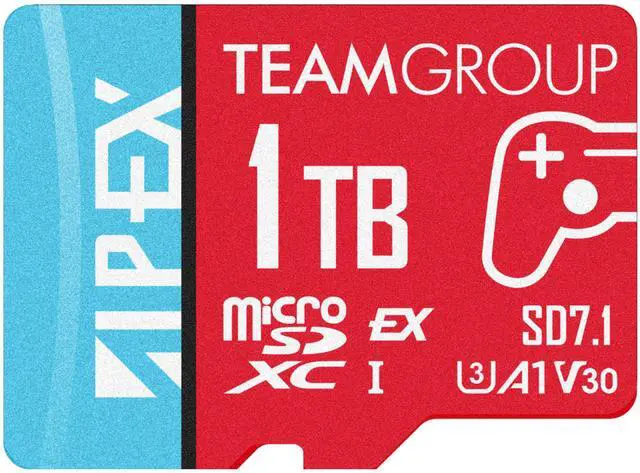
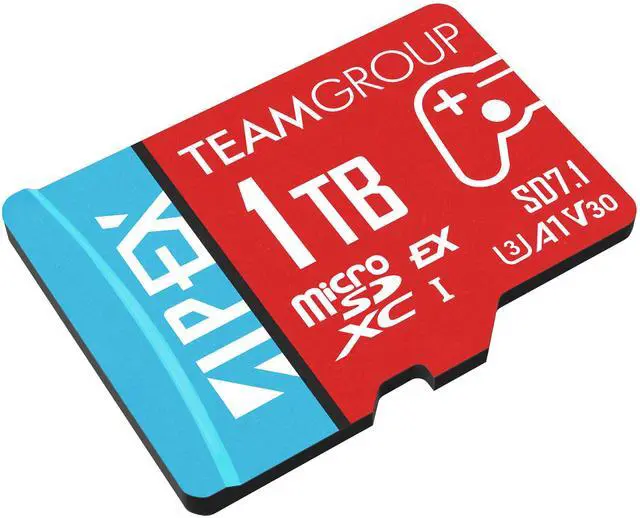
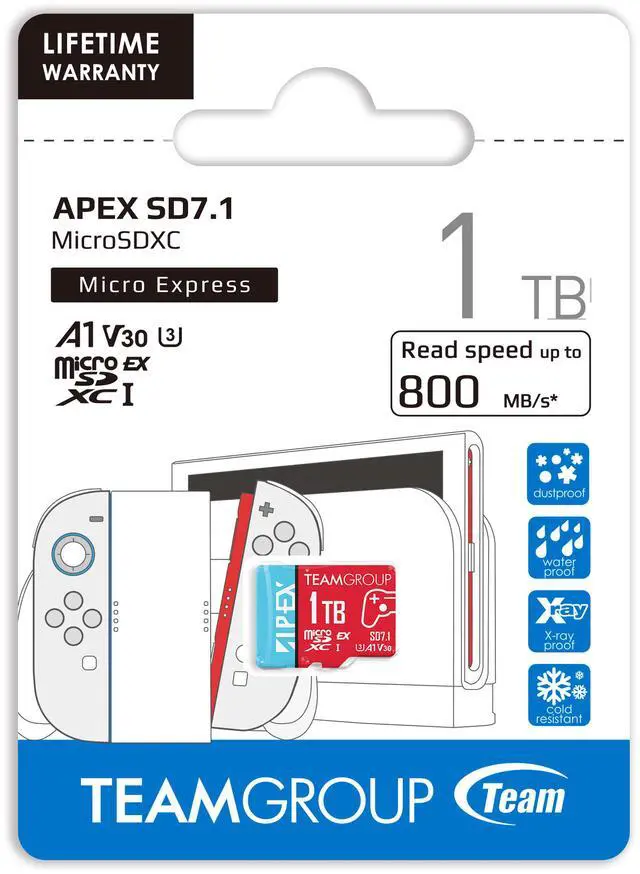
The APEX SD7.1 adopts the MicroSD Express standard compliant with SD 7.1 specifications. Featuring a PCIe Gen3 x1 interface and NVMe protocol, it significantly boosts transfer performance. Designed for high-efficiency storage, fast data access, and mobile applications, this next-generation high-speed memory card redefines traditional microSD expectations.
/20-985-324a/2.jpg)
/20-985-324a/3.jpg)
Specifically engineered for the new generation of handheld gaming devices, the APEX SD7.1 supports the MicroSD Express slot on the Nintendo Switch 21. It is also an Application Performance Class 1 (A1)2 memory card and is backward compatible with handheld gaming consoles and mobile devices equipped with traditional microSD card slots delivering fast and stable gameplay data access across platforms.
Utilizing a PCIe lane, the APEX SD7.1 offers speed far beyond traditional microSD cards. Compared to TEAMGROUP ELITE MicroSDXC A1 V30 (max 100MB/s) and T-CREATE EXPERT SDXC V90 (max 300MB/s), APEX SD7.1 delivers 8x and 2.6x speed improvements, respectively—ideal for high-speed data transfers, backups, and intensive gaming performance.
/20-985-324a/4.jpg)
Available in 128GB, 256GB, 512GB and 1TB the product can store up to approximately 361 minutes (around 6 hours) of 4K 120fps ultra-high-definition footage, making it ideal for filming, creating, and gaming.
/20-985-324a/6.jpg)
/20-985-324a/7.jpg)
With MicroSD Express high-speed capabilities and support for V30 video speed class, the APEX SD7.1 ensures smooth 4K video recording without dropped frames—perfectly capturing every vibrant moment.
Tested under harsh environmental conditions, this card is water-resistant, shockproof, X-ray proof, anti-static, and resistant to extreme temperatures. It is built for reliability in travel, filming, and adventure scenarios, and includes a limited lifetime warranty to safeguard your valuable data.
/20-985-324a/8.jpg)
/20-985-324a/9.jpg)
1. Nintendo Switch 2 are registered trademarks of Nintendo Co., Ltd.
2. Data recovery service is only available when the product remains readable.
The Team Group APEX SD7.1 is a 1TB microSDXC MicroSD Express card for Nintendo Switch 2 owners and other compatible devices who want high-capacity game storage and fast transfers, with read speeds up to 800MB/s and write speeds up to 700MB/s using a professional card reader.
| Attribute | Value |
|---|---|
| Best For | Expanding game storage on Nintendo Switch 2 and other gaming devices with a MicroSD Express or backward-compatible microSD slot |
| Capacity | 1TB of storage |
| Interface And Format | MicroSDXC MicroSD Express card with exFAT support; also backward compatible with MicroSDXC, MicroSDHC, and standard MicroSD slots |
| Speed And Class | Up to 800MB/s read and 700MB/s write with professional card readers; up to 100MB/s read and 90MB/s write over UHS-I. Rated A1, U3, UHS-I, and V30 |
| Protection And Operating Conditions | X-ray proof, drop proof, and water-resistant; operates from 0°C to 70°C and stores from -40°C to 85°C, at 2.7V to 3.6V |
| Physical Specifications | Red; 1g; 72(L) x 24(W) x 4.6(H)mm |
| Model Identifiers | Team APEX SD7.1 MicroSD Express; part/model number TAPMSDE1TIV30A102 |
Q: Is the TeamGroup APEX 1TB better than a regular microSD card for Switch 2?
A: Choose the APEX for storing and playing games on Nintendo Switch 2: the console requires a microSD Express card, and regular microSD cards cannot store or load games there. The APEX is a microSD Express card with up to 1TB capacity. ([en-americas-support.nintendo.com](https://en-americas-support.nintendo.com/app/answers/detail/a_id/68425/~/microsd-card-and-microsd-express-card-compatibility-with-nintendo-switch%C2%A02))
Q: Should I use the APEX or the Switch 2’s internal storage for games?
A: Use the APEX when you need more room for a larger game library; keep games on internal storage when prioritizing the fastest loading. Independent testing notes that Switch 2 internal storage can outperform microSD Express cards, while the APEX adds up to 1TB of expansion space. ([tomshardware.com](https://www.tomshardware.com/pc-components/microsd-cards/best-microsd-express-cards-for-nintendo-switch-2))
Q: Does the APEX run faster than a regular microSD in a Steam Deck or ROG Ally?
A: The APEX can work in devices with a standard microSD slot, but it uses the legacy UHS-I interface in those devices, not its advertised Express speeds of up to 800MB/s read and 700MB/s write. If you mainly use a Steam Deck or ROG Ally, compare its price with a standard UHS-I card; the APEX’s Express advantage is most relevant in an Express-compatible device. ([teamgroupinc.com](https://www.teamgroupinc.com/en/product-detail/card/TEAMGROUP/apex-sd-7-1-microsd-express/apex-sd-7-1-microsd-express-TAPMSDE128GIV30A102/))
Q: Is the APEX worth buying for the original Nintendo Switch?
A: It is compatible, but the original Switch reads and writes a microSD Express card at standard microSD speeds. Choose the APEX if you also want a card for a Switch 2 or another Express-compatible device; for an original Switch alone, a regular microSD card can provide the same card-interface performance. ([en-americas-support.nintendo.com](https://en-americas-support.nintendo.com/app/answers/detail/a_id/68425/~/microsd-card-and-microsd-express-card-compatibility-with-nintendo-switch%C2%A02))
Q: Will this card work with Nintendo Switch 2?
A: Yes. The APEX SD7.1 is a microSD Express card, and the product listing identifies it as compatible with Nintendo Switch 2. Nintendo Switch 2 requires a microSD Express card for game storage.
Q: Will it work in a Steam Deck, ROG Ally, or an older Nintendo Switch?
A: It can work in devices with compatible microSDXC slots because the card is backward compatible with standard microSD slots. In those devices, it uses the host’s supported interface rather than microSD Express speeds; check the device’s capacity and card-format requirements before buying.
Q: Will I get 800MB/s read and 700MB/s write speeds in my device?
A: Not necessarily. Those maximums are specified with professional card readers. For UHS-I use, the listing gives maximums of 100MB/s read and 90MB/s write; actual speeds also depend on the host device and reader.
Q: How many games or how much video can 1TB hold?
A: It provides 1TB of rated storage, but the number of games depends on their individual file sizes. For video, the product listing estimates about six hours of 4K 120fps footage; actual recording time varies with the camera’s settings and bitrate.
Q: Is the 1TB APEX worth buying for a large Nintendo Switch 2 game library?
A: It may suit players who keep many digital games installed: Reddit users report using the card alongside the console’s internal storage for sizable libraries. The trade-off is the high cost of 1TB microSD Express storage; players who uninstall games when finished may not need that much capacity.
Q: Will this card work for storing games on Nintendo Switch 2?
A: Yes. The APEX is a microSD Express card, the card type Reddit users identify as necessary for storing games on Switch 2. One owner reported using the 1TB APEX in their console. The product information also lists Switch 2 compatibility.
Q: Will games load faster from the APEX than from the Switch 2’s internal storage?
A: The available Reddit reports do not establish that the APEX loads games faster than internal storage. One owner kept Switch 2 games on internal storage to prioritize loading times and used the card for additional storage, so treat the APEX primarily as a capacity upgrade rather than a guaranteed loading-speed improvement.


