





TESmart 3 Monitor HDMI KVM Switch
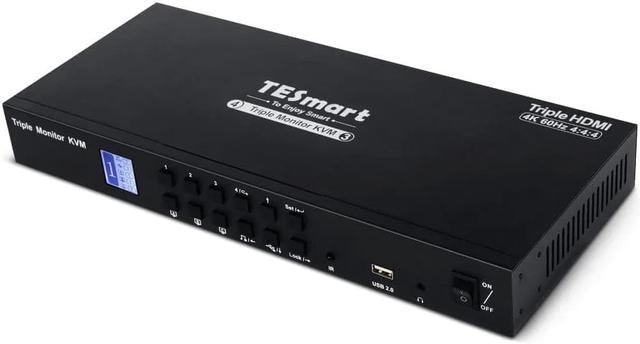
The TESmart triple Monitor KVM switch is a high-quality switch that allows for ultimate flexibility for users who desire to share one keyboard, mouse, three 4K resolution screens, and USB peripherals among four computers. By optimizing your desk space, the KVM switch makes it easy to manage multiple computers at your workstation effortlessly.

Features
- Supports resolution up to 3840x2160 4K@60Hz 4:4:4 and downward compatible. Support 3D, HDR, HDCP and Dolby Vision.
- EDID emulators are installed in each input port to ensure that the connected PCs always have the correct display. This prevents any changes in display settings while switching inputs.
- Designed to be plug and play, meaning that no drivers are required for it to function properly
- Supports Unix/Windows/MacOS X/Ubuntu/Debian/Fedora/Raspbian/Ubuntu for Raspberry Pi and other Linux based systems.
- Lockable USB 2.0 channels and audio channels, which allow for the attachment of selected peripherals to different computers. This enables you to simultaneously listen to audio from one computer while working on another.
- Lock feature meant to secure your KVM (all peripherals), monitors, and protect private info when leaving desk. Displays turn off and buttons become invalid.

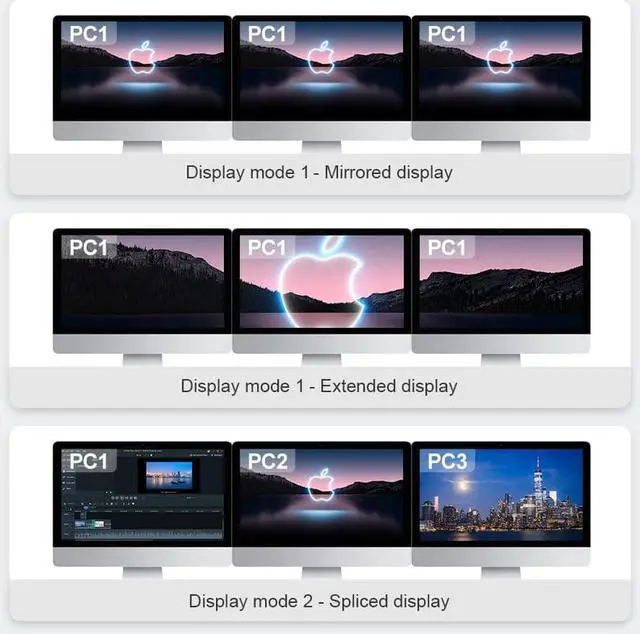
Display modes
Mode 1:
A single computer mirrored across all three monitors or extended across all three monitors.
Mode 2:
Combine different computers and display them across three monitors.


Switch Between Work & Play
Aside from connecting laptops/desktops/computers/PCs, this device is also compatible with PS/Xbox/Streaming Devices, enabling seamless switching between work and entertainment.

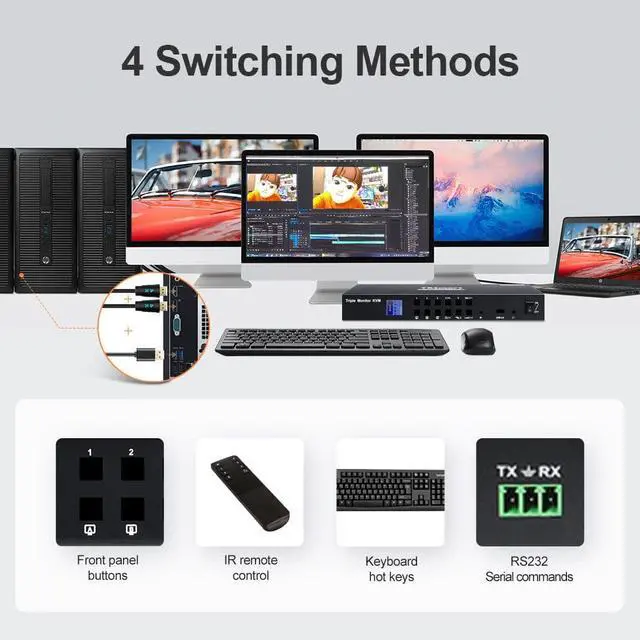
5 Switching Modes
Supports keyboard hotkeys, front panel buttons, Remote and RS232 commands to switch input ports. Auto scan with adjustable interval for monitoring and testing.

Lockable Audio & USB
Supports locking audio and USB 2.0 focus. Once the lock is activated, the current audio or USB focus will be maintained, and only the screen will switch when switching between sources.

Shared USB 2.0 Peripherals
3 additional USB 2.0 ports for additional peripheral such as an external hard drive, thumb drive, printer, webcam or gaming keyboards (if not supported in the dedicated keyboard/mouse ports).

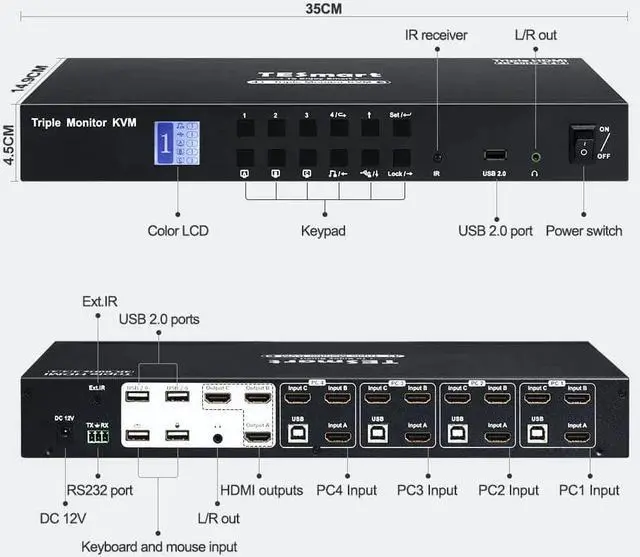
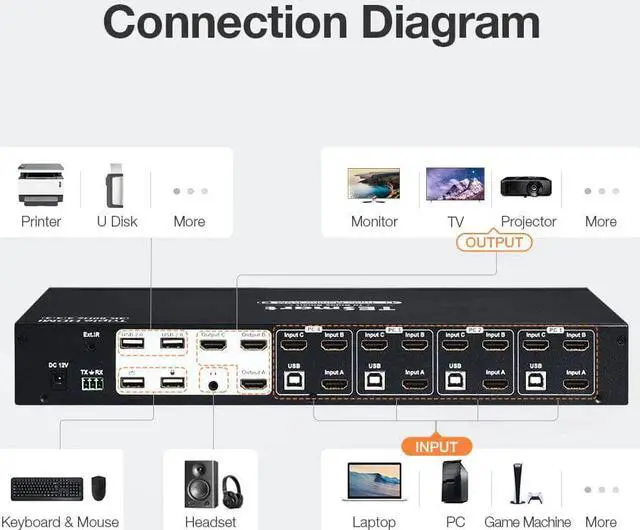
Diagram
- For the three monitors to receive video, each computer requires three HDMI connections.
- Dedicated keyboard/mouse ports for hotkey functions.
- RS232 control terminal (for switching between inputs).
- Three output displays (Can be used for 1 or 2 also for future monitor purchases).
- USB 2.0 Ports for additional peripherals.
- IR extension for increase remote control range.
If you have any questions regarding the setup process, feel free to contact us, and we will provide you with a list of necessary components and instructions on how to set them up.