here!
here!
I’m your shopping assistant for PC builds, upgrades, and everything tech.
Got questions? Ask away!
Start a conversation
here!
I’m your shopping assistant for PC builds, upgrades, and everything tech.
Got questions? Ask away!
Start a conversation Top Rated


Any questions? Ask CelesteSM will help you find out quickly.
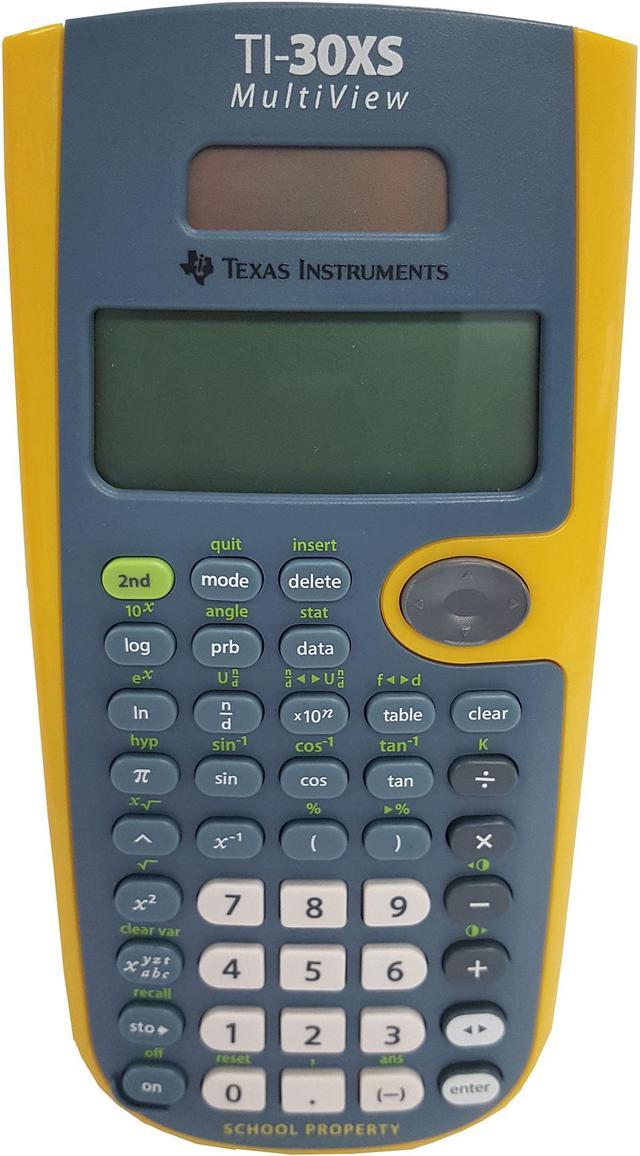
 Math NotationEnter and view calculations in common Math Notation via the MATHPRINT mode, including symbolic pi, stacked fractions, exponents and exact square roots.
 Up to 4 lines of DisplayAbility to enter more than one calculation, compare results and explore patterns, all on the same screen.
 Toggle KeyQuickly view fractions and decimals in alternate forms. "Toggle" the answer with one button to see outcomes in different representations, including changing answers between the exact form of fractions, pi terms and square root expressions, where possible, into decimal approximation format.
 ScrollingScroll through previous entries and investigate critical patterns as well as viewing and pasting previous entries or answers into a new calculation.
 MenusEasy to read and navigate pull-down menus similar to those on a graphing calculator. All mode settings are located in one central place, the mode screen.
 Other FeaturesFraction features allows you to view and perform fraction computations and explorations in familiar textbook format. Scientific Notation Output enables you to view scientific notation with the proper superscripted exponents and see the output in scientific notation. Using table feature, students can easily explore an (x,y) table of values for a given function, automatically or by entering specific x values. Plus, the calculator features dual power (solar and battery).