




 here!
here!
I’m your shopping assistant for PC builds, upgrades, and everything tech.
Got questions? Ask away!
Start a conversation
here!
I’m your shopping assistant for PC builds, upgrades, and everything tech.
Got questions? Ask away!
Start a conversation



Any questions? Ask CelesteSM will help you find out quickly.
| Type | Wheels |
|---|---|
| Simulator Type | Racing |
| Platform | PC / Xbox / PlayStation |
| First Listed on Newegg | October 24, 2022 |
|---|
We want to ensure your holiday shopping this year is hassle-free. That’s why we’re automatically extending our return policies on almost every product! For purchases placed between November 1st, 2025 and December 31, 2025 you will have until January 31, 2026 to return your product.
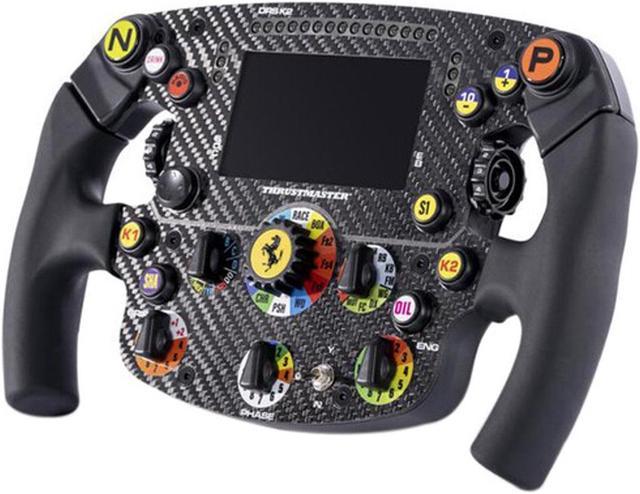
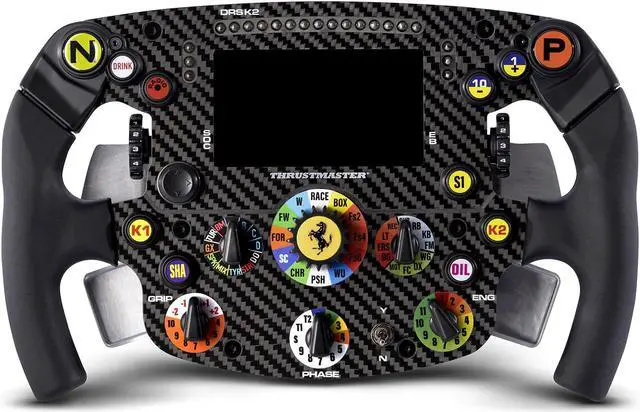
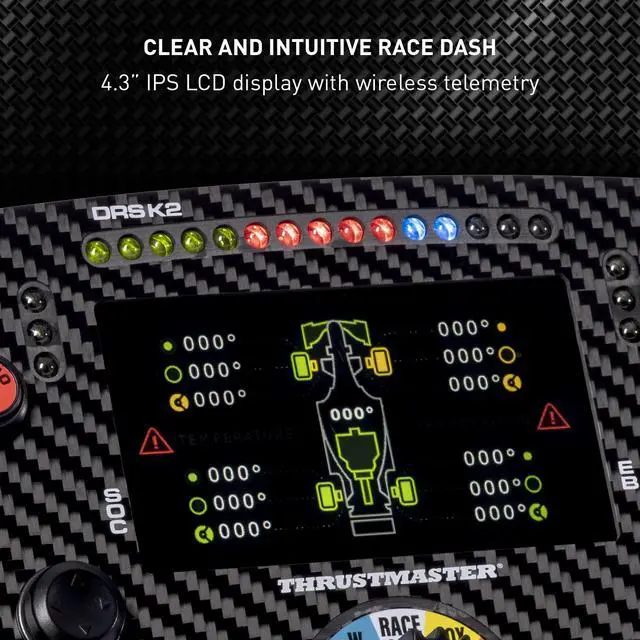
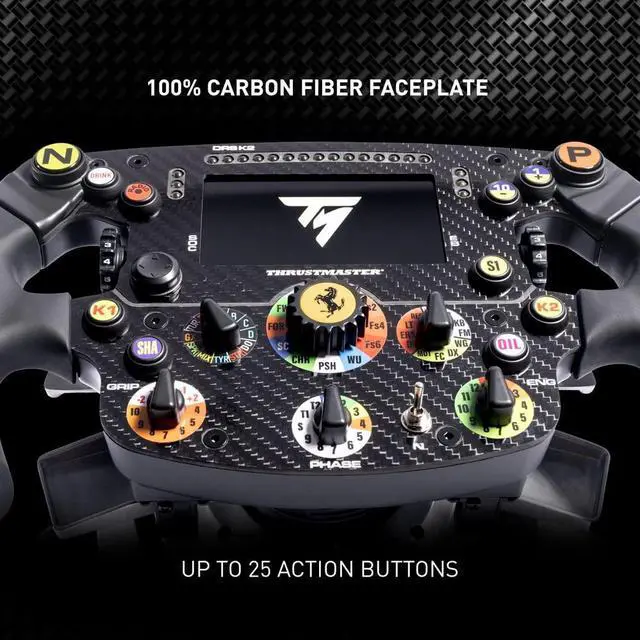
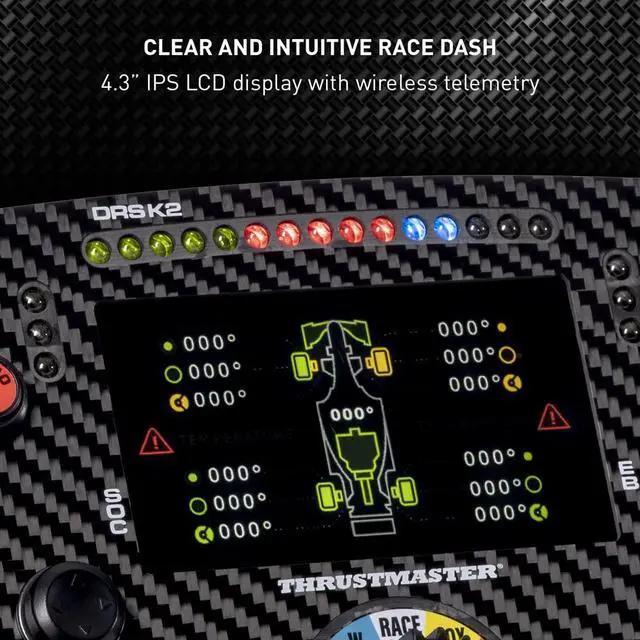
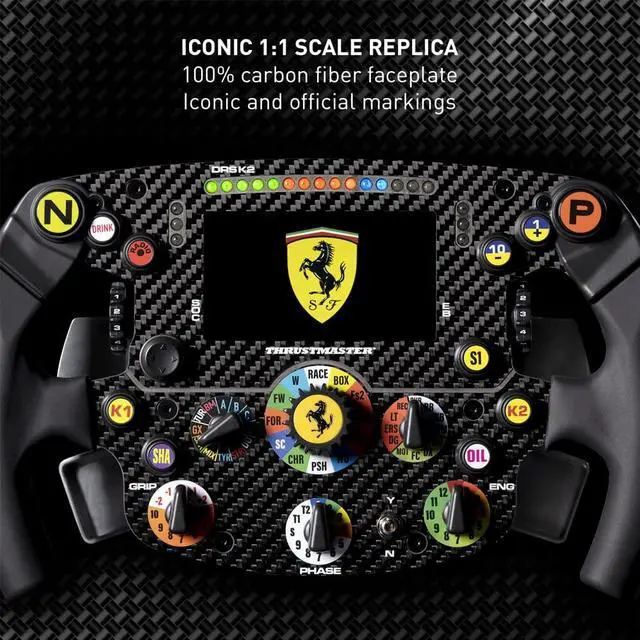
The Thrustmaster Ferrari SF1000 Wheel Add-On is a Formula-style sim-racing wheel rim for drivers using a compatible Thrustmaster wheel base on PC, PlayStation, or Xbox; its 4.3-inch IPS display shows up to 69 items of racing information.
| Attribute | Value |
|---|---|
| Best For | Add-on racing wheel for driving simulation across PC, Xbox, and PlayStation |
| Platform Compatibility | Compatible with PC, Xbox Series X, Xbox One, PlayStation 5, and PlayStation 4 |
| Controls | 25 buttons with paddle-style control |
| Connectivity | USB |
| Physical Specifications | Black; 13 × 12.5 × 4.88 inches; 4.47 pounds |
| Model Identifiers | Thrustmaster Ferrari SF 1000 Edition Formula Wheel Add On; model 4060172 |
Q: Should I get the SF1000 or the newer SF-25 wheel add-on?
A: Choose the SF-25 if you want its newer Quick Release system and, depending on the game, more detailed and reliable telemetry. Choose the SF1000 if you already own one or prefer a wheel that works with older Thrustmaster bases such as the T300, TX, T-GT, TS-XW, or TS-PC. The SF1000 can also be used with T598 and T818 bases, but requires the separately sold SF1000 Quick Release Upgrade and compatible adapter. Both have a 4.3-inch display, 21 LEDs, 25 action buttons, and 7 encoders. These are wheel add-ons, so a compatible base is required.
Q: SF1000 or Ferrari 488 GT3 wheel for GT racing?
A: Choose the Ferrari 488 GT3 add-on if you prefer a larger 31 cm GT-style rim for GT racing and want its included quick-release holders. Choose the SF1000 if you mainly drive Formula cars and value its Formula-style layout, 4.3-inch telemetry screen, and 21 LEDs. Both are Thrustmaster wheel add-ons; check compatibility with your base before buying.
Q: Is the SF1000 worth choosing over the TM Open Wheel Add-On?
A: Choose the SF1000 if you want an integrated telemetry display, 21 LEDs, and more controls for adjusting settings while driving. Choose the TM Open Wheel Add-On if you prefer a lighter, simpler rim: it weighs 864 g and has 6 action buttons, a D-pad, and a rotary selector. The SF1000 weighs about 1.3 kg, so the Open Wheel Add-On is the lighter option; both require a compatible Thrustmaster base.
Q: Should I upgrade from the older Ferrari F1 Wheel Add-On to the SF1000?
A: Choose the SF1000 if you want a built-in 4.3-inch display, 21 LEDs, and a larger set of usable controls, including 7 encoders. Keep or choose the older Ferrari F1 Wheel Add-On if you mainly want a Ferrari Formula-style rim and do not need an integrated telemetry screen. The older model has different button mappings by platform and mode, so check its mapping for your console or PC setup before buying.
Q: Is the SF1000 wheel add-on compatible with my platform?
A: It is listed for PC, PlayStation 4 and 5, and Xbox One and Series X|S, but it must be attached to a compatible Thrustmaster T-Series wheel base. Check that your base supports your platform before buying; Xbox telemetry features can also depend on the base and its firmware.
Q: Does the SF1000 come with a wheel base?
A: No. This is a wheel add-on, not a complete racing-wheel setup. You need a compatible Thrustmaster T-Series wheel base, which is sold separately.
Q: Does the screen show telemetry in every racing game?
A: No. The 4.3-inch screen can show up to 69 items of information, but the data available depends on the game, platform, and wheel base. Check the game's telemetry support before buying if the display is a key reason for choosing this wheel.
Q: Who is this wheel add-on best suited for?
A: It is aimed at sim racers who want a Formula-style steering wheel, on-wheel controls, magnetic paddle shifters, and a telemetry display. It is less suitable if you need a complete setup in one purchase or prefer a general-purpose wheel shape.
Q: Is the SF1000’s telemetry screen plug-and-play on Xbox?
A: Not always. Reddit users report that getting telemetry on the screen can require updated wheel and base firmware, Wi‑Fi configuration, and matching the game’s UDP telemetry settings. Setup and compatibility can vary by game and update.
Q: Will the SF1000 display telemetry in every racing game?
A: The display should not be assumed to show telemetry in every game. Reddit discussions describe game-specific setup requirements and cases where telemetry stopped working after a game update. Check that your game supports a compatible telemetry output before buying for the screen feature.
Q: Can I still race if the SF1000’s telemetry screen isn’t working?
A: Reddit users report that the wheel can remain usable for driving even when its display is not receiving telemetry. If the live screen is a main reason for your purchase, note that it depends on working game telemetry and configuration.
Q: Should I buy the SF1000 mainly for its telemetry display?
A: Consider it if you want the 4.3-inch display and are willing to check game support and configure telemetry. Community posts report that the screen may need firmware or network setup and can stop receiving data after game changes, so its display features are not guaranteed in every setup.


