




 here!
here!
I’m your shopping assistant for PC builds, upgrades, and everything tech.
Got questions? Ask away!
Start a conversation
here!
I’m your shopping assistant for PC builds, upgrades, and everything tech.
Got questions? Ask away!
Start a conversation



Any questions? Ask CelesteSM will help you find out quickly.

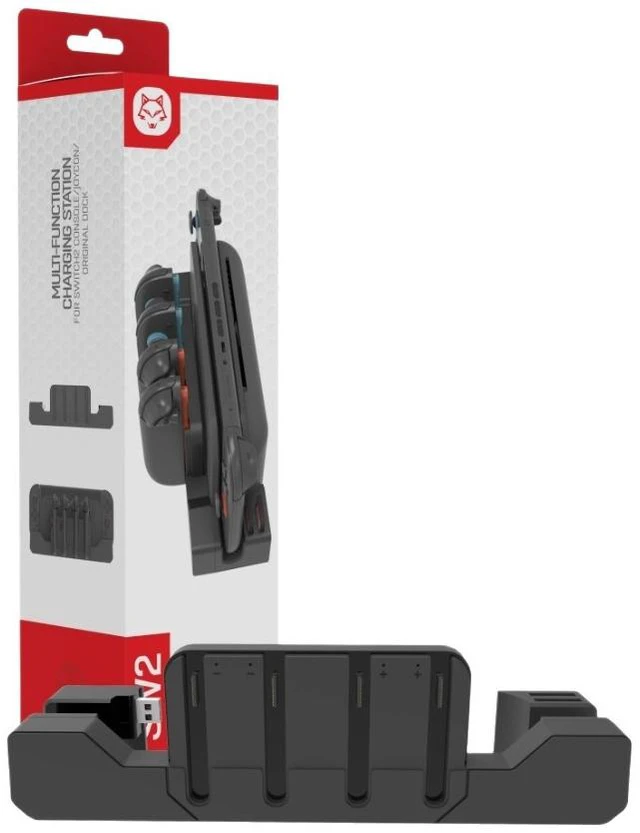
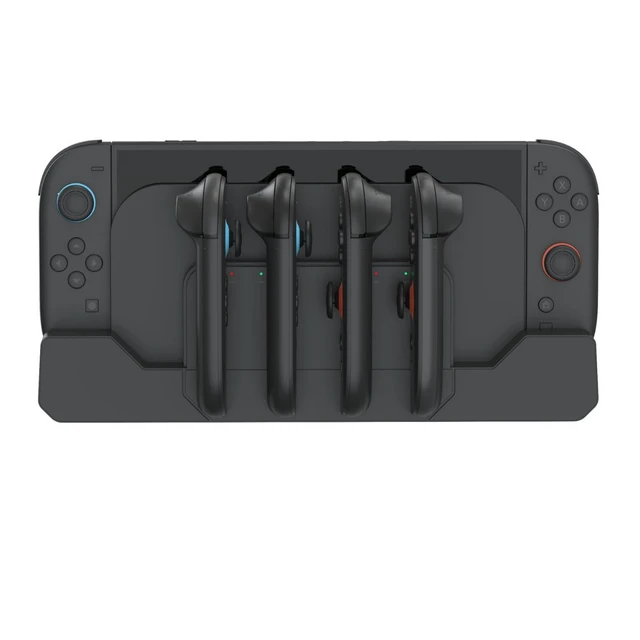
Features 4 Joy-Con charging ports, 2 game cartridge storage slots, and plug-and-play design. Charges up to four Joy-Cons simultaneously for uninterrupted gameplay.

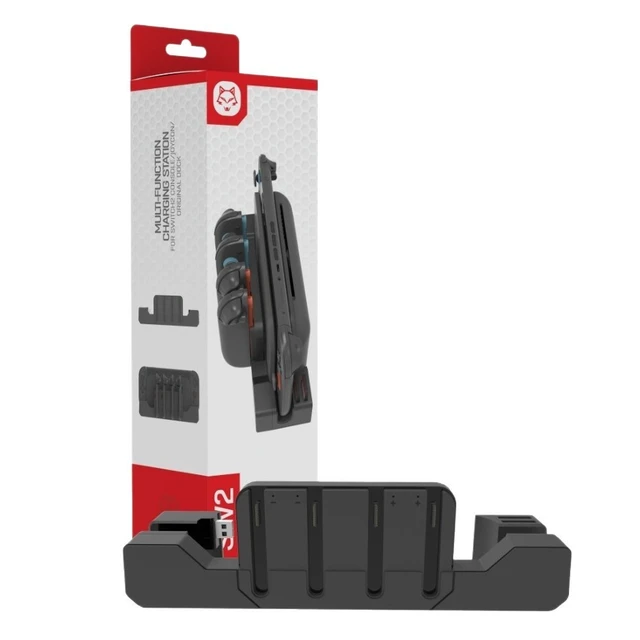
Dedicated card slots keep your game collection organized and safe. Say goodbye to clutter with built-in storage for up to 2 game cartridges.

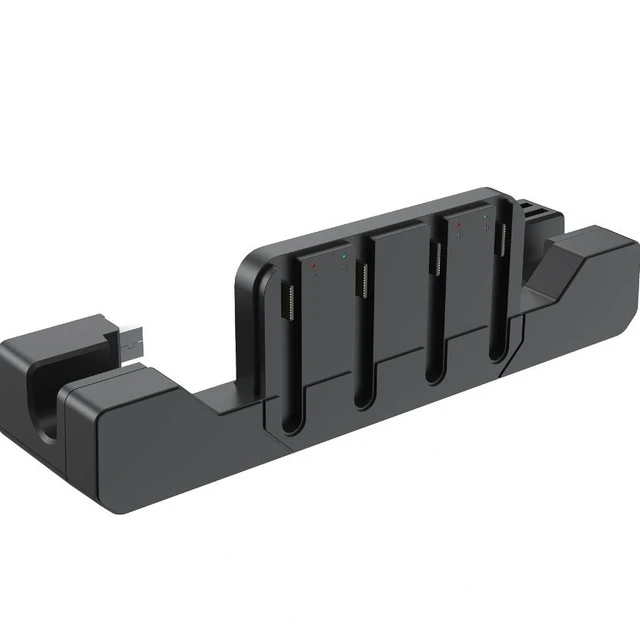
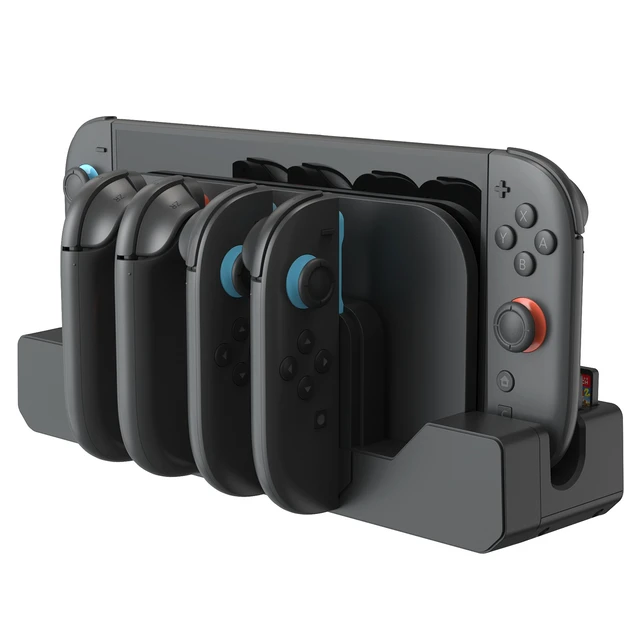
Four charging slots let you charge up to 4 Joy-Cons at the same time. Supports charging with protective cases on, eliminating the hassle of removing cases before charging.

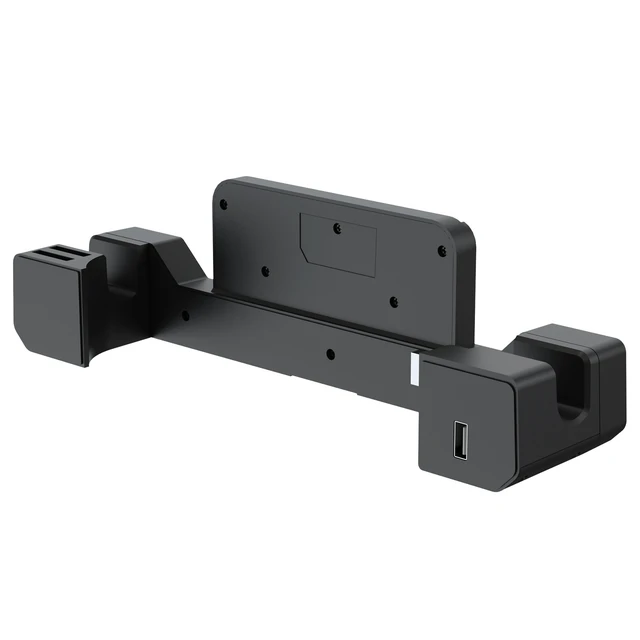
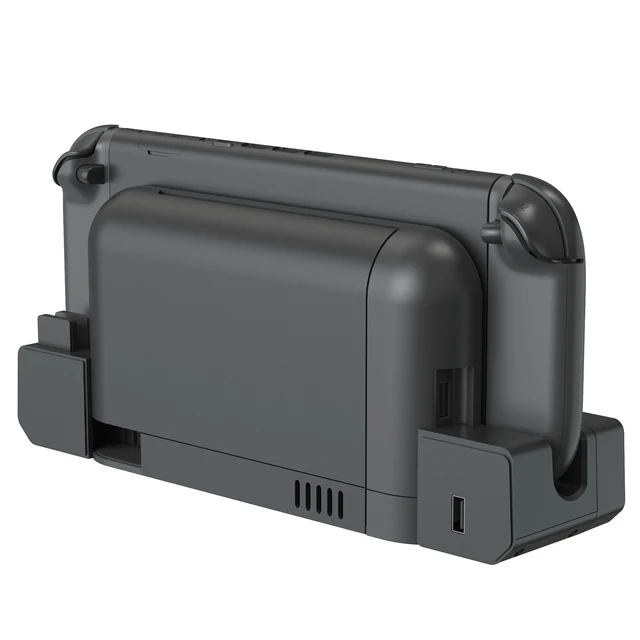
Pull out the left side of the base and plug the USB port into the original console's charging dock to supply power. Includes an additional USB 2.0 output port for wired controllers.

Equipped with 3 non-slip silicone pads for added stability, preventing the charging base from sliding during use. Ensures stable and secure charging.

Each of the 4 Joy-Cons has its own charging indicator. A red light indicates charging, and a green light indicates a full charge.

Keep your Switch 2 Joy-Con controllers powered and your game cards organized with this 4-in-1 charging dock. Designed for left and right Joy-Con, it features 4 individual charging slots, so you can charge up to four controllers at once and keep the party going. Two built-in game card storage slots provide a dedicated place for your physical games, reducing clutter and protecting your collection.
The dock supports charging with protective cases installed, saving you the hassle of removing cases before every charge. Setup is quick and tool-free: pull out the left section of the dock and plug the USB connector into the corresponding USB port on your original Switch 2 dock. Each Joy-Con slot has its own LED indicatorred while charging, green when fully charged.
Three anti-slip silicone pads on the bottom keep the dock stable and prevent sliding during use. Made of durable ABS, compact size 26.6*6.8*7.6cm. Specifications: input DC5V/2A; output DC5V; charging current 250mA4; rated power 1.25W4USB interface.
Package includes charging dock and manual. Note: Controllers and game cards are not included. Please use the original dock USB port or a compatible 5V/2A power source for best performance.


