




 here!
I’m your shopping assistant for PC builds, upgrades, and everything tech.
Got questions? Ask away!
Start a conversation
here!
I’m your shopping assistant for PC builds, upgrades, and everything tech.
Got questions? Ask away!
Start a conversation



Any questions? Ask CelesteSM will help you find out quickly.


9 in 1 Type C Docking Station
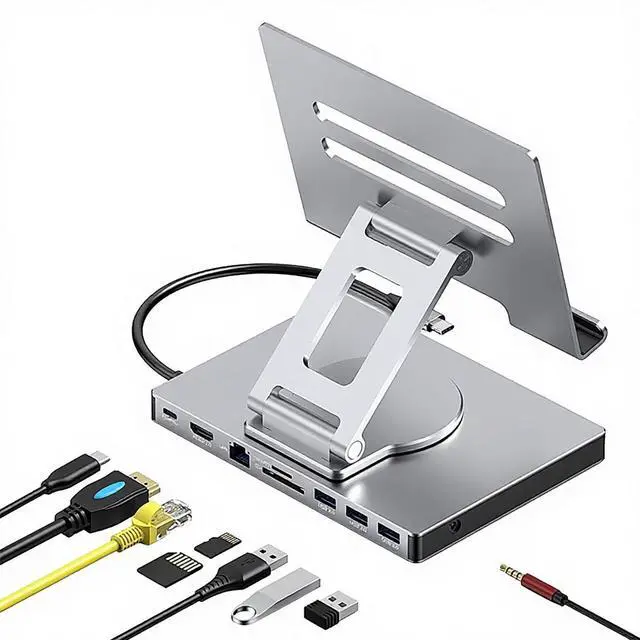
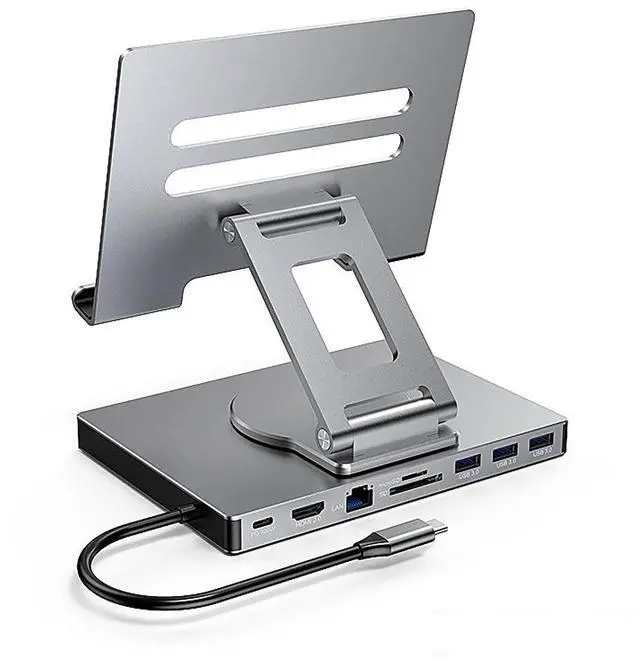
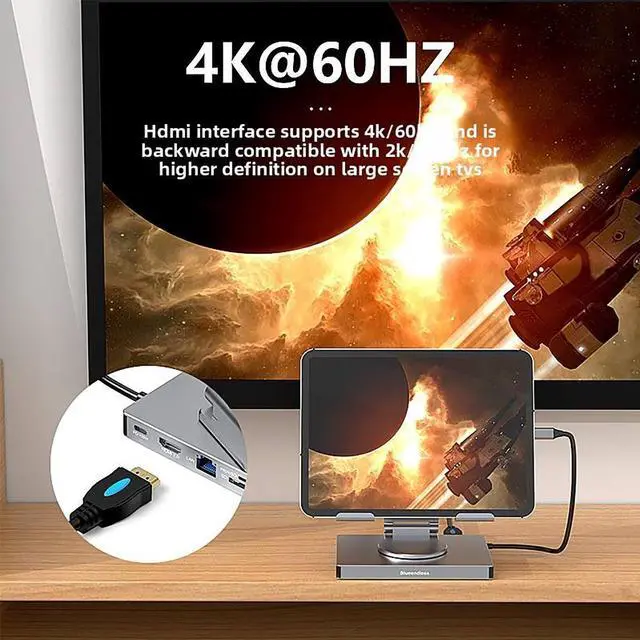
This product is a clip-shaped USB-C docking station that extends the limited USB-C connectivity of your devices with 1x 4K@60Hz HDMI port, 1x Gigabit Ethernet, 3x USB 3.0 ports, SD/TF card slots, 1x PD port, and 1x 3.5mm female audio jack.
Great Compatibility
This USB-C dock provides a compact and convenient solution for users who use a USB 3.1 Type-C interface, such as MacBook, iPad Pro, notebook, tablet, and mobile phone. It is compatible with Windows XP/7/8/10/11, macOS 10.2.8 and above, and Linux systems.
Plug & Play
The adapter supports high-resolution 4K@60Hz HDMI output, Gigabit Ethernet, reading and data transfer from SD/TF cards, and provides three USB 3.0 ports at 5Gbps. You can charge MacBooks and other devices via the USB-C PD port. During charging, HDMI, USB 3.0, and the card reader can be used simultaneously. The 3.5mm audio jack can be connected to headphones and speakers.
File Transfer
With USB 3.0 ports, you can connect USB flash drives, hard drives, keyboards, mice, and other USB devices, and transfer data at super speeds up to 5Gbps. Convenient access to files from SD/Micro SD cards.
Folding Design & Compact & 360° Rotatable
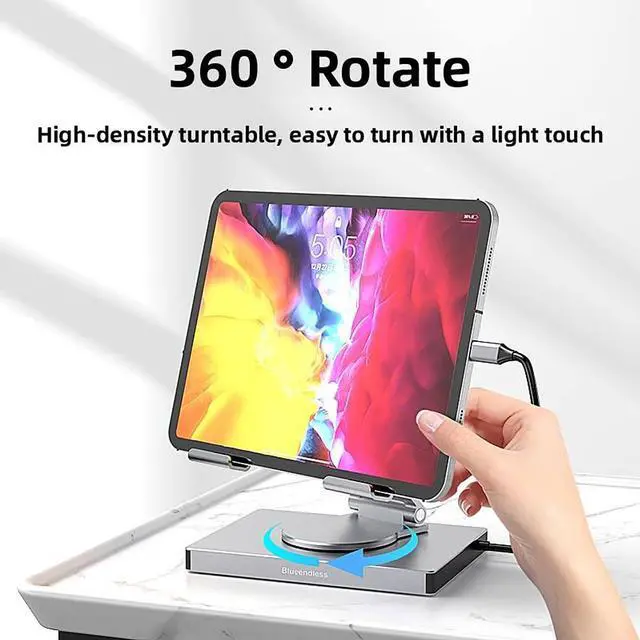
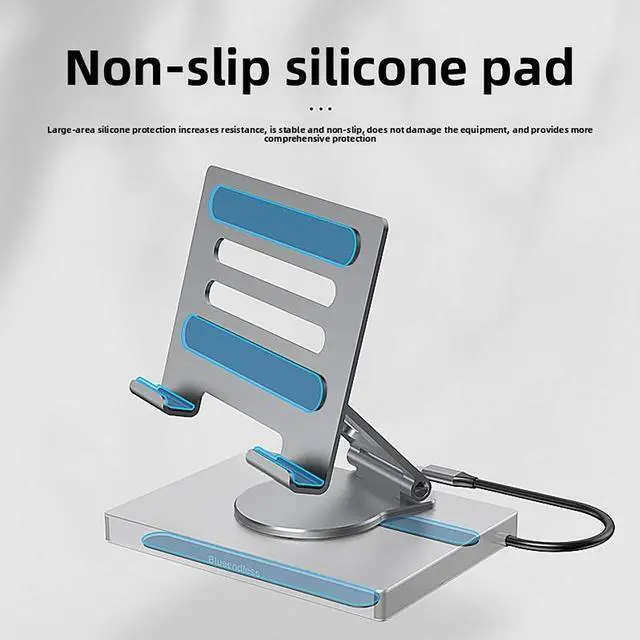
This docking station can be folded and is very convenient to carry. Additionally, the clip-shaped body features 360° rotation, allowing you to adjust the angle freely for the most comfortable and flexible usage.
The TOPWOLF SS-ST901A is a foldable, 360°-rotatable 9-in-1 USB-C hub stand for iPad Pro, MacBook, tablets, notebooks, and other USB-C devices. It suits users who need one compact accessory for 4K60Hz HDMI, Gigabit Ethernet, USB peripherals, SD/TF cards, USB-C PD charging, and 3.5mm audio.
| Attribute | Value |
|---|---|
| Best For | Users who need a USB-C hub for expanding connectivity on iPad Pro, MacBook, notebooks, tablets, or phones |
| Product Type | USB-C hub |
| Design And Color | Gray |
| Model Identifiers | TOPWOLF SS-ST901A |
Q: TOPWOLF 9-in-1 iPad hub stand vs Anker 551: which should I buy?
A: Choose the TOPWOLF 9-in-1 when you need Gigabit Ethernet, three USB-A ports, SD and TF card readers, HDMI 4K at 60Hz, and a foldable rotating stand in one accessory. Choose the Anker 551 when adjustable viewing angles, aluminum construction, and up to 100W USB-C pass-through charging are more important. Both products provide HDMI 4K at 60Hz, 5Gbps-class USB-A connectivity, card readers, audio, and a stand, but the TOPWOLF model offers Ethernet and one additional USB-A port while the Anker model publishes more detailed stand and construction specifications.
Q: Is the TOPWOLF 9-in-1 better than the Satechi Aluminum Stand & Hub?
A: The TOPWOLF 9-in-1 is the better fit for users who need wired networking, multiple USB-A accessories, and flexible stand positioning. Its listed ports include Gigabit Ethernet and three USB-A 3.0 ports, while the Satechi Aluminum Stand & Hub has one USB-A port and no built-in Ethernet. Choose the Satechi model if an aluminum body, established build quality, and a simpler six-port desktop setup are higher priorities. Both support HDMI 4K at 60Hz, SD and microSD cards, USB-C charging, and 3.5mm audio, while the Satechi review identifies its USB-A and UHS-I card readers as 5Gbps and up to 104MB/s, respectively.
Q: Should I choose TOPWOLF or Satechi OntheGo Foldable Stand Hub for iPad Pro?
A: Choose TOPWOLF when Gigabit Ethernet and three USB-A ports matter more than maximum storage and USB transfer speed. Choose the Satechi OntheGo model for performance-focused workflows involving external SSDs, photography cards, or frequent large file transfers because it specifies 10Gbps USB ports and UHS-II SD and microSD readers rated up to 312MB/s. Both provide a foldable stand, HDMI 4K at 60Hz, USB-C pass-through charging, dual card readers, and 3.5mm audio, but the Satechi model does not list Ethernet among its ports and uses a fixed viewing angle.
Q: TOPWOLF 9-in-1 hub stand vs Kensington StudioDock: which is better for a desk setup?
A: Choose TOPWOLF for a portable desk setup that works with newer iPad Pro models such as the M4 generation and folds for transport. Choose Kensington StudioDock for a more permanent workstation with magnetic portrait or landscape mounting, dedicated Gigabit Ethernet, three USB 3.0 ports, HDMI 4K at 60Hz, UHS-II SD support, and wireless charging for compatible Apple devices. Kensington’s published compatibility is centered on iPad Pro and iPad Air models from 2018 through 2022, so buyers with newer iPad Pro models should verify compatibility before choosing it. TOPWOLF is more flexible for current USB-C iPad models, while StudioDock provides a larger, desk-oriented docking experience.
Q: Will this hub work with an iPad Pro that has a USB-C port?
A: Yes. It is designed for USB-C iPad Pro models, including the 11-inch and 12.9/13-inch versions listed in the product information. It is not intended for older iPads that use a Lightning connector. Compatibility also depends on the iPad supporting USB-C display and accessory functions.
Q: Can I charge the iPad while using the HDMI, USB, and card-reader ports?
A: Yes, the product includes a USB-C PD pass-through port and states that charging can be used simultaneously with HDMI, USB 3.0, and SD/TF card-reader functions. The actual charging speed depends on the connected power adapter and the iPad's charging requirements.
Q: Can this connect an iPad to an external monitor or TV through HDMI?
A: Yes. The hub provides HDMI output up to 4K at 60Hz according to the product specifications. The iPad must support external display output, and the result may be mirroring or an extended workspace depending on the iPad model and iPadOS features.
Q: Is this a good travel and office-work accessory for an iPad?
A: It is suitable for users who want one compact accessory for presentations, wired networking, external storage, USB peripherals, and wired headphones. The foldable body and 360-degree rotation improve portability and positioning. The main trade-offs are that it adds weight and bulk to the iPad, and the clip-style connection may require checking clearance around protective cases or screen protectors.
Q: Can I use SD or microSD cards to transfer photos and files to an iPad?
A: Yes. The hub includes separate SD and TF card slots for accessing compatible memory cards, and its USB 3.0 ports can connect additional storage devices. File access and transfer depend on the iPad's USB-C support, iPadOS permissions, card format, and the power needs of connected drives.
Q: Is this hub suitable for using an iPad as a desk or work setup?
A: Yes, it is suited to desk use if you need several connections at once, including HDMI, Gigabit Ethernet, USB accessories, SD/TF cards, wired audio, and pass-through charging. It is less suitable if you only need occasional single-device connectivity.
Q: Is it a good travel accessory for an iPad Pro?
A: It can reduce the number of separate adapters needed when traveling because it combines Ethernet, HDMI, USB-A, card readers, audio, and charging in one foldable unit. The trade-off is that its usefulness depends on carrying a compatible USB-C charger, HDMI cable, and any required adapters for a protective case.
Q: Can it support charging while using HDMI, USB devices, and a card reader?
A: The product specifications state that the USB-C PD port supports charging while HDMI, USB 3.0, and the SD/TF card reader are in use. Actual charging speed depends on the connected charger and the power consumed by attached devices.
Q: Is the 3.5 mm audio output suitable for music or low-latency monitoring?
A: It provides a wired 3.5 mm audio connection, which can be useful for headphones, speakers, or audio equipment. However, community discussions report that audio quality and noise performance can vary between USB-C hubs, so users requiring reliable music production or monitoring may prefer a dedicated USB audio interface.
Q: Will it work with an iPad in a protective case?
A: Compatibility may depend on the case thickness and the hub’s clip clearance. Clip-style hubs can be convenient with a bare iPad or a thin case, but a bulky case may require removal or a separate cable-based hub.


