• $124.99
  • Free 30-day Returns
  • Price alert
    Shop it at NeweggBusiness.

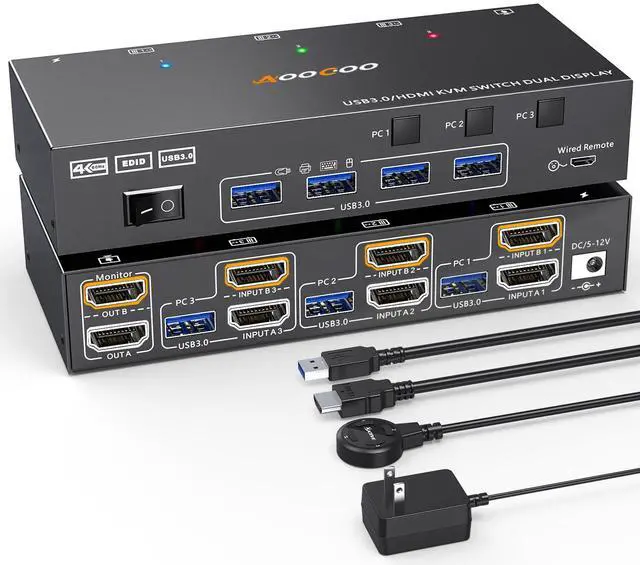
    HDMI KVM Switch 2 Monitors 3 PC 4K@60Hz/2K@120Hz KVM Switches with EDID Simulator, USB 3.0 Port,Wired Remote,Power Adapter and 3 USB3.0 Cables Included

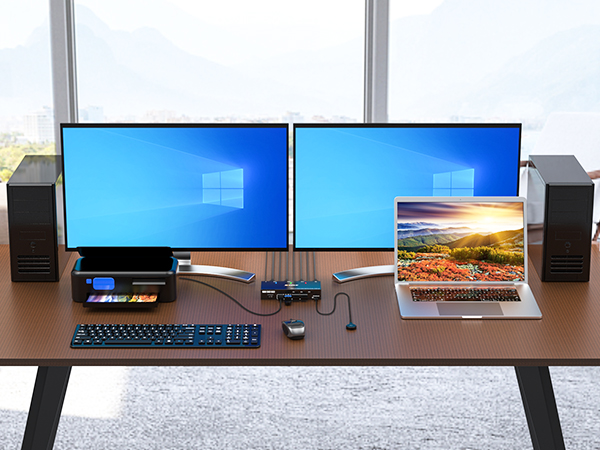
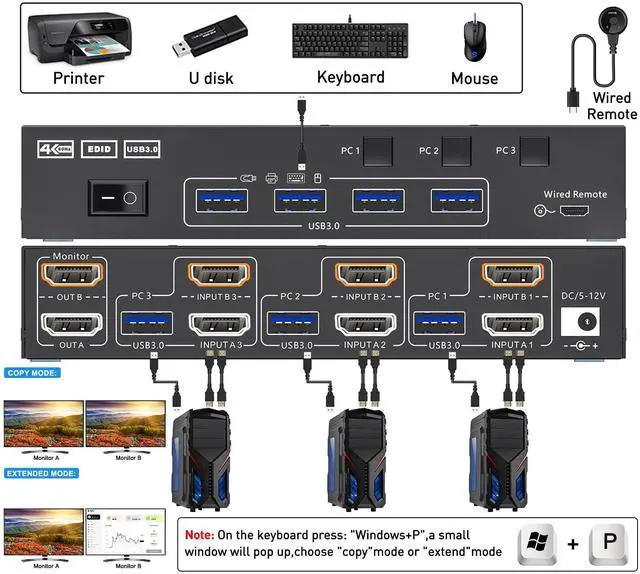
    • Dual Monitor KVM Switch for 3 PCThis Dual Monitor KVM HDMI Switch allows to control 3 computers by 1 set of keyboard & mouse and 2 monitors(Extend display mode or Copy display mode)
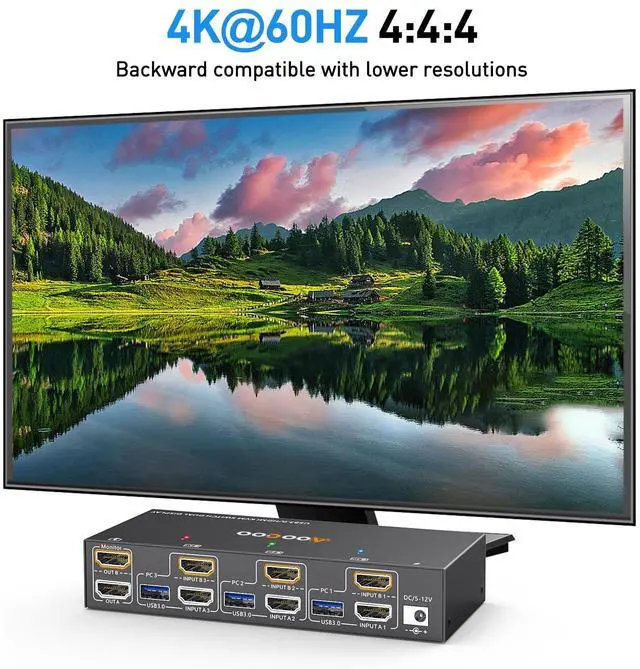
    • Ultra HD 4K@60H USB 3.0 Dual Monitor KVM switch HDMI support resolution @.3 computers 2 monitors switch aslo support input terminal to connect 2 computers with different resolutions, e.g. one is 4K@60Hz, the other is 4K@30Hz, 1440P@60Hz, 3D,1080P@60Hz or lower resolution.Note: if you need a 4K resolution , please use HDMI 2.0 cable and the length of the HDMI cables more short more better, and make sure your computers and monitors support 4K !
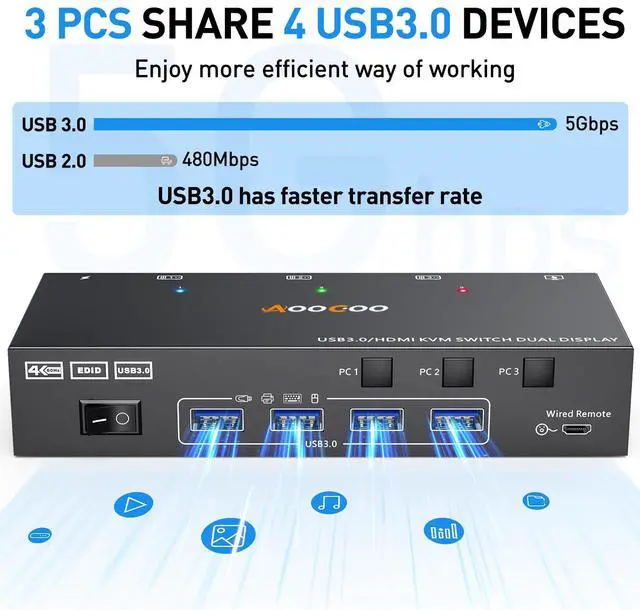
    • Dual Monitor KVM Switch with 4 USB 3.0 PortsUSB3.0 KVM switch with 4 USB 3.0 ports which can recognize keyboard,mouse,printer,scaner and other USB devices. USB 3.0 offers data transfer speeds of up to 5Gbps, while USB 2.0 offers data transfer speeds of only 480Mbps.Note:If the input USB3.0 ports are not connected to the KVM or connected incorrectly, the output USB device will not be recognized.
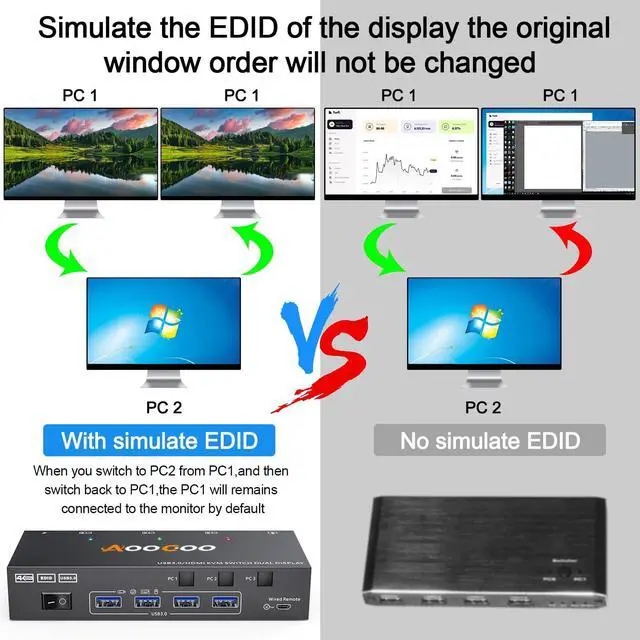
    • EDID EmulatorUSB3.0 HDMI KVM switch can simulate the EDID of the monitor, store the resolution and refresh rate of the display.How EDID works Lock screen,when you switch from PC1 to PC2, and then switch back to PC1 from PC2, the windows of PC1 will keep the order before switching and will not be disrupted. Automatically identifies and applies the best resolution to the monitor.
    +
    +
    Overview
    Specs
    Reviews
    avatar

    Any questions? Our AI beta will help you find out quickly.

    USB 3.0 HDMI KVM Switch 2 Monitors 3 Computers 4K@60Hz
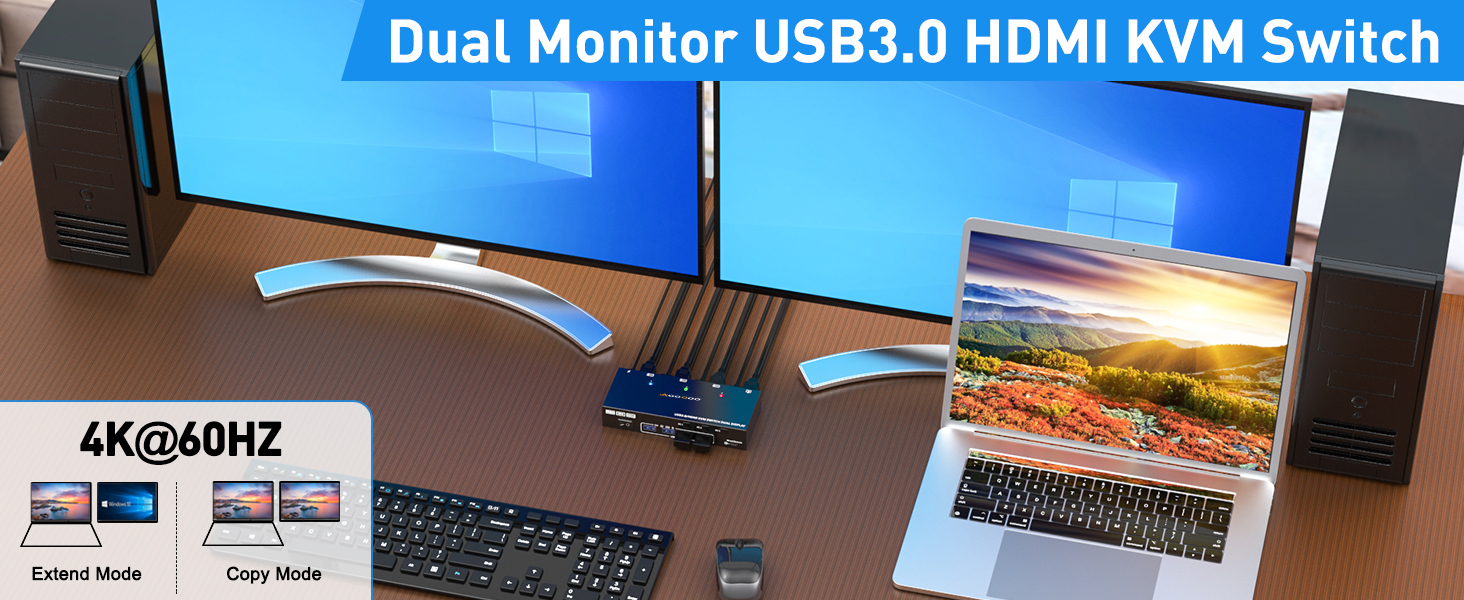
    KVM Switch

    Dual Monitor KVM Switch 3 In 2 Out for 3 Computer and 2 Monitors

    This Dual Monitor KVM HDMI Switch allows to control 3 computers/latops by 1 set of keyboard & mouse and 2 monitors(Extend display mode or Duplicate display mode)

    Note:Press "Window+P",a small window will pop up, in which to choose "Duplicate" Mode or "Extend" Mode.
    Dual Monitor KVM Switch Dual Monitor KVM Switch 3 In 2 Out 3 computer dual monitor KVM

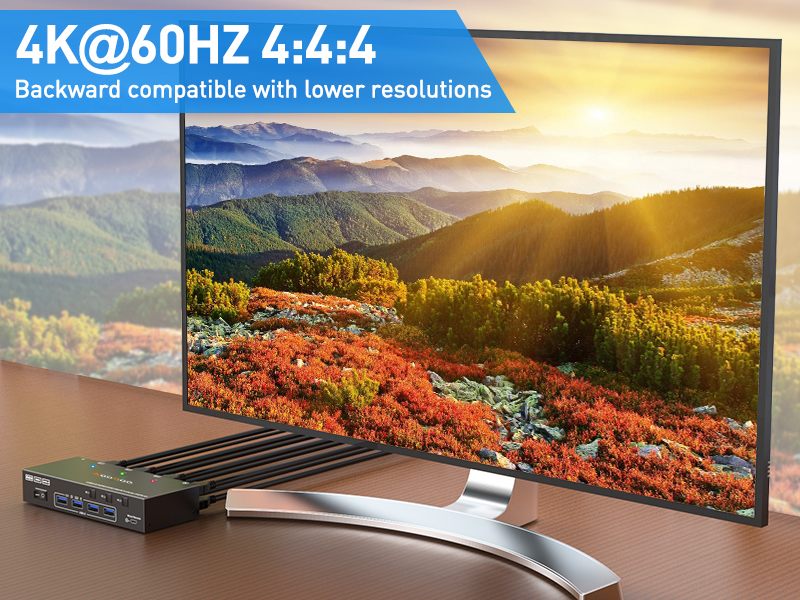
    Ultra HD 4K@60Hz/2K@144Hz

    USB 3.0 Dual Monitor KVM switch HDMI support resolution ????@????????,????@??????????,@??????????.3 computers 2 monitors switch aslo support input terminal to connect 2 computers with different resolutions, e.g. one is 4K@60Hz, the other is 4K@30Hz, 1440P@60Hz, 3D,1080P@60Hz or lower resolution.Note: if you need a 4K resolution , please use HDMI 2.0 cable and the length of the HDMI cables more short more better, and make sure your computers and monitors support 4K !

    Dual Monitors KVM for 3 Computer with EDID Emulator

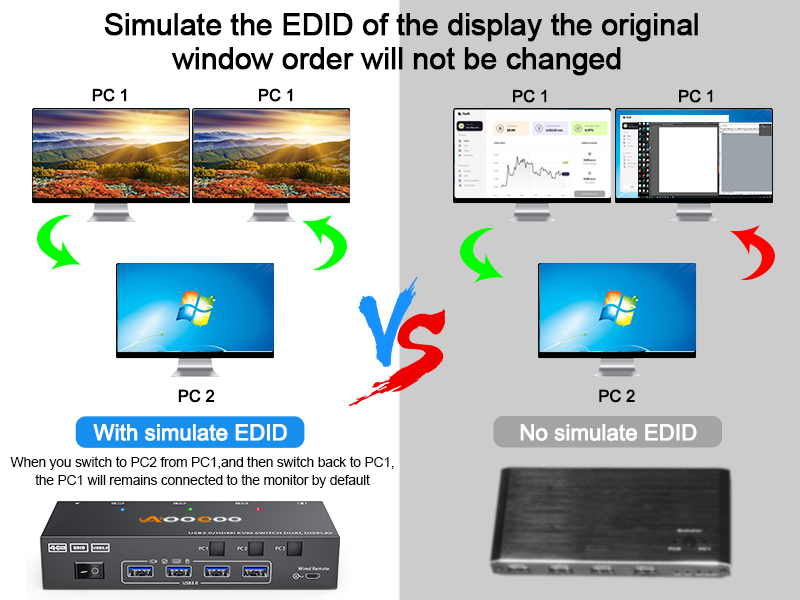
    USB3.0 HDMI KVM switch can simulate the EDID of the monitor, store the resolution and refresh rate of the display.

    How EDID works ?

    1,Lock screen,when you switch from PC1 to PC2, and then switch back to PC1 from PC2, the windows of PC1 will keep the order before switching and will not be disrupted.

    2,Automatically identifies and applies the best resolution to the monitor.
    Dual Monitor KVM Switch Dual Monitor KVM Switch 3 In 2 Out 3 computer dual monitor KVM

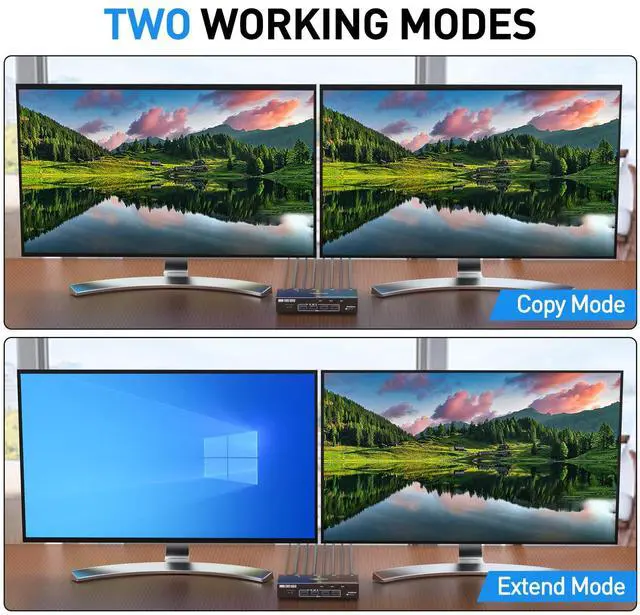
    Extended Mode and Copy Mode

    Dual Monitor KVM Switch Dual Monitor KVM Switch 3 In 2 Out 3 computer dual monitor KVM

    Extend Mode Display

    In extended mode, the two monitors will display different images, and the working window can be dragged between the two monitors.

    Dual Monitor KVM Switch Dual Monitor KVM Switch 3 In 2 Out 3 computer dual monitor KVM

    Copy Mode Display

    In copy mode, both monitors will display the same picture

    More Upgrade Details of the 3 Computer Dual Monitor KVM

    Dual Monitor KVM Switch Dual Monitor KVM Switch 3 In 2 Out 3 computer dual monitor KVM

    Power Switch

    The signal can be re-identified after powering off for 5 seconds and then turned on again. No need to unplug or plug in.

    Dual Monitor KVM Switch Dual Monitor KVM Switch 3 In 2 Out 3 computer dual monitor KVM

    12V Power Port

    A 12V power adapter is included in the package, which solves the problem of insufficient power supply.

    Dual Monitor KVM Switch Dual Monitor KVM Switch 3 In 2 Out 3 computer dual monitor KVM

    3 Color Indicator Light

    Three color indicator lights can clearly show which computer you are currently switching to.

    Dual Monitor KVM Switch Dual Monitor KVM Switch 3 In 2 Out 3 computer dual monitor KVM

    4 USB3.0 Ports

    USB3.0 is compatible with USB3.0, and the data transmission speed can reach 5Gbps, while the data transmission speed of USB2.0 is only 480Mbps

    USB 3.0 HDMI KVM Switch 2 Monitors 3 Computers 4K@60Hz

    Dual Monitor KVM Switch Dual Monitor KVM Switch 3 In 2 Out 3 computer dual monitor KVM

    Dual Monitor KVM Switch 3 In 2 Out for 3 Computer and 2 Monitors

    This Dual Monitor KVM HDMI Switch allows to control 3 computers/latops by 1 set of keyboard & mouse and 2 monitors(Extend display mode or Duplicate display mode)

    Note:Press "Window+P",a small window will pop up, in which to choose "Duplicate" Mode or "Extend" Mode.

    Dual Monitor KVM Switch Dual Monitor KVM Switch 3 In 2 Out 3 computer dual monitor KVM

    Ultra HD 4K@60Hz/2K@144Hz

    USB 3.0 Dual Monitor KVM switch HDMI support resolution ????@????????,????@??????????,@??????????.3 computers 2 monitors switch aslo support input terminal to connect 2 computers with different resolutions, e.g. one is 4K@60Hz, the other is 4K@30Hz, 1440P@60Hz, 3D,1080P@60Hz or lower resolution.Note: if you need a 4K resolution , please use HDMI 2.0 cable and the length of the HDMI cables more short more better, and make sure your computers and monitors support 4K !

    Dual Monitor KVM Switch Dual Monitor KVM Switch 3 In 2 Out 3 computer dual monitor KVM

    Dual Monitors KVM for 3 Computer with EDID Emulator

    USB3.0 HDMI KVM switch can simulate the EDID of the monitor, store the resolution and refresh rate of the display.

    How EDID works ?

    1,Lock screen,when you switch from PC1 to PC2, and then switch back to PC1 from PC2, the windows of PC1 will keep the order before switching and will not be disrupted.

    2,Automatically identifies and applies the best resolution to the monitor.

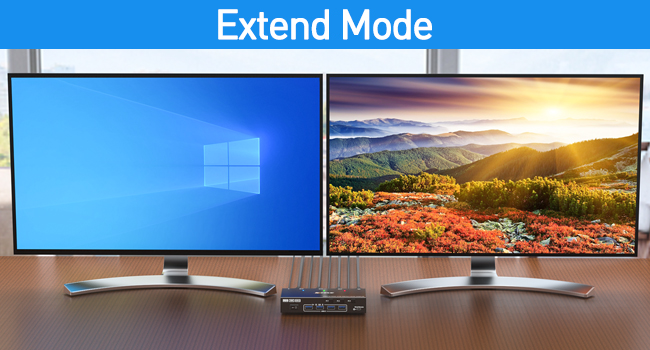
    Extended Mode and Copy Mode
    Dual Monitor KVM Switch Dual Monitor KVM Switch 3 In 2 Out 3 computer dual monitor KVM

    Extend Mode Display

    In extended mode, the two monitors will display different images, and the working window can be dragged between the two monitors.
    Dual Monitor KVM Switch Dual Monitor KVM Switch 3 In 2 Out 3 computer dual monitor KVM

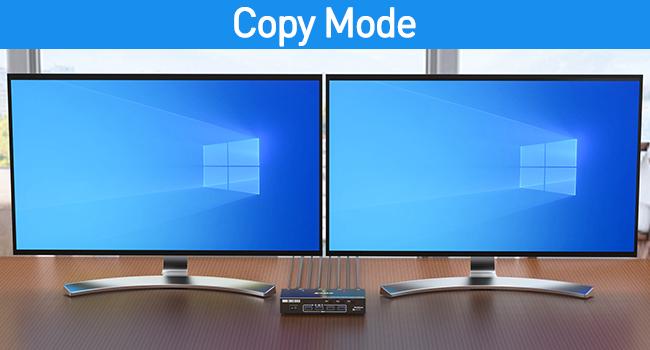
    Copy Mode Display

    In copy mode, both monitors will display the same picture

    More Upgrade Details of the 3 Computer Dual Monitor KVM
    Dual Monitor KVM Switch Dual Monitor KVM Switch 3 In 2 Out 3 computer dual monitor KVM

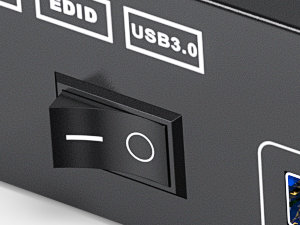
    Power Switch

    The signal can be re-identified after powering off for 5 seconds and then turned on again. No need to unplug or plug in.
    Dual Monitor KVM Switch Dual Monitor KVM Switch 3 In 2 Out 3 computer dual monitor KVM

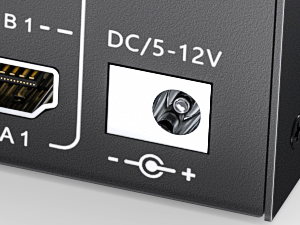
    12V Power Port

    A 12V power adapter is included in the package, which solves the problem of insufficient power supply.
    Dual Monitor KVM Switch Dual Monitor KVM Switch 3 In 2 Out 3 computer dual monitor KVM

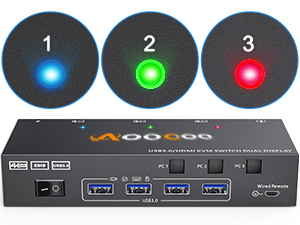
    3 Color Indicator Light

    Three color indicator lights can clearly show which computer you are currently switching to.
    Dual Monitor KVM Switch Dual Monitor KVM Switch 3 In 2 Out 3 computer dual monitor KVM

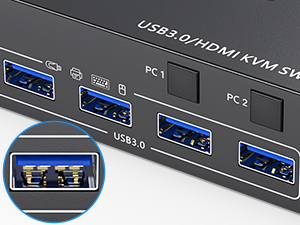
    4 USB3.0 Ports

    USB3.0 is compatible with USB3.0, and the data transmission speed can reach 5Gbps, while the data transmission speed of USB2.0 is only 480Mbps

    Product information

    Operation Mode ON-OFF-ON
    Current Rating 2 Amps
    Operating Voltage 5 Volts
    Contact Type Normally Open
    Connector Type Plug In
    Brand AOOCOO
    Switch Type Push Button
    Terminal Plug in
    Material Metal
    Circuit Type 3-way
    Mounting Type Rack Mount
    Number of Positions 5
    Control Method Push Button, Remote
    Connectivity Protocol HDMI, USB
    Control Type Multiple
    Compatible Devices Computers with HDMI output and USB 3.0 ports
    Smart Home Compatibility Not Smart Home Compatible
    Color Black
    Unit Count 1.0 Count
    Number of Items 1
    Material Type Metal
    Specification Met ETL
    Brand Name AOOCOO
    Manufacturer AOOCOO
    UPC 692090855600
    Part Number AO-302AS-US-1227

    Additional Features

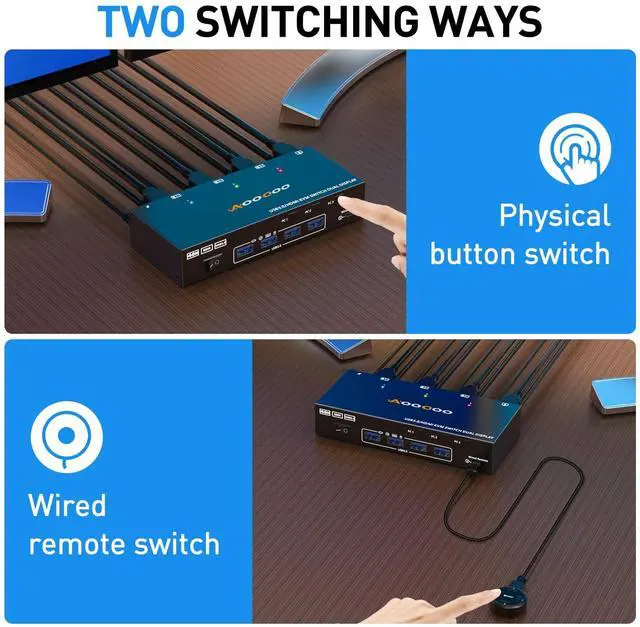
    • [2 Switching Mode&Indicator]This KVM Switch with 2 swtich methdos that are pressing the button on the panel and the wired controllerincluded).The three color indicator light will show which computer is the active computer.
    • [Extended Mode&Copy Mode]Dual display KVM switches require 2*HDMI connections per computer, and for computers with discrete and integrated graphics cards require both HDMI ports to be belong of the discrete graphics card. Note:Press "Window+P",a small window will pop up, in which to choose "Duplicate" Mode or "Extend" Mode.
    • [Packing list]1*Dual Monitor USB3.0 HDMI KVM Switch+3*USB3.0 Cable(1.5m/4.92ft)+1*Wired Controller1.5m/4.92ft+1*User Manuals+ 1*DC12V Power Adapter1.5m/4.92ft.

    Warranty & Returns

    Warranty, Returns, And Additional Information

    Warranty

    • Please contact the Seller directly for warranty information. Warranty information may also be found on the Manufacturer's website.
    • CONTACT

    Return Policies

    Manufacturer Contact Info

    LOADING...