






5 Port HDMI KVM Switch 4K@60Hz - Control 5 Computers with 1 Monitor, Keyboard & Mouse + 4-Port USB 3.0 Hub
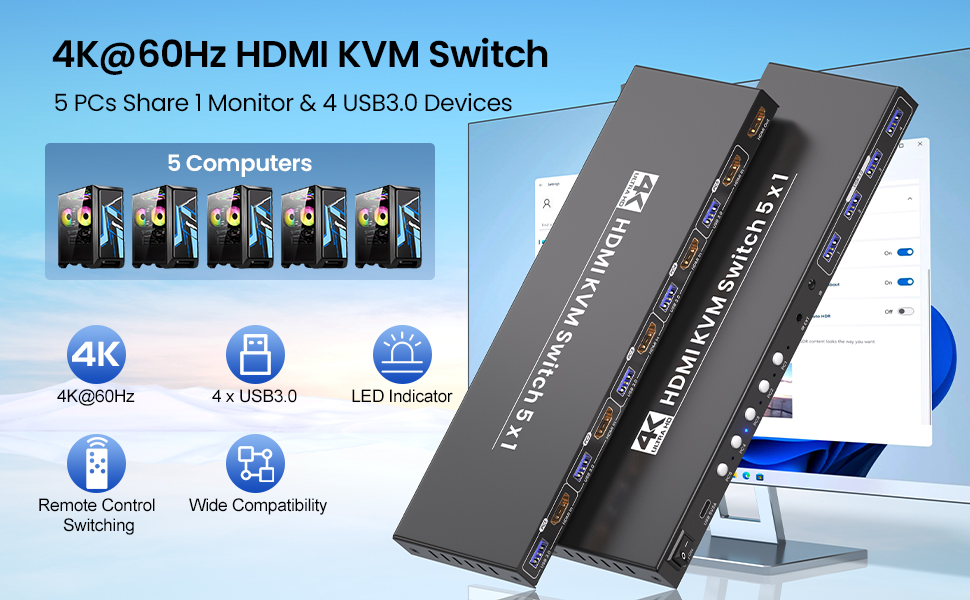
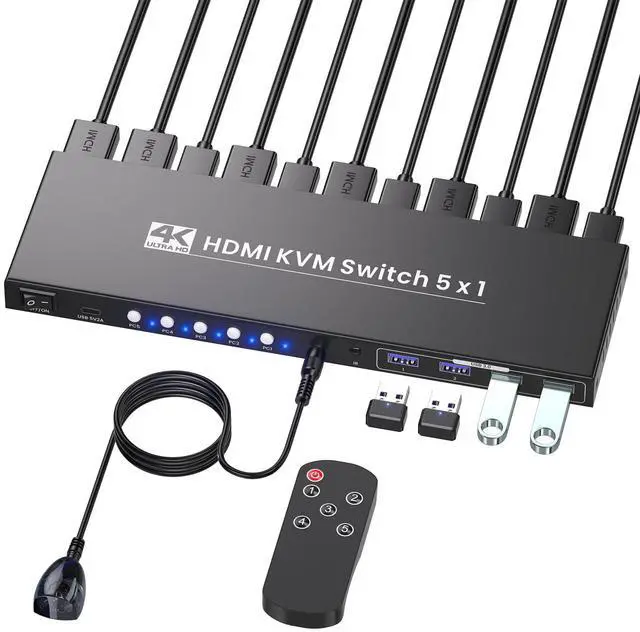
Let’s face it—managing 5 computers with separate monitors, keyboards, and mice is a nightmare of tangled cables, constant plugging/unplugging, and a cluttered desk that kills productivity. But this 5 Port HDMI KVM Switch is here to turn chaos into calm: it lets you control up to 5 computers with just one set of peripherals and a single monitor, all while serving up stunning 4K@60Hz visuals, blazingly fast USB 3.0 connectivity, and two hassle-free switching modes.
Whether you’re a creative professional, IT specialist, gamer, or remote worker juggling multiple devices, this KVM switcher adapts to your workflow and makes multi-computer management effortless.
Note:
1. Hotkey switching is not compatible with this KVM switches.
2. You’ll need to use USB cables to connect each computer’s USB port to this KVM switch—without this connection, the 4 front-panel USB 3.0 peripheral ports on the KVM switch won’t be functional.
Manage 5 Computers with One Setup
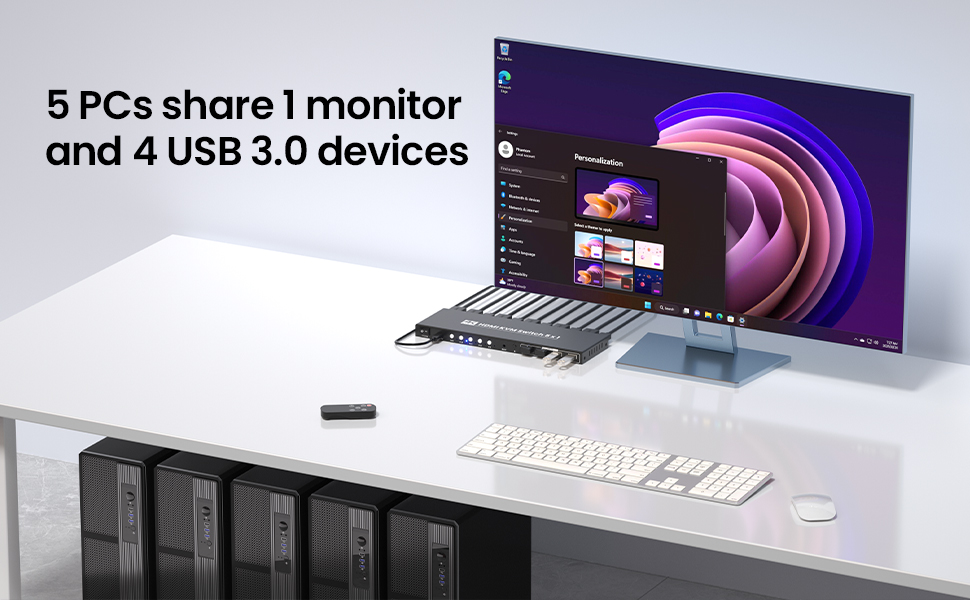
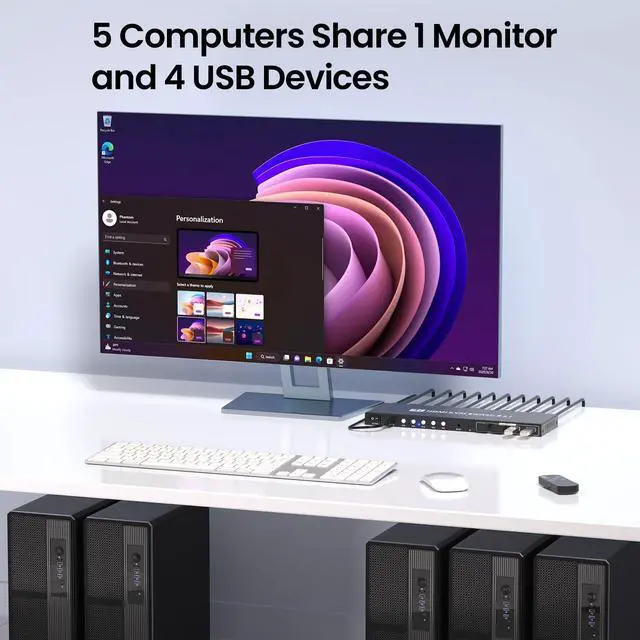
The core power of this 5 computer KVM switch lies in its ability to unify your tech: connect 5 HDMI-enabled computers (or servers, consoles, and smart devices) to the KVM switches, then hook up your monitor, keyboard, and mouse—and boom, full control over all five devices.
No more crawling under your desk to swap cables, no more juggling multiple peripherals—this 5 port KVM switch lets you seamlessly switch between devices without interrupting your workflow.
4K@60Hz Ultra HD Visuals – Crisp, Smooth, and Vivid
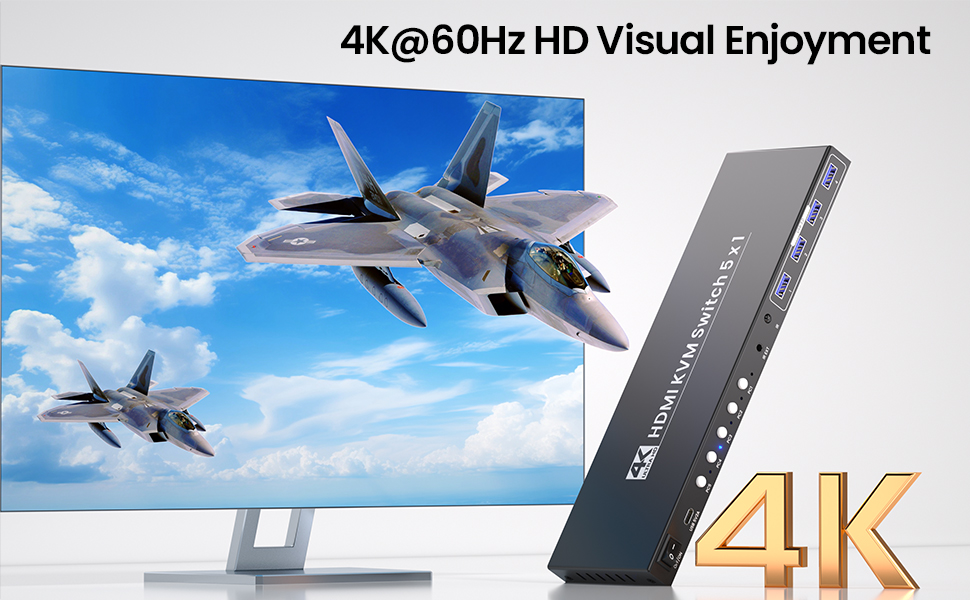
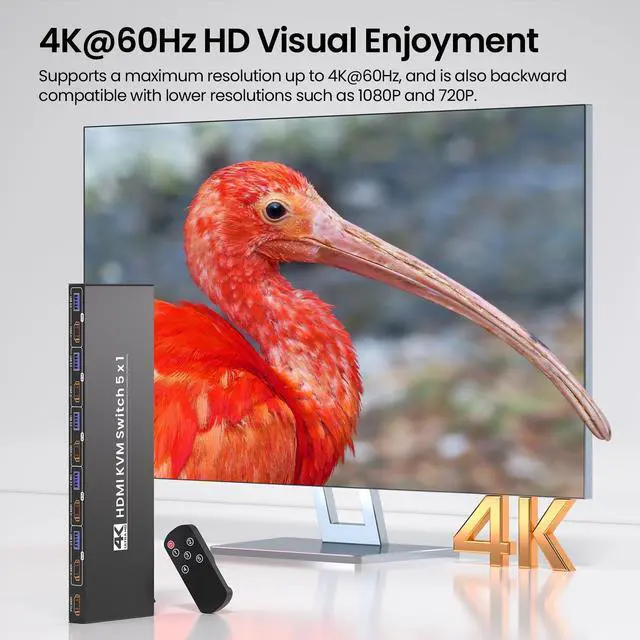
This KVM switch 1 monitor 5 computers delivers ultra-high definition up to 4K@60Hz (3840x2160), serving up cinematic visuals that elevate every task. It’s also backward compatible with lower resolutions (4K@30Hz, 1080p@60Hz, 720p@60Hz, etc.), so you can use it with older monitors or devices too.
Quick note: To unlock the full 4K@60Hz magic, make sure your computers, monitor, and HDMI cables all support 4K@60Hz—this KVM switch will do the rest, bringing your content to life like never before.
USB 3.0 Hub – Blazing-Fast Transfers & Peripheral Sharing
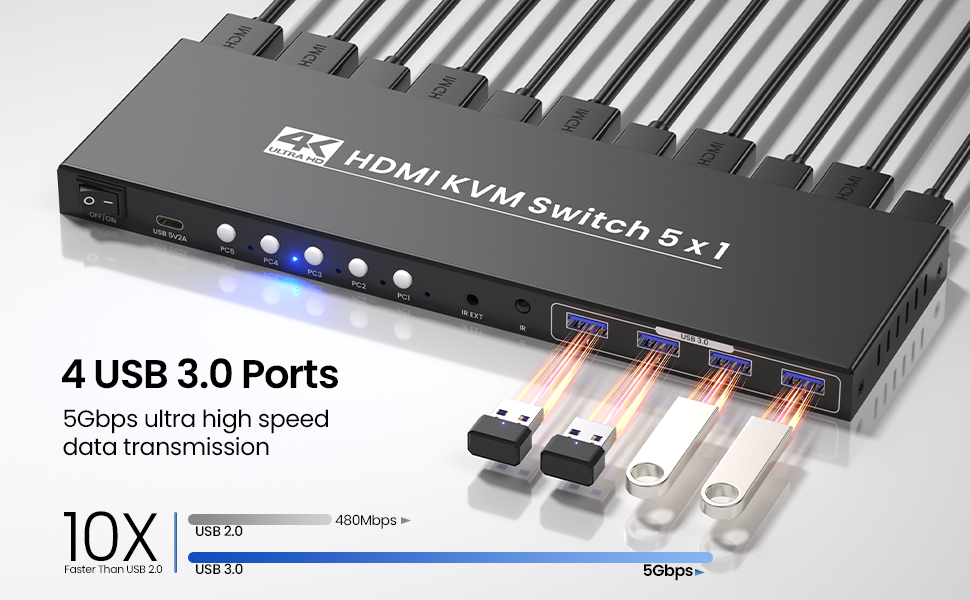
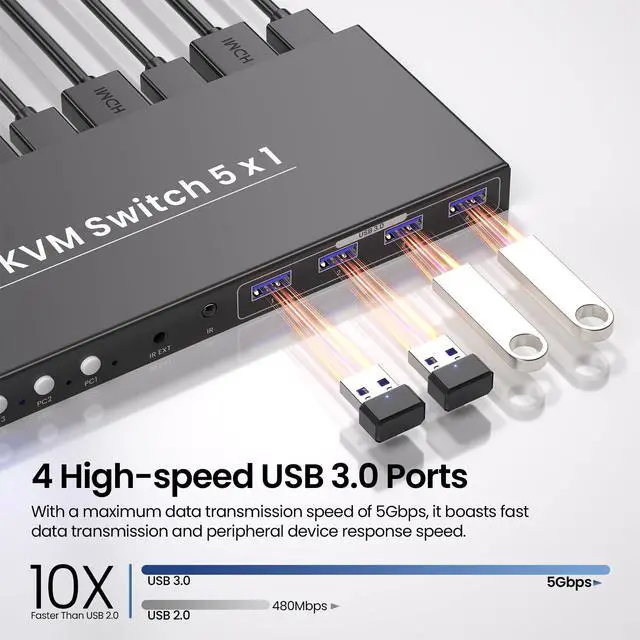
Integrated with a 4-port USB 3.0 hub, this KVM switch 1 monitor 5 computers makes sharing peripherals a breeze. Connect printers, external hard drives, USB storage, or webcams, and enjoy lightning-fast data transfer speeds (up to 5Gbps) that outpace older USB standards. No more disconnecting and reconnecting devices—your peripherals work seamlessly across all 5 computers.
Two Effortless Switching Modes – Control at Your Fingertips
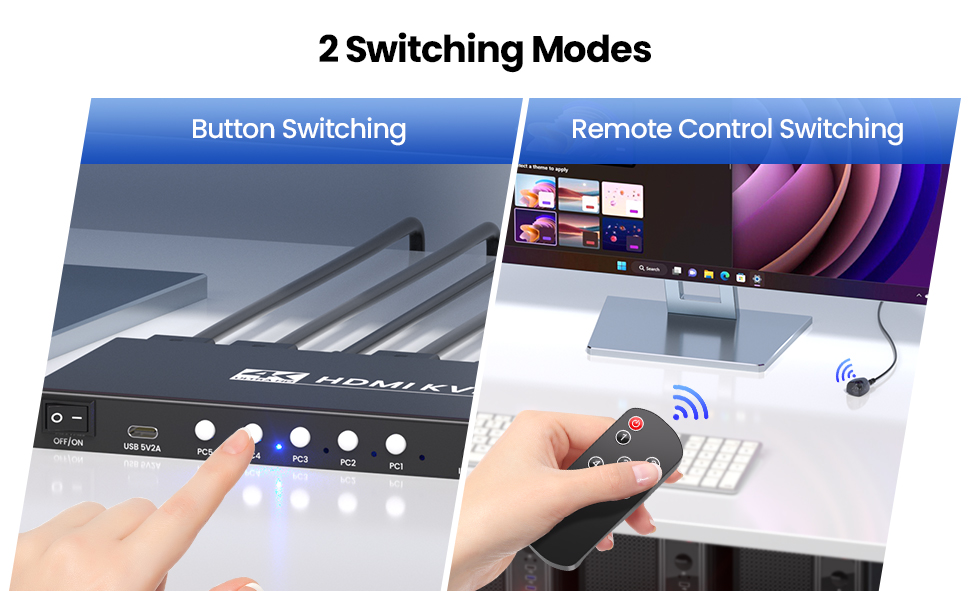
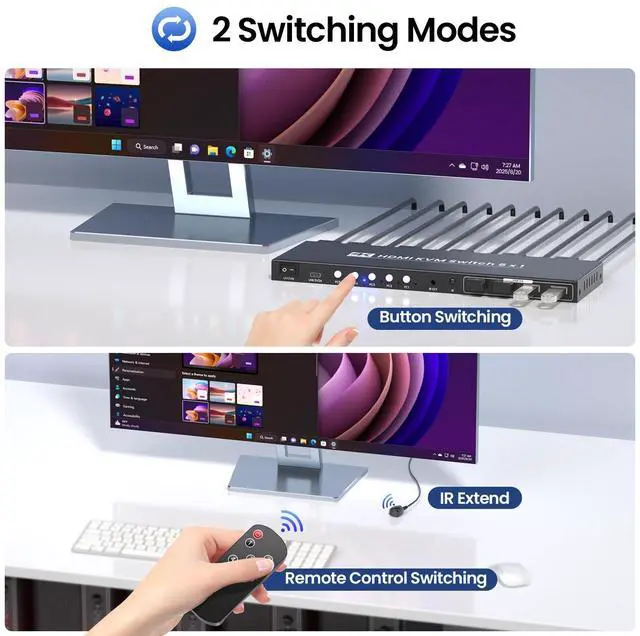
Switching between 5 computers should be quick and easy—and this KVM switch 5 computers delivers exactly that with two hassle-free options (hotkey switching not supported!). First, there are 5 easy-access push buttons on the KVM switch itself. They are responsive and easy to reach.
Second, the IR remote controller lets you toggle between computers without stretching behind your monitor or digging under your desk—ideal if you’ve tucked the KVM switch out of sight to keep your workspace neat. With this KVM switch, switching devices takes just a split second, so you can stay focused on your work, game, or project without interruptions.
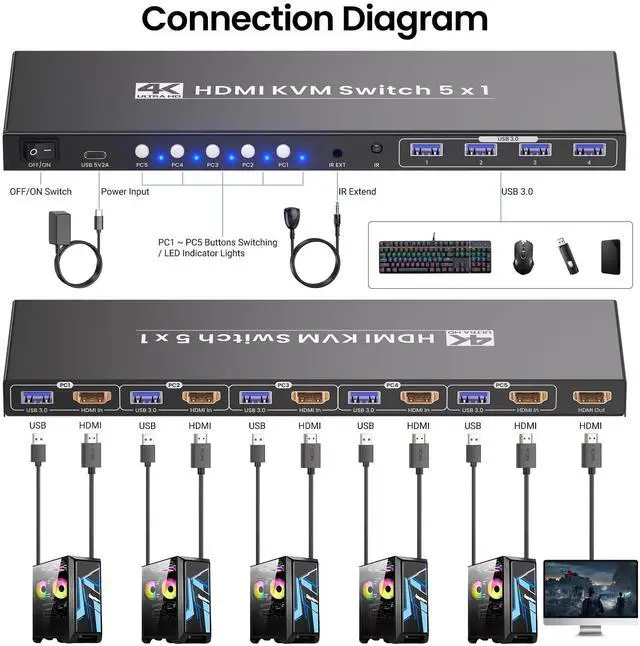
Connection Diagram
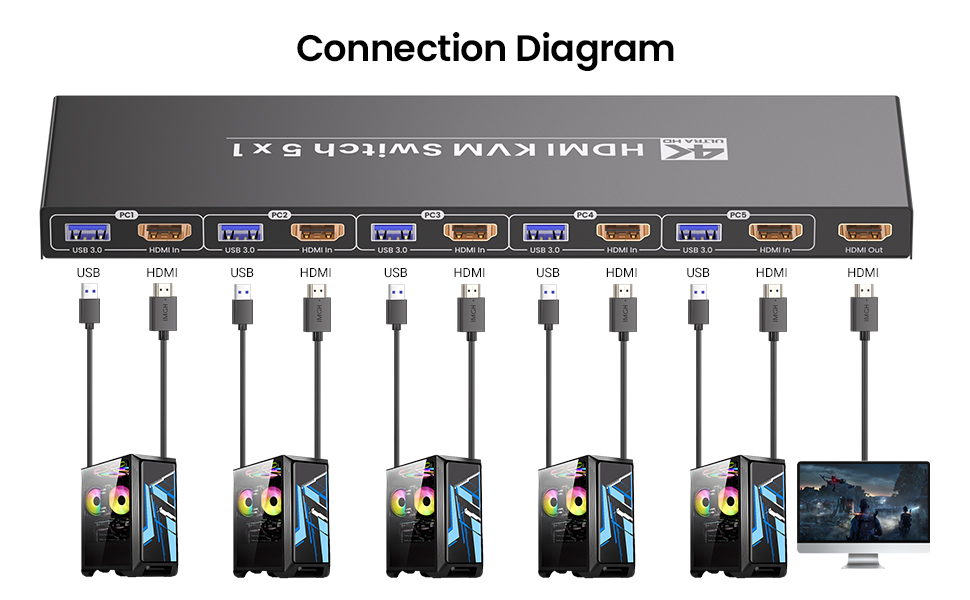
This KVM switch is plug-and-play: no software to install, no drivers to download, no technical skills needed. Just plug in your cables, connect the 5V2A power supply, and you’re ready to go—within minutes, you’ll have a streamlined setup that works with your existing gear.
Power ON/OFF Switch & 5V2A Stable Power Supply
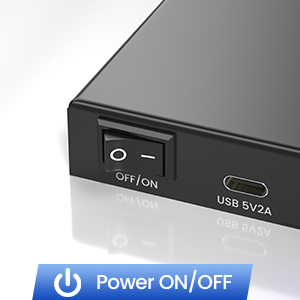
Power ON/OFF Switch
This KVM switch comes with a dedicated power ON/OFF switch, adding a layer of convenience you’ll love. Need to reset the KVM switches after connecting a new device? Just flip the switch—no need to unplug the power cord.
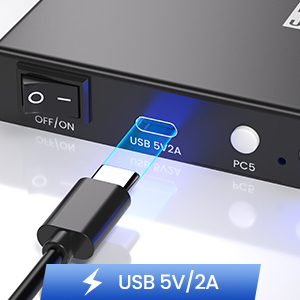
5V2A Stable Power Supply
Stability is key when managing multiple devices—and this 5 computer KVM switch delivers with its 5V2A power supply. The consistent voltage ensures the KVM switch runs smoothly for hours on end, even when handling high-bandwidth tasks like 4K video streaming or large file transfers.
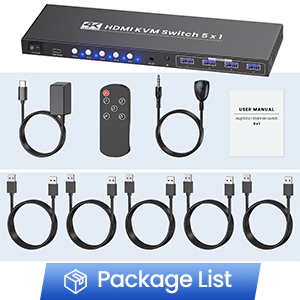
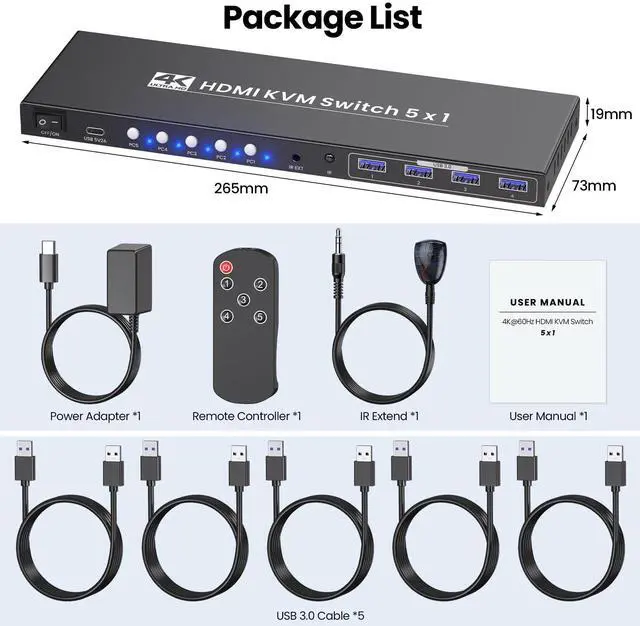
Package List
1. 5 Port KVM Switcher
2. IR Remote Controller
3. IR Extension Cable
4. USB 3.0 Cables
5. Power Plug
6. User Manual
5 Port HDMI KVM Switch 4K@60Hz - Control 5 Computers with 1 Monitor, Keyboard & Mouse + 4-Port USB 3.0 Hub
Let’s face it—managing 5 computers with separate monitors, keyboards, and mice is a nightmare of tangled cables, constant plugging/unplugging, and a cluttered desk that kills productivity. But this 5 Port HDMI KVM Switch is here to turn chaos into calm: it lets you control up to 5 computers with just one set of peripherals and a single monitor, all while serving up stunning 4K@60Hz visuals, blazingly fast USB 3.0 connectivity, and two hassle-free switching modes.
Whether you’re a creative professional, IT specialist, gamer, or remote worker juggling multiple devices, this KVM switcher adapts to your workflow and makes multi-computer management effortless.
Note:
1. Hotkey switching is not compatible with this KVM switches.
2. You’ll need to use USB cables to connect each computer’s USB port to this KVM switch—without this connection, the 4 front-panel USB 3.0 peripheral ports on the KVM switch won’t be functional.
Manage 5 Computers with One Setup
The core power of this 5 computer KVM switch lies in its ability to unify your tech: connect 5 HDMI-enabled computers (or servers, consoles, and smart devices) to the KVM switches, then hook up your monitor, keyboard, and mouse—and boom, full control over all five devices.
No more crawling under your desk to swap cables, no more juggling multiple peripherals—this 5 port KVM switch lets you seamlessly switch between devices without interrupting your workflow.
4K@60Hz Ultra HD Visuals – Crisp, Smooth, and Vivid
This KVM switch 1 monitor 5 computers delivers ultra-high definition up to 4K@60Hz (3840x2160), serving up cinematic visuals that elevate every task. It’s also backward compatible with lower resolutions (4K@30Hz, 1080p@60Hz, 720p@60Hz, etc.), so you can use it with older monitors or devices too.
Quick note: To unlock the full 4K@60Hz magic, make sure your computers, monitor, and HDMI cables all support 4K@60Hz—this KVM switch will do the rest, bringing your content to life like never before.
USB 3.0 Hub – Blazing-Fast Transfers & Peripheral Sharing
Integrated with a 4-port USB 3.0 hub, this KVM switch 1 monitor 5 computers makes sharing peripherals a breeze. Connect printers, external hard drives, USB storage, or webcams, and enjoy lightning-fast data transfer speeds (up to 5Gbps) that outpace older USB standards. No more disconnecting and reconnecting devices—your peripherals work seamlessly across all 5 computers.
Two Effortless Switching Modes – Control at Your Fingertips
Switching between 5 computers should be quick and easy—and this KVM switch 5 computers delivers exactly that with two hassle-free options (hotkey switching not supported!). First, there are 5 easy-access push buttons on the KVM switch itself. They are responsive and easy to reach.
Second, the IR remote controller lets you toggle between computers without stretching behind your monitor or digging under your desk—ideal if you’ve tucked the KVM switch out of sight to keep your workspace neat. With this KVM switch, switching devices takes just a split second, so you can stay focused on your work, game, or project without interruptions.
Connection Diagram
This KVM switch is plug-and-play: no software to install, no drivers to download, no technical skills needed. Just plug in your cables, connect the 5V2A power supply, and you’re ready to go—within minutes, you’ll have a streamlined setup that works with your existing gear.
Power ON/OFF Switch & 5V2A Stable Power Supply
Power ON/OFF Switch
This KVM switch comes with a dedicated power ON/OFF switch, adding a layer of convenience you’ll love. Need to reset the KVM switches after connecting a new device? Just flip the switch—no need to unplug the power cord.
5V2A Stable Power Supply
Stability is key when managing multiple devices—and this 5 computer KVM switch delivers with its 5V2A power supply. The consistent voltage ensures the KVM switch runs smoothly for hours on end, even when handling high-bandwidth tasks like 4K video streaming or large file transfers.
Package List
1. 5 Port KVM Switcher
2. IR Remote Controller
3. IR Extension Cable
4. USB 3.0 Cables
5. Power Plug
6. User Manual