




 here!
here!
I’m your shopping assistant for PC builds, upgrades, and everything tech.
Got questions? Ask away!
Start a conversation
here!
I’m your shopping assistant for PC builds, upgrades, and everything tech.
Got questions? Ask away!
Start a conversation



Any questions? Ask CelesteSM will help you find out quickly.
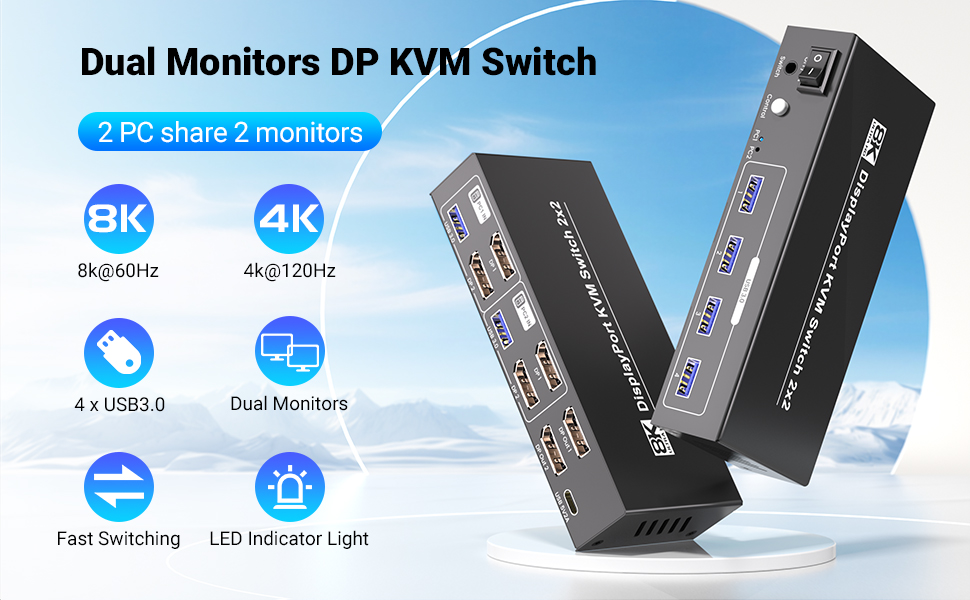
This 2 port KVM switch is specifically designed to let you seamlessly control two computers using just one set of keyboard, mouse and 2 monitors - making it a game-changer for professionals, gamers, video editors, graphic designers, and anyone who values efficiency and a streamlined workspace. Whether you’re juggling work projects on one PC and creative tasks on another, or switching between a gaming rig and a productivity laptop, this dual monitor KVM switch ensures you can transition smoothly without any hassle.
Note:
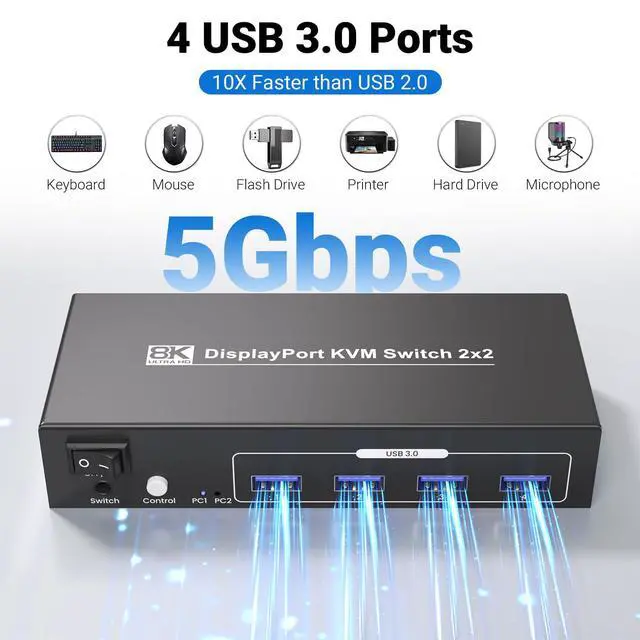
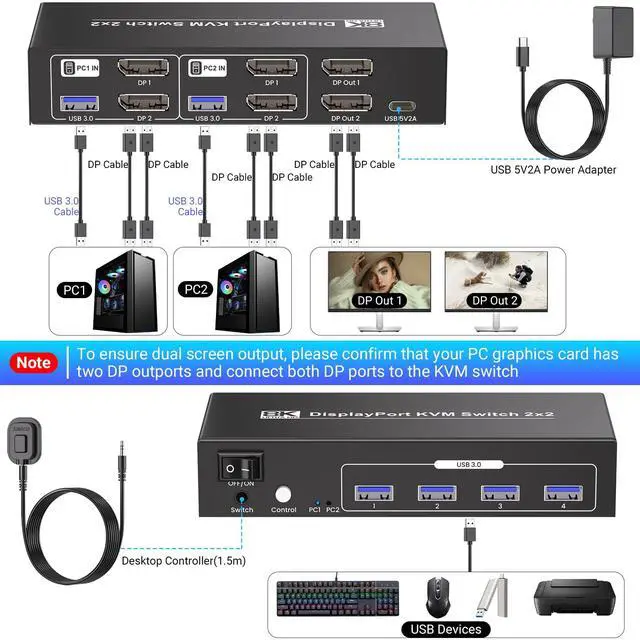
1. Please use USB cables to connect the USB ports of PC1 & PC 2 and the KVM switches, otherwise the 4 USB 3.0 port on the front of the KVM will not work.
2. No hotkey switching.
3. Please note that for optimal results, ensure your computers, monitors, and cables also support 8K and high refresh rates.
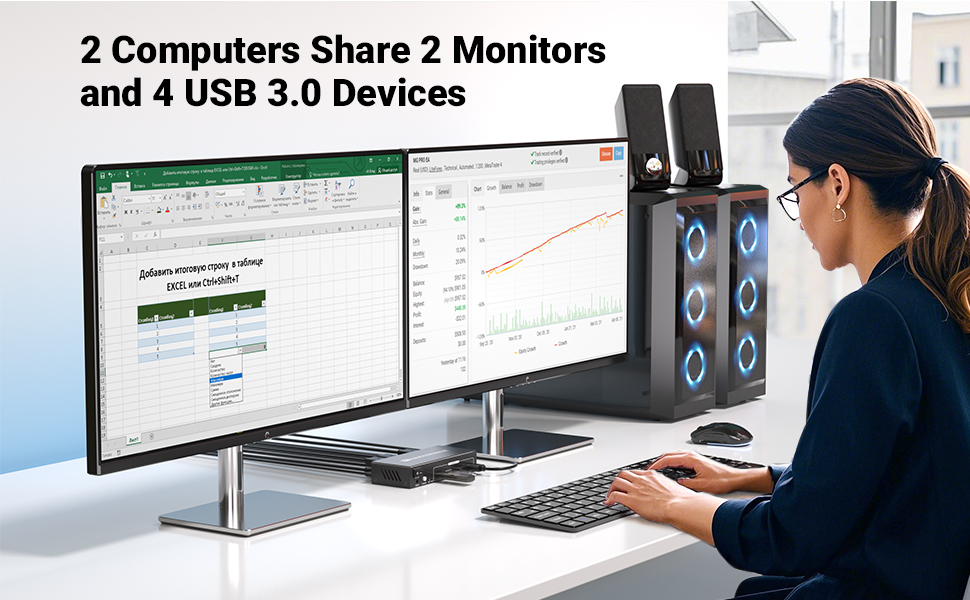
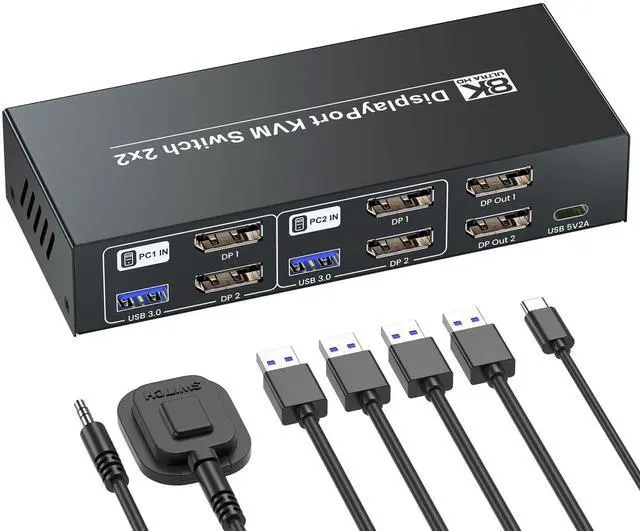
Equipped with two DisplayPort inputs and two DisplayPort outputs, this 2 computer KVM switch offers unrivaled flexibility. You can enjoy a full dual-monitor configuration for each computer or use one monitor per device - the choice is yours, and this KVM switcher adapts to your unique workflow.
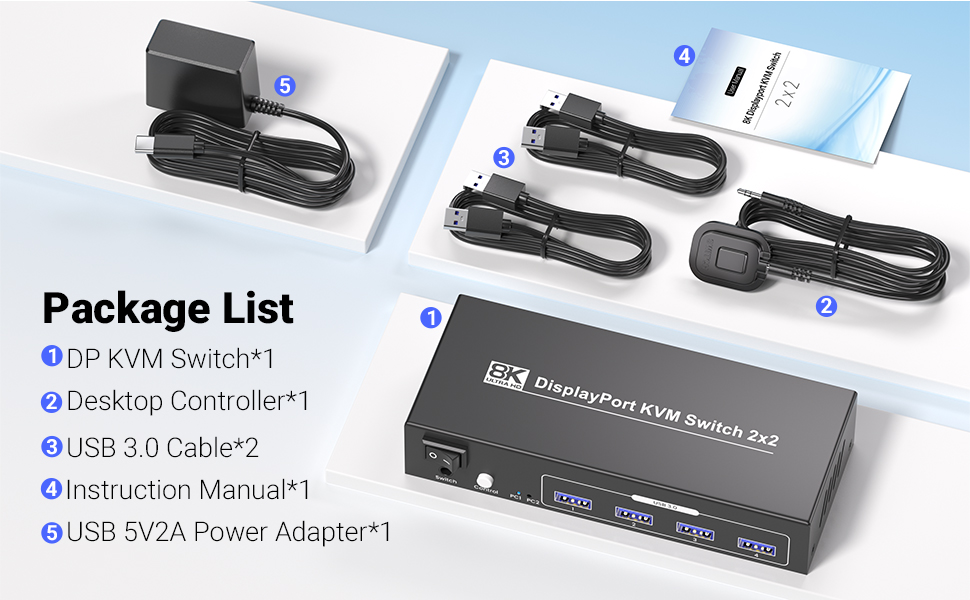
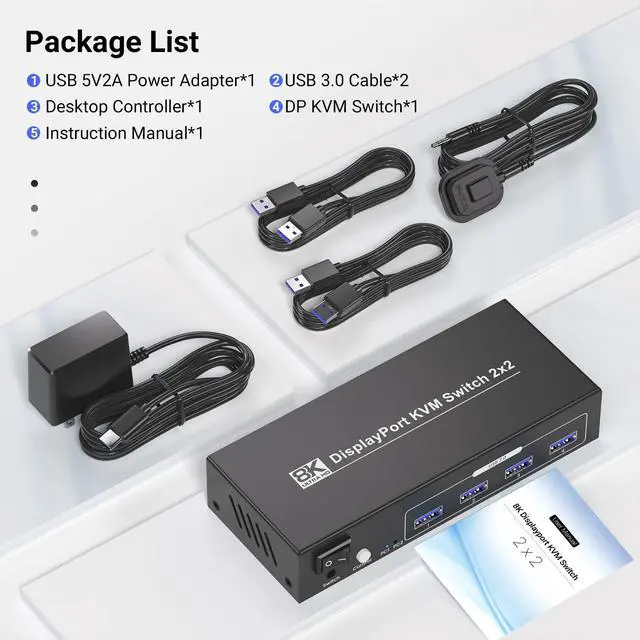
Package List:
1. Dual Monitor KVM Switch
2. User Manual
3. External Controller
4. USB 3.0 Cables
5. Power Adapter
Key Features:
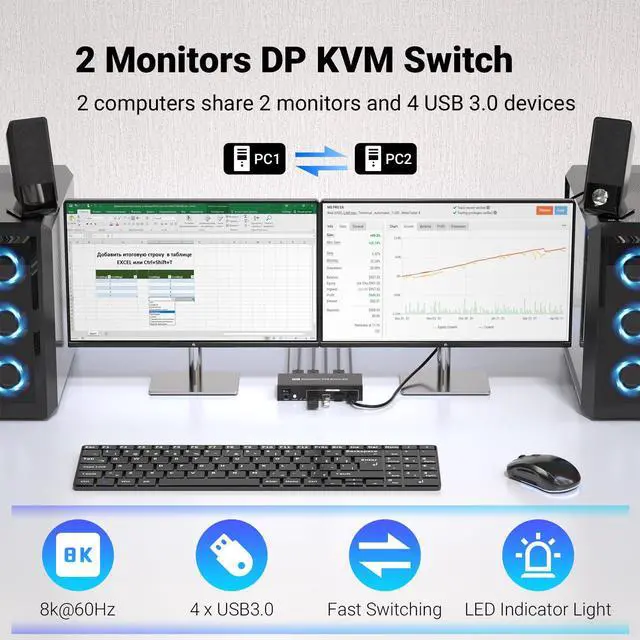
1. Dual Computer & Dual Monitor Support: Connects 2 computers to 2 monitors, enabling simultaneous dual-screen display for both host devices.
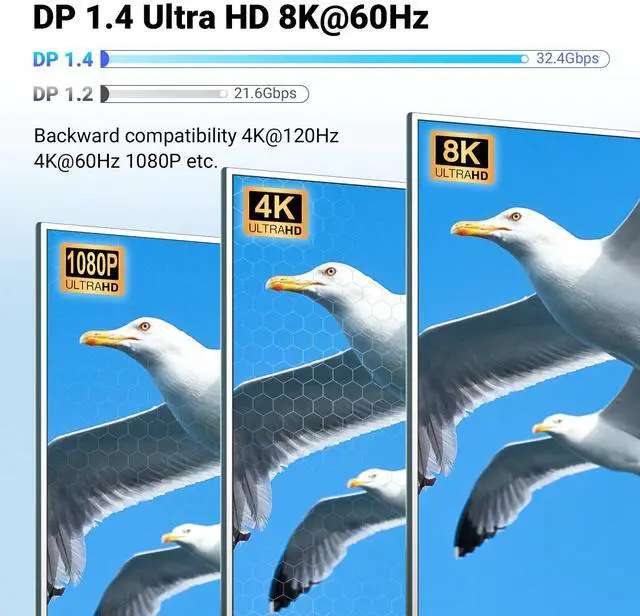
2. Ultra-HD Video Resolution: Supports up to 8K@60Hz and 4K@120Hz video output, delivering stunningly clear, detailed visuals with high refresh rates for smooth motion.
3. DP Interface Compatibility: Adopts DisplayPort (DP) interface for stable, high-speed video signal transmission, compatible with most DP-enabled computers and monitors.
4. Convenient Control: Allows quick switching between 2 computers via physical button or shortcut keys, simplifying workflow and improving efficiency.
5. Stable Power Supply: Built-in 5V/2A power supply, ensuring reliable operation of the KVM switch and stable signal transmission.
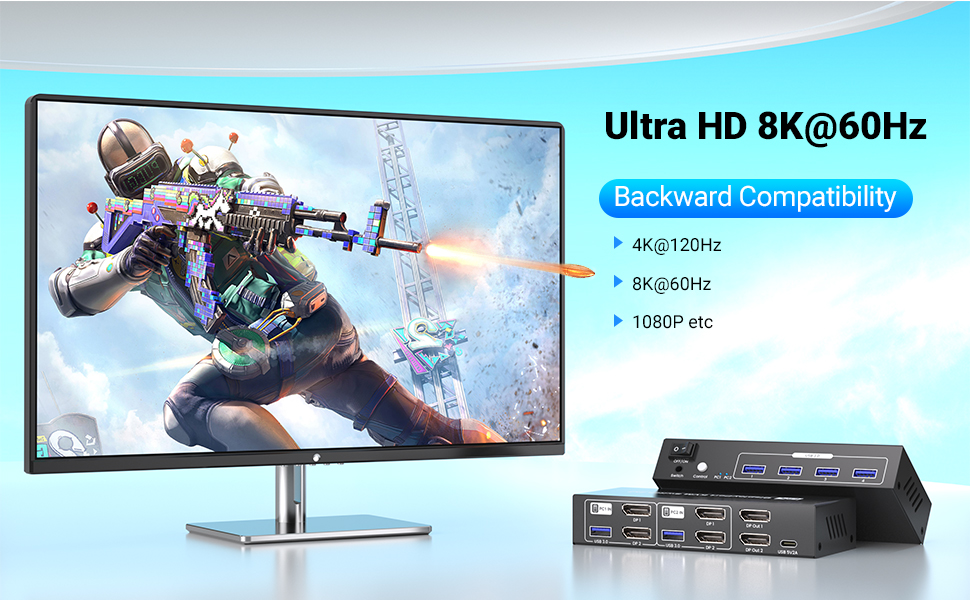
The star feature of this KVM switch 2 monitors 2 computers is its support for jaw-dropping ultra-high-definition resolutions: up to 8K@60Hz and 4K@120Hz. Imagine editing videos with crisp 8K details, designing graphics with vibrant colors, or gaming with smooth, blur-free motion – this DisplayPort KVM switch makes it all possible.
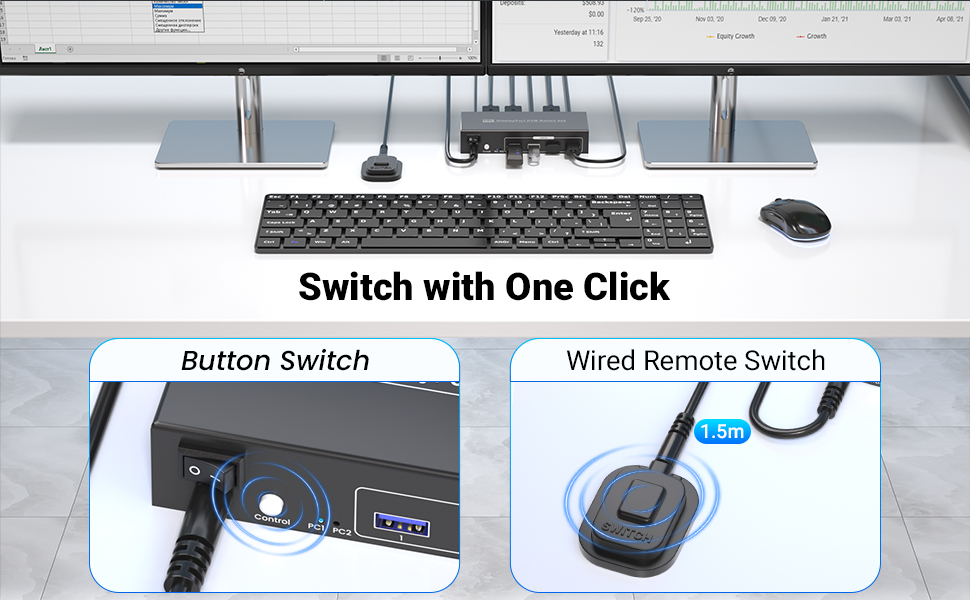
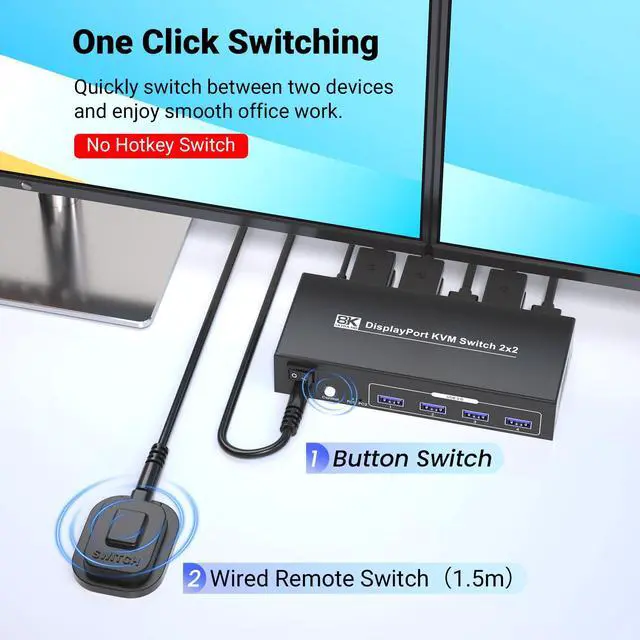
Switching between your two computers is quick and effortless with this user-centric KVM switches. You don’t need to memorize complicated hotkeys – simply use the convenient front-panel push buttons or the included external switching control kit to switch between PCs in seconds. This means you can go from working on your office laptop to gaming on your desktop PC (or vice versa) without any interruptions, saving you time and frustration.
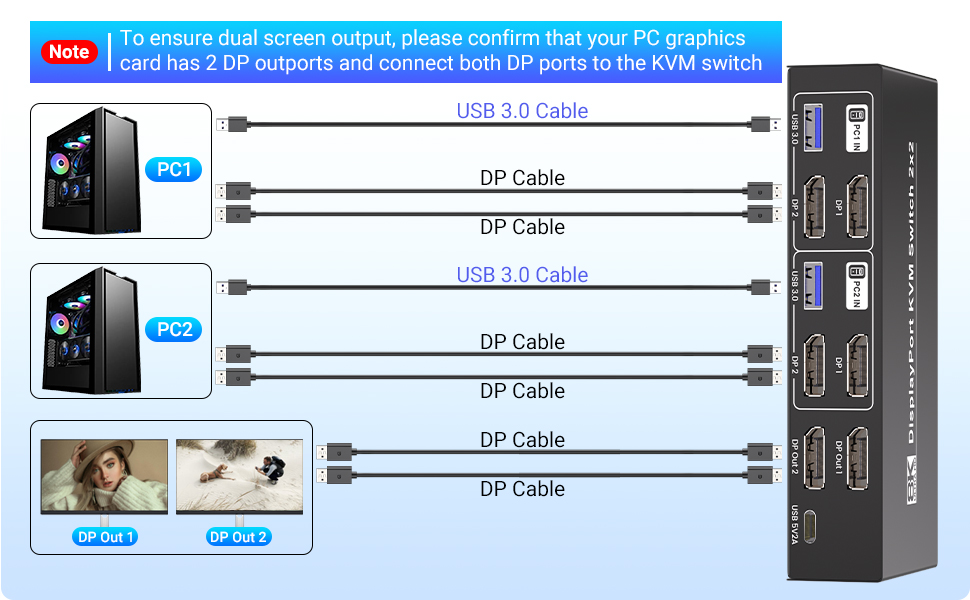
And with its plug-and-play design, this KVM switch is incredibly easy to set up. There’s no need to install any additional drivers or software – just connect your computers to the KVM switch via DisplayPort cables, attach your monitors to the KVM switch’s DP outputs, plug in your USB peripherals, and you’re ready to start using your dual-monitor, dual-PC setup. This dual monitor KVM switch is compatible with Windows, m-a-cOS, and Linux, so it works seamlessly with almost any computer you own.
This 2 port KVM switch is specifically designed to let you seamlessly control two computers using just one set of keyboard, mouse and 2 monitors - making it a game-changer for professionals, gamers, video editors, graphic designers, and anyone who values efficiency and a streamlined workspace. Whether you’re juggling work projects on one PC and creative tasks on another, or switching between a gaming rig and a productivity laptop, this dual monitor KVM switch ensures you can transition smoothly without any hassle.
Note:
1. Please use USB cables to connect the USB ports of PC1 & PC 2 and the KVM switches, otherwise the 4 USB 3.0 port on the front of the KVM will not work.
2. No hotkey switching.
3. Please note that for optimal results, ensure your computers, monitors, and cables also support 8K and high refresh rates.
Equipped with two DisplayPort inputs and two DisplayPort outputs, this 2 computer KVM switch offers unrivaled flexibility. You can enjoy a full dual-monitor configuration for each computer or use one monitor per device - the choice is yours, and this KVM switcher adapts to your unique workflow.
Package List:
1. Dual Monitor KVM Switch
2. User Manual
3. External Controller
4. USB 3.0 Cables
5. Power Adapter
Key Features:
1. Dual Computer & Dual Monitor Support: Connects 2 computers to 2 monitors, enabling simultaneous dual-screen display for both host devices.
2. Ultra-HD Video Resolution: Supports up to 8K@60Hz and 4K@120Hz video output, delivering stunningly clear, detailed visuals with high refresh rates for smooth motion.
3. DP Interface Compatibility: Adopts DisplayPort (DP) interface for stable, high-speed video signal transmission, compatible with most DP-enabled computers and monitors.
4. Convenient Control: Allows quick switching between 2 computers via physical button or shortcut keys, simplifying workflow and improving efficiency.
5. Stable Power Supply: Built-in 5V/2A power supply, ensuring reliable operation of the KVM switch and stable signal transmission.
The star feature of this KVM switch 2 monitors 2 computers is its support for jaw-dropping ultra-high-definition resolutions: up to 8K@60Hz and 4K@120Hz. Imagine editing videos with crisp 8K details, designing graphics with vibrant colors, or gaming with smooth, blur-free motion – this DisplayPort KVM switch makes it all possible.
Switching between your two computers is quick and effortless with this user-centric KVM switches. You don’t need to memorize complicated hotkeys – simply use the convenient front-panel push buttons or the included external switching control kit to switch between PCs in seconds. This means you can go from working on your office laptop to gaming on your desktop PC (or vice versa) without any interruptions, saving you time and frustration.
And with its plug-and-play design, this KVM switch is incredibly easy to set up. There’s no need to install any additional drivers or software – just connect your computers to the KVM switch via DisplayPort cables, attach your monitors to the KVM switch’s DP outputs, plug in your USB peripherals, and you’re ready to start using your dual-monitor, dual-PC setup. This dual monitor KVM switch is compatible with Windows, m-a-cOS, and Linux, so it works seamlessly with almost any computer you own.


