




Features
- All our articles are new.
- Baofeng original quality.
- Support Computer System: Win XP / Win 7 / Win 8 / Win10/Win11
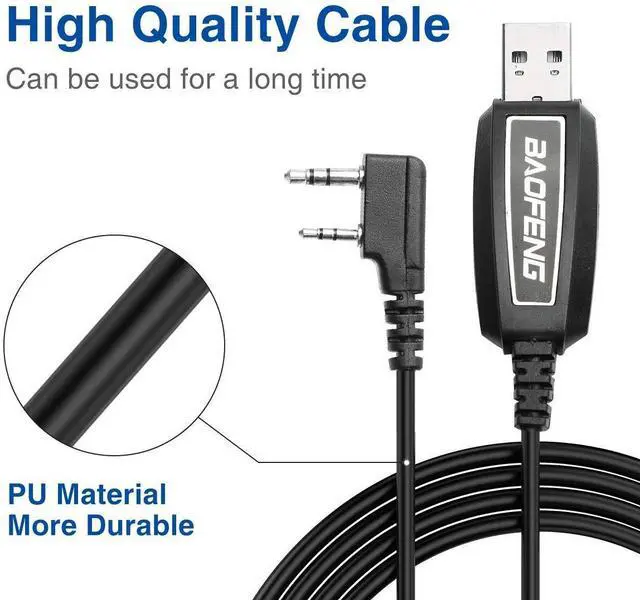
- Standard two-pin diameter: 3.5mm stereo ear (top pin). 2.5mm stereo microphone (lower pin).
- Space of two pins: 11mm
- Weight: 40g
- Color:Black
- Compatible Models
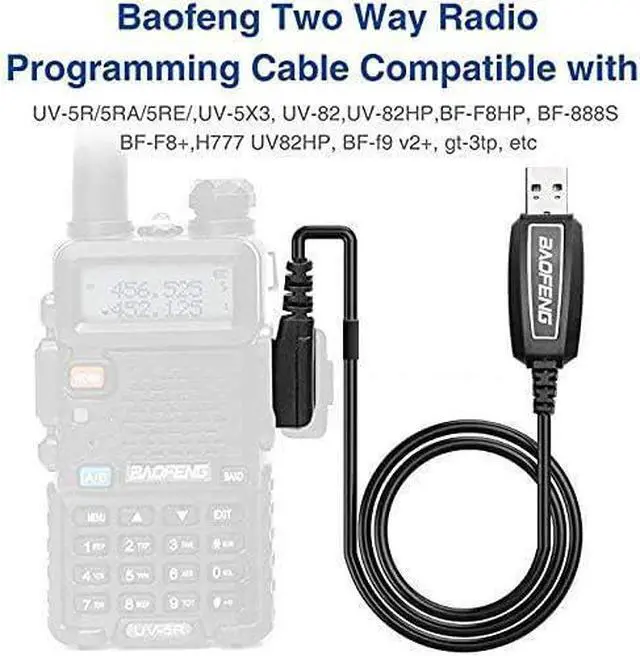
- BAOFENG Almost All: UV5R, UV-82,UV-S9 Plus,GM-15Pro,TP-8Plus,BF-H5/H6/H7,AR-152,BF-T20,UVB5, UVB6, UV-8, UV8D, UV5RA, UV5RB,UV5RC, UV5RD, UV5RE, UV5REPlus, UV5RO, UV5RA+
- BF -480/490/320/V6/V7/V8/658/520/530/999/888/777/666S/777S/888S/388A/A5/F8+/A52
- Other Compatible Models
- Kenwood KPG:KPG27D, KPG29D,KPG48D, KPG49, KPG55D, KPG56D, KPG62D, KPG66D, KPG69D, KPG70D, KPG74D, KPG75D, KPG77D, KPG82D, KPG87D
- Kenwood TH:TH-D7, TH-D7A, TH-D7AG, TH-D7E, TH-F6, TH-F6A, TH-F7, TH-F7E, TH-G71, TH-G71A, TH-G71E, TH-K2, TH-K2A, TH-K2E, TH-K2ET, TH-21, TH-21AT, TH-21BT, TH-22, TH-22A, TH-22AT, TH-22E, TH-25, TH-26, TH-27, TH-28, TH31AT, TH31BT, TH41AT, TH41BT, TH-42, TH-42A, TH-42AT, TH-42E, TH-45, TH-46, TH-47, TH-48, TH-55, TH-75, TH-77, TH-G71, TH-205, TH-215, TH-225, TH-235, TH-235A, TH-235E, TH-315, TH-415
- Kenwood TK:TK-208/308,TK-220/320,TK-240/340, TK-240D/340D,TK-248/348, TK-250/350/353, TK-260/360, TK-260G/360G,TK-270/370, TK-270G/370G,TK-272G/372G/373G, TK-278G/378G/388GPro-Talk, TK-430/431, TK-2100/3100Pro-Talk,TK-2102/3102 Pro-Power,TK-2107/3107 ,Pro-Talk,TK2207,TK3207,TK-2160/3160
- HYT: TC286 386 2685 3865 6685, TC 278 378 388, TC 2100 2088 WOUXUN / PUXING / QUSHENGAN / LINTON / TYT etc
PRODUCT DETAILS

PL2303 Chip for Two Way Radio
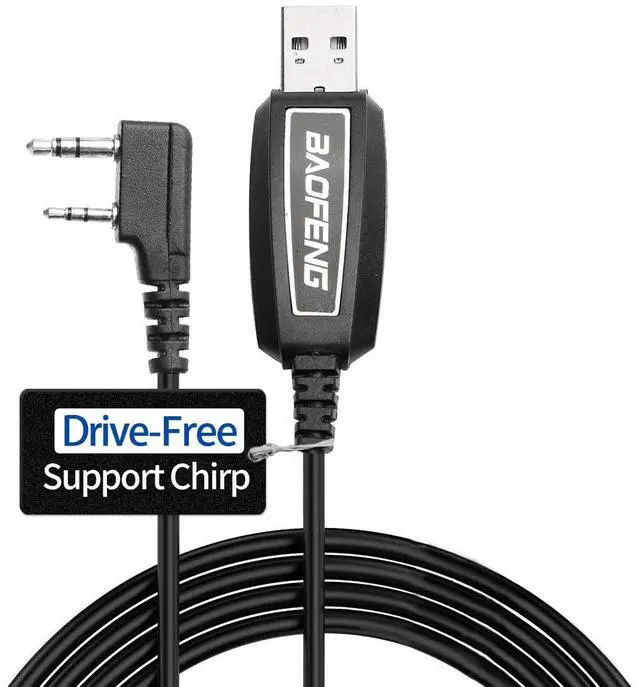
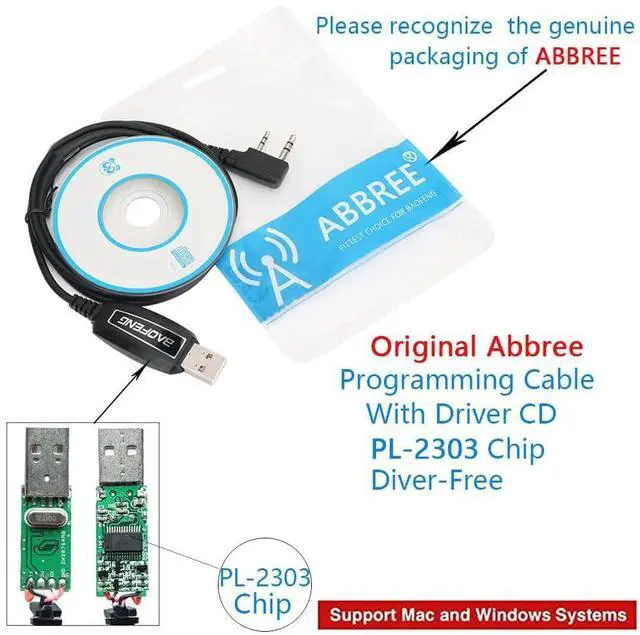
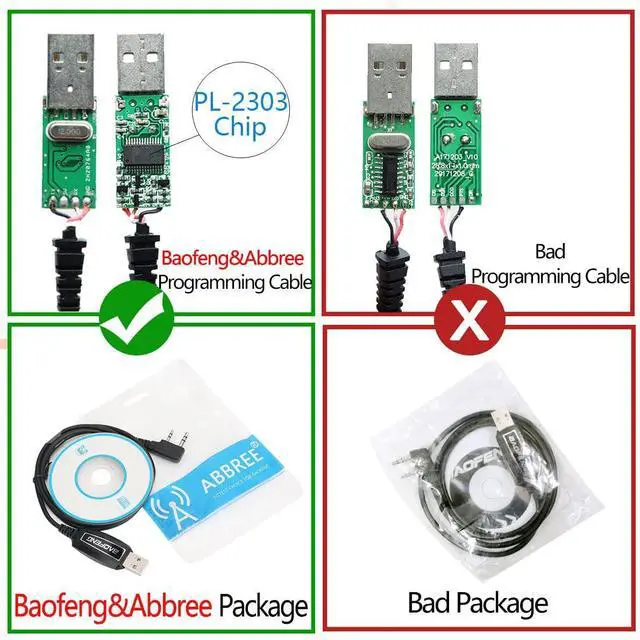
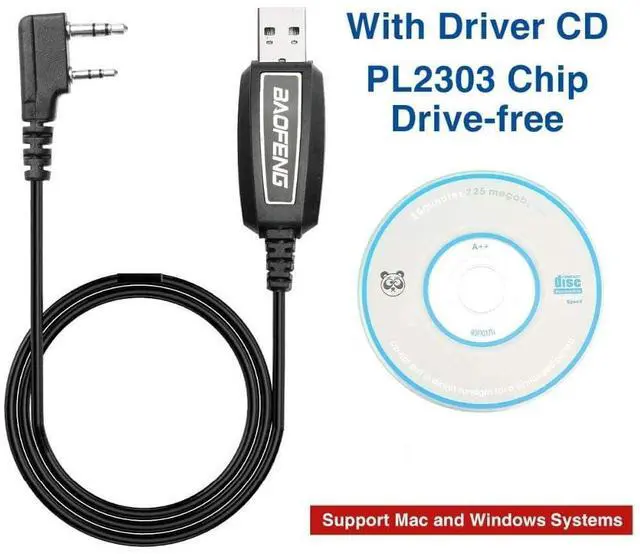
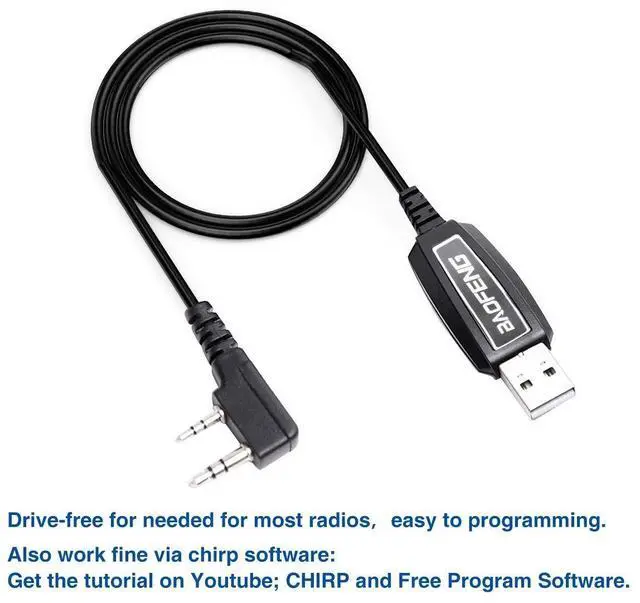
- Baofeng programming cable use PL2303 chip,Drive free,Support CHIRP,work with Windows System.
- This item is the cable that you can use to connect your Radio and PC, and then write the program setting and frequency of the walkie talkie by PC.
- No drivers needed for most radios, but if the cable is not recognized, pls install the driver of the chip, plug the cable to the Baofeng radio and PC, check the COM port in the computer settings.

2-Pin Connector
- Type: USB Programming Cable Accessories
- 2-pin standard diameter: Ear 3.5mm stereo (top pin). Mic 2.5mm stereo (bottom pin). Space of two-pin: 11mm.
- Note:Almost All with a two pin plug, former pin diameter of 3.5 mm and 2.5 mm in diameter after pin, double pin from 8 mm within, 11 mm center distance of 2 pin.

High Quality Cable
Cable length:39inch/100cm,PU Material more durable,Can be used for a long time,PU Material more durable.

Manufacture Software Programming Process
- 1.Open “Device Manager” and select the port (COM & LPT)
- 2.Download the programming software
- 1)Installation program,Clicking the button below,Clicking the “Continue”button
- 2)Find and open the "Program Software" on the Windows or computer desktop
- 3.Clicking the “Communication”button,then Confirm.
- 4.Click the "Programming-Read" button
- 5.The parameters of the Radio can be modified or adjusted as needed(Channel, Band, Frequency,tc)
- 6.Then click "write" to read the data.
The programming process be very easy!
Preparation before Programming
- Computer System Requirements
- Manufacture Programming Software Operating System: Windows 7, Windows 8 and Windows 10,Windows 11;
- CHIRP Programming Software Operating System: Windows 7\8\10\11, Windows 2000, Mac OS, Linux
Programming Cable
- PL2303 USB programming cables are only suitable for Windows systems.
- 1) Find the driver corresponding to the system.
- 2) Click and wait for the download, then install
- Software Download & Install
- 1)First make sure your computer system is compatible with the above Windows system requirements;
- 2)To download the corresponding writing software:
- 3)Install the programming software
- 4)Connect the USB programming cable to the computer and the other end of the cable toyour radio, then turn on the radio. Make sure it has enough power during programming.
 CH340 Programming Cable |  PL2303 Red Programming Cable |  PL2303 Green Programming Cable |  PL2303 Orange Programming Cable |  PL2303 Black Programming Cable |  USB Base Charger Cable | |
|---|---|---|---|---|---|---|
| Customer Reviews | — | — | — | — | — | — |
| Price | — | — no data | — no data | — | — | — no data |
| Chip | CH340 | PL2303 | PL2303 | PL2303 | PL2303 | X |
| Drive Free | X | ? | ? | ? | ? | no data |
| Support System | Windows Operation System | Windows XP/ Win 7 / Win 8 /Win 8.1/ Win10/Win11 | Windows XP/ Win 7 / Win 8 /Win 8.1/ Win10/Win11 | Windows XP/ Win 7 / Win 8 /Win 8.1/ Win10/Win11 | Windows XP/ Win 7 / Win 8 /Win 8.1/ Win10/Win11 | X |
Features
- All our articles are new.
- Baofeng original quality.
- Support Computer System: Win XP / Win 7 / Win 8 / Win10/Win11
- Standard two-pin diameter: 3.5mm stereo ear (top pin). 2.5mm stereo microphone (lower pin).
- Space of two pins: 11mm
- Weight: 40g
- Color:Black
- Compatible Models
- BAOFENG Almost All: UV5R, UV-82,UV-S9 Plus,GM-15Pro,TP-8Plus,BF-H5/H6/H7,AR-152,BF-T20,UVB5, UVB6, UV-8, UV8D, UV5RA, UV5RB,UV5RC, UV5RD, UV5RE, UV5REPlus, UV5RO, UV5RA+
- BF -480/490/320/V6/V7/V8/658/520/530/999/888/777/666S/777S/888S/388A/A5/F8+/A52
- Other Compatible Models
- Kenwood KPG:KPG27D, KPG29D,KPG48D, KPG49, KPG55D, KPG56D, KPG62D, KPG66D, KPG69D, KPG70D, KPG74D, KPG75D, KPG77D, KPG82D, KPG87D
- Kenwood TH:TH-D7, TH-D7A, TH-D7AG, TH-D7E, TH-F6, TH-F6A, TH-F7, TH-F7E, TH-G71, TH-G71A, TH-G71E, TH-K2, TH-K2A, TH-K2E, TH-K2ET, TH-21, TH-21AT, TH-21BT, TH-22, TH-22A, TH-22AT, TH-22E, TH-25, TH-26, TH-27, TH-28, TH31AT, TH31BT, TH41AT, TH41BT, TH-42, TH-42A, TH-42AT, TH-42E, TH-45, TH-46, TH-47, TH-48, TH-55, TH-75, TH-77, TH-G71, TH-205, TH-215, TH-225, TH-235, TH-235A, TH-235E, TH-315, TH-415
- Kenwood TK:TK-208/308,TK-220/320,TK-240/340, TK-240D/340D,TK-248/348, TK-250/350/353, TK-260/360, TK-260G/360G,TK-270/370, TK-270G/370G,TK-272G/372G/373G, TK-278G/378G/388GPro-Talk, TK-430/431, TK-2100/3100Pro-Talk,TK-2102/3102 Pro-Power,TK-2107/3107 ,Pro-Talk,TK2207,TK3207,TK-2160/3160
- HYT: TC286 386 2685 3865 6685, TC 278 378 388, TC 2100 2088 WOUXUN / PUXING / QUSHENGAN / LINTON / TYT etc
PRODUCT DETAILS
PL2303 Chip for Two Way Radio
- Baofeng programming cable use PL2303 chip,Drive free,Support CHIRP,work with Windows System.
- This item is the cable that you can use to connect your Radio and PC, and then write the program setting and frequency of the walkie talkie by PC.
- No drivers needed for most radios, but if the cable is not recognized, pls install the driver of the chip, plug the cable to the Baofeng radio and PC, check the COM port in the computer settings.
2-Pin Connector
- Type: USB Programming Cable Accessories
- 2-pin standard diameter: Ear 3.5mm stereo (top pin). Mic 2.5mm stereo (bottom pin). Space of two-pin: 11mm.
- Note:Almost All with a two pin plug, former pin diameter of 3.5 mm and 2.5 mm in diameter after pin, double pin from 8 mm within, 11 mm center distance of 2 pin.
High Quality Cable
Cable length:39inch/100cm,PU Material more durable,Can be used for a long time,PU Material more durable.
Manufacture Software Programming Process
- 1.Open “Device Manager” and select the port (COM & LPT)
- 2.Download the programming software
- 1)Installation program,Clicking the button below,Clicking the “Continue”button
- 2)Find and open the "Program Software" on the Windows or computer desktop
- 3.Clicking the “Communication”button,then Confirm.
- 4.Click the "Programming-Read" button
- 5.The parameters of the Radio can be modified or adjusted as needed(Channel, Band, Frequency,tc)
- 6.Then click "write" to read the data.
The programming process be very easy!
Preparation before Programming
- Computer System Requirements
- Manufacture Programming Software Operating System: Windows 7, Windows 8 and Windows 10,Windows 11;
- CHIRP Programming Software Operating System: Windows 7\8\10\11, Windows 2000, Mac OS, Linux
Programming Cable
- PL2303 USB programming cables are only suitable for Windows systems.
- 1) Find the driver corresponding to the system.
- 2) Click and wait for the download, then install
- Software Download & Install
- 1)First make sure your computer system is compatible with the above Windows system requirements;
- 2)To download the corresponding writing software:
- 3)Install the programming software
- 4)Connect the USB programming cable to the computer and the other end of the cable toyour radio, then turn on the radio. Make sure it has enough power during programming.
CH340 Programming Cable | PL2303 Red Programming Cable | PL2303 Green Programming Cable | PL2303 Orange Programming Cable | PL2303 Black Programming Cable | USB Base Charger Cable | |
|---|---|---|---|---|---|---|
| Customer Reviews | — | — | — | — | — | — |
| Price | — | — no data | — no data | — | — | — no data |
| Chip | CH340 | PL2303 | PL2303 | PL2303 | PL2303 | X |
| Drive Free | X | ? | ? | ? | ? | no data |
| Support System | Windows Operation System | Windows XP/ Win 7 / Win 8 /Win 8.1/ Win10/Win11 | Windows XP/ Win 7 / Win 8 /Win 8.1/ Win10/Win11 | Windows XP/ Win 7 / Win 8 /Win 8.1/ Win10/Win11 | Windows XP/ Win 7 / Win 8 /Win 8.1/ Win10/Win11 | X |